Overview
Tyk Gateway enforces a maximum wait time for upstream responses. When the timeout expires, Tyk Gateway terminates the request and returns504 Gateway Timeout to the client with the response body {"error": "Upstream service reached hard timeout."}. This prevents slow or unresponsive upstream services from blocking connections and degrading overall system performance.
If you are using the Service Discovery option and an enforced timeout is triggered, the service discovery module will refresh the host or host list.
Timeout Levels
Timeouts can be configured at three levels. The most specific level takes precedence:
An endpoint-level timeout overrides the API-level timeout. The API-level timeout overrides the Gateway default.
The Gateway-level
proxy_default_timeout also acts as an upper bound. It runs concurrently with the API- and endpoint-level timeouts, and the request is terminated by whichever expires first. An API- or endpoint-level timeout can therefore only shorten the effective timeout. To set one longer than the Gateway default, increase proxy_default_timeout accordingly.Duration Format
From Tyk Gateway 5.14.0, API-level and endpoint-level timeouts accept human-readable duration strings. Accepted units arems, s, and m as follows:
At the endpoint level, the legacy integer (seconds) format remains supported for backward compatibility.
The Gateway-level timeout is configured using the legacy integer (seconds) format.
HTTP Server Write Timeout
Enforced timeouts measure only the time spent waiting for the upstream service to respond.http_server_options.write_timeout in the Gateway configuration (default: 120 seconds) covers the entire request lifecycle: Gateway middleware processing, the upstream wait, and writing the response back to the client. Because it includes Gateway-side processing time on top of the upstream wait, it is always the outer bound on any enforced timeout.
If an enforced timeout is set to a value close to or longer than write_timeout, the HTTP server may close the connection before the enforced timeout fires. To use enforced timeouts longer than 120 seconds, increase http_server_options.write_timeout to at least the same value.
Configuration
Gateway Level
The Gateway-level timeout is configured usingproxy_default_timeout in tyk.conf. It applies to all APIs on the Gateway and accepts an integer value in seconds.
API Level
Available from Tyk Gateway 5.14.0
- Tyk OAS
- Tyk Classic
Configure
upstream.enforceTimeout in the Tyk Vendor Extension:Endpoint Level
An endpoint-level timeout applies to a specific path and method, overriding any API-level or Gateway-level timeout for that endpoint.- Tyk OAS
- Tyk Classic
Configure
enforceTimeout in the operations section of the Tyk Vendor Extension for the appropriate operationId:Tyk Dashboard automatically rounds
duration up to the nearest whole second and stores that in value when the API is saved, ensuring that in a distributed (MDCB) deployment the timeout continues to be enforced on older Data Plane Gateways. Tyk Gateway 5.14.0 or later will ignore value and apply the more granular duration.Configuring the Endpoint-Level Timeout in the API Designer
- Tyk OAS
- Tyk Classic
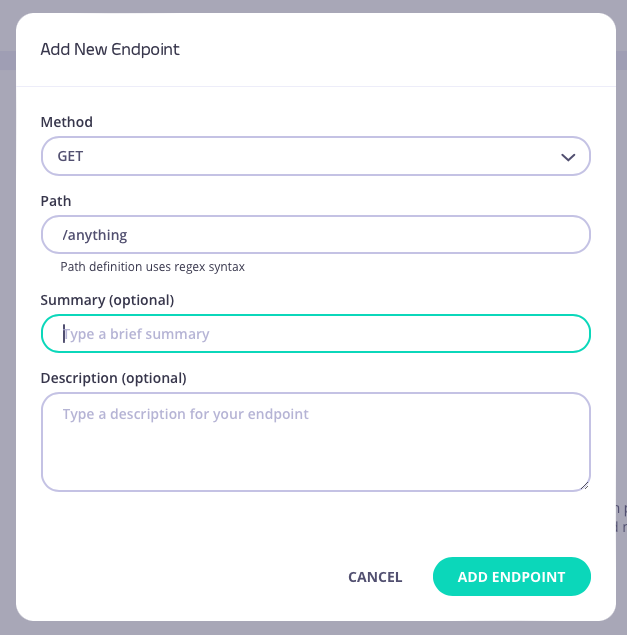
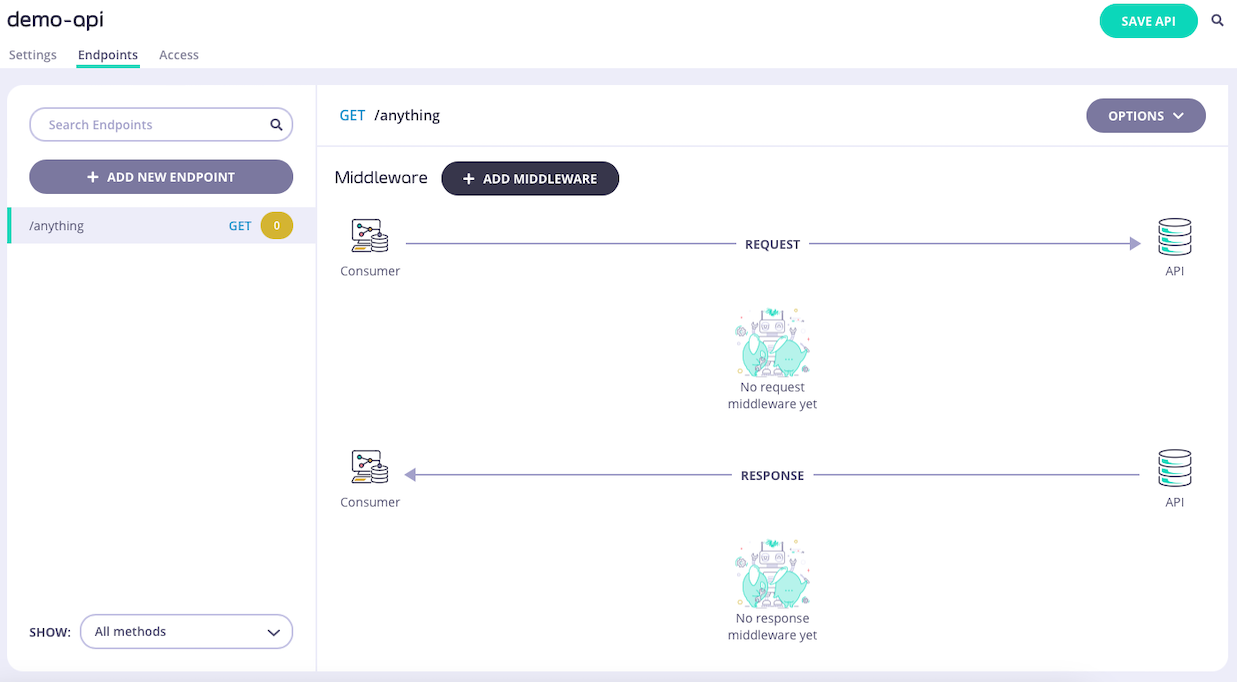
Step 1: Add an EndpointFrom the API Designer add an endpoint that matches the path and method to which you want to apply the middleware.