Prerequisites
Ensure the following prerequisites are met before proceeding:- Tyk Gateway v5.2 or higher
- OpenTelemetry Collector deployed locally
- Elasticsearch deployed locally or an account on Elastic Cloud with Elastic APM
Steps for Configuration
Step 1. Configure Tyk Gateway
To enable OpenTelemetry when using Tyk Helm Charts add the following configuration to the Tyk Gateway section:docker-compose.yml file for Tyk Gateway:
For both deployment types, make sure to replace
<Add your endpoint here> with the appropriate endpoint from your OpenTelemetry collector.detailed_tracing option to true to collect detailed traces.
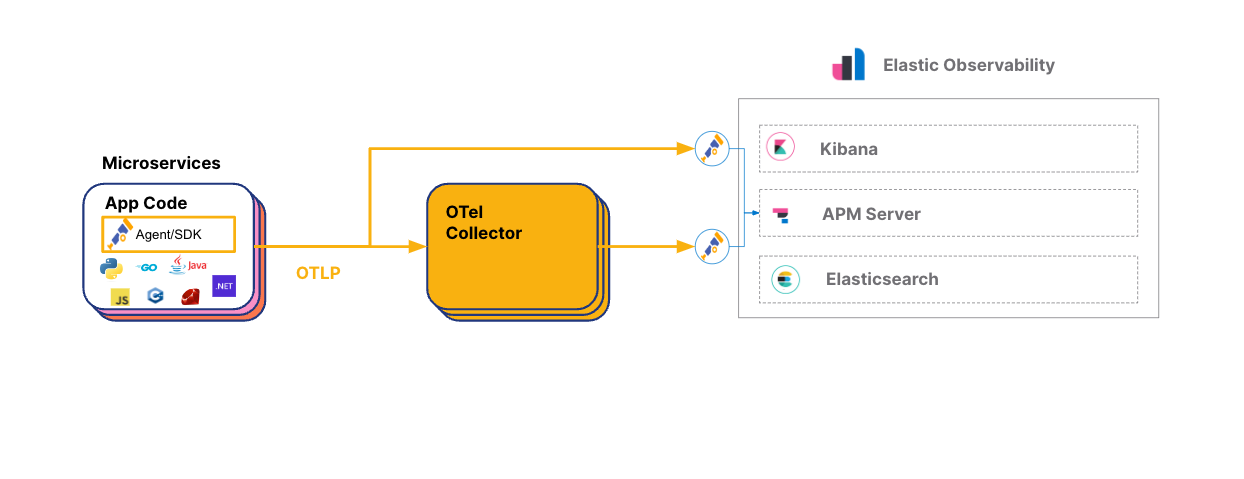
Step 2. Configure the OpenTelemetry Collector to Export to Elasticsearch
To configure the OTel Collector with Elasticsearch Cloud, follow these steps:- Sign up for an Elastic account if you haven’t already
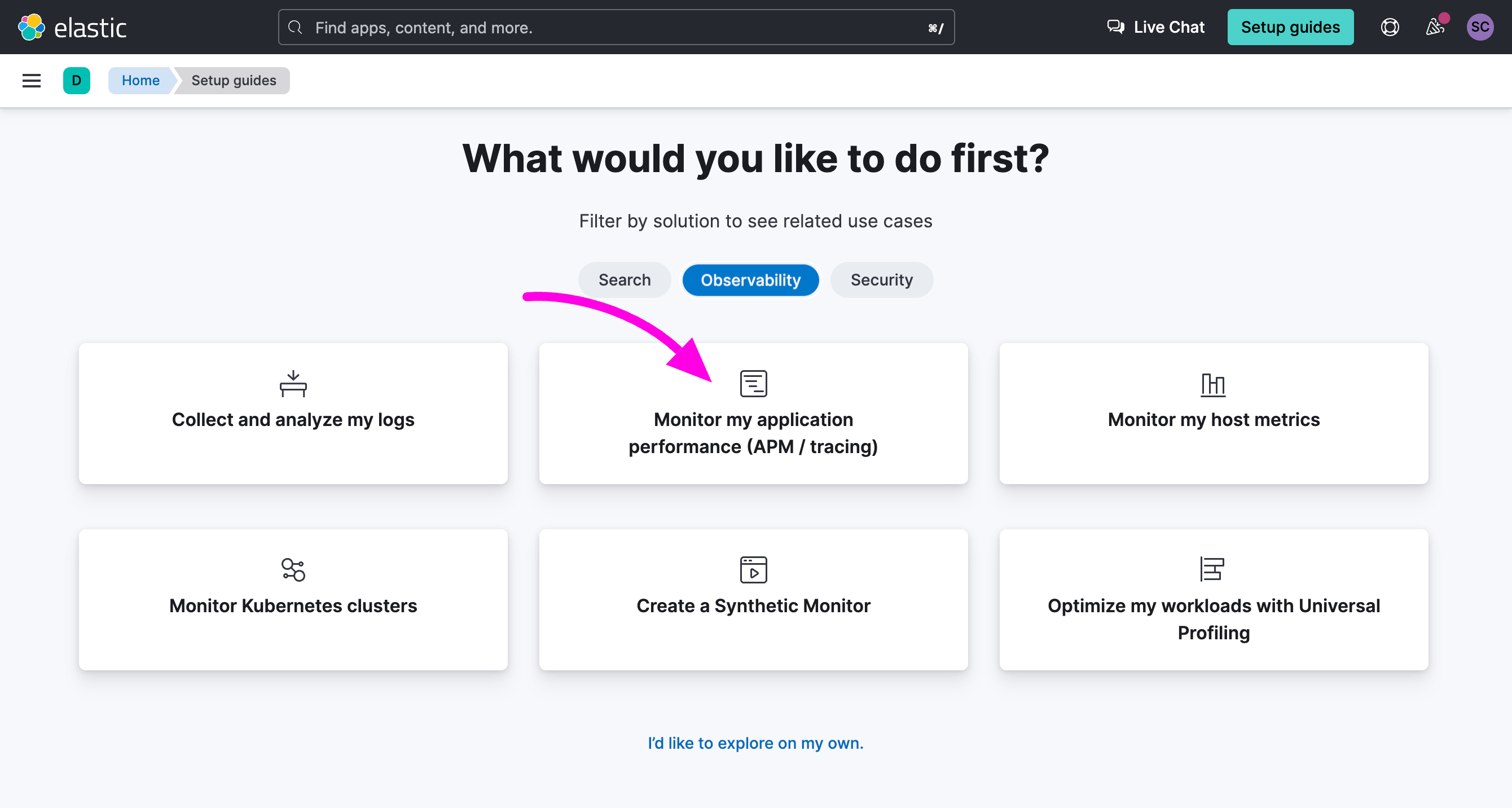
- Once logged in to your Elastic account, select Observability and click on the option Monitor my application performance
- Scroll down to the APM Agents section and click on the OpenTelemetry tab

- Search for the section Configure OpenTelemetry in your application” You will need to copy the value of
OTEL_EXPORTER_OTLP_ENDPOINTandOTEL_EXPORTER_OTLP_HEADERSin your OpenTelemetry Collector configuration file.
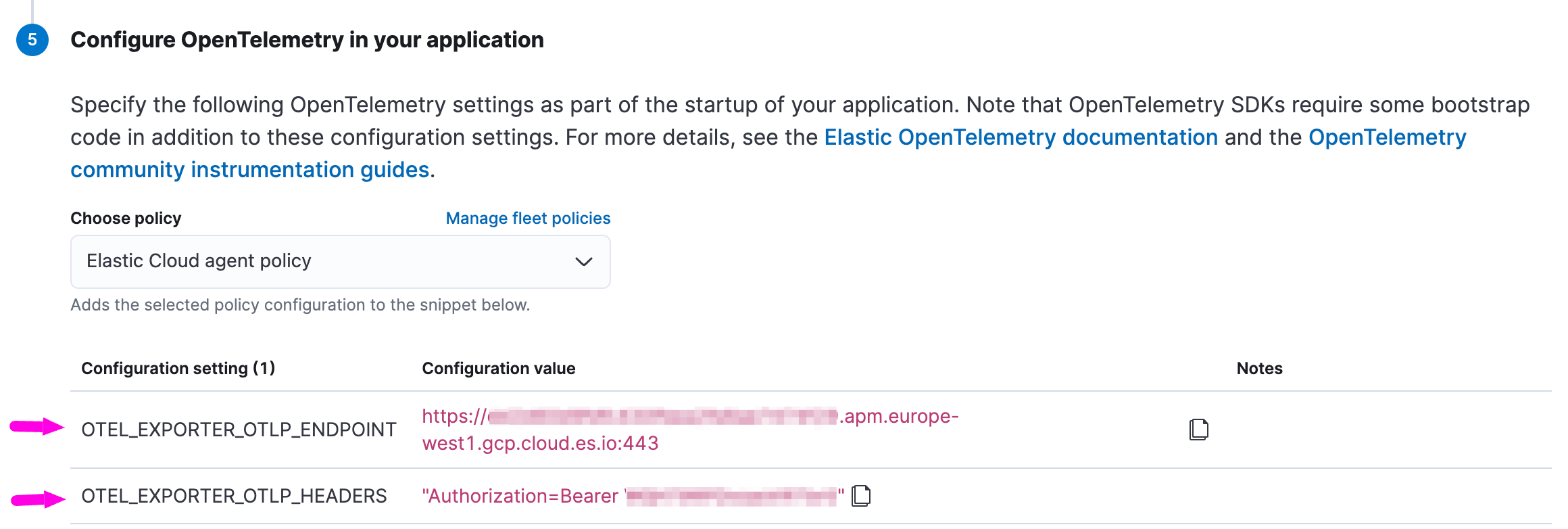
- Update your OpenTelemetry Collector configuration, here’s a simple example:
Step 3. Explore OpenTelemetry Traces in Elasticsearch
In Elasticsearch Cloud:- Go to Home and select Observability.
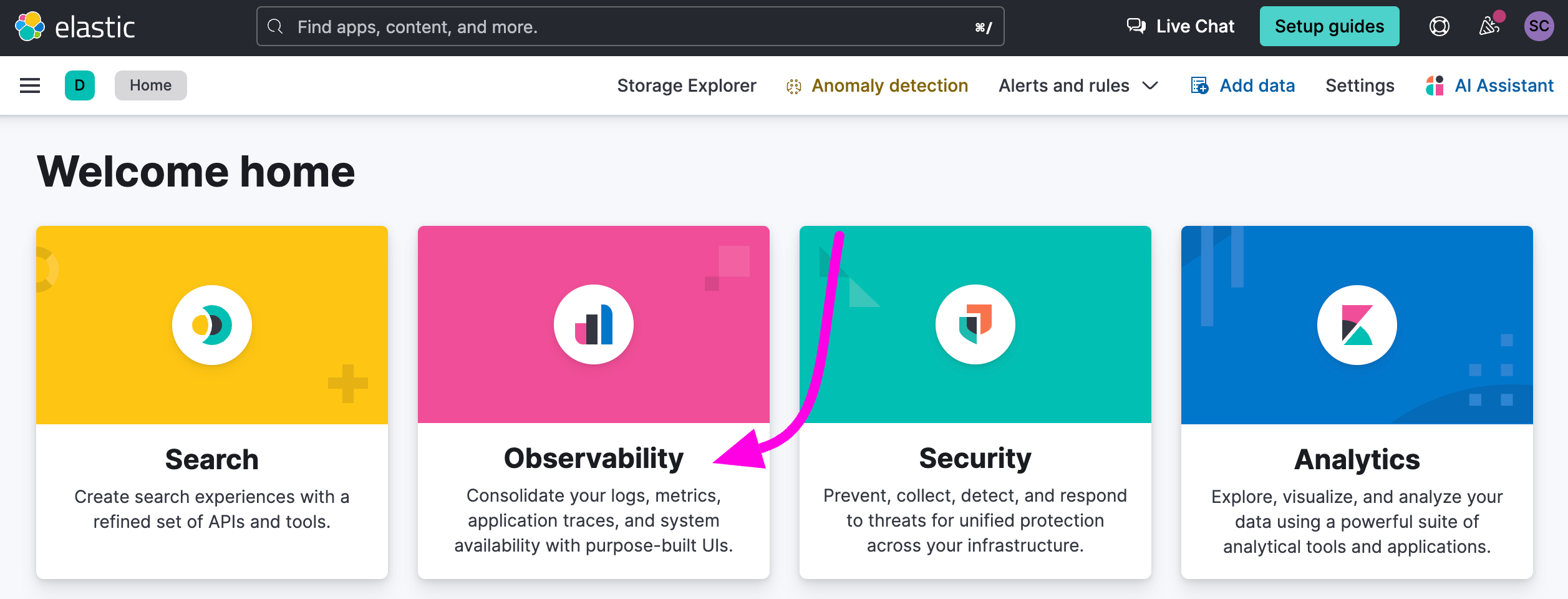
- On the right menu, click on APM / Services.
- Click on tyk-gateway.
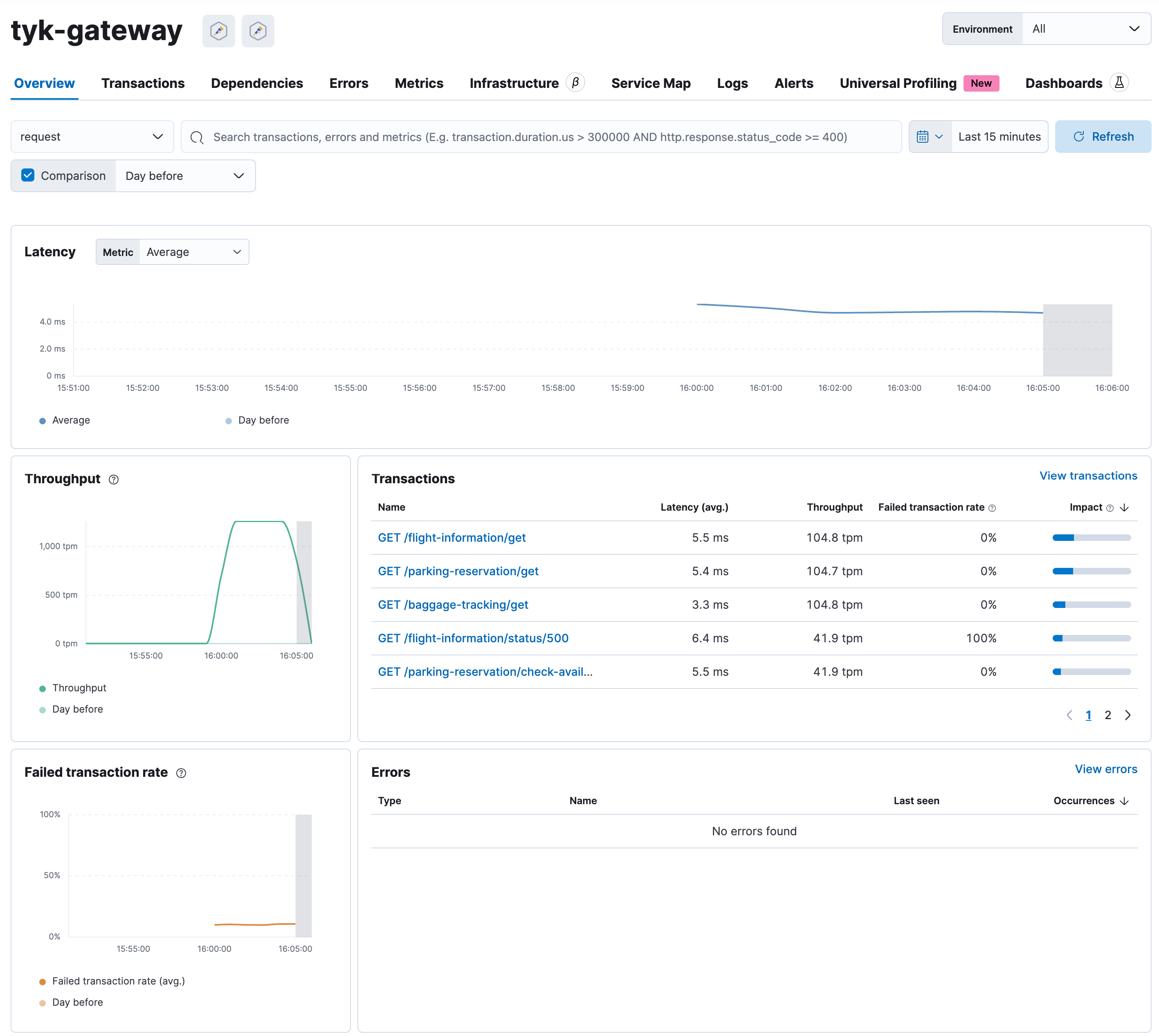
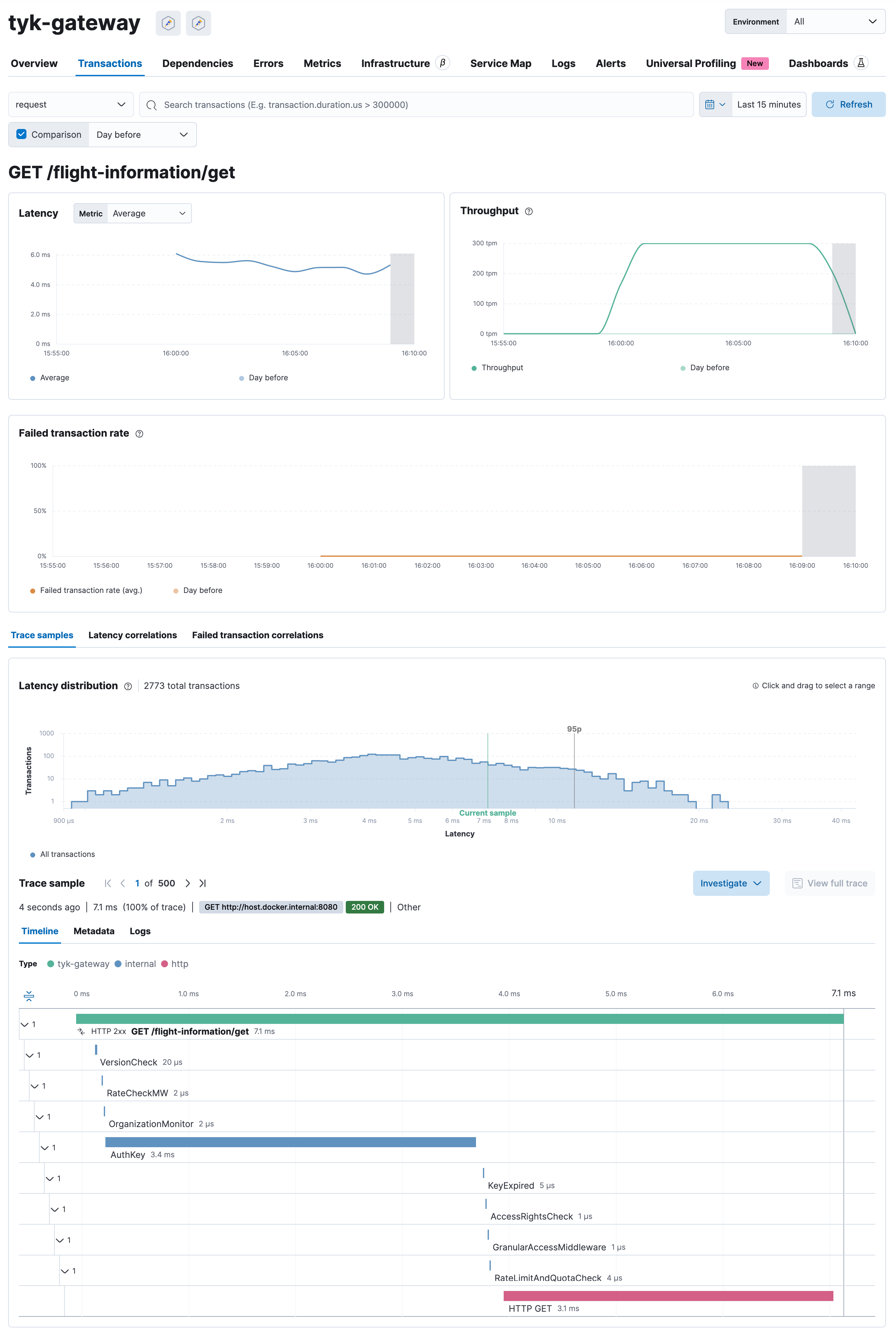
- You will see a dashboard automatically generated based on the distributed traces sent by Tyk Gateway to Elasticsearch.