

Introduction
Many APIs need the same configuration. For example, all the APIs of a team can use the same CORS settings, upstream TLS settings or rate limit. If you copy that configuration into each API definition, a change means editing every API, and the copies drift apart over time. An API Fragment is a named piece of configuration that Tyk Dashboard stores once and shares with many APIs. Each API definition contains a reference to the Fragment in place of the configuration. When you change the Fragment, every API that references it gets the change. Fragments let a platform team own shared configuration, such as security and traffic settings, while API teams own the rest of each API definition. API Fragments are available from Tyk Dashboard 5.16.0, for Tyk OAS APIs and Tyk Streams APIs.How API Fragments Work
Fragment References
A Fragment holds a JSON value, usually an object. To use the Fragment, replace a value in the API definition with a reference to it:cors-allow-list, holds CORS settings:
{"$ref": ...} object with the Fragment value.
These rules apply to references:
- You can put a reference anywhere in the API definition, in the OpenAPI description or in the
x-tyk-api-gatewayextension. - The reference must be the only key in its object. If you add other keys next to
$ref, Tyk Dashboard rejects the API definition. - A Fragment can’t contain references to other Fragments.
- The referenced Fragment must exist in the same Organisation.
When to Use Fragments
A Fragment replaces one value in an API definition, usually a configuration object. These are typical candidates:
A Fragment can also hold part of the OpenAPI description, for example a security scheme that many APIs share.
Don’t use a Fragment for:
- configuration that is specific to one API, such as its listen path or upstream URL
- configuration that you expect API teams to change for their API. Put it in a Template instead.
- settings that Tyk Developer Portal writes to the API, if the Developer Portal publishes the API. See the limitations of API Fragments.
When Tyk Resolves References
Tyk Dashboard stores each API definition with its Fragment references. It resolves the references at these times:- When you save an API. Tyk Dashboard resolves the references and validates the complete API definition. If the result isn’t a valid API definition, it rejects the save.
- When Tyk Gateway loads its APIs. Tyk Dashboard resolves the references before it sends API definitions to Tyk Gateway. In a distributed deployment, MDCB resolves them before it sends API definitions to the Data Plane Gateways.
Changing a Fragment
Before Tyk Dashboard saves a change to a Fragment, it validates every API and API Template that references the Fragment, using the new value. If any of them would no longer be valid, Tyk Dashboard rejects the change and lists the APIs that would break. When the change is valid, Tyk Dashboard updates every API that references the Fragment. It then notifies Tyk Gateway to reload its APIs, the same as when you save an API. If you change only the tags of a Fragment, Tyk Dashboard doesn’t update the APIs.Deleting a Fragment
You can’t delete a Fragment while an API or an API Template references it. Remove the references first.Fragments in API Templates
An API Template can contain Fragment references. When you create an API from the Template, Tyk Dashboard copies the references into the new API. The API then uses the Fragments in the same way as an API that you created without the Template. Tyk Dashboard validates a Template with its Fragments resolved when you save the Template, and when you change a Fragment that the Template references.Use API Fragments in Tyk Dashboard
Fragments are in the Assets section of the Tyk Dashboard menu, under Fragments. To see this section, you need theapi_assets permission.
Create a Fragment
- Go to Assets > Fragments and click Add fragment.
-
In Configuration, enter the value of the Fragment. You can type or paste it, upload a JSON or YAML file, or start from one of the examples on the right, and click Load Into Editor. Tyk Dashboard stores JSON and YAML as JSON. To store a plain text value, switch the editor to Text.
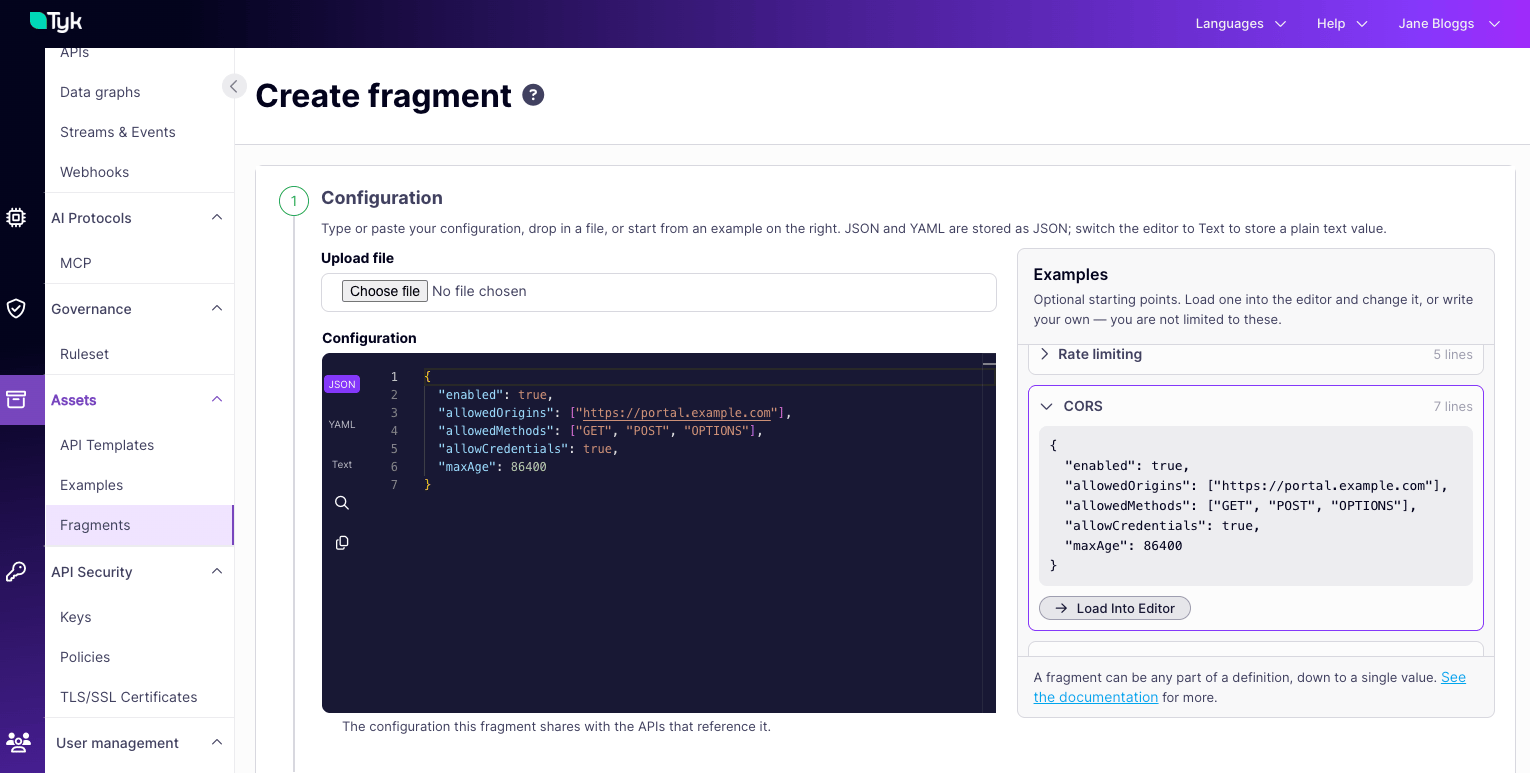
- Click Continue.
- In Details, enter a Name. Use lowercase letters and no spaces. The name is also the Fragment ID, and you can’t change it later.
-
Optionally, enter a Description and add tags.
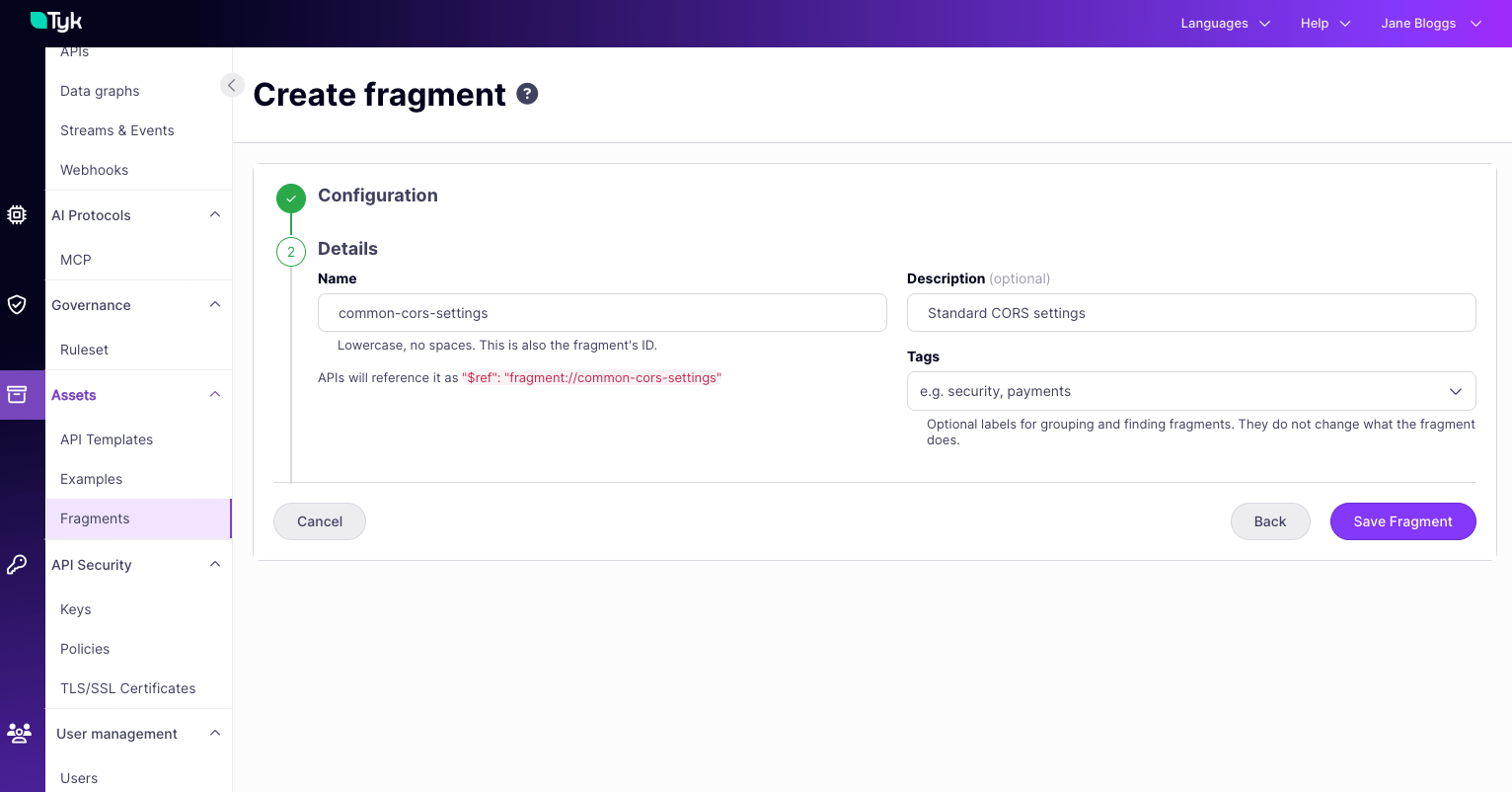
- Click Save Fragment.
Use a Fragment in an API
- Go to Assets > Fragments and open the Fragment.
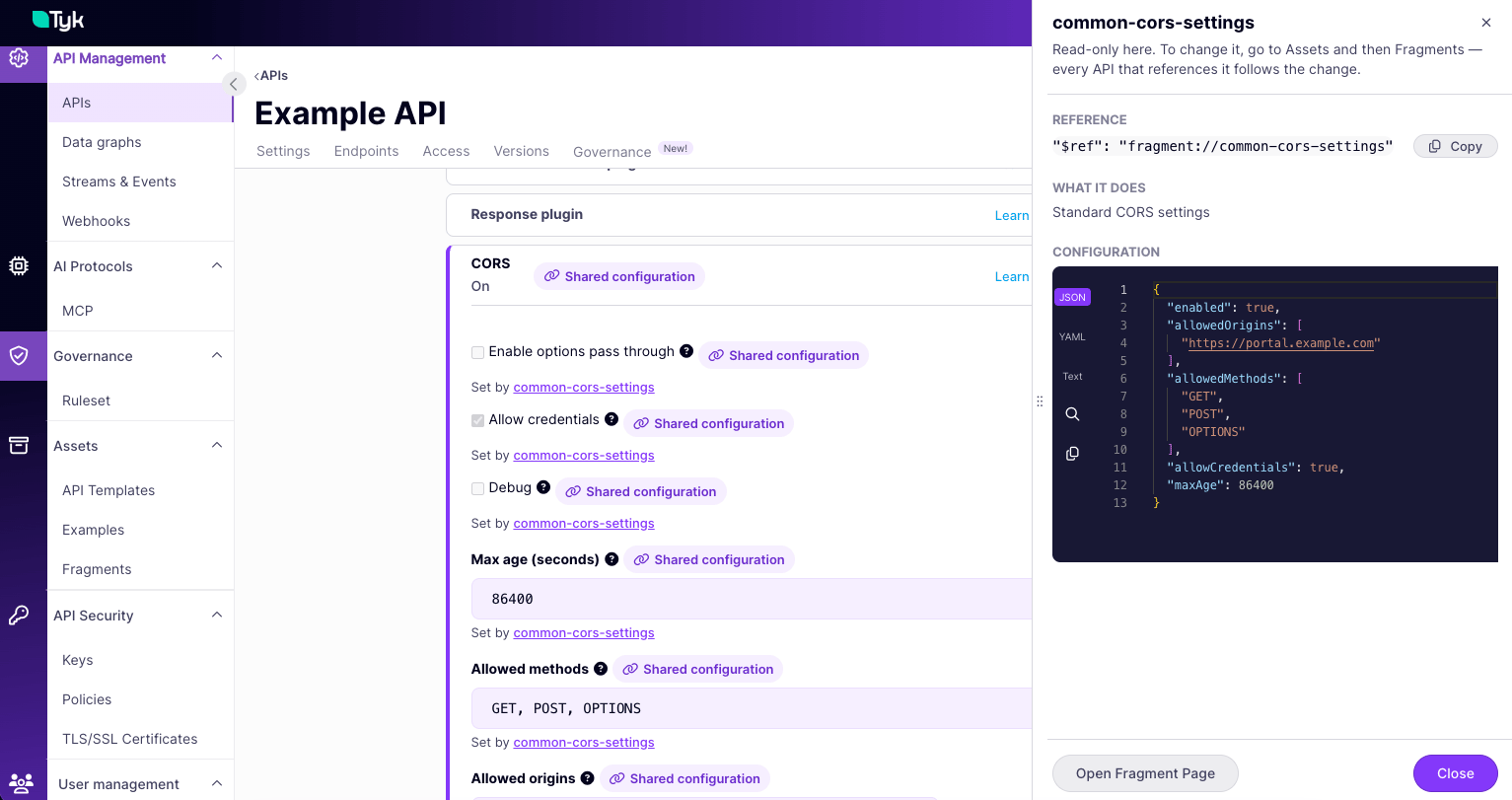
- In Use this fragment in an API, click Copy Reference. This will copy the reference to your clipboard as
"$ref": "fragment://id". - Open the API, and go to its API definition.
- Paste the reference where the configuration should go, replacing any configuration that is already there. If you are pasting into a JSON format API definition you must add curly braces around the reference, for example
{ "$ref": "fragment://id" }. - Save the API.
Find the APIs That Use a Fragment
Open the Fragment. The APIs using this fragment panel lists every API that references it, including draft and inactive APIs.Edit or Delete a Fragment
- Go to Assets > Fragments.
- Open the actions menu for the Fragment, then select Edit fragment or Delete fragment.
Use API Fragments with the Tyk Dashboard API
Fragments are Assets with thekind set to fragment. You create, update and delete them with the /api/assets endpoints of the Tyk Dashboard API.
After you register a Fragment, add a reference to it in an API definition, as shown in Fragment References. Then update the API through the Tyk Dashboard API.
Note these behaviors of the Assets endpoints:
PUT /api/assets/{id}replaces the complete Asset. If you omittags, Tyk Dashboard removes the existing tags.- If no Asset exists with this
id,PUT /api/assets/{id}creates it. - To filter Fragments by tag with
GET /api/assets?kind=fragment, you must also sendpaginated=true.
Control Access to Fragments
To create, change or delete Fragments, a user needs write access to theapi_assets permission. To see the Fragments that an API references, a user needs read access to the apis permission.
Limitations
- Fragments are available for Tyk OAS APIs and Tyk Streams APIs. Tyk Classic APIs can’t use Fragments.
- Only Tyk Dashboard and MDCB resolve Fragment references. Tyk Gateway doesn’t resolve them. So you can’t use Fragments in API definitions that you load into Tyk Gateway directly, for example from a file or through the Tyk Gateway API.
- Tyk Operator doesn’t support Fragments.
- Tyk Developer Portal writes the client certificates of an API that uses mutual TLS. It also writes the JWT scope-to-Policy mappings of an API that uses JWT, unless you use the Identity Provider Registry. If a Fragment sets any of these, Tyk Developer Portal can’t add the API to an API Product.