

Available from Tyk Developer Portal 1.20.0
How Callouts Work
Configure the Integration
You configure three parts that work together:- In a Callout, you define the target URL, HTTP method and authentication used to send data to the external service.
- On a Page, you select the Callout to use. Each Page can select one Callout, and multiple Pages can use the same Callout.
- In a template, you add the form or JavaScript that sends requests and handles responses.
Request Journey
Your Page’s form or JavaScript sends aPOST request to the Callout endpoint using the Portal user’s session. The Callout’s Method setting controls the separate request that Tyk Developer Portal sends to the target: POST, PUT or PATCH.
Callouts do not support
GET requests to target services.payload field contains the request data. If Include user identity is selected, an actor field also contains the authenticated user’s Portal identifier and email address. See the request format for examples.
A target can accept this envelope directly. If it expects a different format, use an intermediate API to transform the request, for example on Tyk Gateway. You don’t need Tyk Gateway to use Callouts.
Tyk Developer Portal returns the result to the browser, where your Page’s code decides how to display or use it. Unlike webhooks, Callouts do not subscribe to Portal events or deliver requests asynchronously. They do not queue retries or prevent repeated requests from creating duplicate records.
Portal User Access
Callout requests require an active, authenticated Portal user. A Page can be publicly visible, but anonymous visitors cannot invoke its Callout. Cross-site request forgery (CSRF) protection must also remain enabled. It checks a token sent with the request to help prevent another website from sending requests using the user’s session. The form tutorial shows how to send this token. Any active, authenticated Portal user can invoke an enabled Callout if they know its endpoint URL. Hiding a form or other Page controls does not restrict access to the endpoint. Enforce any additional authorization at the target service.Check Destination Requirements
By default, destinations must use HTTPS and public IPv4 addresses on ports 80 or 443. HTTP is disabled by default, but you can enable it in the Portal configuration. For internal destinations, custom ports, host restrictions or capacity limits, see Callouts settings. If you use OAuth authentication, these restrictions also apply to the service that issues access tokens, configured as the Token URL.Create a Callout
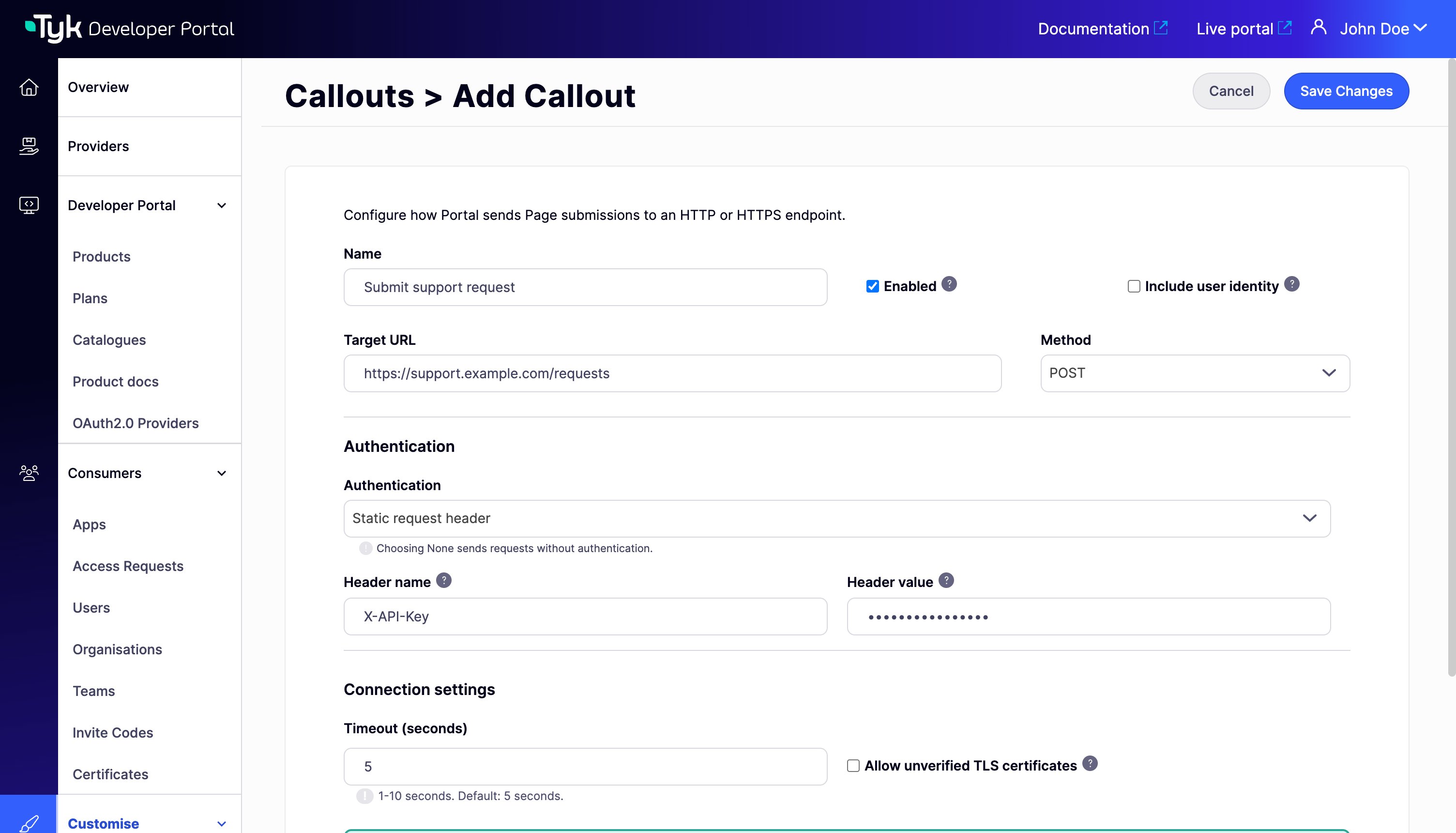
- Open Customise > Callouts in the Admin Portal.
- Select Add new Callout.
- Enter a unique Name, for example
Submit support request. - Enter the service’s Target URL and select its Method:
POST,PUTorPATCH. - Select Authentication and enter the required values described below.
- Review Include user identity, Timeout (seconds) and the TLS setting.
- Select Test connection to check connectivity.
- Select Enabled when the Callout is ready for use, then select Save Changes.
Test connection sends an
OPTIONS request to the target URL. If the target does not support this method, the test fails, but the Callout may still work using its configured method. See Test the connection for details./portal-api/callouts. The API never returns saved credentials.
Target Authentication
Choose how Tyk Developer Portal authenticates with the target. This is separate from how your Portal users sign in.
For OAuth, the token endpoint must support the client credentials grant and client authentication through HTTP Basic authentication. Tyk Developer Portal reuses valid access tokens. This is service authentication. It does not use the API Consumer’s OAuth credentials for delegated authorization.
Callout credentials are separate from the access credentials issued to API Consumers through API Products and Plans. Do not put target credentials in the Page template, browser JavaScript or URL. Headers managed by Tyk Developer Portal, including
Content-Type, Host and X-Callout-Request-ID, cannot be used as the static authentication header.
Credential Storage
Tyk Developer Portal stores the Header value and Client secret in its database in a recoverable form. It doesn’t encrypt them separately. Anyone who can read the Portal database can read these credentials. Restrict access to the database, and give each Callout credential only the access that the integration needs. When you delete a Callout, its database record stays, including its credentials. To remove the credentials from the database, select None for Authentication and save the Callout before you delete it. Keep database query logging disabled.PORTAL_DATABASE_ENABLELOGS is false by default. The query log doesn’t hide Callout credentials.
Include User Identity
Select Include user identity only if the target needs the authenticated user’s Portal identifier (CID) and email address. This adds both values to the envelope’sactor object. Deselecting it omits the entire object. Tyk Developer Portal takes these values from the authenticated user. The request payload cannot set them.
This setting controls identity sent to the target. It does not remove the user CID from the Portal’s execution logs. A separate request ID lets you trace the request with either setting.
TLS Certificates
For HTTPS connections, Tyk Developer Portal checks the target’s TLS certificate to verify the server’s identity. For normal use, do not select Allow unverified TLS certificates. Selecting it disables certificate verification for both the target and the OAuth token endpoint, if they use HTTPS. It does not override destination restrictions. This option requires the target URL or the OAuth token URL for the selected authentication method to use HTTPS.Test the Connection
Test connection checks whether the Portal server can reach the target using the current settings in the Callout editor. It sends anOPTIONS request using the selected authentication method, destination policy and TLS setting, but sends no request payload and does not save the settings.
A successful result means that the target returned a 2xx response to this probe. It does not prove that the configured method or a real payload will succeed. Also test the complete flow from your Portal Page. Confirm that the configured request succeeds. Confirm that the Page handles the response correctly.
For OAuth, the probe obtains a token for the current settings. Changing a destination can require you to re-enter a saved credential before testing.
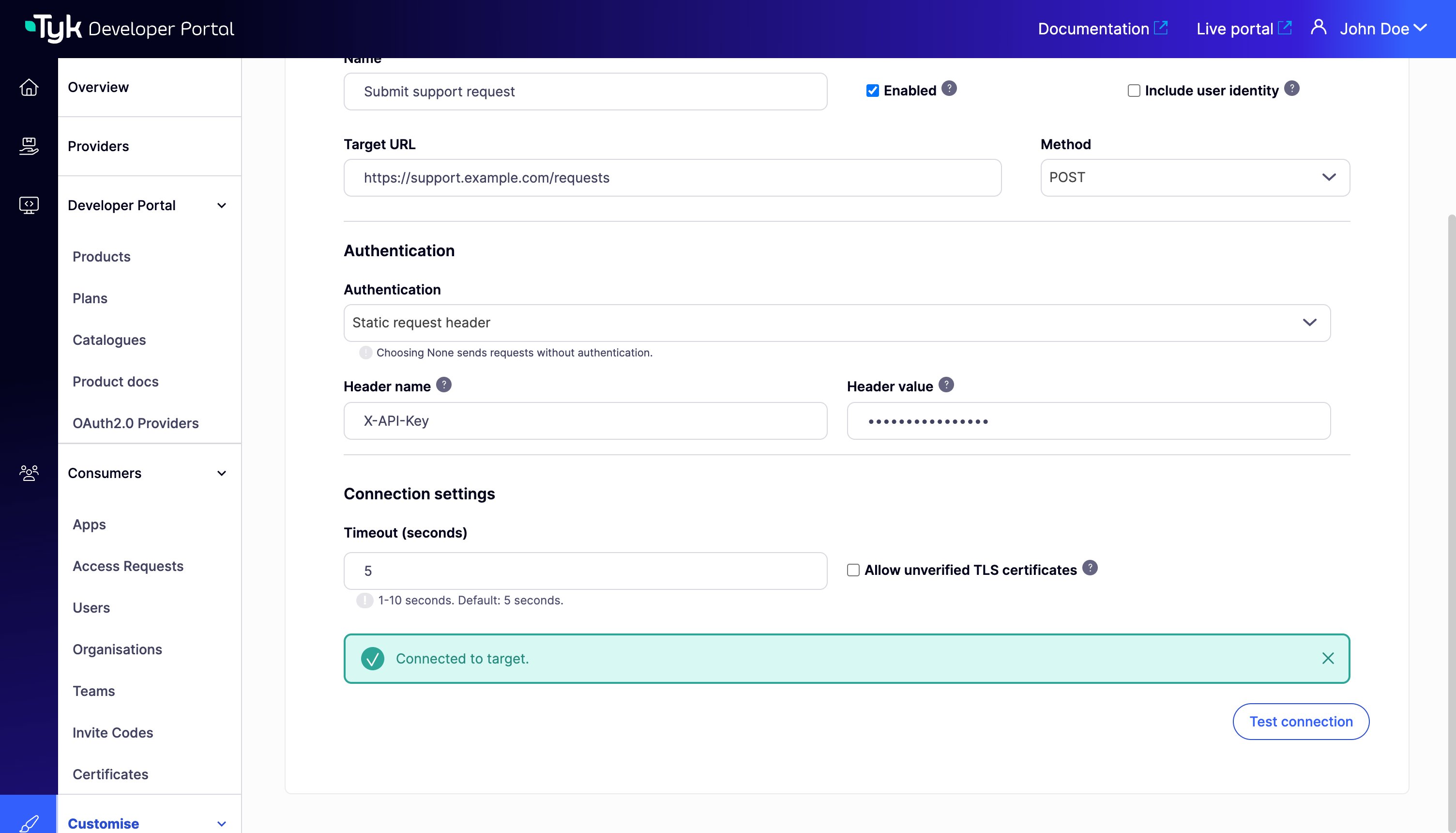
A successful test shows Connected to target.
X-Callout-Request-ID header to find the attempt in the application logs.
Use a Callout on a Page
Open a Page under Customise > Pages, select its Callout, and save it.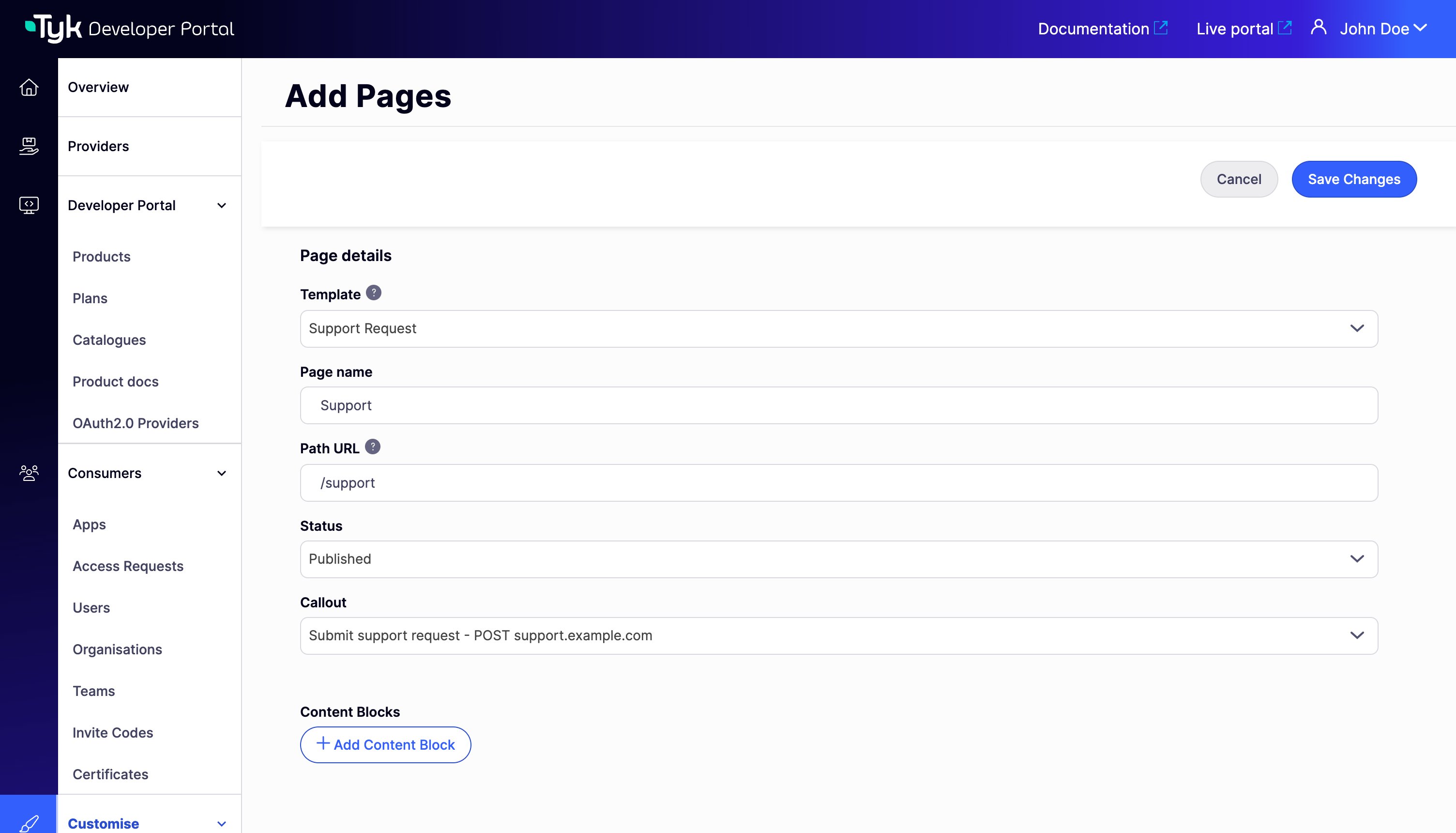
.calloutAction value. Tyk Developer Portal doesn’t check the destination of the Callout when it renders the Page. If the destination is no longer allowed, for example after a change to the Callouts settings, requests return 503. The form or JavaScript uses that URL to send data to Tyk Developer Portal. It does not send data directly to the target.
Selecting a Callout does not add a form or a sample Page to your theme. Follow the Submit a form with a Callout guide for a working template and JavaScript example.
Edit or Delete a Callout
Saved Header value and Client secret fields show a standard six-symbol mask. The mask does not show the secret or its length. Leave the field unchanged to retain the saved value. Enter a new value to replace it. Re-enter the relevant credential after changing the target URL, authentication type, header name, OAuth token URL or OAuth client ID. Enabling Allow unverified TLS certificates also requires it. This prevents an edited destination from receiving a hidden credential without the editor supplying it again. To remove authentication, select None and save. To switch authentication methods, enter the new method’s credentials and save. Saving clears the credentials for the inactive method. Deselecting Enabled stops new requests through that Callout without removing its Page associations. In Pages, the Callout column shows its name, None, Disabled, or Missing. The last state indicates that the selected Callout is no longer available.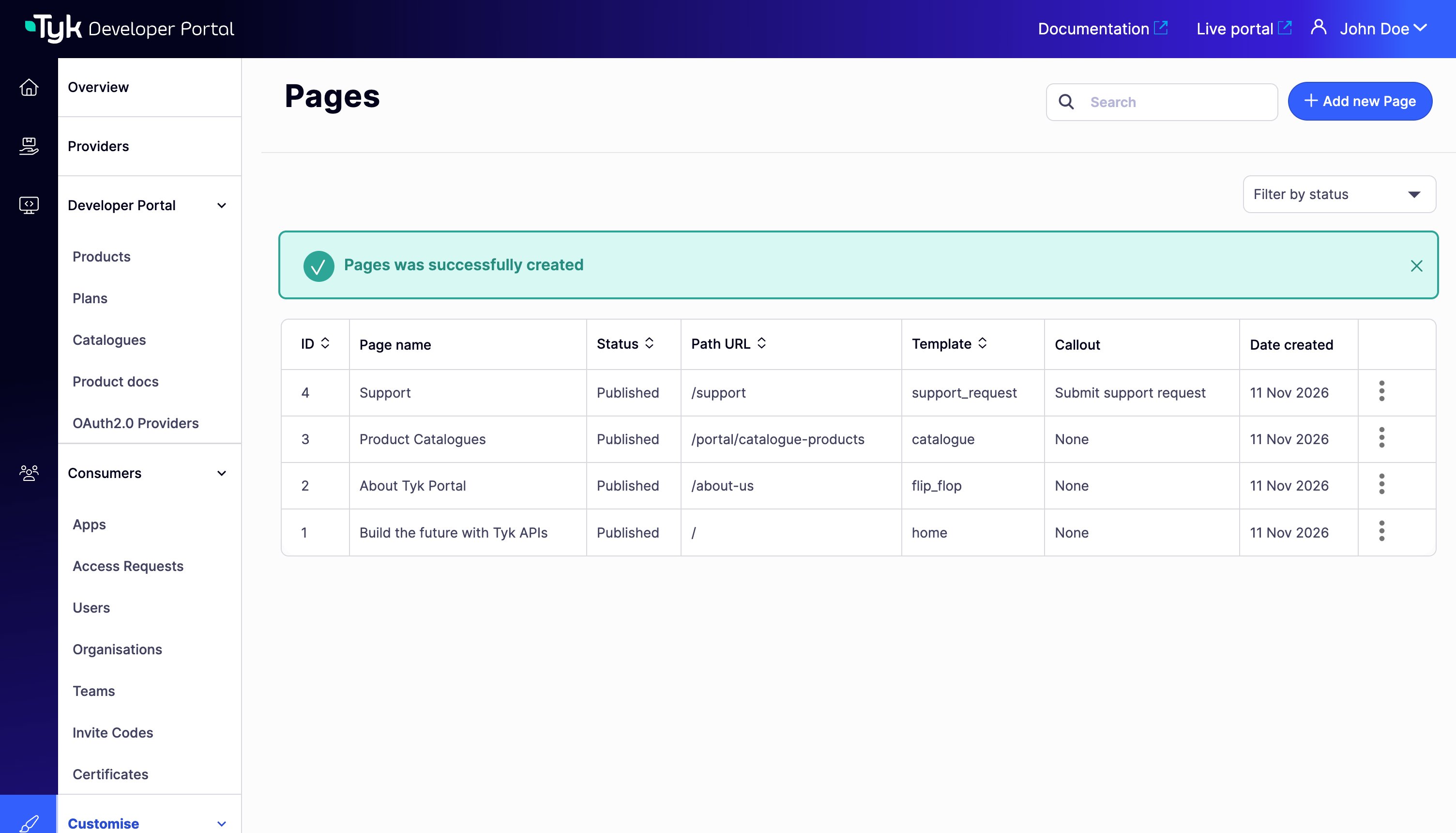
Deleting a Callout does not revoke its credentials at the target service or OAuth provider. Revoke or rotate those credentials when retiring the integration.
Request Format
The browser sends aPOST request to the URL in .calloutAction, which resolves to /callouts/{calloutCID}. Here, calloutCID is the selected Callout’s identifier. This endpoint authenticates the user through their Portal session, separately from the Portal Management API under /portal-api.
Supported browser request formats are:
Send the CSRF token in the
X-CSRF-Token header, as shown in the tutorial. For URL-encoded requests, you can instead send it in a csrf_token form field. Tyk Developer Portal excludes this field from the payload sent to the target. For JSON requests, use the header.
File uploads and multipart/form-data are not supported.
If the target needs the signed-in user’s identity, select Include user identity on the Callout. Tyk Developer Portal then adds an actor object to the outbound envelope:
actor.id is the authenticated user’s Portal identifier (CID). It is different from the numeric database ID. Deselecting Include user identity omits actor. Tyk Developer Portal does not send empty identity values. The request payload does not override the server-supplied identity.
Handle the Response
Tyk Developer Portal wraps the target’s response so the browser can distinguish the target’s result from a failure in Tyk Developer Portal itself. For example, if the target returns HTTP201 with a JSON body containing a request reference, the browser receives HTTP 200 with this envelope:
ok is true for a target status from 200 through 299. A target error with a valid JSON body still returns HTTP 200 to the browser, but with ok: false and the target’s status in upstreamStatus. An empty target response produces data: null. Nonempty target responses must contain valid JSON with a JSON content type.
If Tyk Developer Portal cannot obtain a usable target response, it returns a non-2xx HTTP status and an error object instead of the result envelope. Read the status from the HTTP response (response.status in JavaScript). The JSON body contains error.code and error.message, but no HTTP status, ok or upstreamStatus fields.
For example, a timeout returns HTTP 504 with this JSON body:
Always check both the HTTP status and the response envelope. Authentication or middleware failures may return a different response format, so do not assume every response is JSON.
Do not automatically retry a request after a timeout or network failure. The target can complete the operation even if the response is lost. Use the request ID to investigate. Before adding retries, make sure the target can recognize a repeated request and avoid performing the operation twice.
Trace a Request
Use the request ID to follow a request from the browser through Tyk Developer Portal to the target service. Each system must record or display that ID for you to connect its observations to the same request. To investigate a Callout request:- Obtain the request ID from the browser response’s
X-Callout-Request-IDheader, if available. Your Page’s code can display or record it. For a connection test, inspect the response in your browser’s network tools. - Search the Portal’s application logs for that ID and check the result and any failure details.
- Search the target’s logs for the same ID. For an OAuth failure, search the token service’s logs. Check what happened after the service received the request.
X-Callout-Request-ID header when those requests occur. Ask the services to record it. If an intermediate API is involved, preserve the header when forwarding the request.
For requests that reach execution, Tyk Developer Portal writes Callout started and Callout completed at the info log level. Connection tests write a separate Callout connection test completed event at the same level.
Use these fields to interpret the records. Failure details appear only when applicable and known.
If the target returns an error that Tyk Developer Portal can pass back to the Page, the completion record has
result=target_error and upstream_status, without a failure_reason. The diagnostic log fields do not change the response returned to the Page.
These execution records do not contain the request payload, response body or authentication secrets. They are separate from admin audit logs. Collect and retain application logs using your deployment’s logging system; Callouts has no request-history screen or built-in retention setting.
A missing execution record is not proof that the browser never sent a Callout request. Authentication, CSRF, input validation or request limits can reject a request before execution. A browser or network failure can also prevent it from reaching the Portal.
Some rejections before execution return a request ID without an execution log. CSRF rejection returns neither a Callout request ID nor an execution log. Check the HTTP status and response body as well as any request ID.
For connection tests, an expired Admin Portal session or a missing permission can reject an attempt before the test starts. These attempts don’t produce a Callout connection test completed event.