Introduction
Mutual TLS (mTLS) can be enforced for APIs on the Provider Gateway, often in combination with another authentication method, such as a JSON Web Token. With mTLS, API clients must present a valid client certificate and access token. APIs secured withAuth Token + mTLS or JWT + mTLS can be included in API Products on the Developer Portal.
In both of these scenarios, a static allow list of client certificates is registered within the API definition. The certificate presented by the API client must match an entry in that list (or, if an issuing certificate is included in the list it must be signed by that authority) for authentication to complete successfully.
All client certificates must be pre-registered in the Tyk Certificate Store to be used for authentication.
The client certificate allow list for APIs secured using JWT Auth is managed from the Provider Dashboard; whereas for APIs secured using Auth Token, where the access credential can be issued by the Developer Portal, the association between client certificate and token can be created using the Portal.
Associating Certificates with Developer Apps
For API Products that use the Auth Token + mTLS authentication method, the Developer Portal manages the association between a developer’s app and their client certificates. When access credentials are issued to the app, the associated certificate(s) are automatically added to the allow list for each API in the Product. The API Consumer must then provide one of these registered certificates when making a request to the Gateway to complete authentication. In Portal 1.16 an option was added to the API Product configuration for Products that grant access to APIs secured with Auth Token + mTLS - Mutual TLS Certificate Mode This has two options: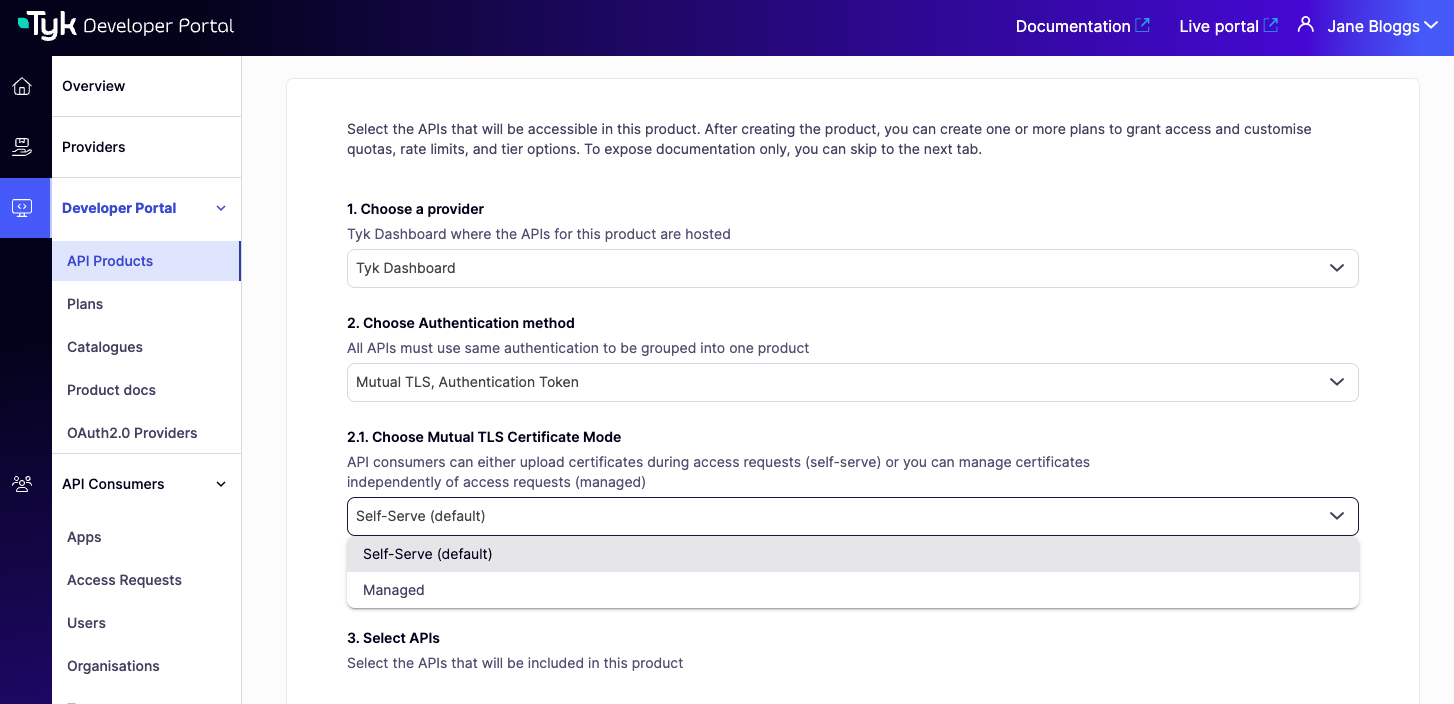
It is important to note that for APIs secured using JWT with mTLS, the ‘Managed’ and ‘Self-Serve’ certificate modes are not applicable. The association between the client certificate and the token is managed directly in the Provider Dashboard.
Managed Certificates
In the Managed mode, client certificates are centrally managed by the API Owner in the Admin Portal. Certificates are uploaded via the Provider or Portal and can be associated with one or more Organisations. When access credentials (Auth Tokens) are issued for a Developer App (i.e. when an access request is approved), all certificates associated with the Organisation will be added to the allow list for the APIs to which access has been granted.Self-Serve Certificates
In the Self-Serve mode, which was the only option prior to Portal 1.16.0, the API Consumer must provide a client certificate when they request access to the API Product. When the request is approved, this certificate will be registered with the Provider’s Certificate Store and added to the allow list for the APIs to which access has been granted.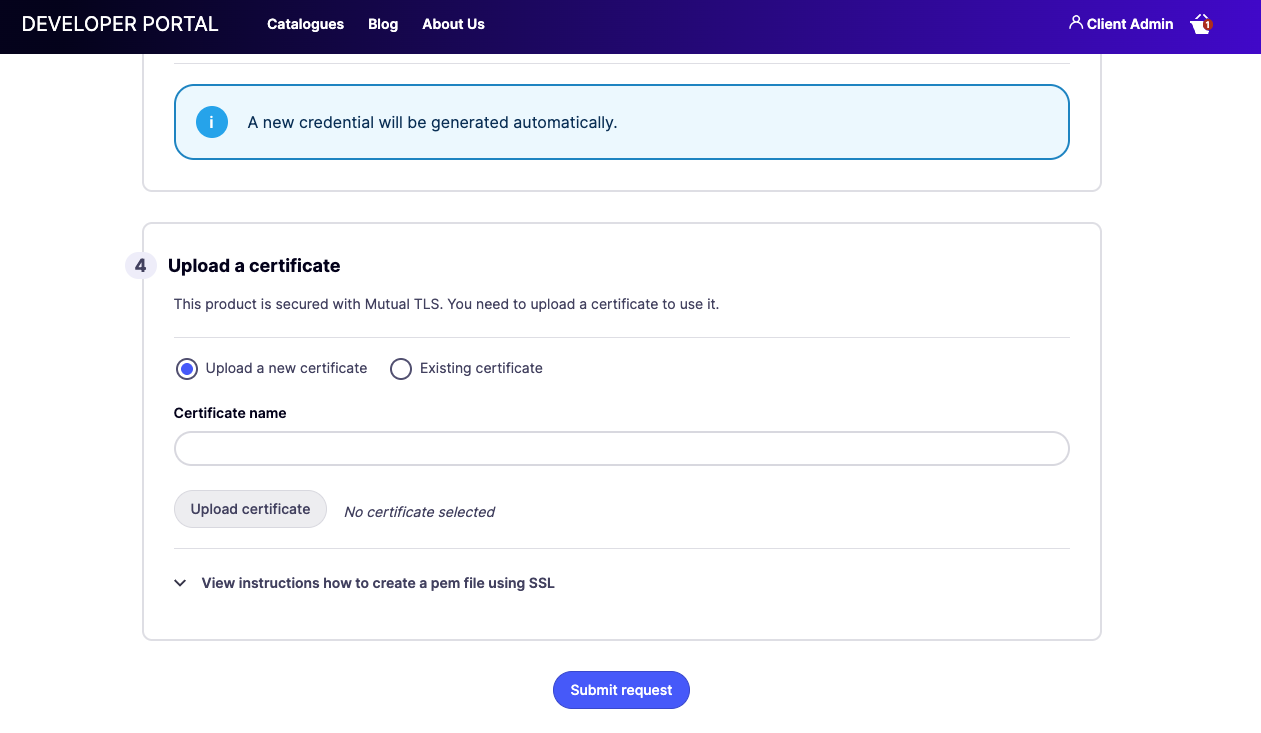
Certificate-Token Binding
From Portal 1.17.0, API Products that use Auth Token + mTLS authentication include an additional option in their settings: Bind Certificate to Token. When enabled, the Portal links the access token issued to the API Consumer directly to their client certificate(s), using Tyk’s Certificate-Token Binding feature introduced in Tyk Gateway 5.12.0. This prevents a valid token from being used with a client certificate belonging to a different consumer, even if that certificate is otherwise on the allow list for the API. At request time, the Tyk Gateway checks whether the presented certificate matches the one bound to the token and rejects the request if they do not match. To enable it, open the API Product settings and check Bind Certificate to Token. The option is only available for Products configured with the Auth Token + mTLS authentication type.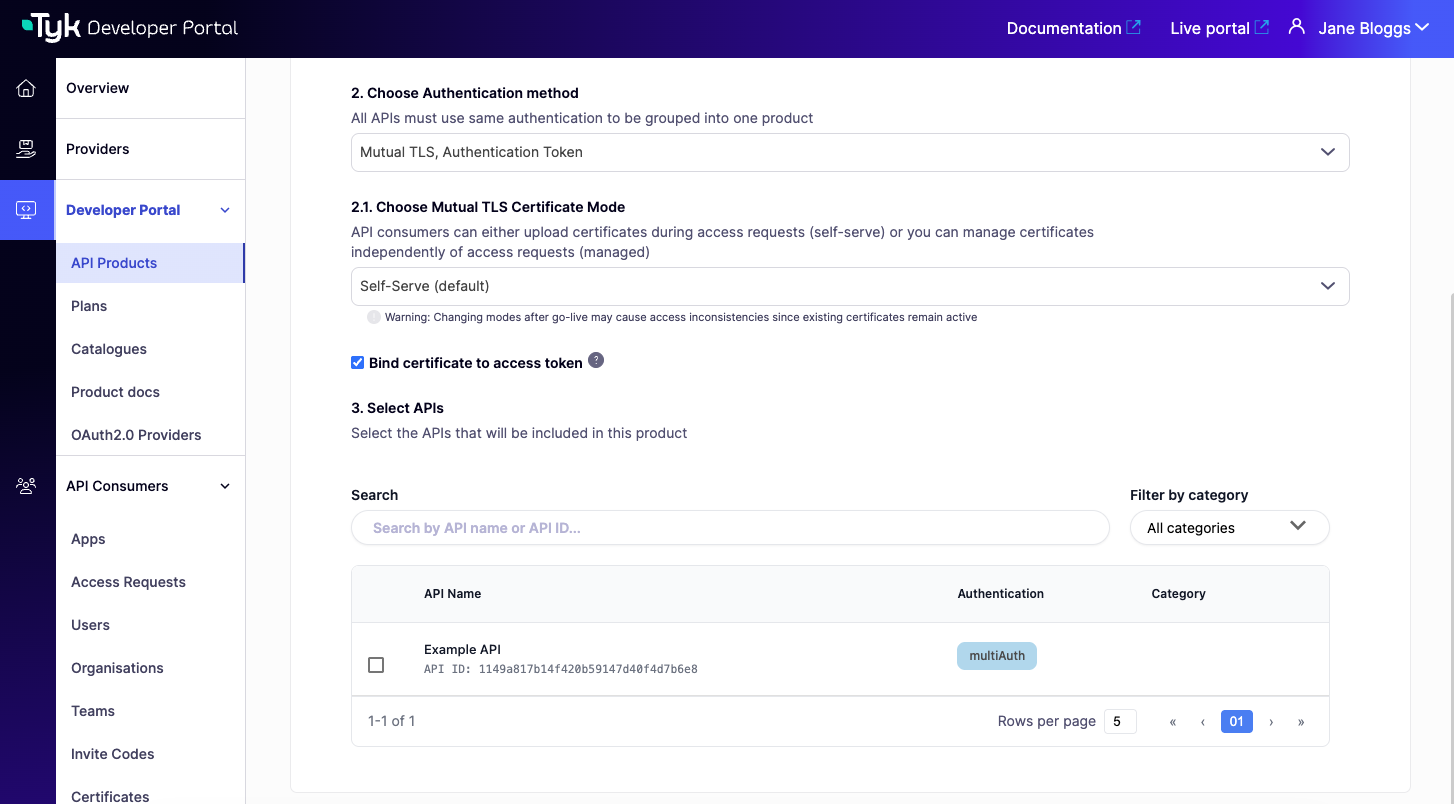
- Self-Serve: the specific certificate the consumer provided in their access request is bound to their token at approval time.
- Managed: all certificates associated with the consumer’s Organisation are bound to their token when the access request is approved.
Certificate-Token Binding is additive and does not replace the static allow list check. The presented certificate must still appear in the API’s allow list, and must also match a certificate bound to the token. If either check fails, the Gateway rejects the request.
Developer Portal Certificate Store
Certificates used for client authentication are primarily stored and managed within the Provider’s Certificate Store. From Portal 1.17.0 the Admin Portal provides a facade to the Provider’s Certificate Store. Details of certificates within the Provider’s store are exposed to the Admin Portal on the API Consumers > Certificates screen.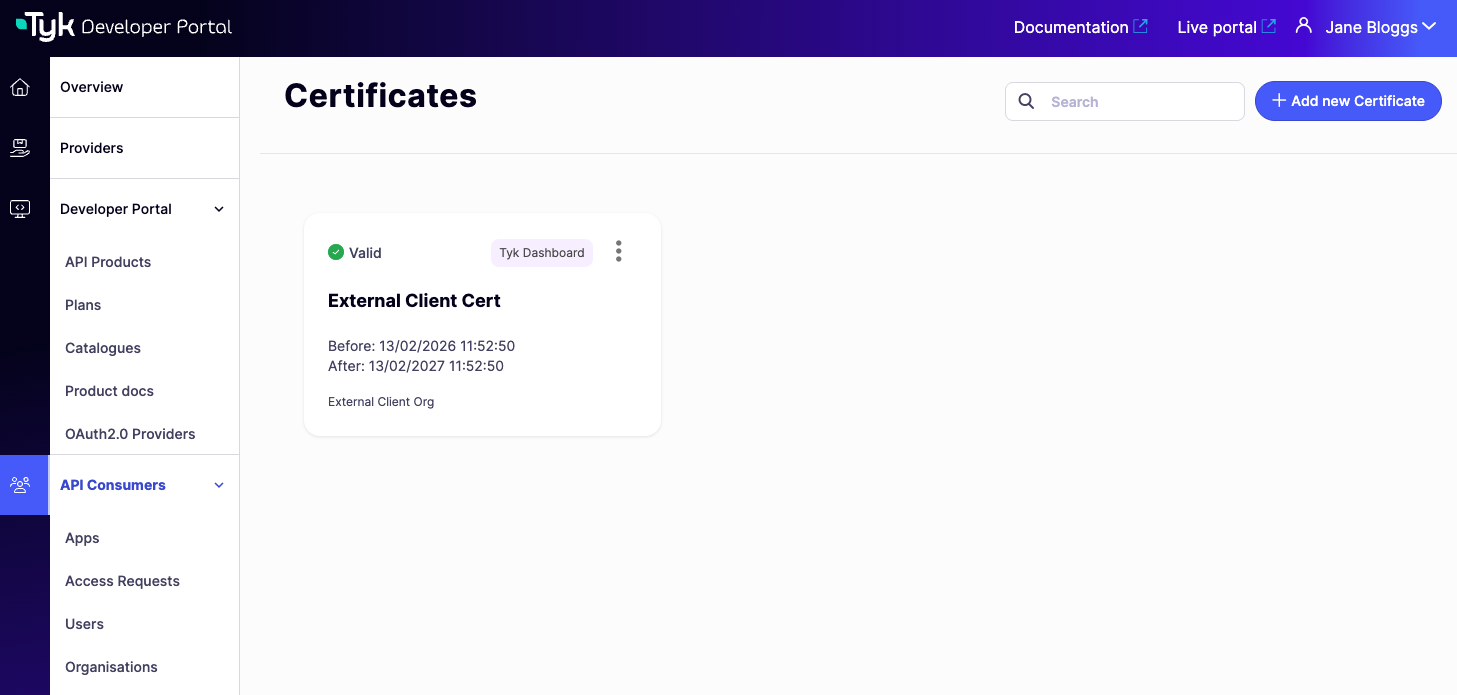
Uploading a Certificate
To add a certificate directly from the Admin Portal:- Navigate to API Consumers > Certificates and select Add new Certificate.
- Select the Provider (Tyk Dashboard instance) the certificate should be registered with, then select Continue.
- Enter a Certificate name. This is used only within the Portal for identification and is not stored in the Tyk Certificate Store.
- Upload the certificate in PEM format, then select Continue.
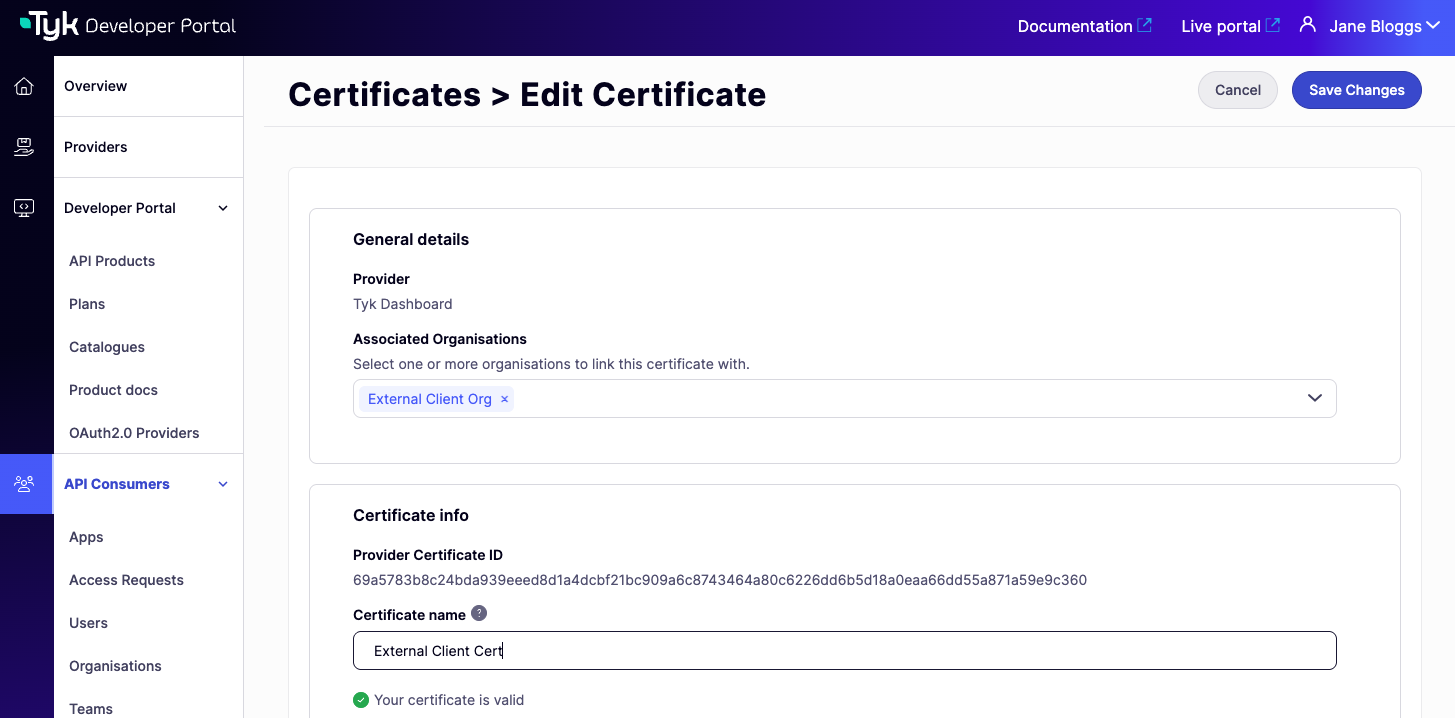
- Optionally, associate the certificate with one or more Organisations (required if the certificate will be used with a Product in Managed mode), then select Save.

Syncing Certificates from the Provider
Certificates added directly to the Tyk Dashboard (via the Dashboard UI or API) are automatically synced to the Portal’s API Consumers > Certificates screen in the background. No manual action is required. The sync reconciles what the Portal knows about with the current state of the Tyk Dashboard:- Certificates present in the Dashboard but not yet in the Portal are added to the Portal’s view.
- Certificates present in the Portal’s view but no longer in the Dashboard are soft-deleted and no longer visible in the Portal.
The sync removes certificates silently, with no warning shown when a certificate is removed from the Portal’s view. Removed certificates are soft-deleted (the records are retained in the database) and will reappear if the certificate is added back to the Dashboard.
- assign a name for easier recognition within the Portal (note that this is not transferred to the Provider)
- associate the certificate with one or more Organisations (required for API Products using Managed Certificates)