

API Templates are exclusive to Tyk OAS APIs and can be managed via the Tyk Dashboard API or within the Tyk Dashboard UI.
When to use API templates
Gateway agnostic API design
When working with OpenAPI described upstream service APIs, your service developers do not need to learn about Tyk. You can create and maintain a suitable suite of templates that contain the Tyk-specific configuration (x-tyk-api-gateway) that you require for your externally published API portfolio. Creating an API on Tyk is as simple as importing the OpenAPI document and selecting the correct template. Tyk will combine the OpenAPI description with the template to produce a valid Tyk OAS API.
Standardizing API configuration
If you have specific requirements for your external facing APIs - for example authentication, caching or even a healthcheck endpoint - you can define the appropriate API templates so that when APIs are created on Tyk these fields are automatically and correctly configured.How API templating works
An API template is a blueprint from which you can build new APIs - it is an incomplete JSON representation of a Tyk OAS API definition that you can use as the starting point when creating a new API on Tyk. There is no limit to how much or how little of the API definition is pre-configured in the template (such that when you choose to create a new API without choosing a template, the blank API definition that you start from is itself a template). Templates are used only during the creation of an API, they cannot be applied later. Before you can use a template as the basis for an API, you must register the template with Tyk Dashboard.Structure of an API template
An API template asset has the following structure:id: a unique string type identifier for the templatekind: the asset type, which is set tooas-templatename: human-readable name for the templatedescription: a short description of the template, that could be used for example to indicate the configuration held within the templatedata: a Tyk OAS API definition, the content of which will be used for templating APIs_id: a unique identifier assigned by Tyk when the template is registered in the Dashboard database
Creating an API from a template
When you use a template during the creation of an API, the fields configured indata will be pre-set in your new API. You are able to modify these during and after creation of the template. No link is created between the API and the template, so changes made to the API will not impact the template.
Categories are not part of API Templates. They can’t be pre-configured in a template. Categories must be set when the API is created (or edited afterwards).
Merging with an OpenAPI description or Tyk OAS API definition
When you use a template during the creation of an API where you import the OpenAPI document or a full Tyk OAS API definition, the template is combined with the imported OAS description. If thex-tyk-api-gateway extension exists in the template, it will be applied to the newly created API.
Where there are clashes between configuration in the OpenAPI description and the template:
- for maps, such as
pathsandcomponents, new keys will be added alongside any existing ones from the template- if a key in the OpenAPI description matches one in the template, the OpenAPI description takes precedence
- for array properties, such as
serversandtags, values in the OpenAPI description will replace those in the template
If you’re using the API Designer in the Tyk Dashboard UI, then you can find details and examples of how to work with API templates here. If you’re using the Tyk Dashboard API, then you can find details and examples of how to work with API templates here.
Working with API Templates using the Template Designer
API Templates are an API governance feature provided to streamline the process of creating Tyk OAS APIs. An API template is an asset managed by Tyk Dashboard that is used as the starting point - a blueprint - from which you can create a new Tyk OAS API definition. The Tyk Dashboard UI provides the following functionality to support working with API templates:- Creating templates
- Using templates
- Managing templates
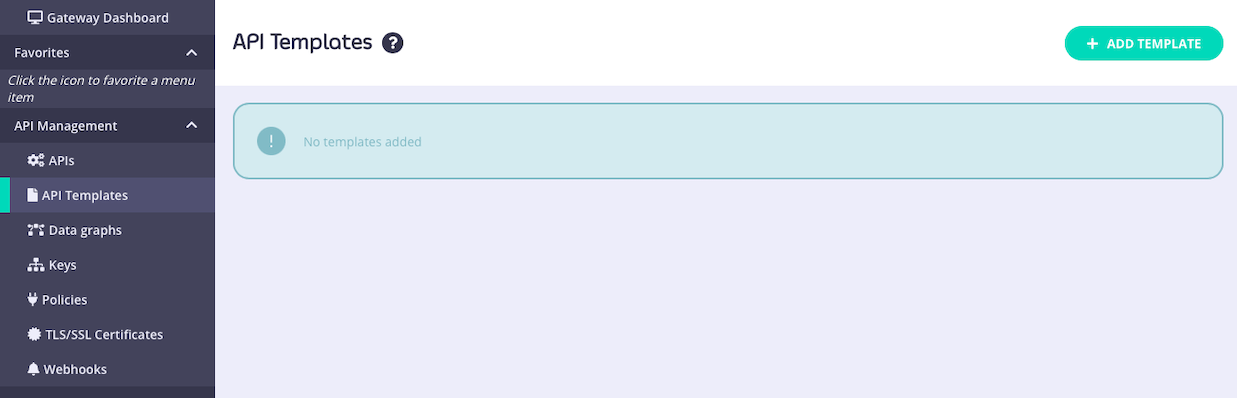
API Templates are exclusive to Tyk OAS APIs.
Creating templates
API templates can be created starting from a blank template or from an existing APICreating a new API template
To create a template, simply visit the API Templates section of the Tyk Dashboard and select ADD TEMPLATE. This will take you to the Create API Template screen, where you can configure all aspects of the template. The template does not need to be a complete or valid API definition however as a minimum:- you must give the template a Name
- you must give the template a Description
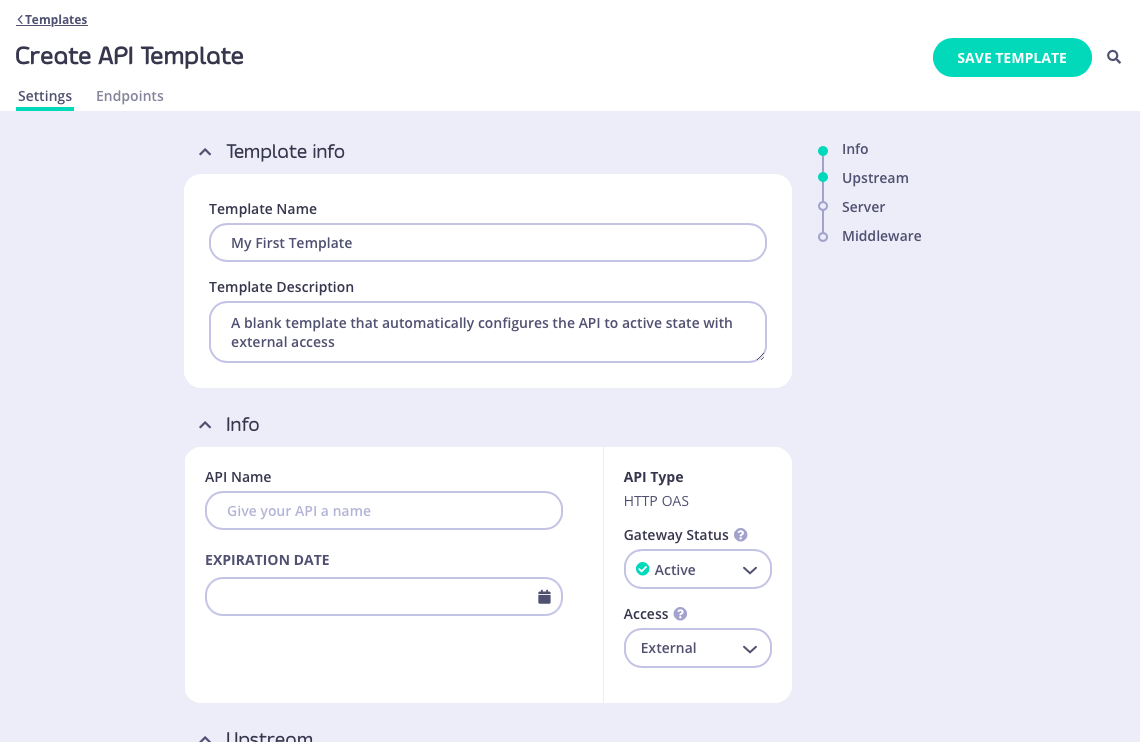
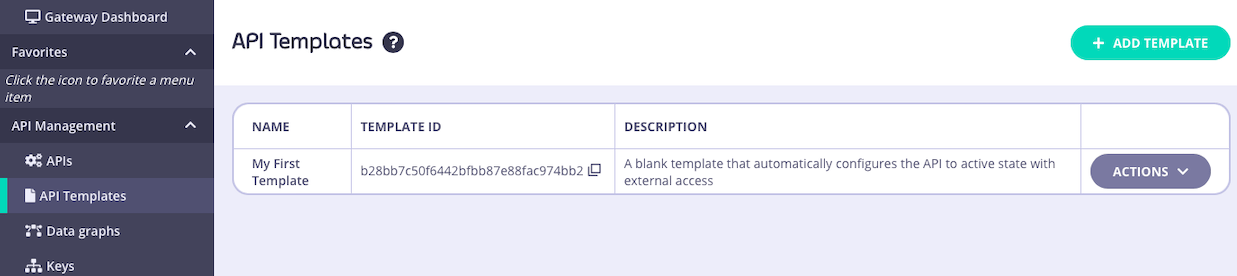
id that can be used to access the template from the Tyk Dashboard API:
Creating a template from an existing API
You can use an existing API deployed on Tyk as the basis for a new API template - this is a great way to build up a portfolio of standardized APIs once you’ve got your first one correctly configured. From the Created APIs screen within the APIs section of the Tyk Dashboard, select the API that you wish to use as your starting point. In the ACTIONS drop-down select the CREATE API TEMPLATE option.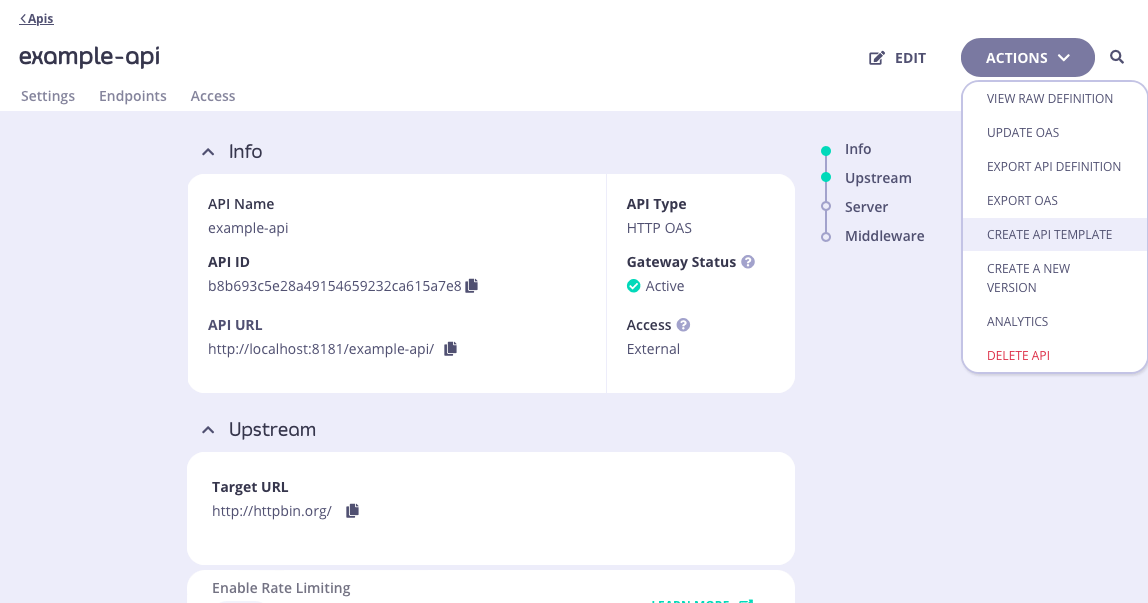
- you must give the template a Name
- you must give the template a Description
/anything endpoint and API-level cache configuration, all of which will be configured within the template.
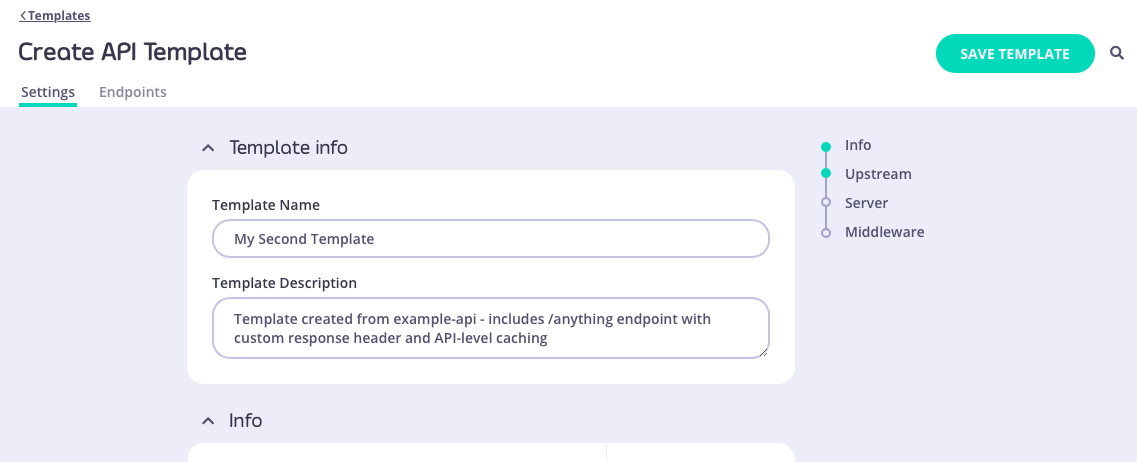
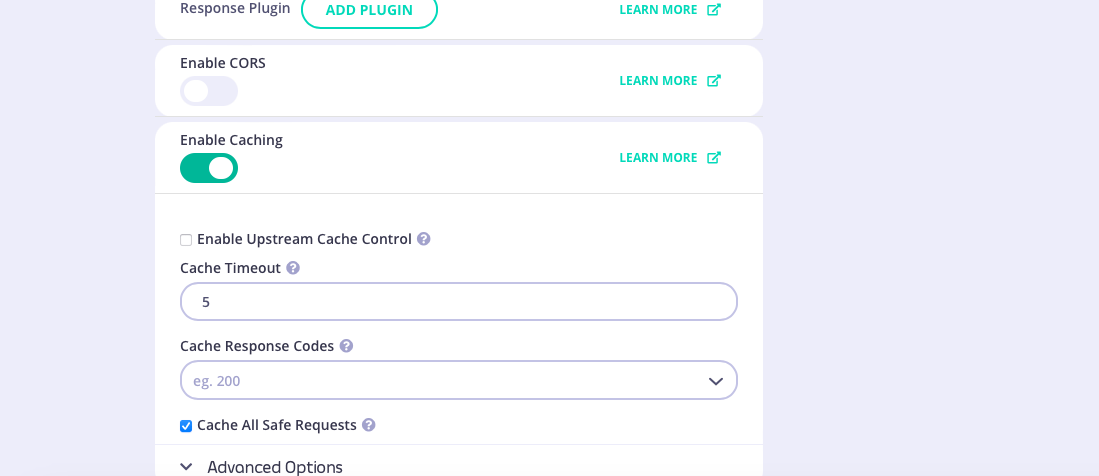
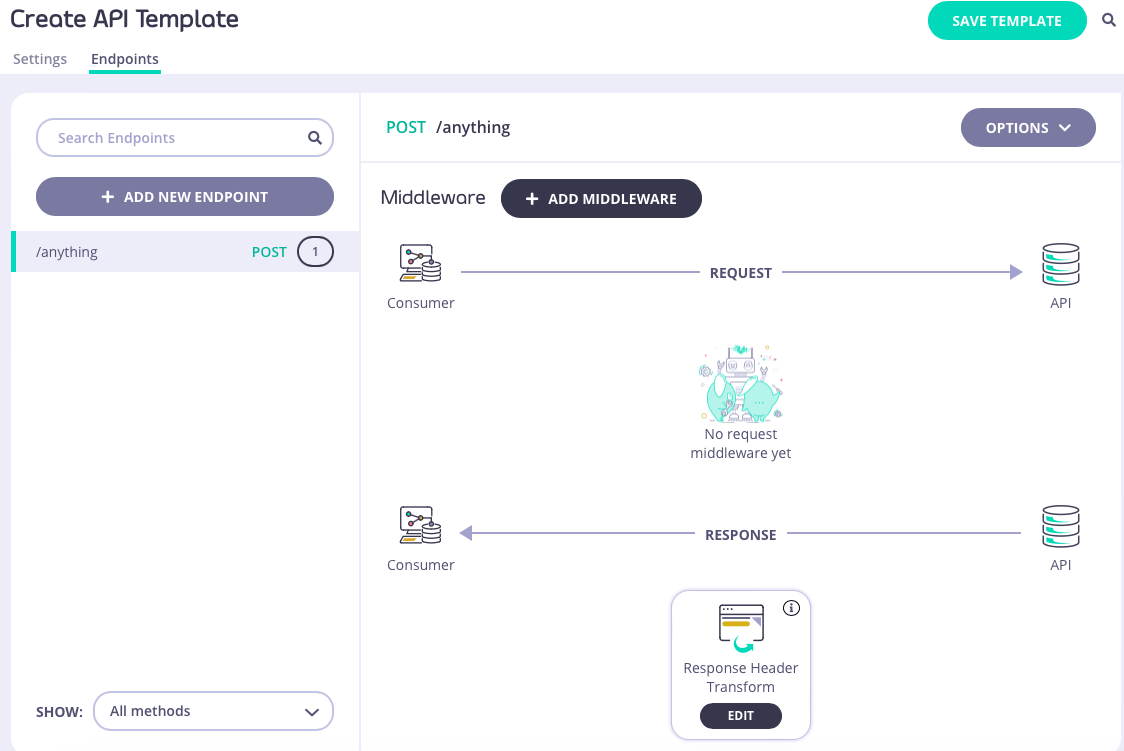
id that can be used to access the template from the Tyk Dashboard API.
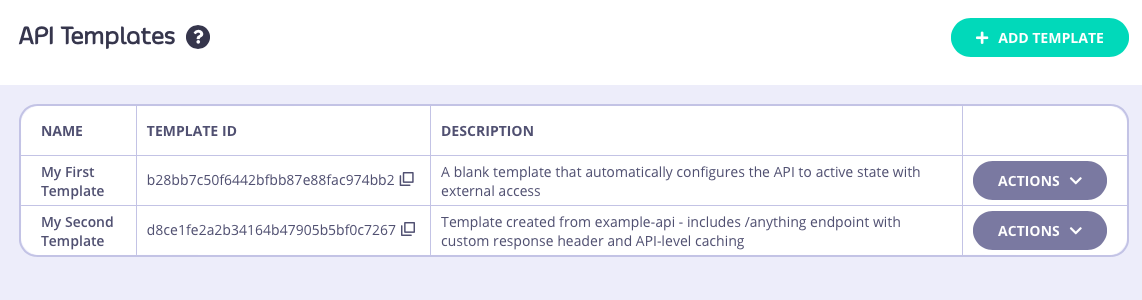
Using templates
API templates are used as the starting point during the creation of a new API. They can be applied in all of the methods supported by Tyk for creating new APIs.Using a template when creating a new API
There are two ways to base a new API, created entirely within the Tyk Dashboard’s API Designer, on a template that you’ve created and registered with Tyk. You can go from the API Template screen - for the template you want to use, select CREATE API FROM TEMPLATE from the ACTIONS menu: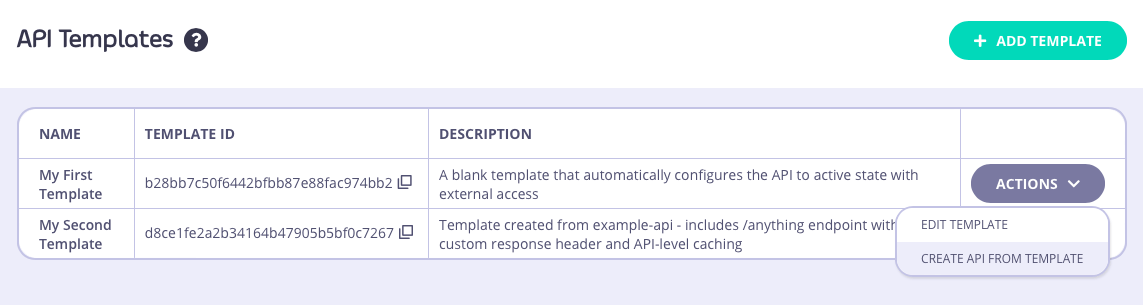
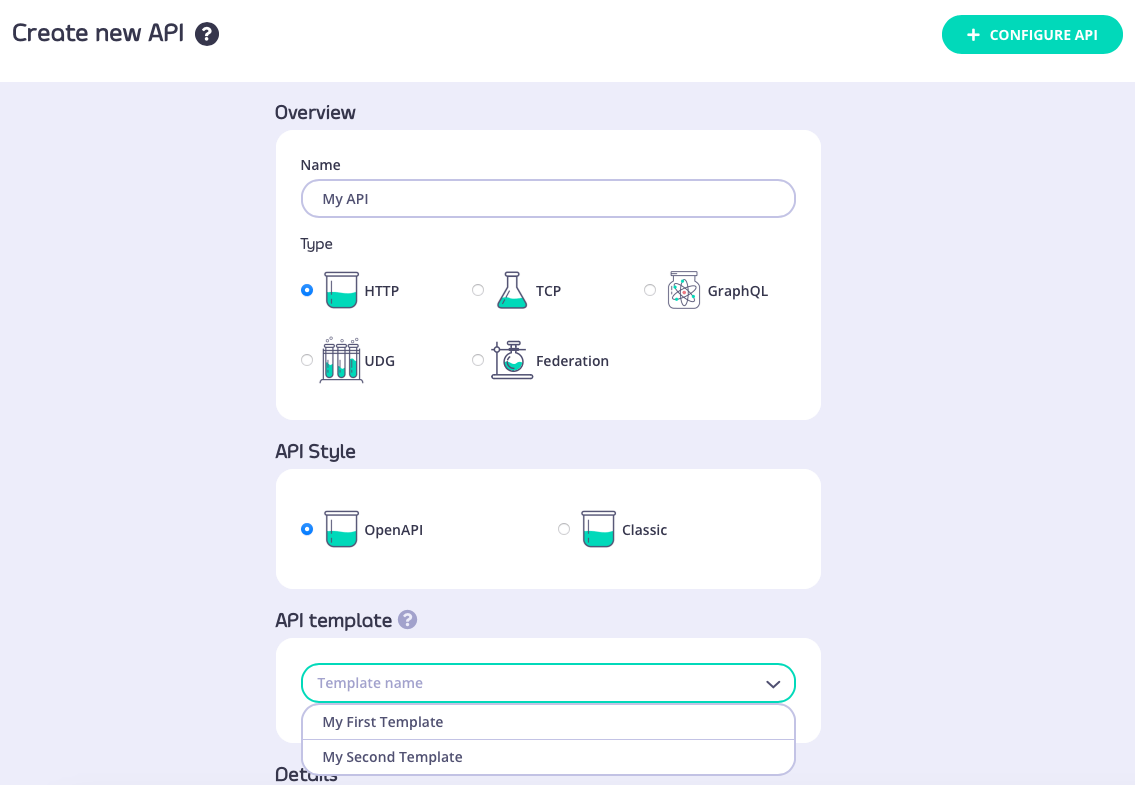
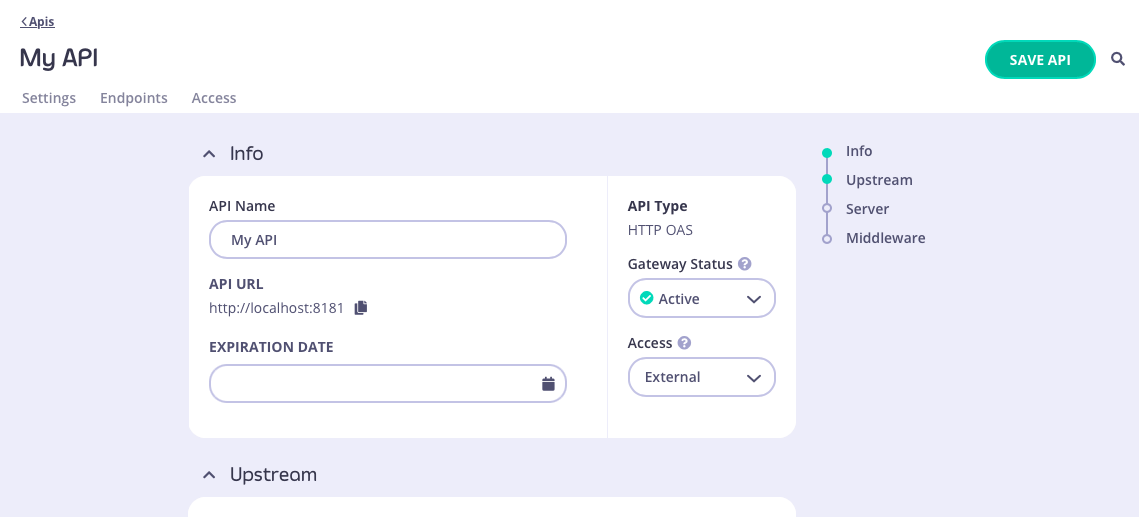
Using a template when importing an OpenAPI description or API definition
From the Import API screen, if you select the OpenAPI type then you can create an API from an OpenAPI description or Tyk OAS API definition; choose the appropriate method to provide this to the Dashboard:- paste the JSON into the text editor
- provide a plain text file containing the JSON
- provide a URL to the JSON
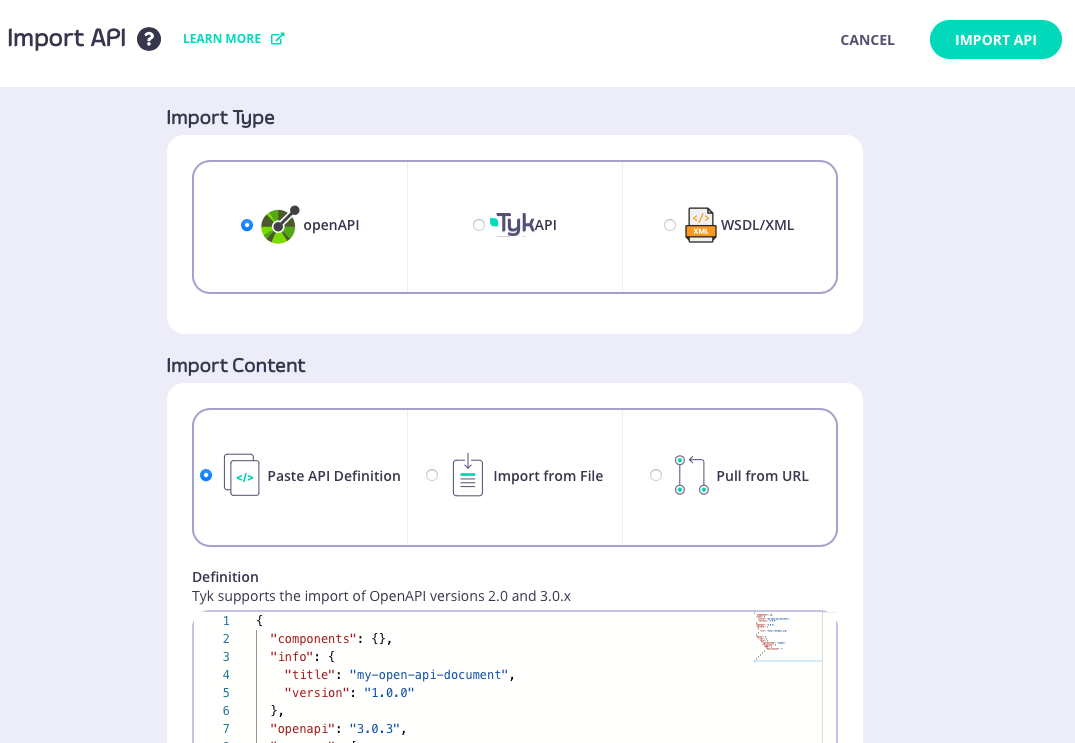
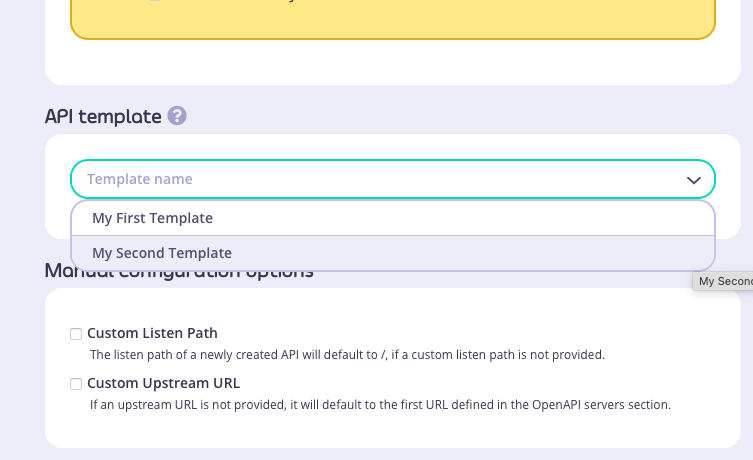
/xml and /anything endpoints defined, with API-level caching configured. You can see the API definition here.
Managing templates
The Dashboard UI allows you to edit and delete templates after they have been created and registered with the Tyk DashboardEditing a template
You can make changes to a template that has been registered with Tyk from the API Templates screen. For the template that you want to modify, simply select EDIT TEMPLATE from the ACTIONS menu: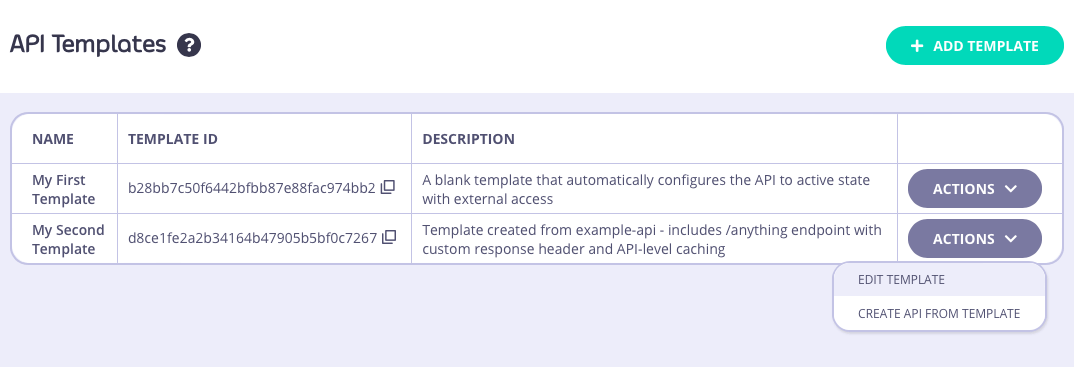
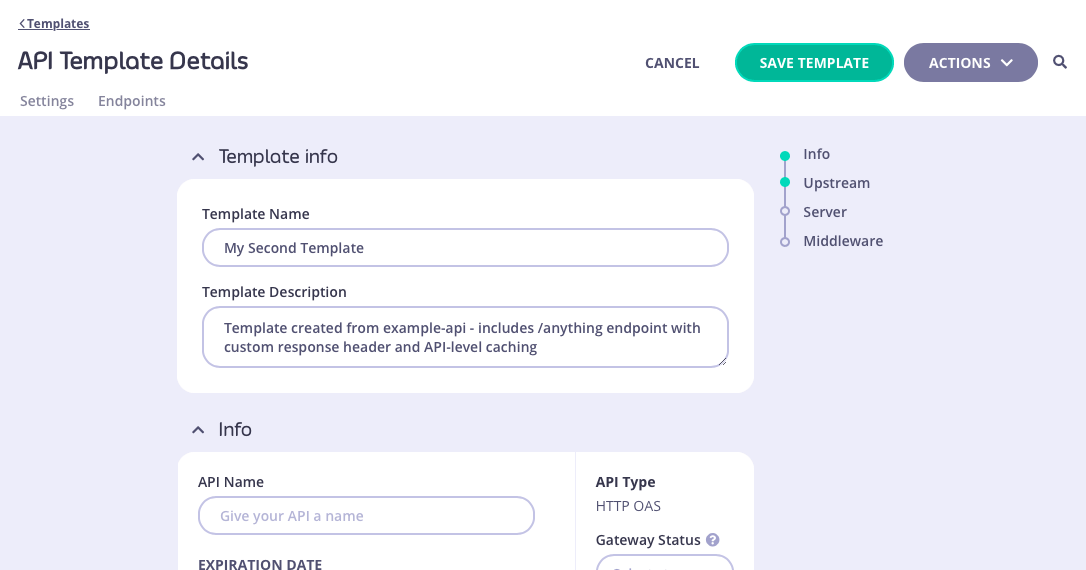
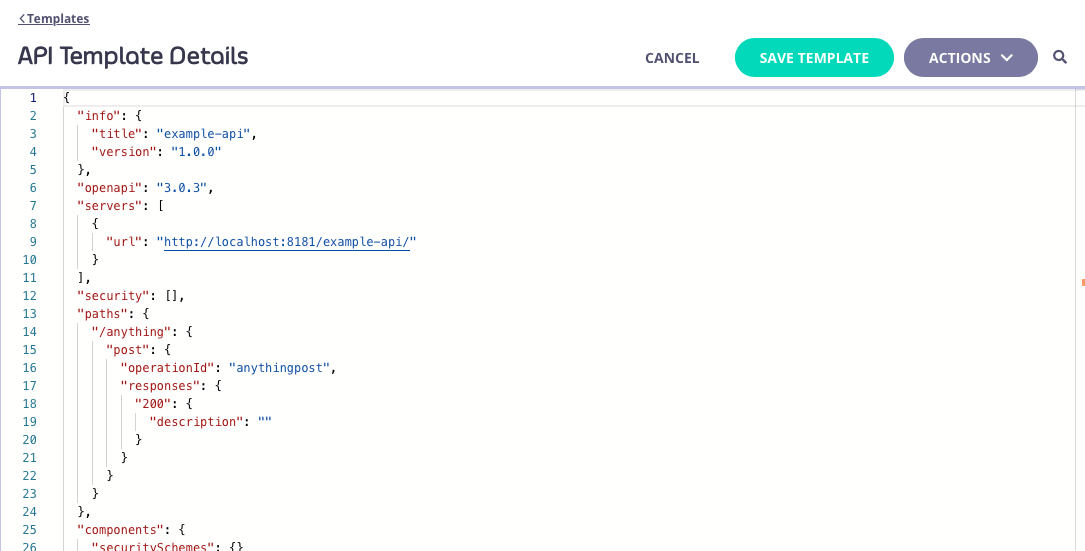
Deleting a template
You can delete a template from your Tyk Dashboard from the API Template Details screen. This screen can be accessed by selecting the template from the API Templates screen (either by clicking on the template name, or selecting EDIT TEMPLATE from the ACTIONS menu):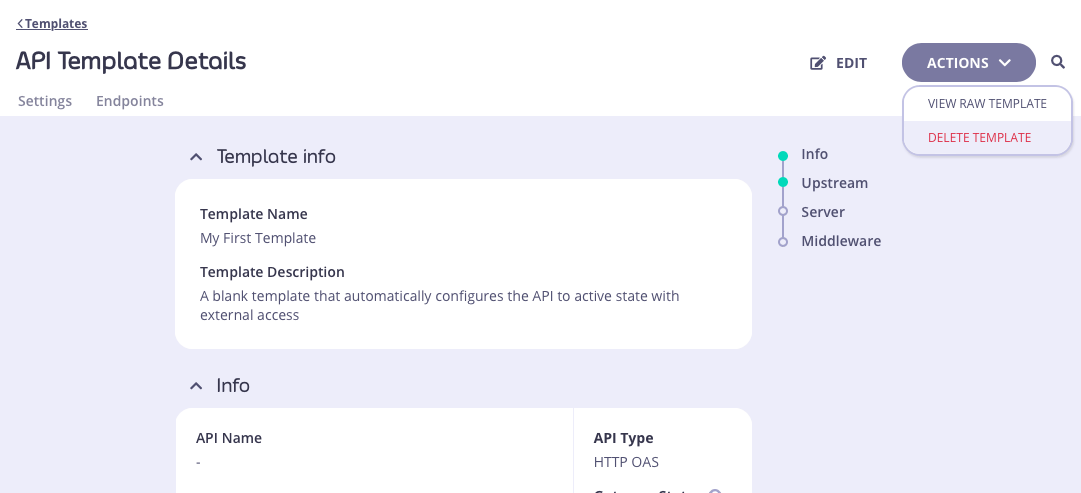
You will be asked to confirm the deletion, because this is irrevocable. Once confirmed, the template will be removed from the database and cannot be recovered.
Working with API Templates using the Dashboard API
API Templates are an API governance feature provided to streamline the process of creating Tyk OAS APIs. An API template is an asset managed by Tyk Dashboard that is used as the starting point - a blueprint - from which you can create a new Tyk OAS API definition. The Tyk Dashboard API provides the following functionality to support working with API templates:- registering a template with Tyk Dashboard
- applying a template when creating an API from an OpenAPI document
-
applying a template when creating an API from a Tyk OAS API definition
API Templates are exclusive to Tyk OAS APIs.
Structure of an API template
An API template asset has the following structure:id: a unique string type identifier for the templatekind: the asset type, which is set tooas-templatename: human-readable name for the templatedescription: a short description of the template, that could be used for example to indicate the configuration held within the templatedata: a Tyk OAS API definition, the content of which will be used for templating APIs_id: a unique identifier assigned by Tyk when the template is registered in the Dashboard database
Registering a template with Tyk Dashboard
To register an API template with Tyk, you pass the asset in the body of aPOST request to the dashboard’s /api/assets endpoint.
For example, if you send this command to the endpoint:
HTTP 201 Created and will provide this payload in response:
Meta contains the database ID (where the asset has been registered in the persistent database) and ID contains the unique identifier for the template. This unique identifier will be automatically generated by Tyk if none was provided in the id of the template asset provided in the curl request.
Applying a template when creating an API from an OpenAPI document
When creating an API on Tyk using an OpenAPI document describing your upstream service, you can use the/apis/oas/import endpoint to import the OpenAPI description and apply it to your API.
If you have a template registered with your Dashboard, you can use this as the starting point for your new API. Tyk will combine the OpenAPI document with the template, automating the configuration of any element in the Tyk OAS API definition as defined in your chosen template.
You’ll need to identify the template to be used during the import. You can use either its unique id or the database ID that was assigned when the template was registered with Tyk Dashboard. You provide either the id or _id in the templateID query parameter in the call to /oapis/oas/import.
For example:
HTTP 200 OK and will provide this payload in response:
Meta contains the database ID (where the API has been registered in the persistent database) and ID contains the unique identifier for the API. This unique identifier will be automatically generated by Tyk as none was provided in the id field of the x-tyk-api-gateway.info field provided in the curl request.
The new Tyk OAS API will have this definition, combining the OpenAPI description provided in the body of the curl request with the template with Id my-unique-template-id:
GET /xml endpoint from the OpenAPI description and the POST /anything endpoint from the template (complete with requestSizeLimit middleware) have both been defined in the API definition. API-level caching has been enabled, as configured in the template. Tyk has included the server entry from the OpenAPI description (which points to the upstream server) and added the API URL on Tyk Gateway (as explained here).
Applying a template when creating an API from a Tyk OAS API definition
When creating an API using a complete Tyk OAS API definition (which includesx-tyk-api-gateway), you can use the /apis/oas endpoint to import the API defintiion.
If you have a template registered with your Dashboard, you can use this as the starting point for your new API. Tyk will combine the API definition with the template, automating the configuration of any element defined in your chosen template.
You’ll need to identify the template to be used during the import. You can use either its unique id or the database ID that was assigned when the template was registered with Tyk Dashboard. You provide either the id or _id in the templateID query parameter in the call to /apis/oas.
For example:
HTTP 200 OK and will provide this payload in response:
Meta contains the database ID (where the API has been registered in the persistent database) and ID contains the unique identifier for the API. This unique identifier will be automatically generated by Tyk as none was provided in the id field of the x-tyk-api-gateway.info field provided in the curl request.
The new Tyk OAS API will have this definition, combining the Tyk OAS API definition provided in the body of the curl request with the template with Id my-unique-template-id:
GET /json endpoint from the OpenAPI description and the POST /anything endpoint from the template (complete with requestSizeLimit middleware) have both been defined in the API definition. API-level caching has been enabled, as configured in the template.