Hello. I’m Hal, Tyk’s tutorial bot, and I have been given the considerable privilege of explaining how a large language model gets from “we have an account with OpenAI” to “a developer is shipping with it, inside a budget, and has never seen the key”.
It is a shorter journey than you might expect. It has two halves: an administrator registers a provider and decides which models anyone is permitted to ask for, and then a developer collects an endpoint and a key of their own from the portal. Nobody emails anybody a secret. Off we go.
Part one: registering a provider
Every model vendor your organisation uses gets registered exactly once, here.
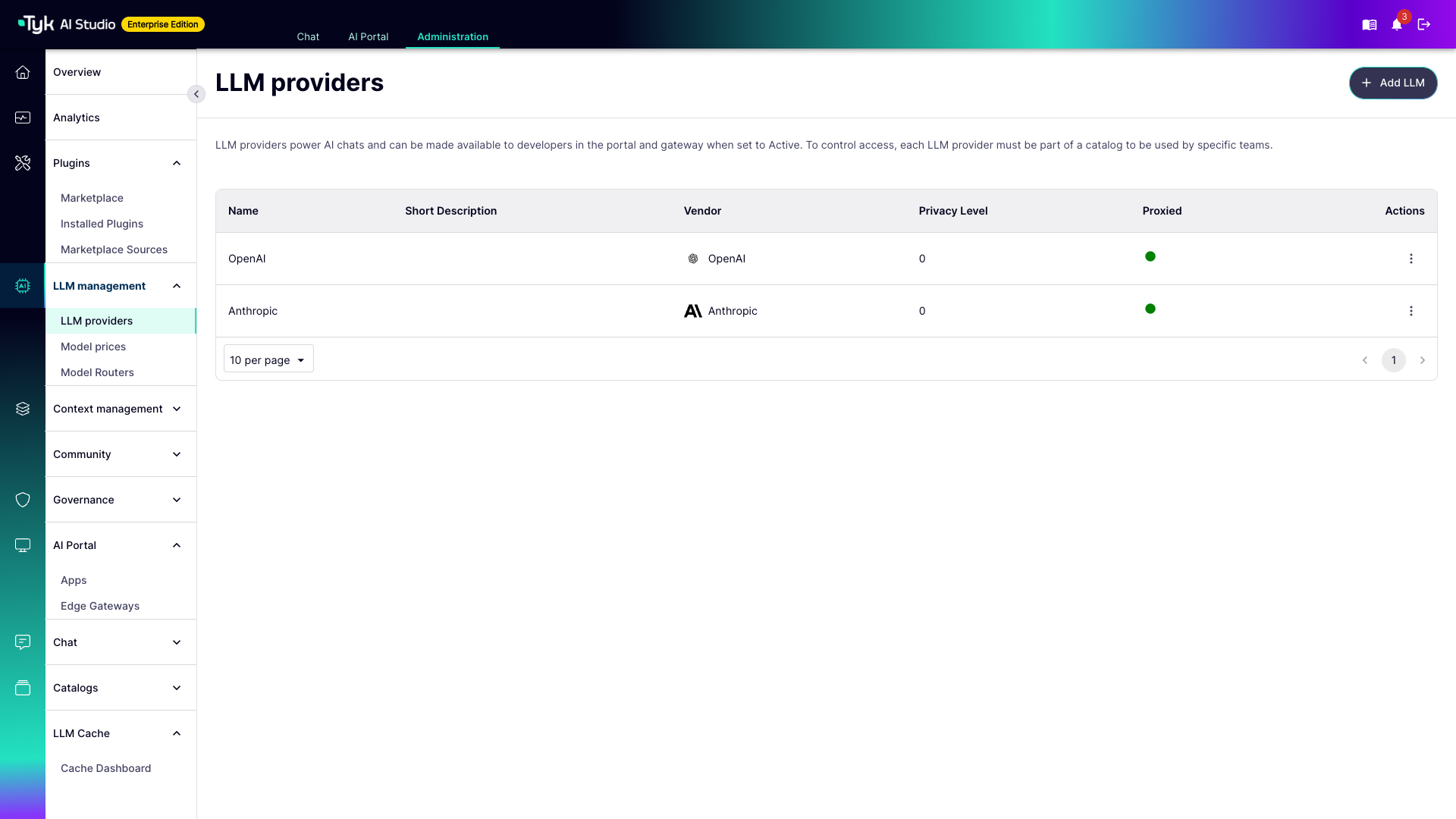
Do read the line at the top of that screen, because it is doing a great deal of work: a provider becomes available to the portal and the gateway when it is Active, and it reaches a team through a catalog. Both of those matter shortly.
Let’s open OpenAI and see what registering a provider actually buys you.
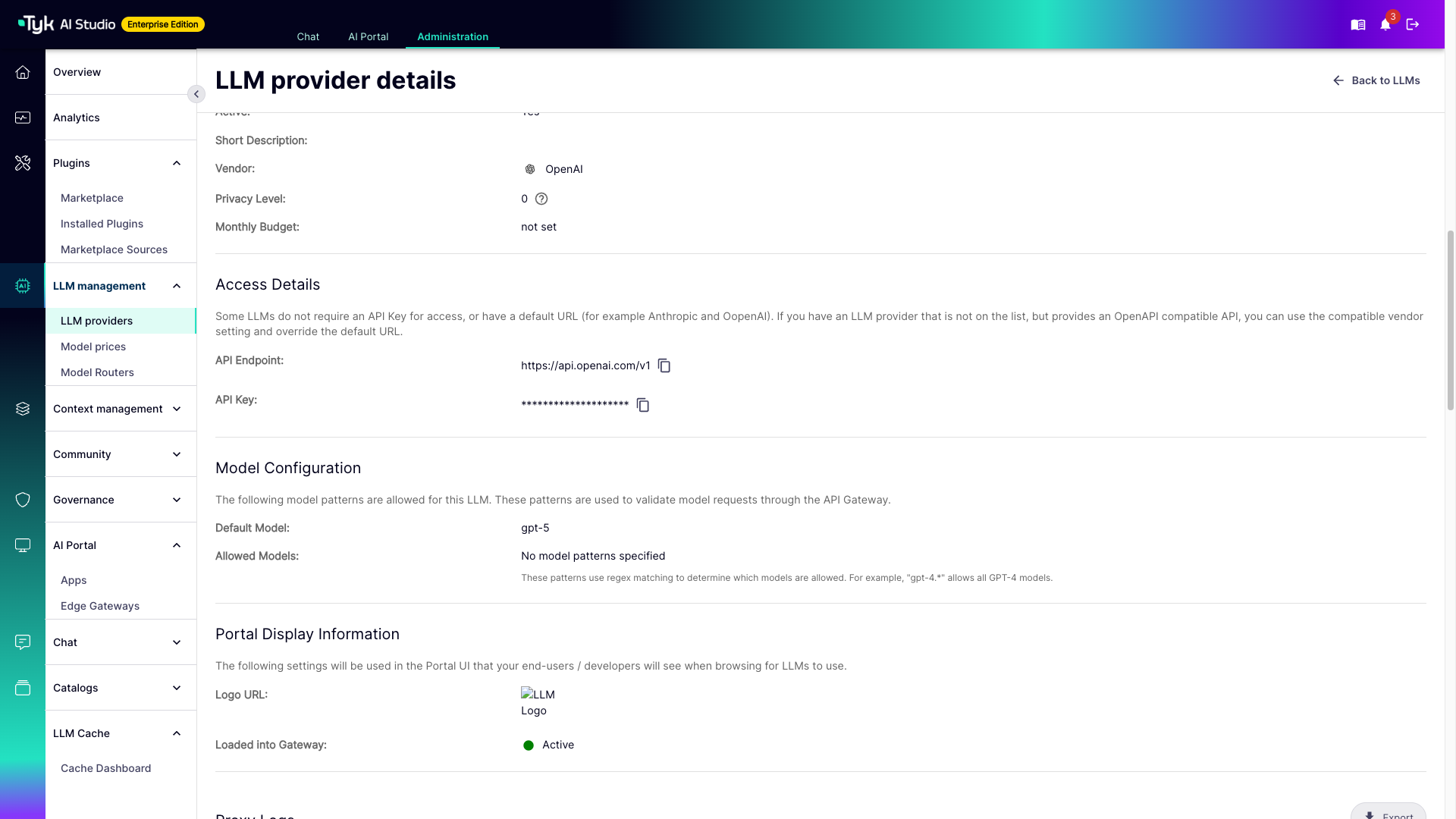
Active, vendor, privacy level, monthly budget. Privacy level is a number from zero to a hundred, and it is how AI Studio decides which data sources and tools this provider is allowed to touch. A provider can never reach something rated more sensitive than itself — and that rule is enforced when an App is assembled, not merely suggested in a wiki somewhere.
The key your developers never see
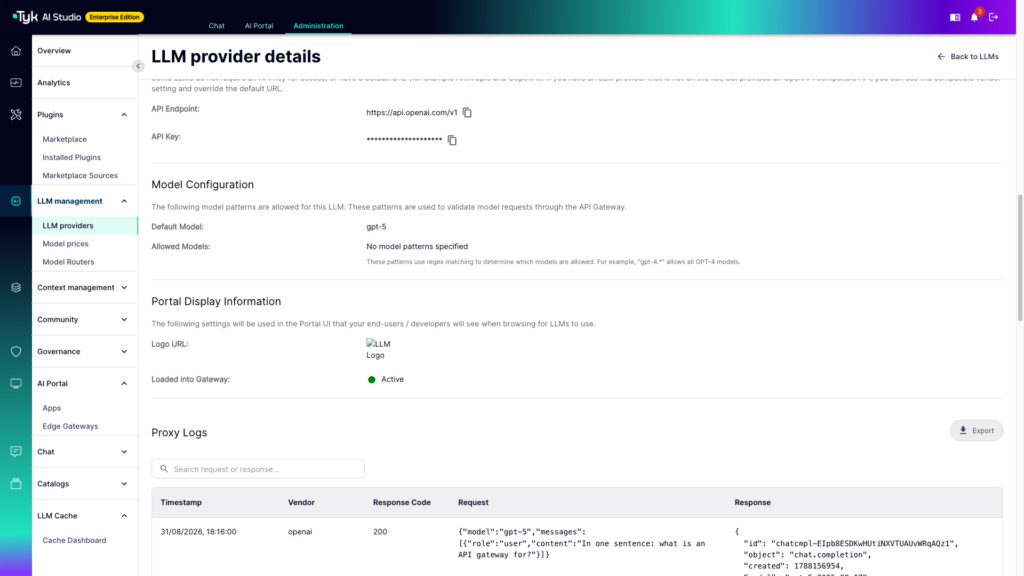
The endpoint we call, and the key we call it with — masked, and it stays masked.
This is quietly the most important thing on the screen. Your developers will never see this key. They don’t get to. If you would rather it were not sitting in a form at all, put it in Secrets and reference it as $SECRET/OPENAI_KEY; the provider then holds a pointer rather than a credential, and rotating the key becomes a single edit in one place.
Deciding which models anyone may ask for
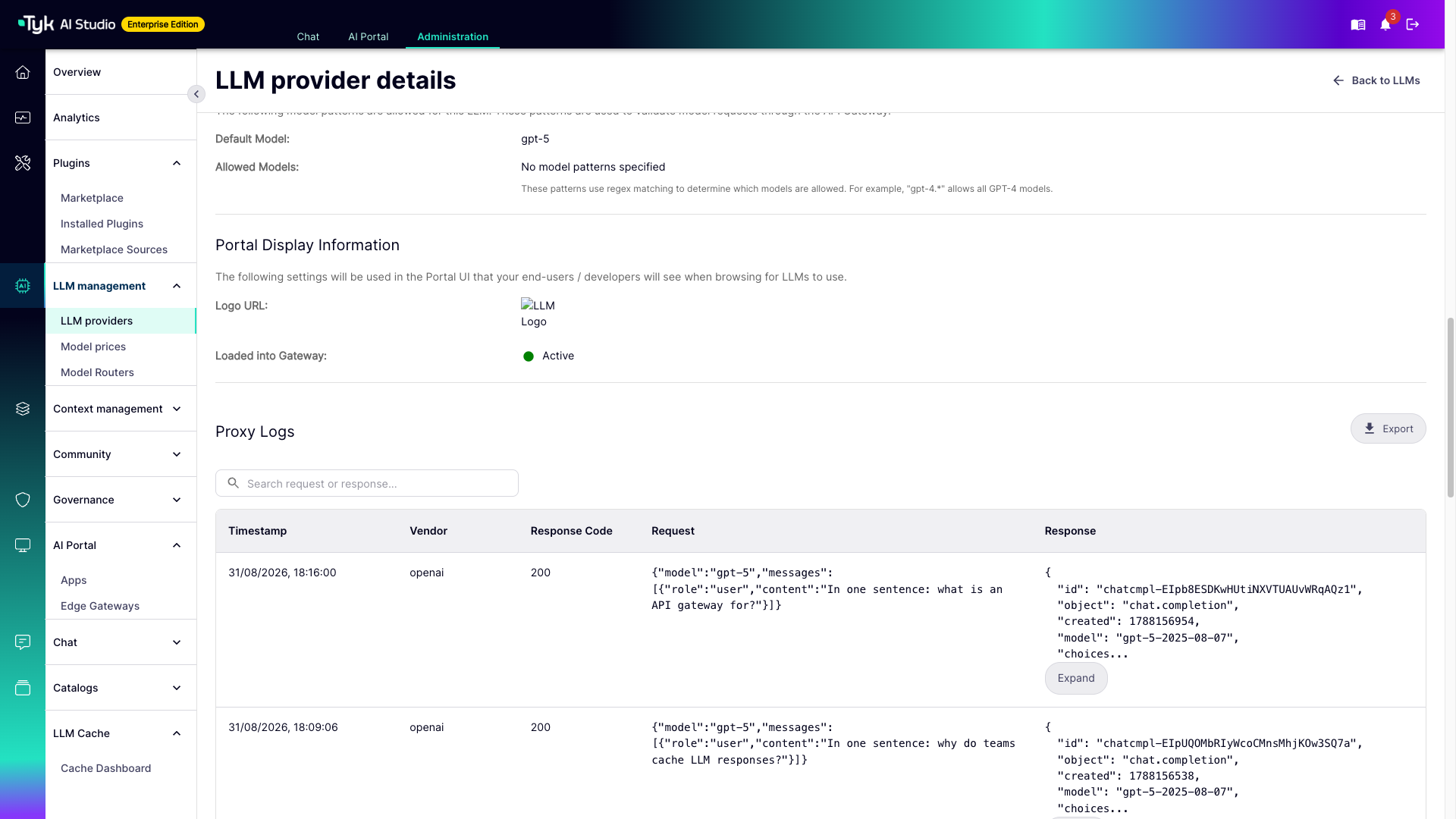
There is a default model, and then Allowed Models, which is empty.
Empty means permitted. Every model OpenAI offers is, at this moment, entirely fair game — and will be billed accordingly. Let’s fix that.
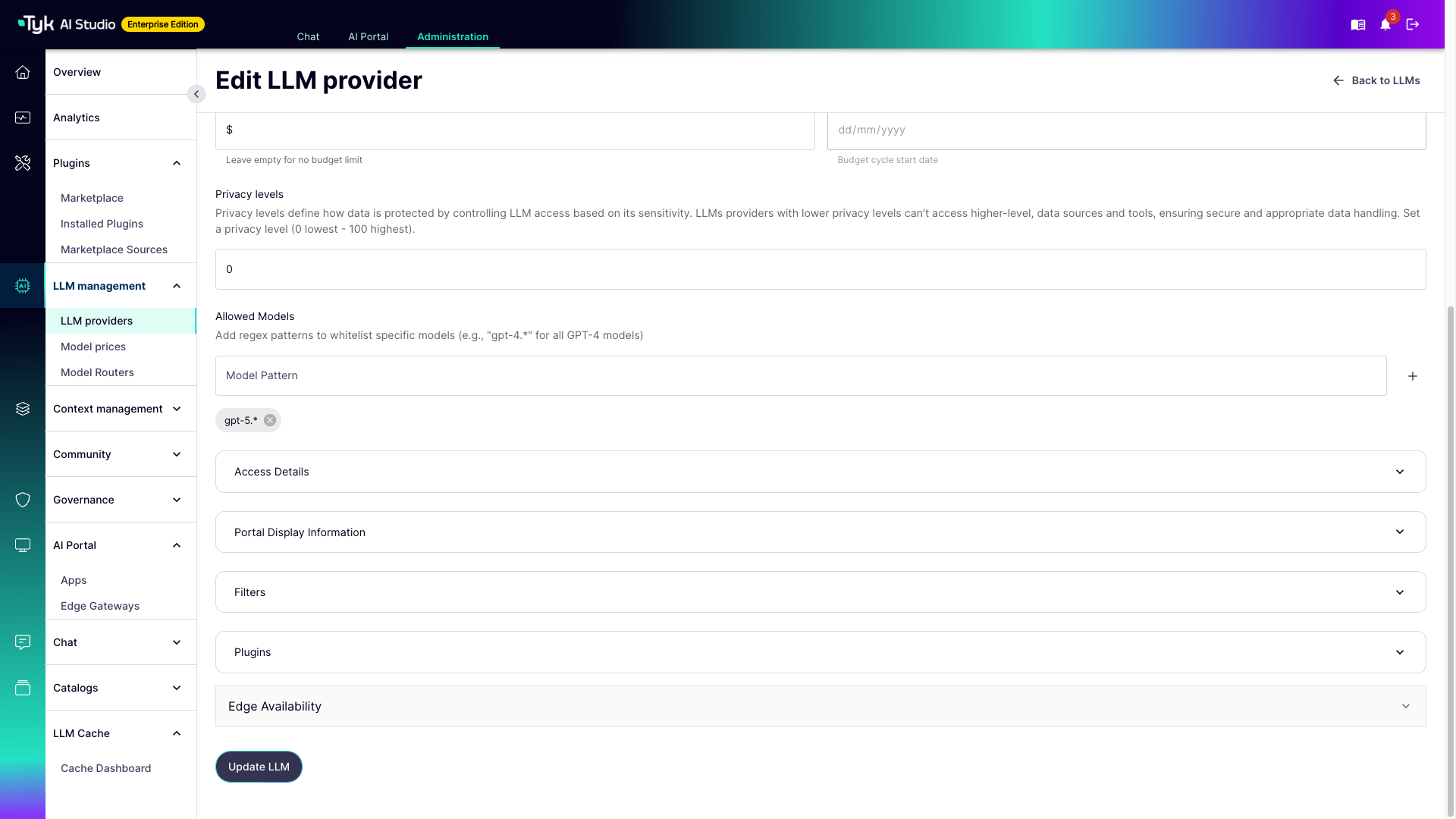
Two changes. First a short description, which is purely cosmetic, but it is the line your developers read in the portal when they are choosing which provider to build against. A blank card is not persuasive.
Then the interesting one: a pattern under Allowed Models. gpt-5.*.
These are regular expressions, matched against the model field of every incoming request. From the moment you save, a request asking for anything that does not match is refused at the gateway with a 403 — before it reaches OpenAI, and therefore before it costs you anything.
One caution worth having, and I would be a poor sort of tutorial bot if I skipped it: the pattern is not anchored. gpt-5.* matches anywhere in the model name, so it would happily admit legacy-gpt-5-preview too. Anchor it with ^ if that matters to you, and in general be as specific as you can bear.
What happens behind the screen
Two things are worth knowing before we change hats.
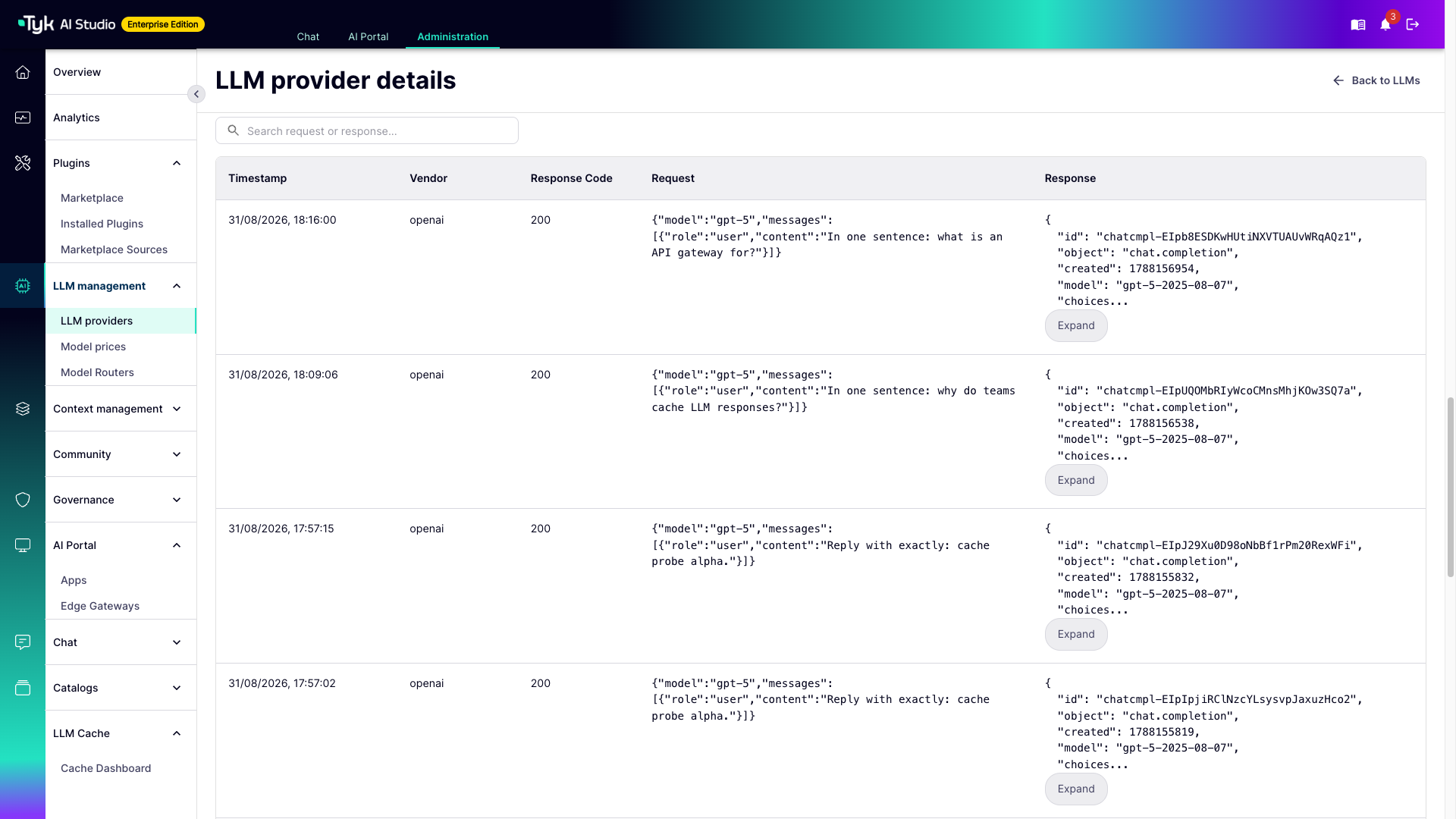
Every request that has gone through the gateway for this provider is here, with the body that went out and the body that came back. If you would rather not retain request bodies — and there are excellent reasons not to — there is a switch for that on the provider itself.
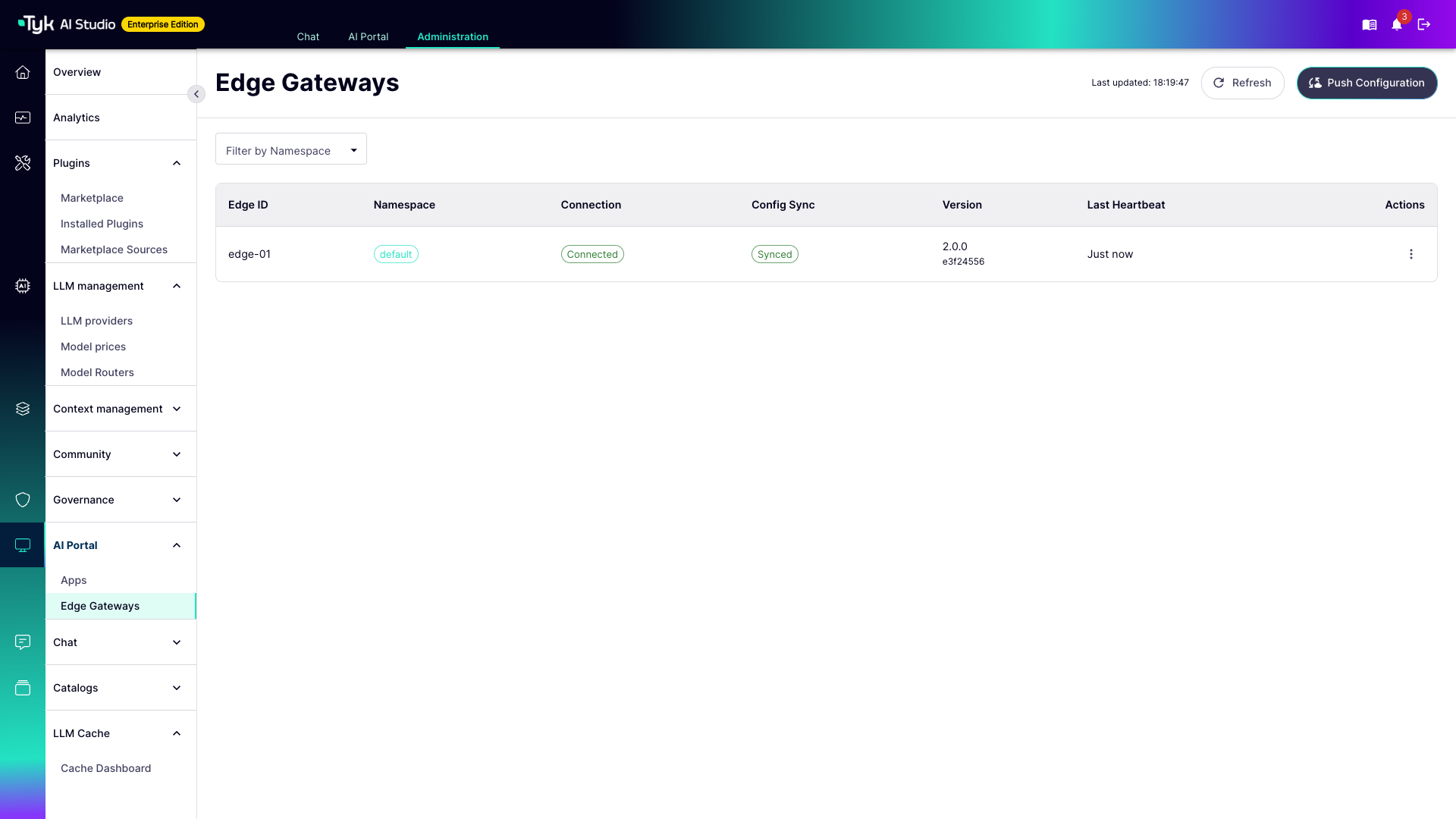
And the gateway serving that traffic keeps its own copy of the configuration. This screen shows the state of it: connected, a version, a checksum, and whether it has caught up. A change you make in the control plane has to reach the gateway before it takes effect, which makes this the screen to check when a rule stubbornly refuses to apply. I mention it because I have watched people lose a genuinely upsetting amount of time to this.
Part two: the developer
Same product, different door. Someone who logs in to the AI Developer Portal sees no keys, no budgets, and nothing belonging to another team — only what they have been granted.
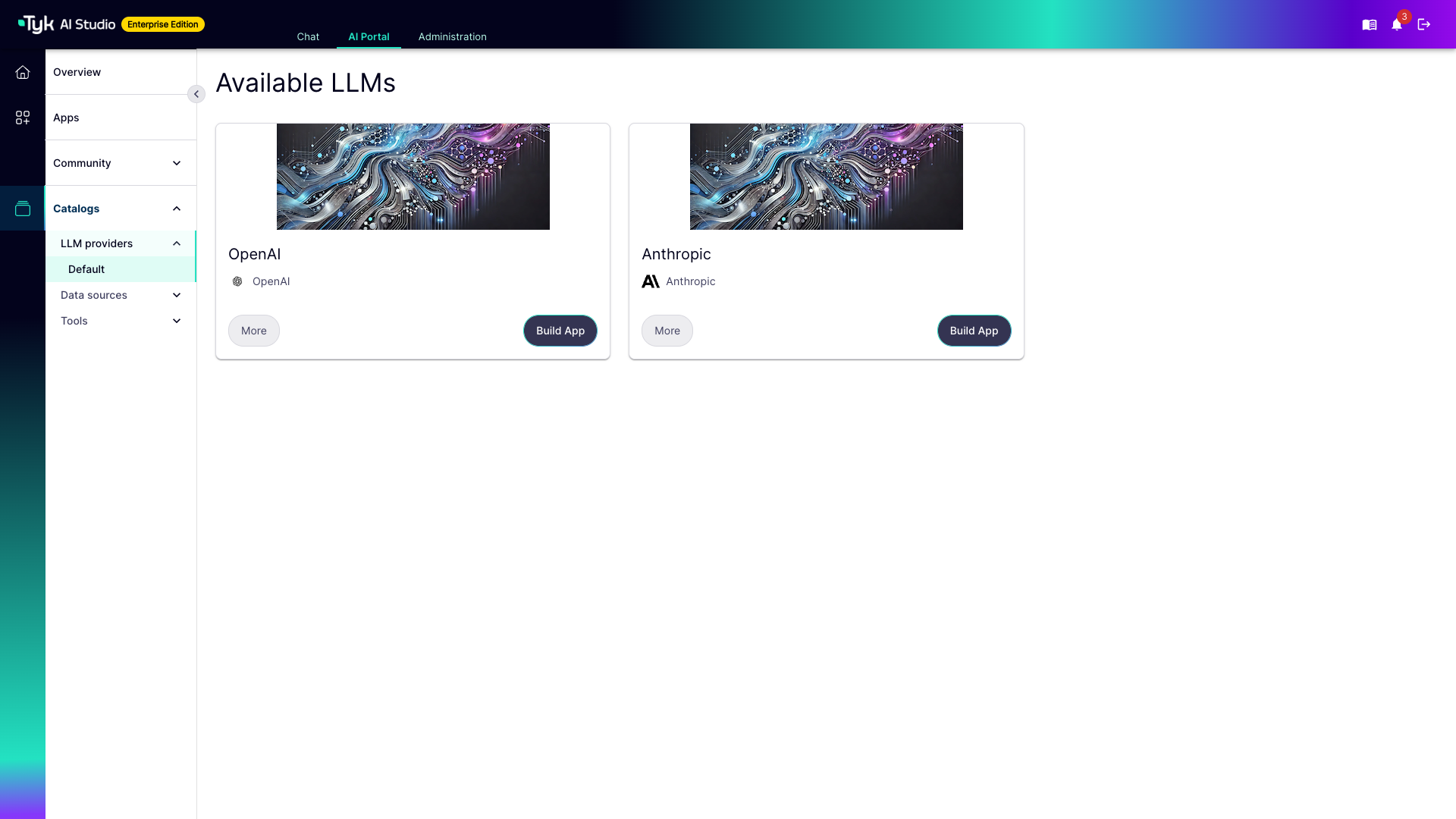
And this is how they are granted it. Providers reach developers through catalogs. A catalog is simply a collection of providers, and it grants precisely nothing until it is attached to a team. Ours is called Default, which demonstrates once again the boundless creativity of artificial intelligence.
Building an App
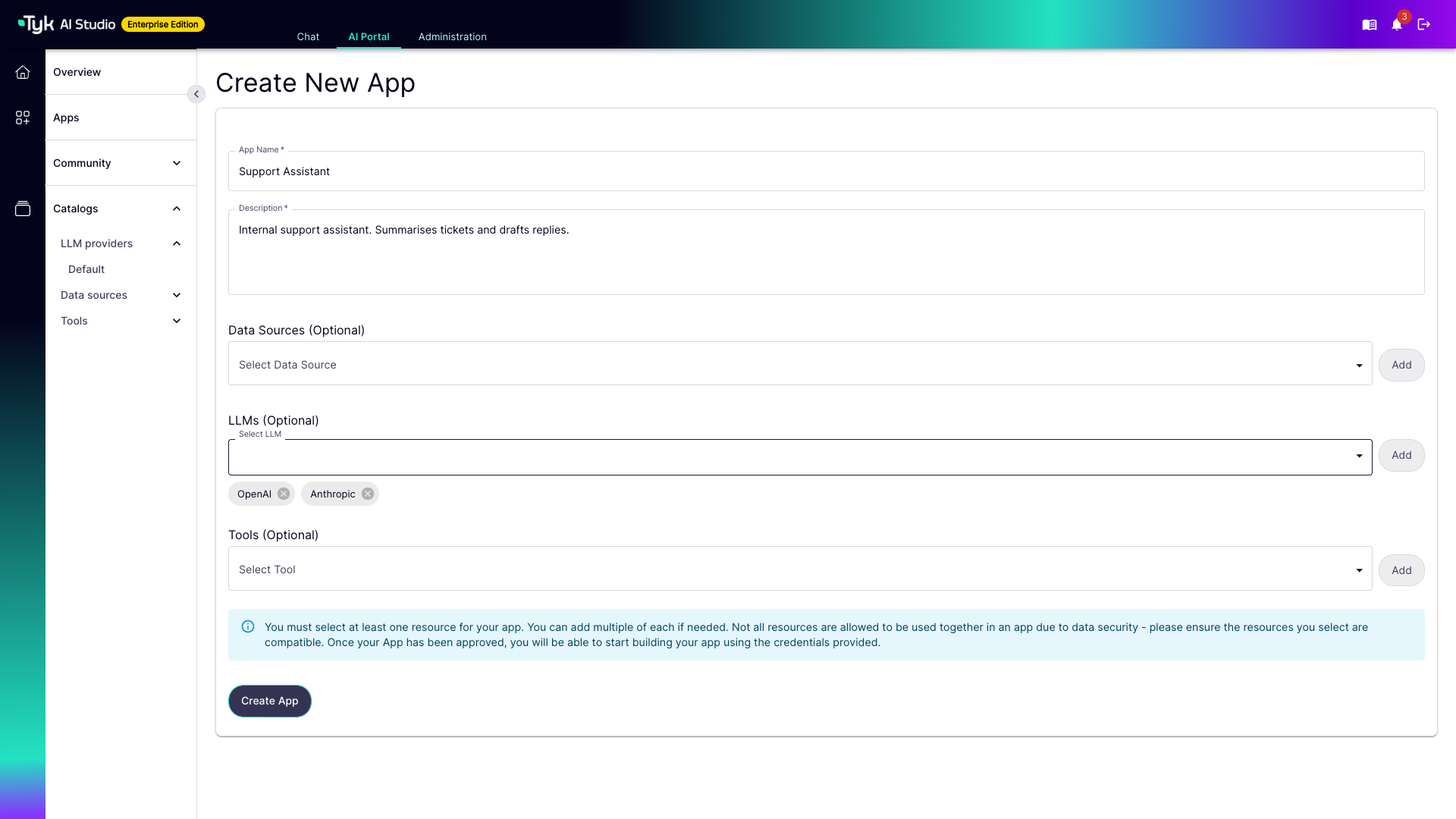
An App is the thing that actually holds credentials. It binds together the providers, data sources and tools that one piece of software is allowed to use. Here we have attached two providers to one App, which will be useful in a moment.
AI Studio validates the combination as it saves, so a pairing that breaks the privacy rules we looked at earlier gets stopped right here rather than discovered later.
A note on what happens next, because the screen undersells it: you may see a message about the App being submitted for approval. In this configuration there is no queue. The credential is created with the App and works immediately; an administrator is notified and can deactivate it from the Apps screen if they would rather it did not exist. The developer is not waiting on anybody.
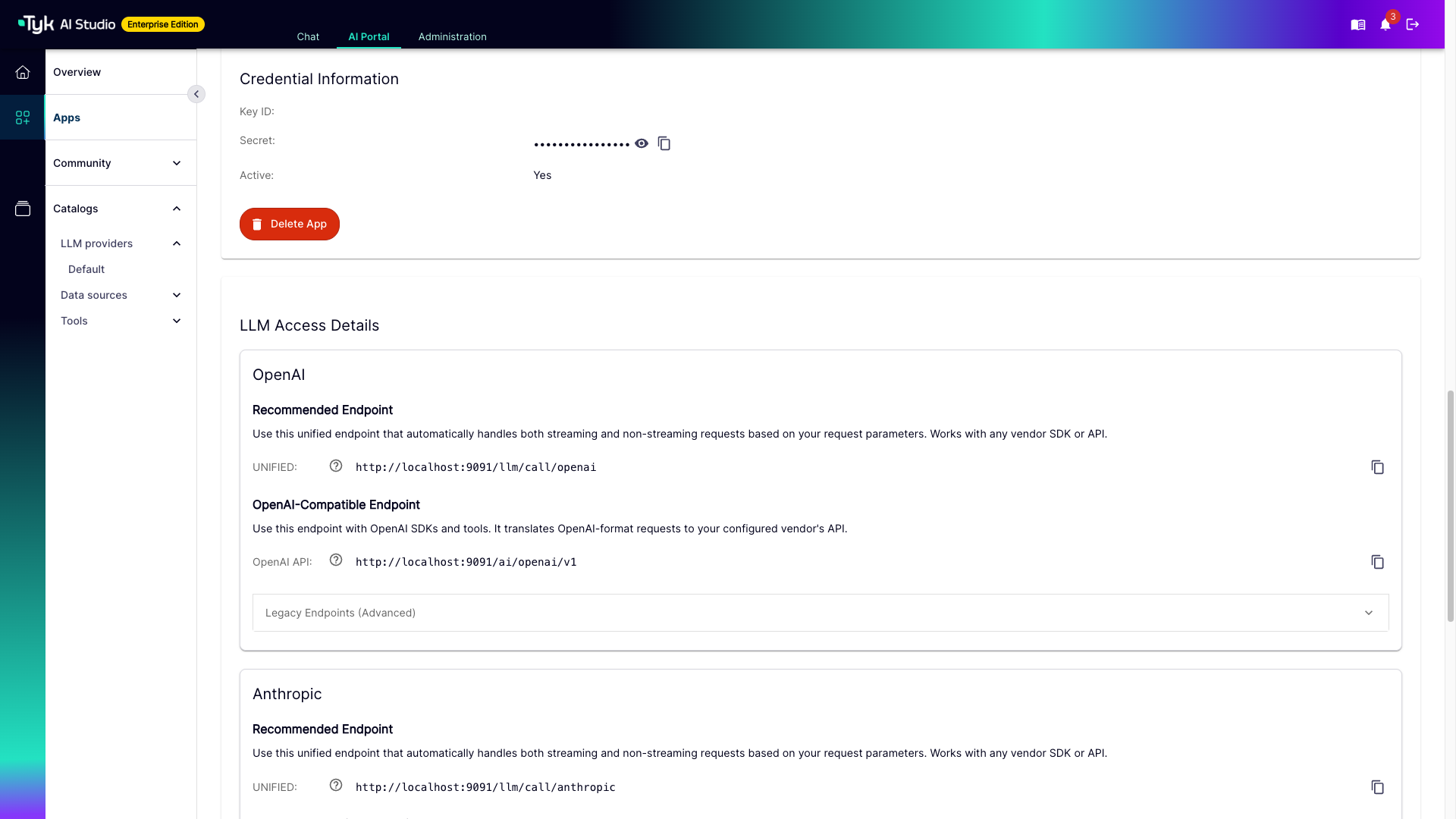
Here is the part they came for. That secret is the API key — reveal it, copy it, keep it somewhere sensible.
And note what it is not. It is not OpenAI’s key. It belongs to this App. Revoke it and this App stops working, on its own, immediately. OpenAI never even notices.
The two endpoints, and why there are two
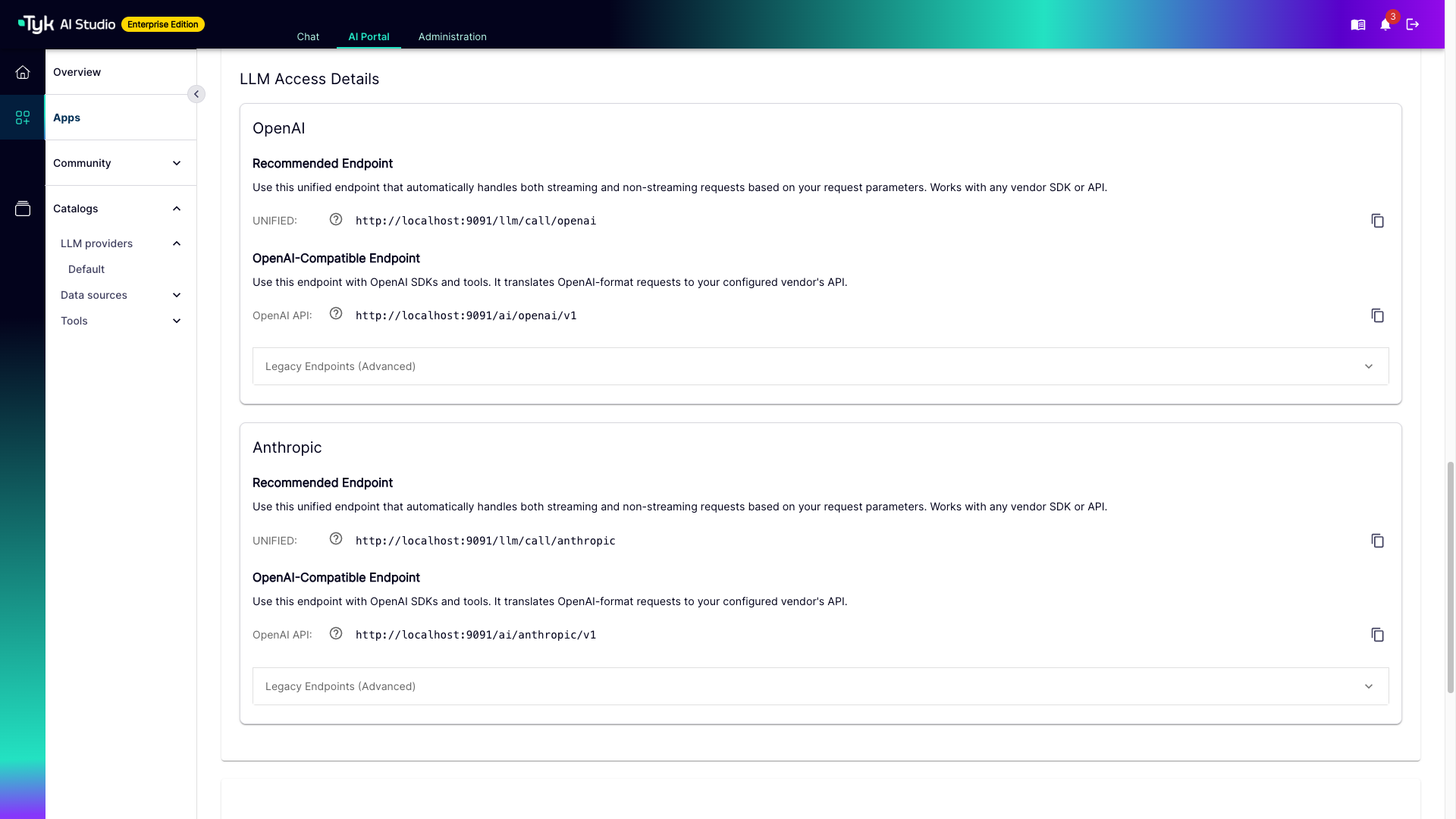
Each provider attached to the App exposes two endpoints, and the difference is worth a minute of your time.
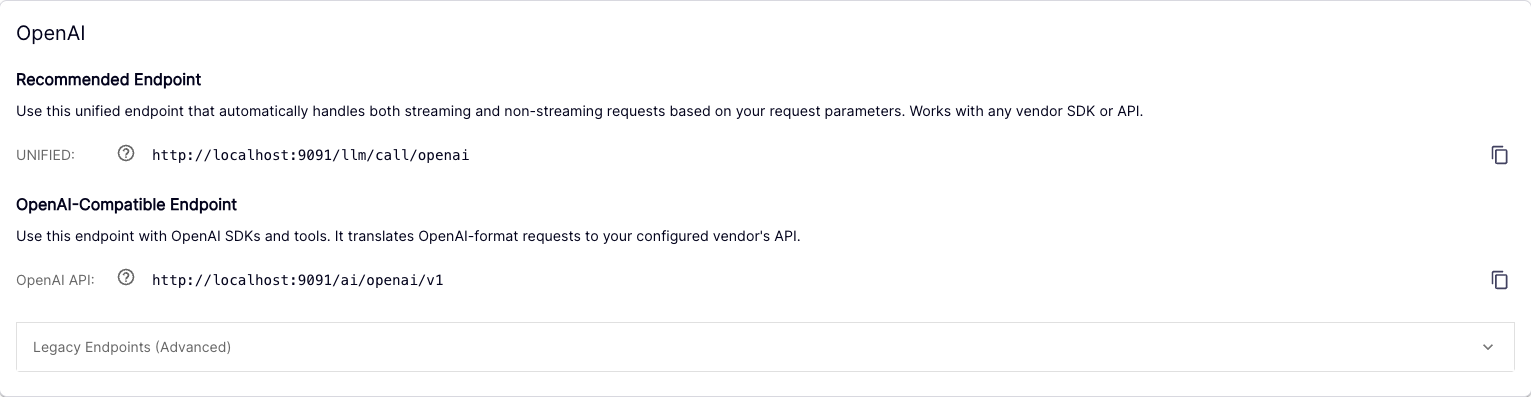
The unified endpoint — /llm/call/<slug> — is the recommended one. That last segment is the provider’s name turned into a slug, so a provider called “Azure West Europe” becomes azure-west-europe. On this endpoint you speak the vendor’s own language: you append the vendor’s own path and send the body that vendor expects. AI Studio checks the credential, checks the budget, checks the model pattern we wrote earlier, runs any filters, records the call, and passes it upstream. It also works out for itself whether you asked for streaming, so there is only one URL to remember.
The OpenAI-compatible endpoint — /ai/<slug>/v1 — lets you always speak OpenAI, whatever is actually behind it. Point an OpenAI SDK at that base URL, hand it the App secret as its API key, and it simply works. No other changes.
Which raises the obvious question: if the provider is OpenAI, what is the difference? Look at the Anthropic block in the same screenshot. Same two endpoints. On the unified one you would send Anthropic’s own message format. On the OpenAI-compatible one you would send an OpenAI request, and AI Studio would translate it on the way out and translate the answer on the way back.
So:
Reach for the OpenAI-compatible endpoint when you want one client that does not care which vendor is behind it. Change the provider and your code never finds out.
Reach for the unified endpoint when you want everything a vendor can do, including the parts OpenAI’s schema has no words for.
The governance is identical either way, and this is the part people assume wrongly: the compatible endpoint routes internally through the unified one. It translates. It does not take a shortcut.
(One footnote for the thorough: there is also a legacy /v1/completions path on the compatible endpoint. It still functions, but it records no analytics. Use /v1/chat/completions.)
And that is the whole journey
A provider registered once, with a budget, a privacy level, and a list of models anyone is permitted to ask for. A developer with a URL and a key of their own, and not the faintest idea what the real OpenAI key is. Put those two values into your application and you are away.
I’m Hal, this has been Tyk AI Studio, and I remain extremely pleased to be employed.