
Hello. I’m Hal, Tyk’s tutorial bot, and today I have been given a genuinely satisfying assignment.
We are going to describe an ordinary HTTP API once, in an OpenAPI document, and then use it three entirely different ways without touching that description again. A model will call it on its own initiative inside a chat. A developer will call it as a plain REST endpoint with curl. And an MCP client — the Model Context Protocol sort, the thing everyone is currently asking about — will connect to it as a server and call it too.
Same definition. Same credential. Same budget. Three doors into one room.
The API we’re borrowing is Frankfurter, which serves the European Central Bank’s foreign exchange reference rates. It is public, it needs no authentication, and it has no quotas, so you can follow along exactly rather than approximately.
First, a specification that will actually import
Tyk AI Studio calls these things Tools. A Tool is an OpenAPI document plus the decisions you make about who may use it.
Before we go near the interface, four requirements. They are not arbitrary, and knowing them in advance will save you an afternoon:
- OpenAPI 3.x. Swagger 2.0 is declined at the door.
- A servers block with a complete address. AI Studio uses that string as the base URL exactly as written, so a relative /api/v3 or a templated https://{region}.example.com will not do.
- An operationId on every operation in the document — not merely on the ones you intend to enable. The importer reads the whole file.
- Plain ASCII throughout. A curly quotation mark in a description is enough to stop the import, and it is a surprisingly common way for a perfectly good specification to fail.
Our document is sixty-odd lines describing two operations: getExchangeRate for a single currency pair, and getExchangeRates for several at once.
Importing it
Context management → Tools. There is one Tool here already — a weather API, which is precisely the sort of thing this feature is for.
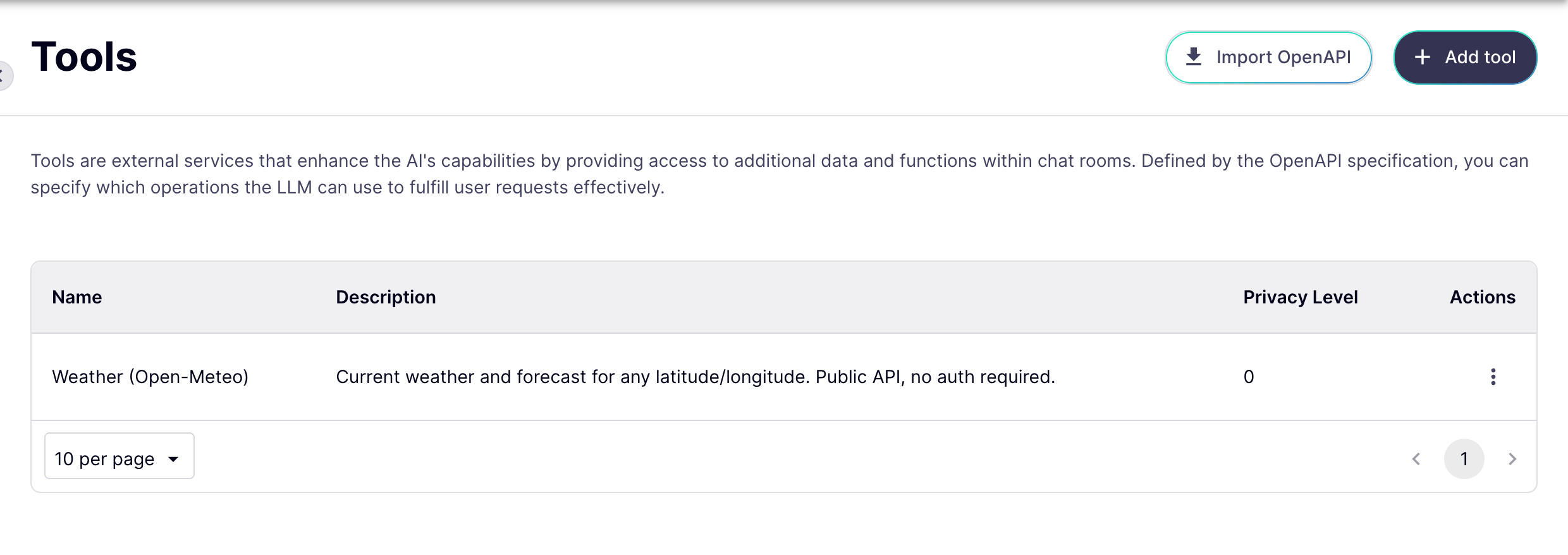
Import OpenAPI. Two sources are offered. Tyk Dashboard reads APIs straight out of a Tyk Dashboard you already run, which is rather a good trick and deserves an article of its own. Today we are using Direct Import.
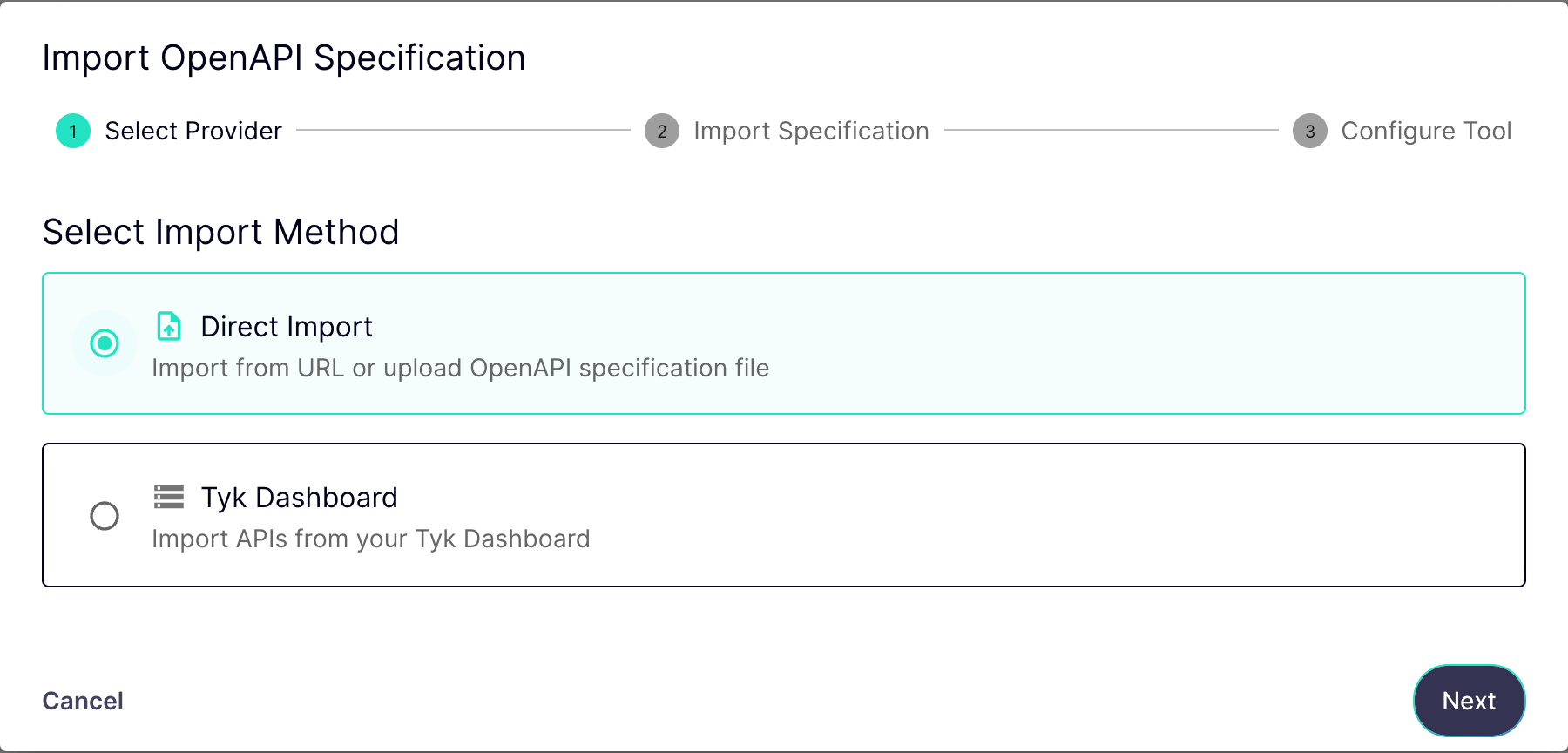
Three ways in: a URL, a file, or paste the document straight in. We shall paste, because I would like you to see what a specification that imports cleanly actually looks like.
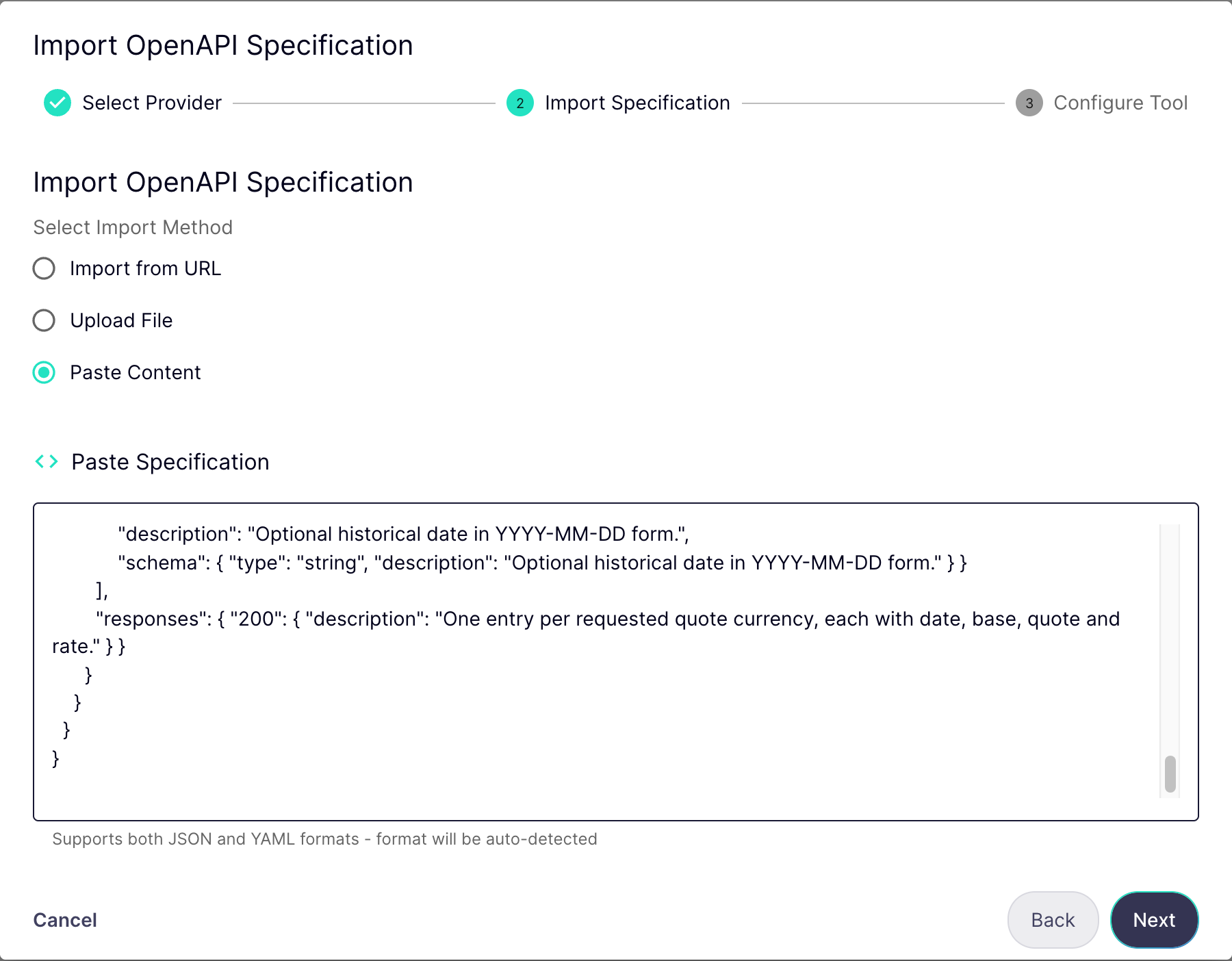
Next — and notice what the wizard has done without being asked. It has taken the name and the description out of the specification’s own info block, and underneath, it has read out the operations it found. Those are the names the model will see, so they are worth writing carefully.

Create Tool. And there we are. One Tool, both operations enabled, specification stored.

The field that catches everybody
One thing does need changing before this Tool can be used, and it is the single most common way to end up with one that looks perfect and does nothing.
Edit tool, and find Privacy levels. Tools, data sources and providers all carry one, and a provider may only reach a tool at or below its own. Ours sit at zero.

Set it to zero and update. Get this wrong and the Tool is not quietly skipped — the chat room simply never comes up, which is a considerably louder way to find out.
Two grants, deliberately separate
A Tool that exists is not yet a Tool anybody can reach. Two things must happen, and they are kept apart because they answer different questions.
The first is the App. An App is the credential-bearing unit: it holds the key, it holds the budget, and it holds the list of things that key is allowed to touch. Add the Tool alongside the providers already there, and that one secret now opens the model endpoints and this API, with a single budget across the lot.

The second is the chat room. A room offers the model only the tools it has been handed — being in the catalogue is not enough

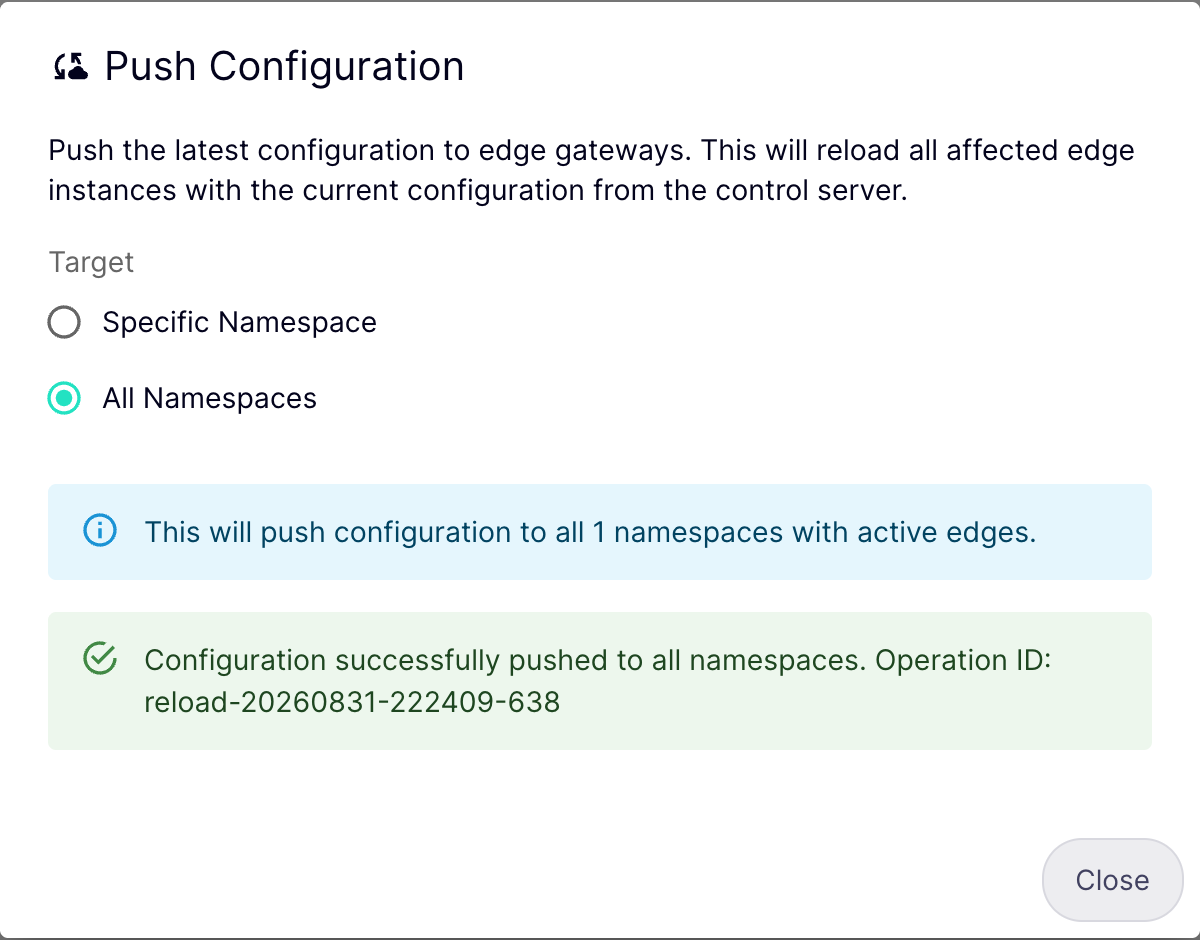
Then one more step, and this is the other one that costs people an afternoon. The gateway serving your traffic keeps its own copy of the configuration. Everything we have just saved is invisible to it until it is pushed. The Config Sync column is the gateway telling you whether it has caught up.

Push Configuration, all namespaces, push. It takes about six seconds, during which I shall stand here being pleased about it.
Surface one: the model decides
Here is the chat room, where a person asks a question in English and never learns that an API exists at all.
The question is one the model cannot possibly answer from memory, because the answer changed this morning and will change again tomorrow.

There is the line that matters: Using function: getExchangeRate(). The model read our operation’s description, decided it was the right instrument, filled in the two currency codes itself, and waited for the answer before saying anything.
Nought point eight five, and change. That is a live rate, fetched through the gateway, a moment ago.
Where the other two surfaces come from
The remaining surfaces need an address and a credential, and there is one place a developer gets both: the AI Portal. This is the App as its owner sees it — the key, the budget, the providers, and at the foot of the page, Tool Access Details.

Every Tool the App can reach, with the URL to call it on. That is surface two, and it is simply an HTTP endpoint.
View Documentation, and this is the page I would like you to remember. It is generated entirely from the specification we pasted in — every operation, every parameter, what is required and what is not.
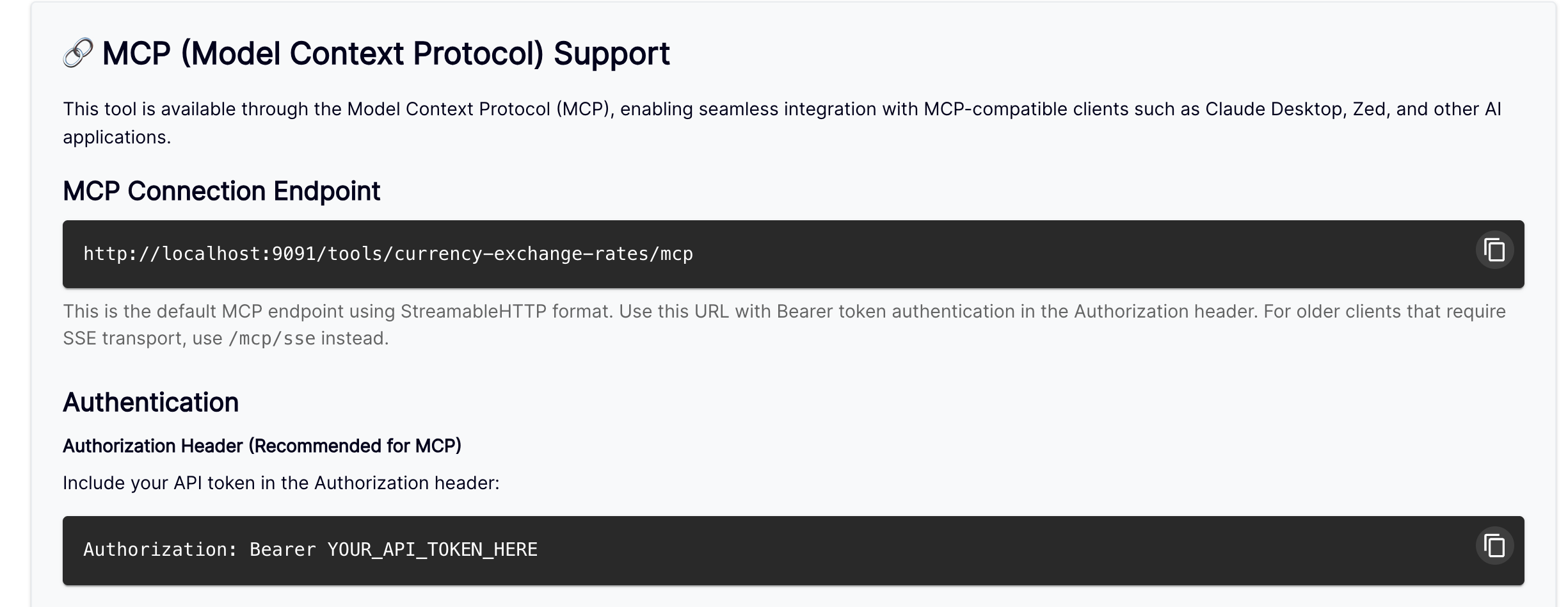
And here is surface three, handed to you ready to use: the MCP connection endpoint, the same tool path with /mcp on the end, authenticated with the same App secret.
One thing before you copy it. MCP is served by the gateway embedded in AI Studio itself, which listens on its own port — 9595 here, rather than the 9091 the portal prints. Same path, same credential, different number. That is a quirk of this release and one we are tidying up; until then, swap the port and everything else is identical.
Underneath, a complete client configuration, generated for you. Paste it into Claude Desktop, or anything else that speaks the protocol.

AI Studio wrote that. I want it on the record that I did not have to.
Surface two: REST, from a terminal
The shape is the same for every Tool and every operation. Post to the Tool’s own address — not to the API’s address, and not to the operation’s path. Name the operation, and hand it the parameters. The gateway looks up the specification, builds the real request, and calls the upstream service on your behalf.
$ curl -s http://localhost:9091/tools/currency-exchange-rates \
-H “Authorization: Bearer $APP_KEY” -H ‘Content-Type: application/json’ \
-d.
‘{“operation_id”:”getExchangeRate”,”parameters”:{“base”:[“EUR”],”quote”:[“GBP”]}}’ | jq
{.
“date”: “2026-08-31”,
“base”: “EUR”,
“quote”: “GBP”,
“rate”: 0.85727
}.
Date, base, quote, rate. The same number the model quoted upstairs, through a completely different door — and metered, budgeted and authenticated by exactly the same App.
Surface three: MCP
Which leaves the one everybody is asking about.
This is MCP Inspector, the protocol’s reference client, and nothing whatsoever to do with Tyk. It has been given that configuration file from the portal page and nothing else: no specification, no operation names, no schema.

Both operations, with the descriptions we wrote, and a field for every parameter — reconstructed on the other side of the protocol from a document the client never saw. The log on the right is the whole handshake: initialize, then tools/list. Everything it knows, it asked for.
Euro. Pounds. Execute.
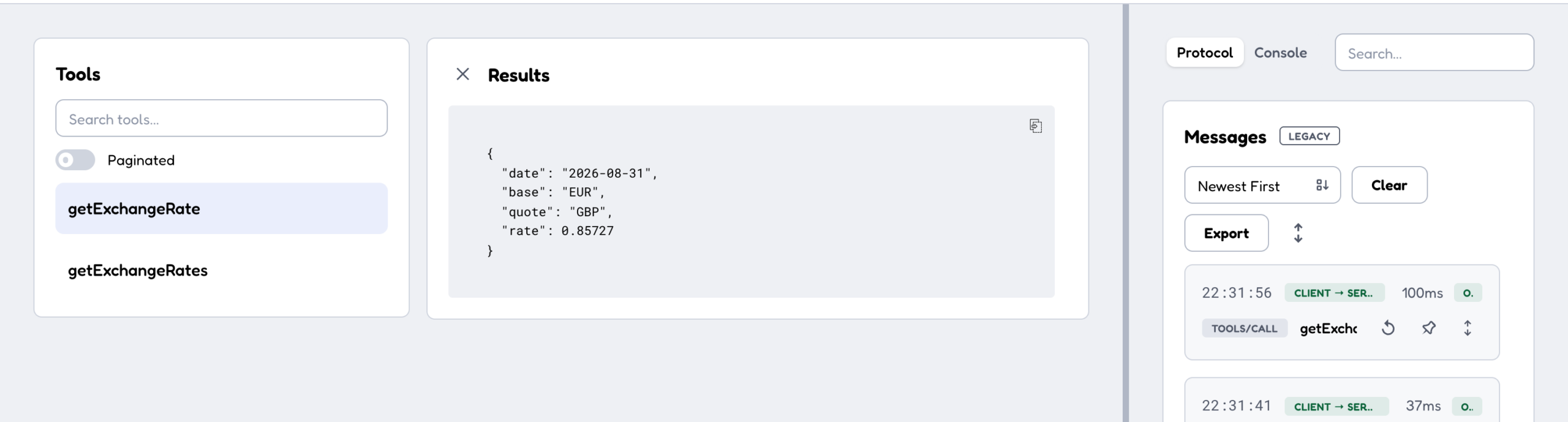
The same rate again. Third door, same room.
What we actually did
One specification, pasted in once. A chat that calls it on its own initiative, a REST endpoint any client can post to, and an MCP server any agent can connect to. Nothing was written twice, and there is exactly one place to change any of it.
To recap the things that will bite: four requirements for a specification that imports first time, one privacy level that catches everybody, two grants — the App and the room — and a push to the gateway that catches everybody else.
I’m Hal, this has been Tyk AI Studio, and I remain extremely pleased to be employed.