

get_analytics tool on the Mock MCP Server to 3 calls per minute for a specific consumer policy, then uses MCP Inspector to verify the limit is enforced.
Before you begin
- The Mock MCP Server running on
http://localhost:7878. Set up in the quickstart. - An MCP proxy named Mock MCP Server with authentication enabled. See How to secure an MCP proxy.
- Node.js 18 or later (to run MCP Inspector)
- A Dashboard user account with policy management permissions
Instructions
Step 1: Create a policy with a per-tool rate limit
- In the Tyk Dashboard sidebar, click Policies, then click Add Policy.
- On the Access Rights tab, find Mock MCP Server in the API list and click it to add it.
- Expand the Mock MCP Server access rights block and scroll to Set Usage Limits by MCP Primitives/Methods.
-
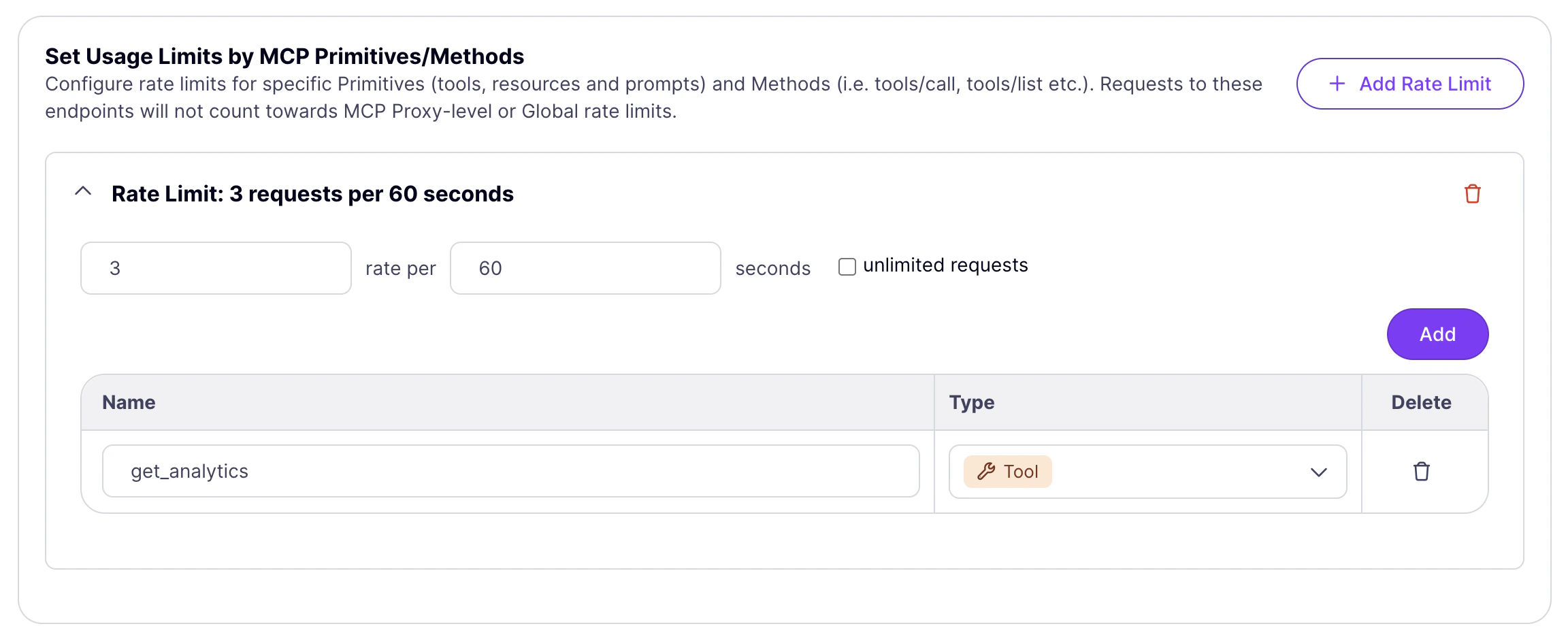
Click Add Rate Limit and configure the limit:
- Set Rate to
3 - Set Per to
60seconds - Click Add, enter
get_analytics, and set Type to Tool
- Set Rate to
- Click Add to confirm the primitive.
-
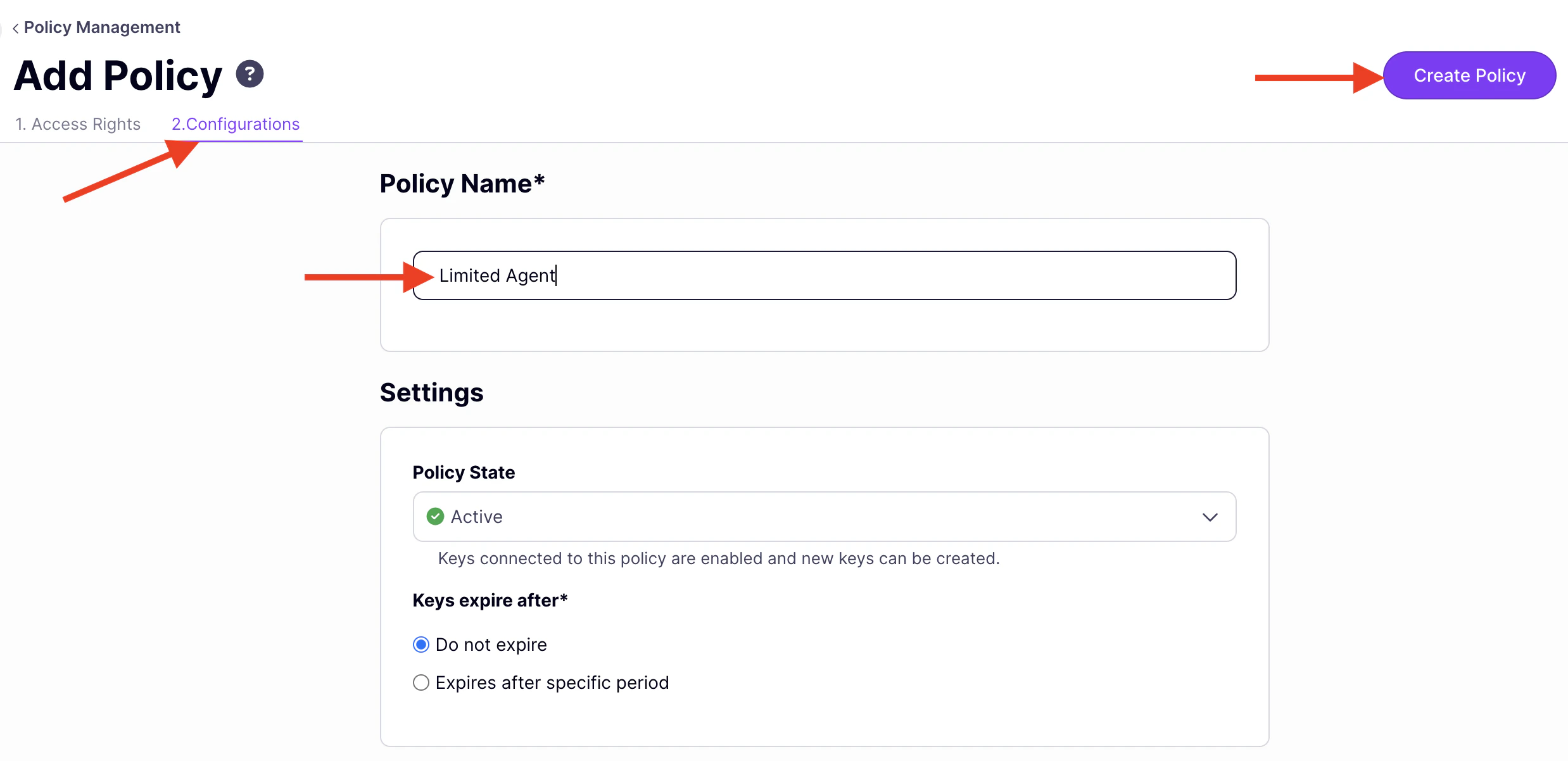
Click the Configurations tab and set:
- Policy Name:
Limited Agent - Policy State: Active
- Policy Name:
-
Click Create Policy.
Step 2: Issue a key
- In the Dashboard sidebar, click Keys, then Add Key.
- Under Access rights, click Apply Policy and select Limited Agent.
-
Click the Configurations tab and set an Alias such as
limited-agentto identify this key in analytics. - Click Create Key and copy the key.
Step 3: Verify with MCP Inspector
-
Start MCP Inspector:
- Open the URL printed in your terminal.
-
Set Transport Type to
Streamable HTTP. -
Set URL to your MCP endpoint (find it under MCP Proxy URL in the proxy designer, then append
/mcp). -
Add a header:
Authorization=Bearer {your-api-key}. - Click Connect.
- Click the Tools tab and select get_analytics.
-
The tool requires a metric parameter. Enter
users(or any ofposts,orders,revenue). - Click Run three times in quick succession. Each call succeeds. The response panel shows the analytics data from the Mock MCP Server.
-
Click Run a fourth time. Tyk has exhausted the 3 calls per minute budget for this consumer and blocks the request. The response panel shows:
MCP error -32001: Streamable HTTP error: Error POSTing to endpoint:
-
Click any other tool (
get_users,get_posts,get_products) and click Run. Those calls succeed normally. Only theget_analyticscounter is exhausted.
How per-consumer and shared limits compose
Each key on the Limited Agent policy has its own counter forget_analytics. To add a limit shared by all consumers, see Policies versus middleware.