

tools/list responses so agents cannot discover it exists. No consumer key or policy can override a definition-level block: if the tool is blocked, it is invisible and uncallable for everyone.
This guide blocks the delete_user tool on the Mock MCP Server, then uses MCP Inspector to verify that calling it returns an error while all other tools continue to work.
Before you begin
- The Mock MCP Server running on
http://localhost:7878. Set up in the quickstart. - An MCP proxy named Mock MCP Server with authentication enabled. See How to secure an MCP proxy.
- Node.js 18 or later (to run MCP Inspector)
Instructions
Step 1: Block the tool
- In the Tyk Dashboard sidebar, click MCP. Find Mock MCP Server in the list and click Edit to open the proxy designer.
-
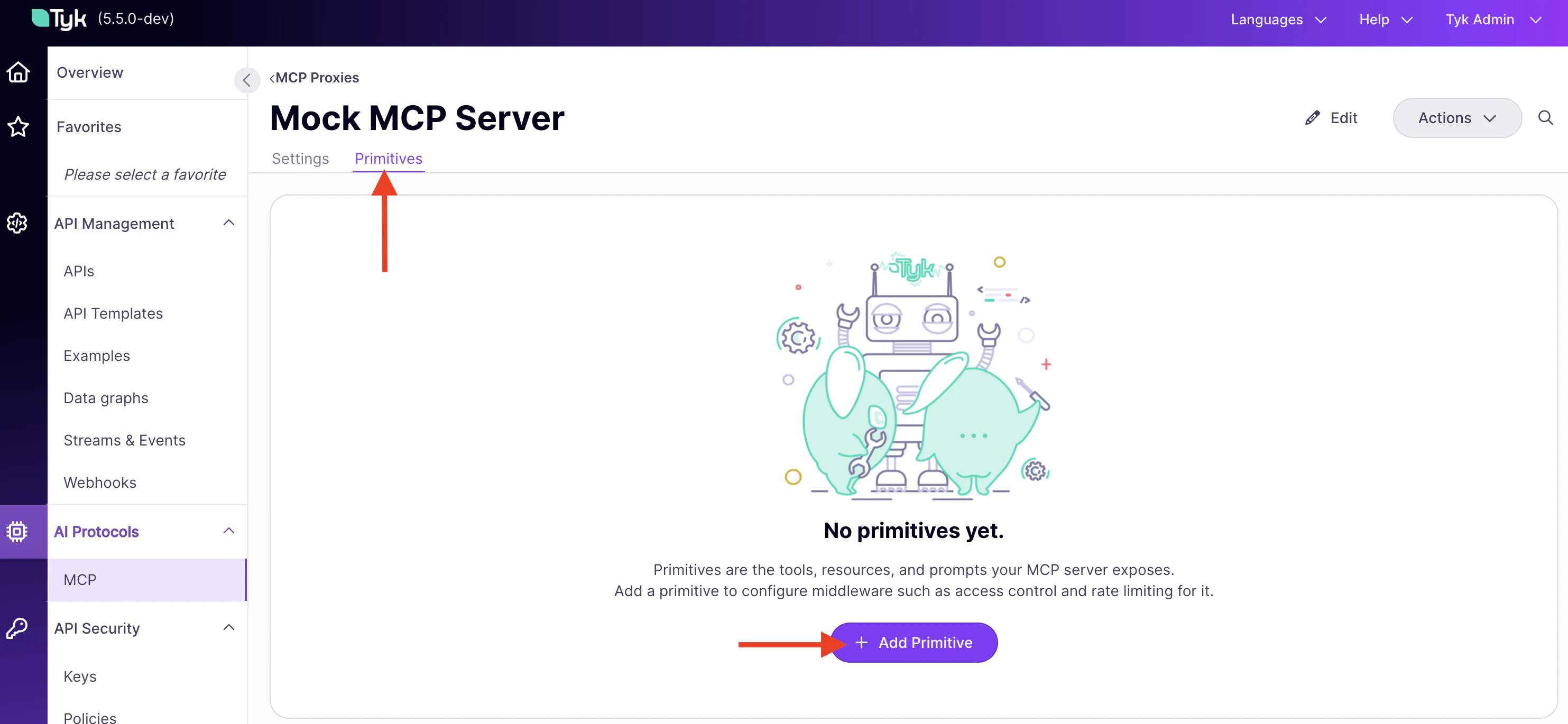
Click the Primitives tab.
-
Click Add Primitive. Set Type to Tool and enter
delete_useras the name. Click Add Primitive.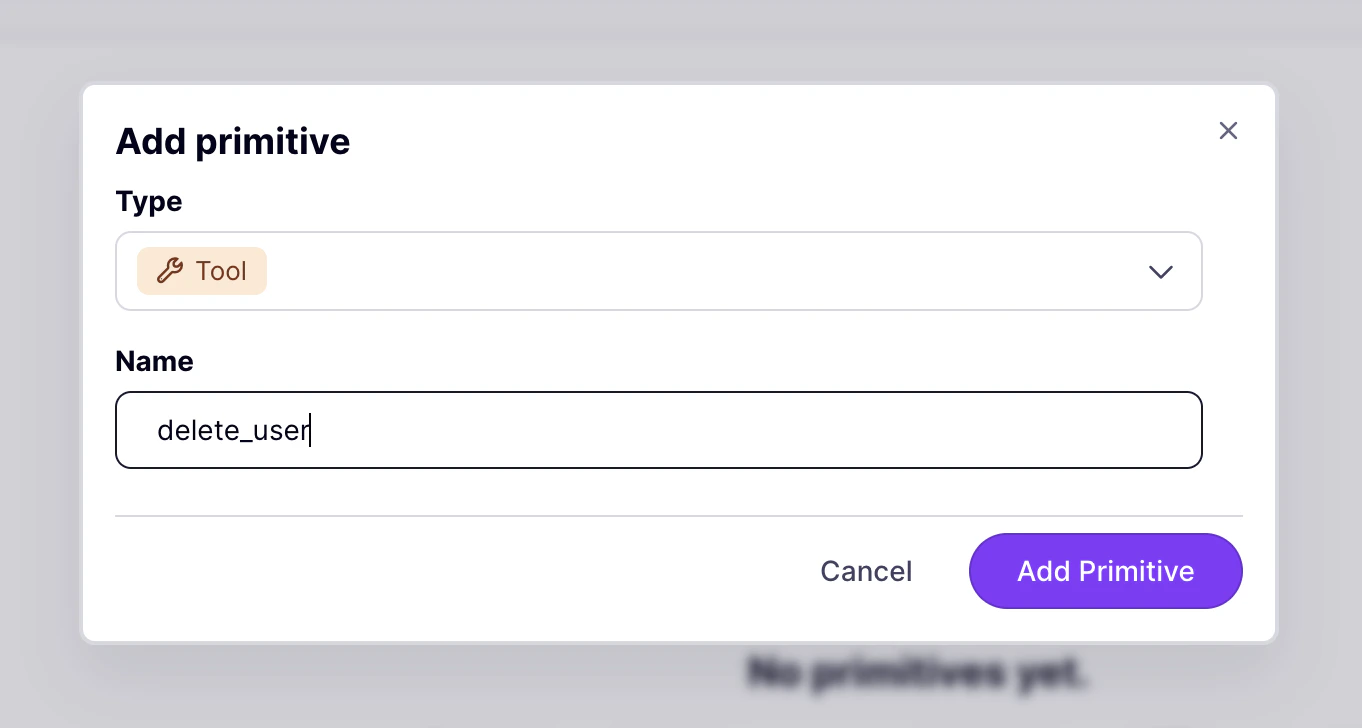
-
Click
delete_userto open the middleware panel. - Click Add Middleware.
- Select Block List.
-
Click Add Middleware.
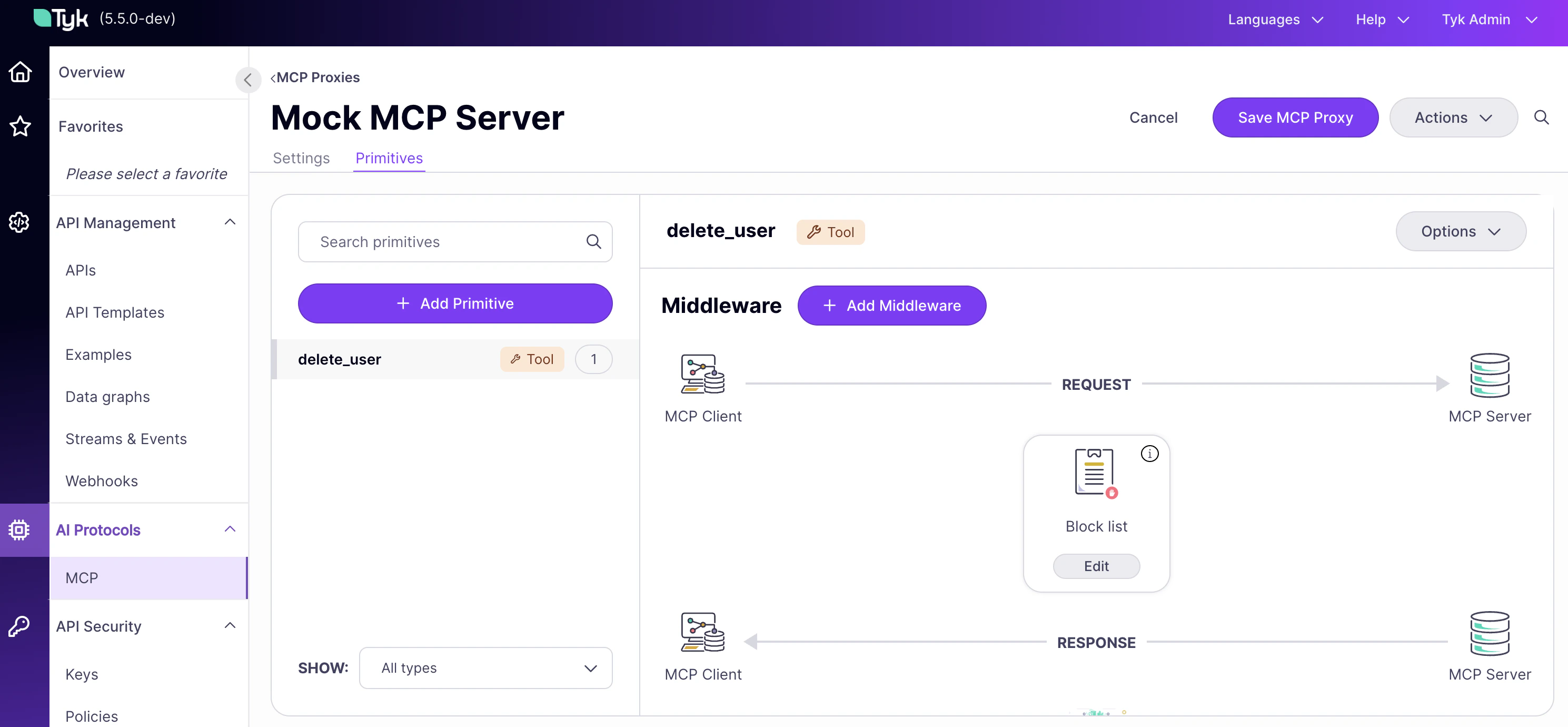
- Click Save MCP Proxy.
Step 2: Verify with MCP Inspector
-
Start MCP Inspector:
- Open the URL printed in your terminal.
-
Set Transport Type to
Streamable HTTP. -
Set URL to your MCP endpoint (find it under MCP Proxy URL in the proxy designer, then append
/mcp). -
Add a header:
Authorization=Bearer {your-api-key}. - Click Connect.
-
Click the Tools tab. Notice that
delete_userno longer appears in the tool list. Tyk filters blocked tools out oftools/listresponses, so agents cannot discover them at all. -
To confirm the block is enforced at the call layer, enter
delete_usermanually in the tool name field, provide any value for user_id, and click Run. Tyk blocks the request before it reaches the upstream. The response panel shows: -
Select any other tool (
get_users,get_posts,get_products) and click Run. Those calls succeed normally. Onlydelete_useris blocked.
Block vs. RBAC: when to use each
Bothblock and RBAC allowlists restrict which tools a consumer can call, but they operate at different layers and serve different purposes.
Use block when a tool should never be reachable through this proxy, for anyone. The restriction is set in the proxy definition and cannot be overridden by a policy. It is the right choice for tools that are dangerous, irreversible, or not yet ready for agent access: delete_user, drop_table, send_email.
Use RBAC when different consumers should have different access to the same set of tools. A read-only agent sees only read tools; an admin agent sees all tools. The restriction is set in a security policy and scoped per consumer. See How to implement RBAC for an MCP proxy.
The two can be combined: block the tools that no one should ever reach, then use RBAC to scope what each consumer can see within what remains.