

Introduction
IETF RFC6750 opens with:Any party in possession of a bearer token (a “bearer”) can use it to get access to the associated resources (without demonstrating possession of a cryptographic key). To prevent misuse, bearer tokens need to be protected from disclosure in storage and in transport.The bearer token is a cryptic string, usually generated by the server. When the client makes a request to consume an API on the server, it must send this token in a header, typically as:
Authorization: Bearer <token>. When the server receives the token, it checks its validity and authentcates that the “bearer” of the token is the entity to which the token was issued.
The OpenAPI Specification defines an API Key as:
a token that a client provides when making API calls. API keys are supposed to be a secret that only the client and server know … API key-based authentication is only considered secure if used together with other security mechanisms such as HTTPS/SSL.Bearer Token, API Key, Authentication Token… from the perspective of Tyk these are different names for the same thing: a “token” string that can be used to access an API secured using Tyk’s Auth Token authentication method.
An Overview of the Auth Token method
Tyk’s “Auth Token” authentication method is a flexible mechanism that functions like a Bearer Token but is defined as an ‘API Key’ according to OpenAPI 3.0 standards.- Tyk Gateway issues Auth Tokens (called Keys in the Tyk Dashboard App)
- For each token, a session state object is created with the Redis key containing the token string
- this session object contains details of the access rights and consumption limits to be applied to the client presenting the token
- The client can present the token in a header, query parameter or cookie
- the location is configurable within the API definition
- The
Beareridentifier is optional when using a header for the token - When the token is presented, it is used as a simple key lookup against the Redis keys and validated if a matching session object is found
- From Tyk 5.12.0 the token can be bound to a client certificate to provide an extra layer of authentication security
- when this is in use, Tyk validates that the certificate presented with the token matches that bound to the session
Configuring your API to use Auth Token
The OpenAPI Specification indicates the use of Auth Tokens (API Keys) in thecomponents.securitySchemes object using type: apiKey. It also includes specification of the location (in) and key (name) that are to be used when providing the token to the API, for example:
authentication.stripAuthorizationData field (Tyk Classic: strip_auth_data).
Multiple Auth Token Locations
The OpenAPI Specification’ssecuritySchemes mechanism allows only one location for the auth token, but in some scenarios an API might need to support multiple potential locations to support different clients.
The Tyk Vendor Extension supports this by allowing configuration of alternative locations in the auth token entry in server.authentication.securitySchemes. Building on the previous example, we can add optional query and cookie locations as follows:
Client Certificate - Token Binding
In Tyk 5.12.0 we introduced an option when combining the Auth Token method with static mTLS to form a binding association between the Auth Token issued to a client and their client certificate. This works as follows:- The client certificate must first be registered with the Tyk Certificate Store and added to the statically declared allow list in the API definition, the act of doing this enforces the mTLS handshake for requests to the API.
- When the Auth Token is issued by Tyk, the certificate is bound to the session object that is created in Redis (the certificateID is stored in the
mtls_static_certificate_bindingsfield in the Session) - When a request is made by the client, they must provide a certificate to satisfy the mTLS handshake. This certificate is then checked against the allow list in the API definition and then the binding in the session object. If it is not present in the allow list or not in the bound certificates list, authentication will fail and the request will be rejected.
Policies do not currently support certificate-token binding. This will be added in a future release.
Dynamic mTLS with Auth Token
The Auth Token method can support Dynamic mTLS where the client can provide a TLS certificate in lieu of a standard Auth Token. This can be configured for an API using the enableClientCertificate option (Tyk Classic:auth.use_certificate).
You can use your own identity provider to generate access tokens, then import them to Tyk via POST /tyk/keys/{keyID} in the Tyk Gateway API. This lets Tyk manage access control, quotas, and rate limiting for you.
Legacy Options
Dynamic mTLS with Auth Token
Dynamic mTLS became a standalone authentication method in Tyk 5.12.0 and is now more accurately called Certificate Authentication
enableClientCertificate flag (Tyk Classic: auth_configs.authToken.use_certificate).
Auth Token with Signature
If you are migrating from platforms like Mashery, which use request signing, you can enable signature validation alongside auth token by configuring the additional signatureValidation field (Tyk Classic:auth.signature).
You can configure:
- the location of the signature
- the algorithm used to create the signature (
MasherySHA256orMasheryMD5) - secret used during signature (which can be retrieved from the Session metadata)
- an allowable clock skew
Using Tyk Dashboard to Configure Auth Token
Using the Tyk Dashboard, you can configure the Auth Token authentication method from the Server section in the API Designer by enabling Authentication and selecting Auth Token from the drop-down: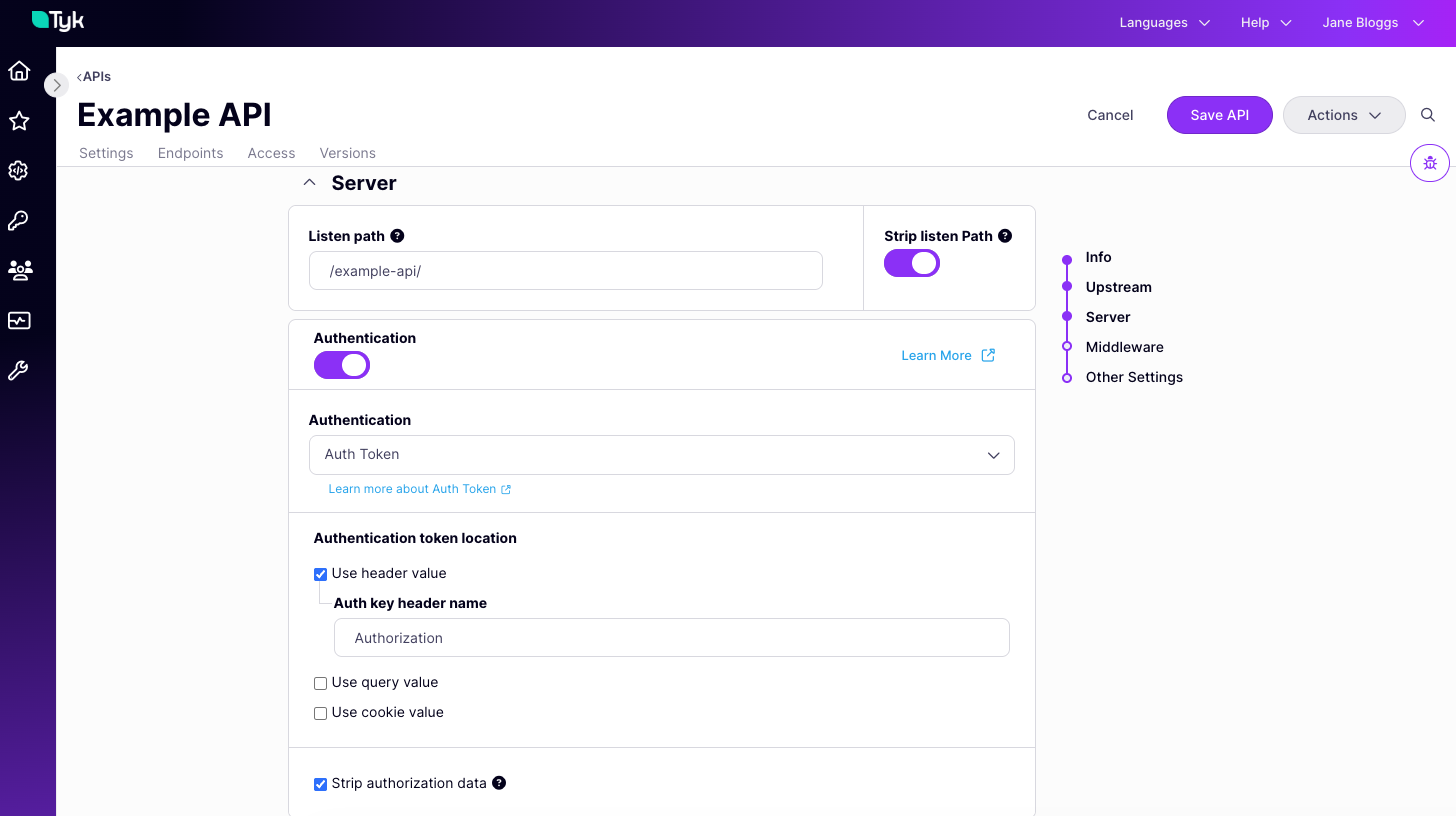
- select the location(s) where Tyk should look for the token
- provide the key name for each location (we prefill the default
Authorizationfor the header location, but you can replace this if required) - select Strip authorization data to remove the auth token locations from the request prior to proxying to the upstream, as described here
Binding a Client Certificate to a Token
Certificates are bound to tokens when the tokens are issued or when the session object is subsequently updated. When an API secured by Auth Token and mTLS is selected in the Access Rights tab of the API Security > Keys screen, an additional tab will be displayed: Authentication.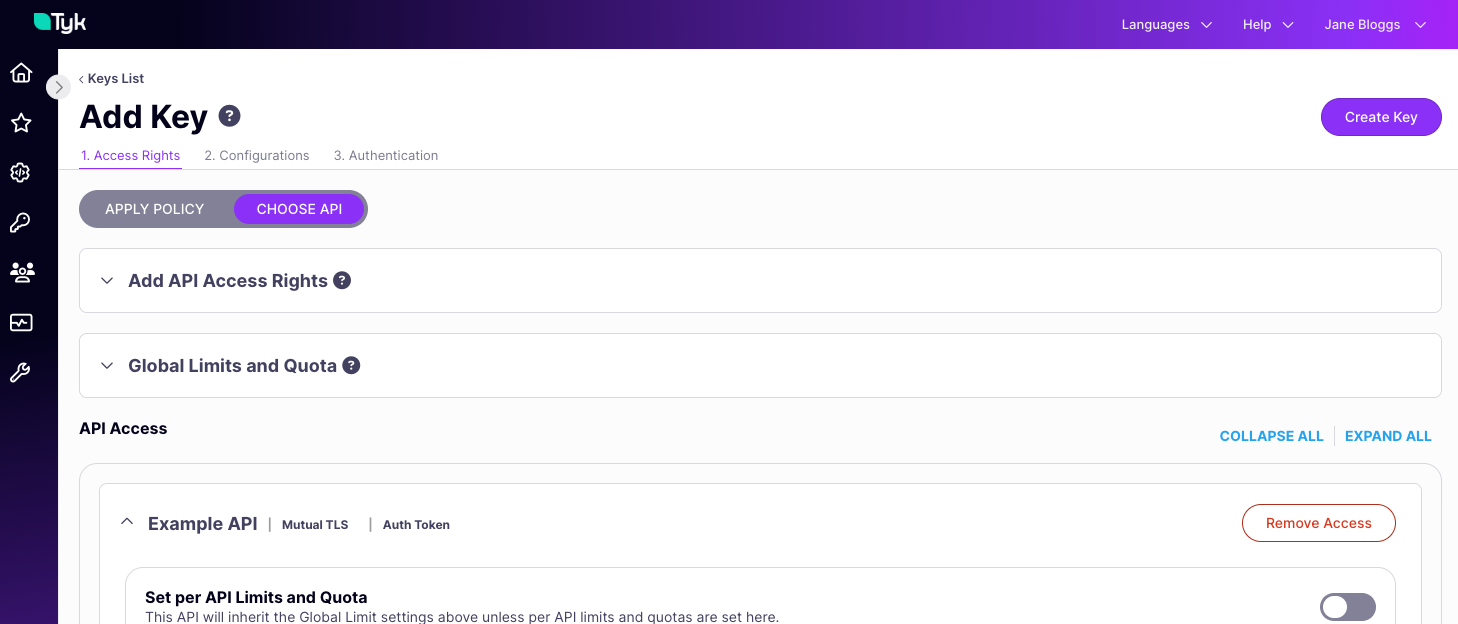
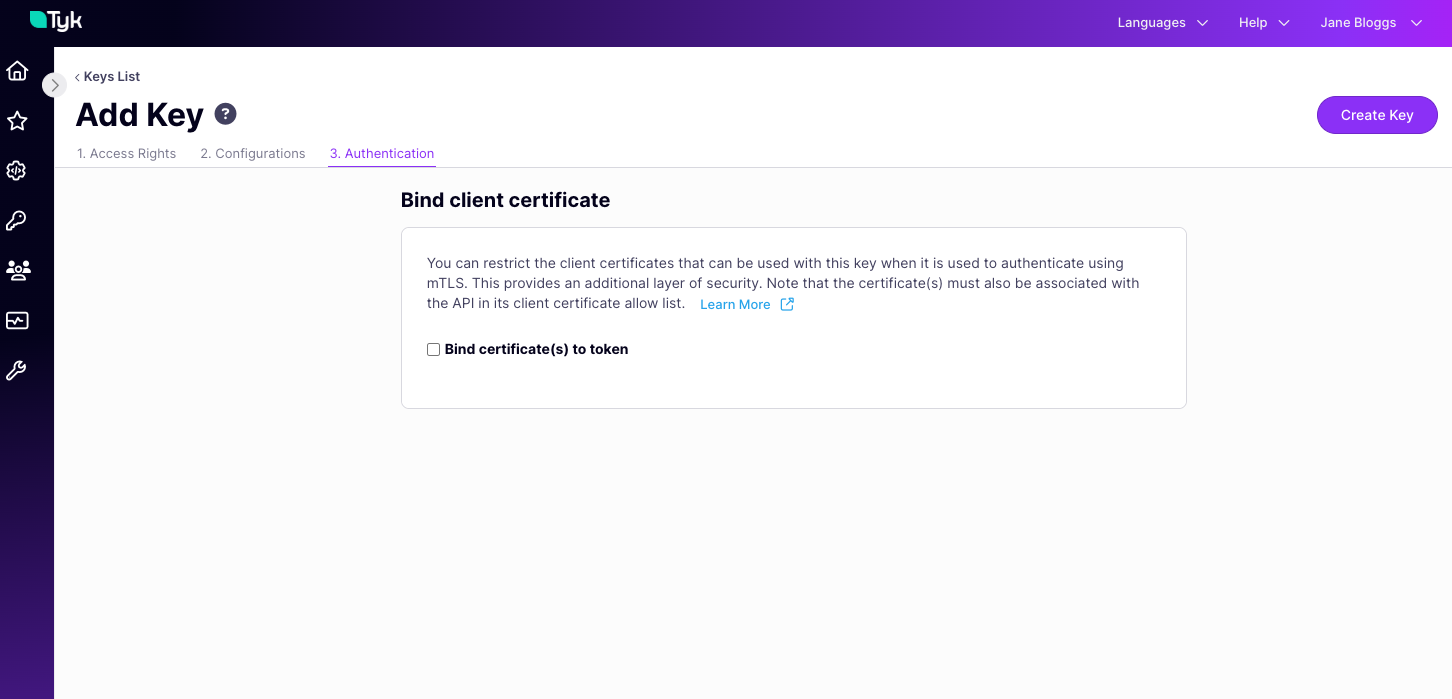
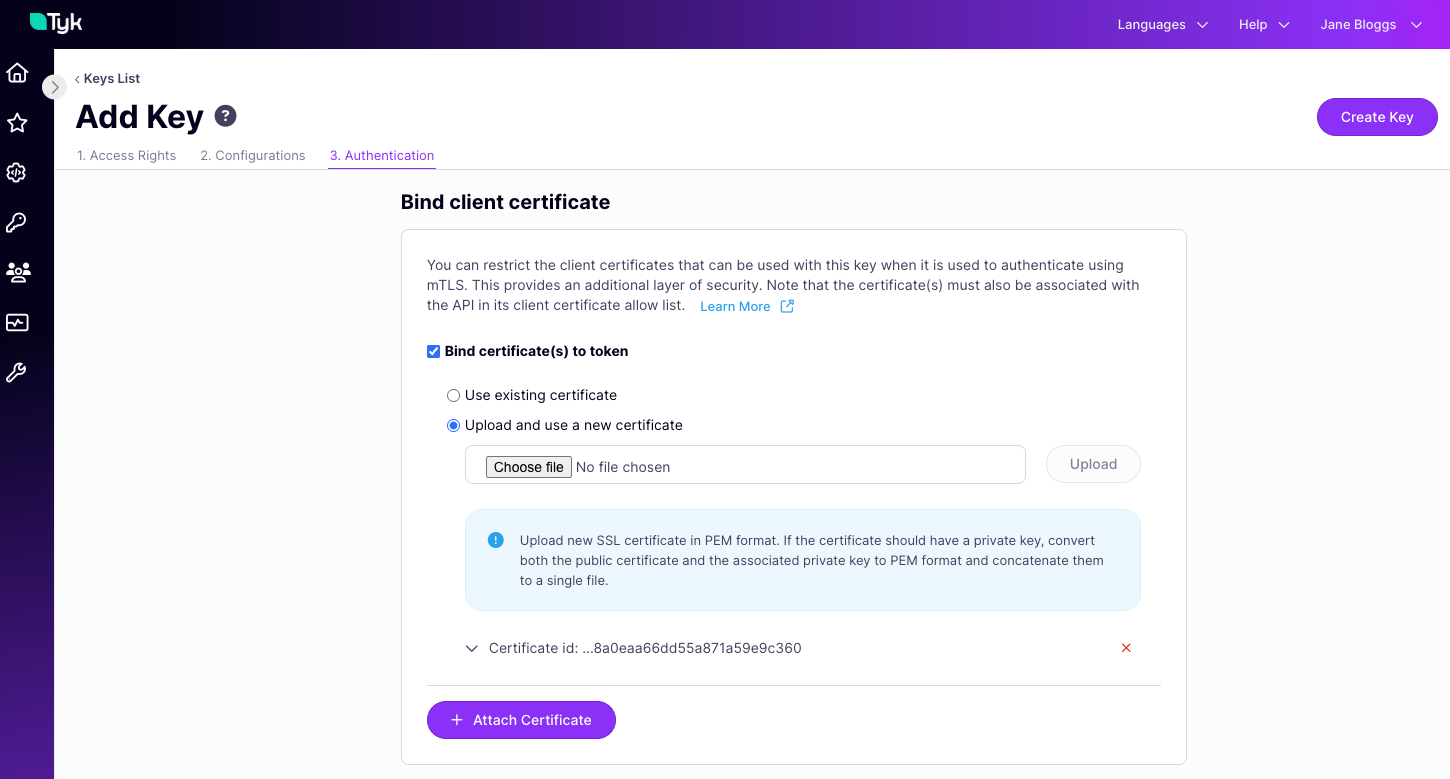
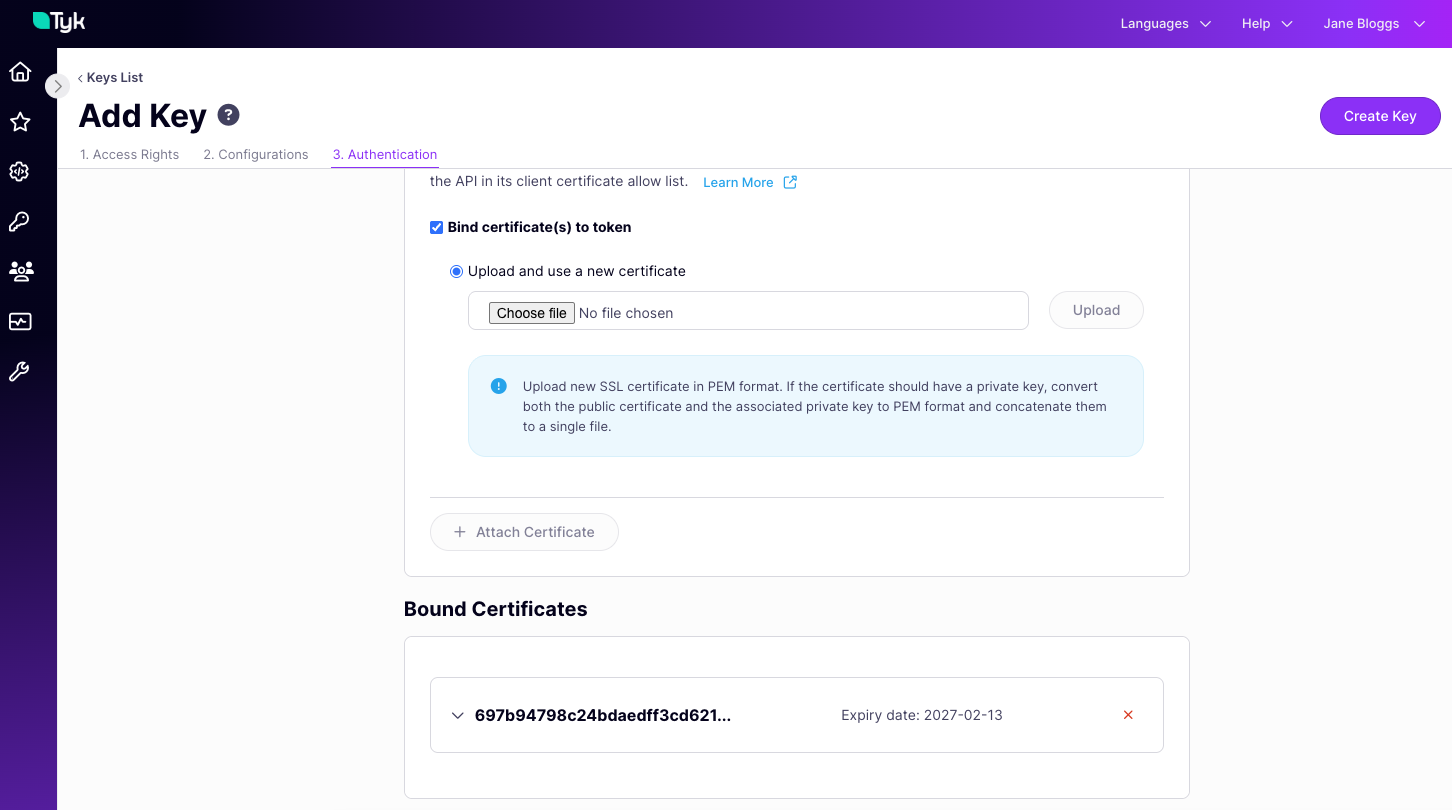
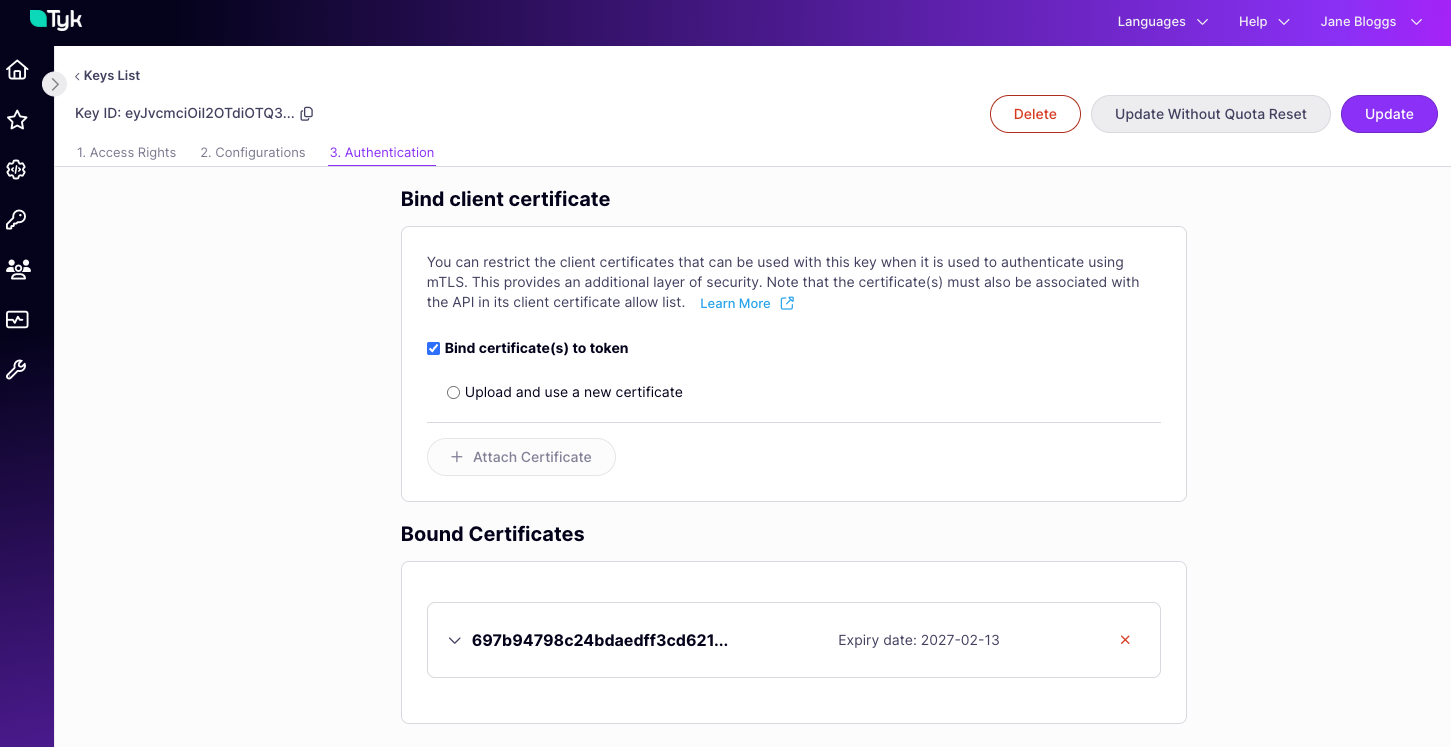
NoteBinding a certificate to an Auth Token does not automatically add that certificate to the static allow list for the API(s) that the token is authorised to access. When a request is made using the token, the presented client certificate will be checked against the allow list after the mTLS handshake has completed and before the binding is checked. Authentication will fail if the certificate is not in the allow list.
Using Tyk Classic APIs
As noted in the Tyk Classic API documentation, a new Tyk Classic API will use the auth (bearer) token method by default with the token expected in theAuthorization header, so configuration is slightly different as there is no need to enable this method. You should configure the auth object for any non-default settings, such as a different token location or Dynamic mTLS.