

What is API Sharding ?
It is possible to use tags in various Tyk objects to change the behavior of a Tyk cluster or to modify the data that is sent to the analytics engine. Tags are free-form strings that can be embedded in Gateway configurations, API definitions, Policies and Individual Keys. Tags are used in two ways: To segment a cluster into various “zones” of API management, and secondly, to push more data into the analytics records to make reporting and tracking easier.API Sharding
API Sharding is what we are calling our approach to segmenting a Tyk cluster (or data centers) into different zones. An example of this in action would be to imagine you have separate VPCs that deal with different classes of services, lets say: Health, Banking and Pharma. You don’t need the nodes that handle all the traffic for your Pharma APIs to load up the definitions for the other zones’ services, this could allow someone to send unexpected traffic through (it may not go anywhere). Alternatively, you could use segmentation to have separate API definitions for multiple data centers. In this way you could shard your API definitions across those DC’s and not worry about having to reconfigure them if there is a failover event.Using Sharding to handle API life-cycle with multiple data centers
You can use sharding to very quickly publish an API from adevelopment system to staging or live, simply by changing the tags that are applied to an API definition.
With Tyk Community Edition and Tyk Pro, these clusters must all share the same Redis DB.
If you are an Enterprise user, then you can go a step further and use the Tyk Multi Data Center Bridge to have full multi-DC, multi-zone cluster segmentation, and manage APIs in different segments across different database back-ends.
Analytics and Reporting
In order to use tags in analytics, there are two places where you can add a"tags":[] section: a Policy Definition, and a Session object for a token.
Policy tags completely replace key tags, these tags are then fed into the analytics system and can be filtered in the dashboard.
Node Tags
If your API is segmented, node tags will be appended to the analytics data, this will allow you to filter out all traffic going through a specific node or node cluster.If you set
use_db_app_options.node_is_segmented to true for multiple gateway nodes, you should ensure that management_node is set to false. This is to ensure visibility for the management node across all APIs.management_node is available from v2.3.4 and onwards.
See Tyk Gateway Configuration Options for more details on node tags.
Gateway Sharding
With Tyk, it is easy to enable a sharded configuration, you can deploy Gateways which selectively load APIs. This unlocks abilities to run Gateways in multiple zones, all connected to the same Control Plane. This allows for GDPR deployments, development/test Gateways, or even DMZ/NON-DMZ Gateways. Couple this functionality with the Tyk Multi Data Center Bridge to achieve a global, multi-cloud deployment.Configure a Gateway as a shard
Setting up a Gateway to be a shard, or a zone, is very easy. All you do is tell the node in the tyk.conf file what tags to respect and that it is segmented:qa or uat.
In order to expose more details about the Gateway to the Dashboard, you can now configure the edge_endpoints section in the tyk-analytics.conf, and the Dashboard UI will pick that up and present you a list of Gateways you can chose from when creating an API.
Tag an API for a shard using the Dashboard
From the API Designer, select the Advanced Options tab:

Tag an API for a shard using Tyk Operator
Add the tag names to the tags mapping field within an API Definition as shown in the example below:Exposed Gateway tags to Dashboard UI
From version 3.2.2 of the Tyk Dashboard, if edge_endpoints are being configured in tyk-analytics.conf, your Dashboard will automatically pick that list up for you, and display it in the UI when you create your API.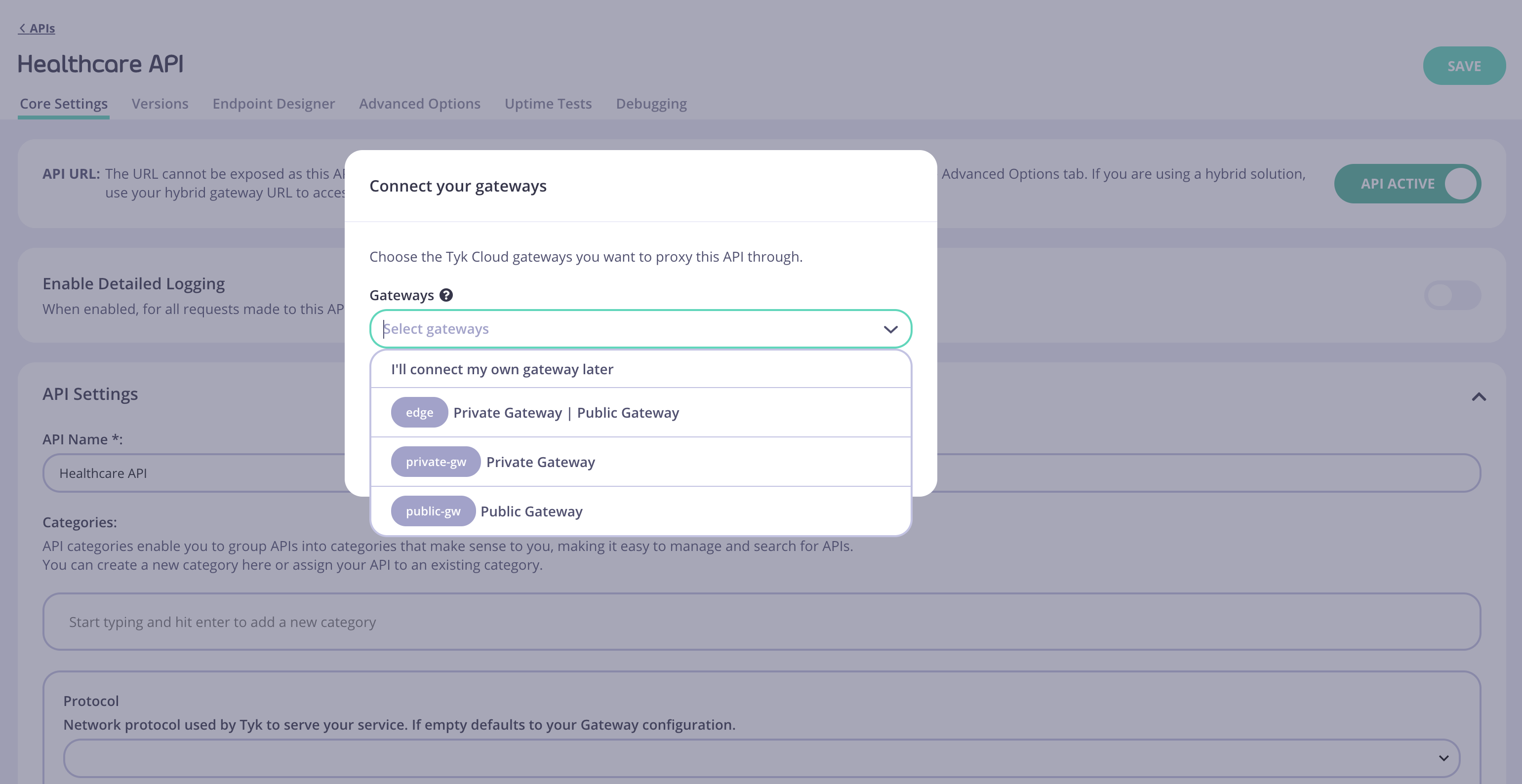
edge_endpoints configuration.

