> ## Documentation Index
> Fetch the complete documentation index at: https://tyk.io/docs/llms.txt
> Use this file to discover all available pages before exploring further.
# Tyk Gateway API
> Tyk Gateway API documentation. This page provides details on how to use the Tyk Gateway API for managing session objects, policies, API definitions, and more.
export const ButtonLeft = ({href, color, content}) => {
const buttonStyle = {
display: 'inline-block',
padding: '5px 16px',
fontSize: '14px',
fontWeight: '500',
textDecoration: 'none',
borderRadius: '25px',
transition: 'all 0.2s ease',
cursor: 'pointer',
border: '1.2px solid black'
};
const colorStyles = {
green: {
backgroundColor: '#20EDBA',
color: 'black'
},
red: {
backgroundColor: '#dc2626',
color: 'white'
},
black: {
backgroundColor: '#1f2937',
color: 'white'
}
};
const hoverStyle = {
transform: 'translateY(-1px)',
boxShadow: '0 4px 8px rgba(0,0,0,0.15)'
};
const finalStyle = {
...buttonStyle,
...colorStyles[color] || colorStyles.black
};
return {
Object.assign(e.target.style, hoverStyle);
}} onMouseLeave={e => {
e.target.style.transform = 'translateY(0)';
e.target.style.boxShadow = 'none';
}}>
{content}
;
};

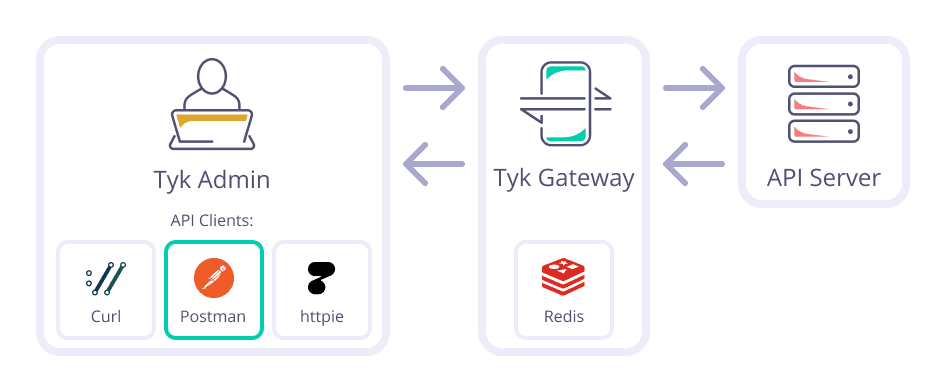 The Tyk Gateway API is the primary means for integrating your application with the Tyk API Gateway system. This API is very small, and has no granular permissions system. It is intended to be used purely for internal automation and integration.
**Warning: Under no circumstances should outside parties be granted access to this API.**
The Tyk Gateway API is capable of:
* Managing session objects (key generation).
* Managing and listing policies.
* Managing and listing API Definitions (only when not using the Tyk Dashboard).
* Hot reloads / reloading a cluster configuration.
* OAuth client creation (only when not using the Tyk Dashboard).
In order to use the Gateway API, you'll need to set the **secret** parameter in your tyk.conf file.
The shared secret you set should then be sent along as a header with each Gateway API Request in order for it to be successful:
`x-tyk-authorization: `
The Tyk Gateway API is the primary means for integrating your application with the Tyk API Gateway system. This API is very small, and has no granular permissions system. It is intended to be used purely for internal automation and integration.
**Warning: Under no circumstances should outside parties be granted access to this API.**
The Tyk Gateway API is capable of:
* Managing session objects (key generation).
* Managing and listing policies.
* Managing and listing API Definitions (only when not using the Tyk Dashboard).
* Hot reloads / reloading a cluster configuration.
* OAuth client creation (only when not using the Tyk Dashboard).
In order to use the Gateway API, you'll need to set the **secret** parameter in your tyk.conf file.
The shared secret you set should then be sent along as a header with each Gateway API Request in order for it to be successful:
`x-tyk-authorization: `
The Tyk Gateway API is subsumed by the Tyk Dashboard API in Pro installations.