> ## Documentation Index
> Fetch the complete documentation index at: https://tyk.io/docs/llms.txt
> Use this file to discover all available pages before exploring further.
# Developer Portal GraphQL
> How to publish GraphQL APIs to your Tyk Developer Portal
**Legacy: Tyk Classic Portal**
You're viewing documentation for the **Tyk Classic Portal**, which is no longer actively maintained.
If you're looking for the latest API documentation for the **new Tyk Developer Portal**, please refer to the
[Postman collection](/product-stack/tyk-enterprise-developer-portal/api-documentation/tyk-edp-api) or visit the
[Tyk Developer Portal](/portal/overview/intro) section.
The Classic Portal is in maintenance mode and will be deprecated soon. For questions or support, contact us at
[support@tyk.io]().
As of Tyk v3.0.0, you can now publish GraphQL APIs, including [Universal Data Graph](/api-management/data-graph#overview) APIs(UDG) to the Tyk Developer Portal.
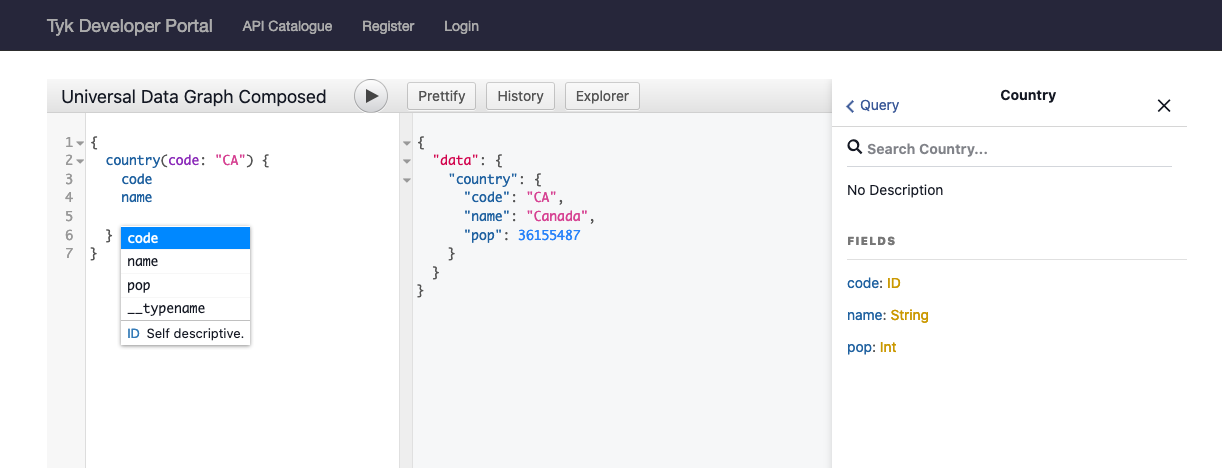
When you do that, your API consumers can navigate through a GraphQL Playground, with an IDE complete with Intellisense.
## Video Walkthrough
We have a YouTube walkthrough of how to publish a GraphQL API to your Developer Portal:
## How To Set Up
Simply create a GraphQL or Universal Data Graph API, create a Policy which protects it, and then publish it to the Developer Portal Catalog.
In the "Create a Catalog" section, at the bottom, make sure you enable the "Display Playground"
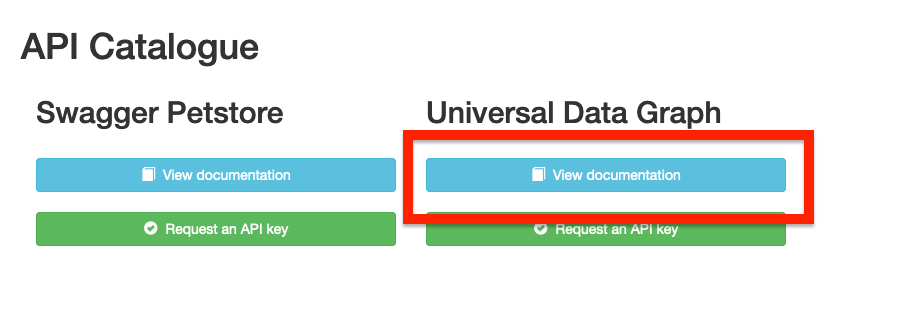
And then, when your API consumers are on the Developer Portal Catalog and click on View Documentation, they will be taken to the GraphQL Playground.
## Protected GraphQL Catalog
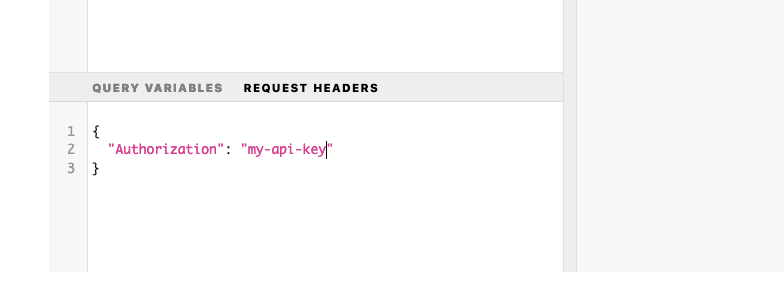
If you have a protected API, your users won't be able to inspect the GraphQL schema or make API calls until they add their API Key to the Headers section:
## CORS
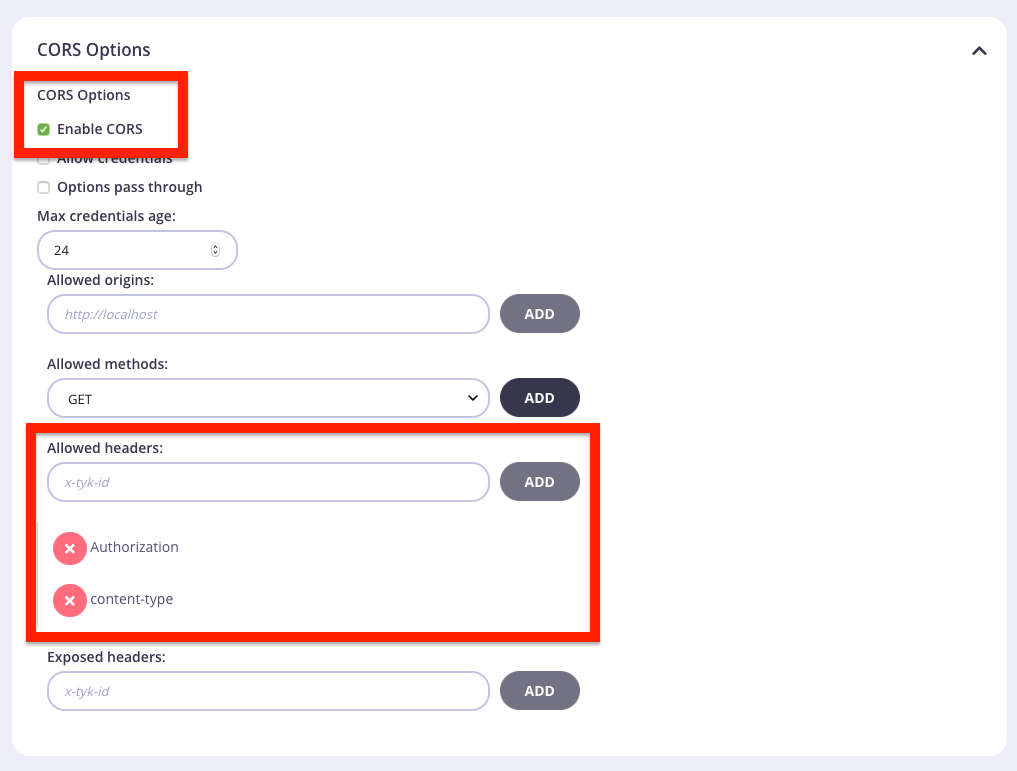
You may have to enable the following CORS settings in the "Advanced Options" of the API Designer to allow your consumers to access the GraphQL Playground:
 ## Video Walkthrough
We have a YouTube walkthrough of how to publish a GraphQL API to your Developer Portal:
## How To Set Up
Simply create a GraphQL or Universal Data Graph API, create a Policy which protects it, and then publish it to the Developer Portal Catalog.
In the "Create a Catalog" section, at the bottom, make sure you enable the "Display Playground"
## Video Walkthrough
We have a YouTube walkthrough of how to publish a GraphQL API to your Developer Portal:
## How To Set Up
Simply create a GraphQL or Universal Data Graph API, create a Policy which protects it, and then publish it to the Developer Portal Catalog.
In the "Create a Catalog" section, at the bottom, make sure you enable the "Display Playground"
 And then, when your API consumers are on the Developer Portal Catalog and click on View Documentation, they will be taken to the GraphQL Playground.
 ## Protected GraphQL Catalog
If you have a protected API, your users won't be able to inspect the GraphQL schema or make API calls until they add their API Key to the Headers section:
## Protected GraphQL Catalog
If you have a protected API, your users won't be able to inspect the GraphQL schema or make API calls until they add their API Key to the Headers section:
 ## CORS
You may have to enable the following CORS settings in the "Advanced Options" of the API Designer to allow your consumers to access the GraphQL Playground:
## CORS
You may have to enable the following CORS settings in the "Advanced Options" of the API Designer to allow your consumers to access the GraphQL Playground: