Introduction

Tyk Dashboard diagram The Tyk Dashboard is a web-based interface that serves as the central management hub for your API ecosystem. It provides a user-friendly Graphical User Interface (GUI) for configuring, monitoring, and analyzing your APIs managed by Tyk. The Dashboard also exposes a REST API, allowing for programmatic control and integration with other tools and workflows.

Exploring the Dashboard UI

To get a tour of the Dashboard UI, refer to this document.

Exploring the Dashboard API

The Dashboard is a large, granular REST API with a thin-client web front-end, and if being deployed as part of a Tyk install, serves as the main integration point instead of the Gateway API. API Overview The Dashboard API is a superset of the Gateway API, providing the same functionality, with additional features (anything that can be done in the Dashboard has an API endpoint), and offers some additional advantages:
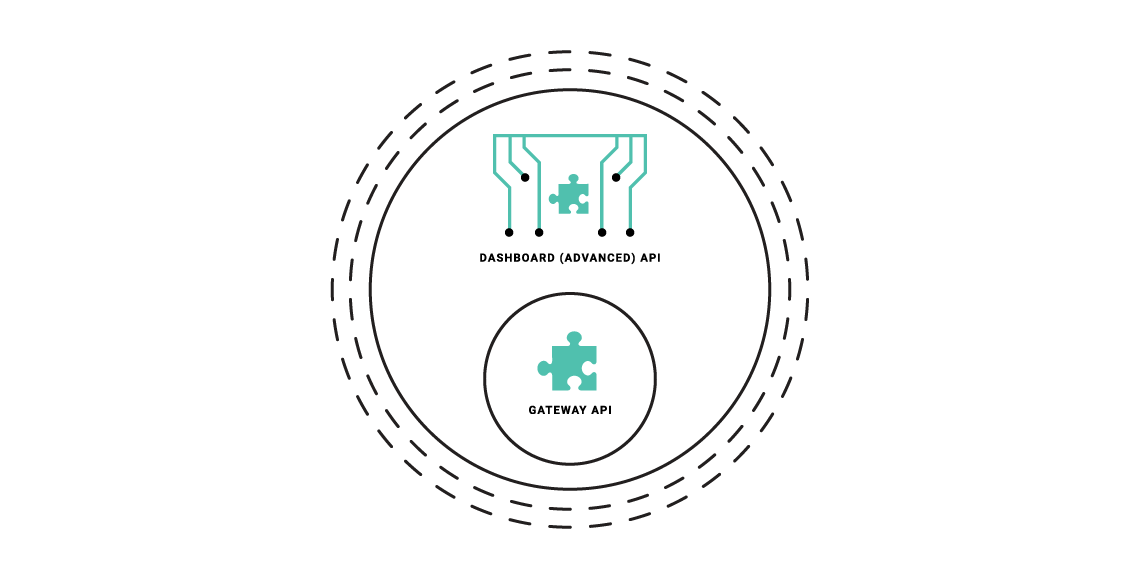
  • The Dashboard API has a granular structure, you can create separate clients easily.
  • The API features read/write permissions on a per-endpoint level to have extra control over integrations.
  • The API enforces a schema that can be modified and hardened depending on your usage requirements.

Types of Dashboard API

The Dashboard exposes two APIs:
  • Dashboard API: Is used for operational management of Tyk resources (APIs, policies, keys, etc.). This API offers granular permissions based on user roles. To know more about the Dashboard API, refer to the Tyk Dashboard API documentation.
  • Dashboard Admin API: Is used for system-level administration and initial setup tasks like managing organizations, initial user creation, backups/migrations and SSO setup. To know more about the Dashboard Admin API, refer to the Tyk Dashboard Admin API documentation.

Authenticating with Dashboard APIs

Dashboard API The Tyk Dashboard API is secured using an Authorization header that must be added to each request that is made. The Tyk Dashboard API Access Credentials Authorization key can be found within the Dashboard UI at the bottom of the Edit User section for a user. Dashboard Admin API The Tyk Dashboard Admin API is secured using a shared secret that is set in the tyk_analytics.conf file. Calls to the Admin API require the admin-auth header to be provided, to differentiate the call from a regular Dashboard API call.

Data Storage Solutions

Tyk Dashboard requires a persistent datastore for its operations. For supported database engines and versions, see Installation Requirements. Tyk stores a variety of data in 4 separate data storage layers. You can configure each layer separately to use one of our supported database platforms. Alternatively a single platform can be used for all layers. The 4 data storage layers are as follows:
  1. Main: Stores configurations of: APIs, Policies, Users and User Groups.
  2. Aggregate Analytics: Data used to display Dashboard charts and analytics.
  3. Logs: When detailed logging is enabled, request and response data is logged to storage. These logs can previewed in the Dashboard log browser.
  4. Uptime: Uptime test analytics.
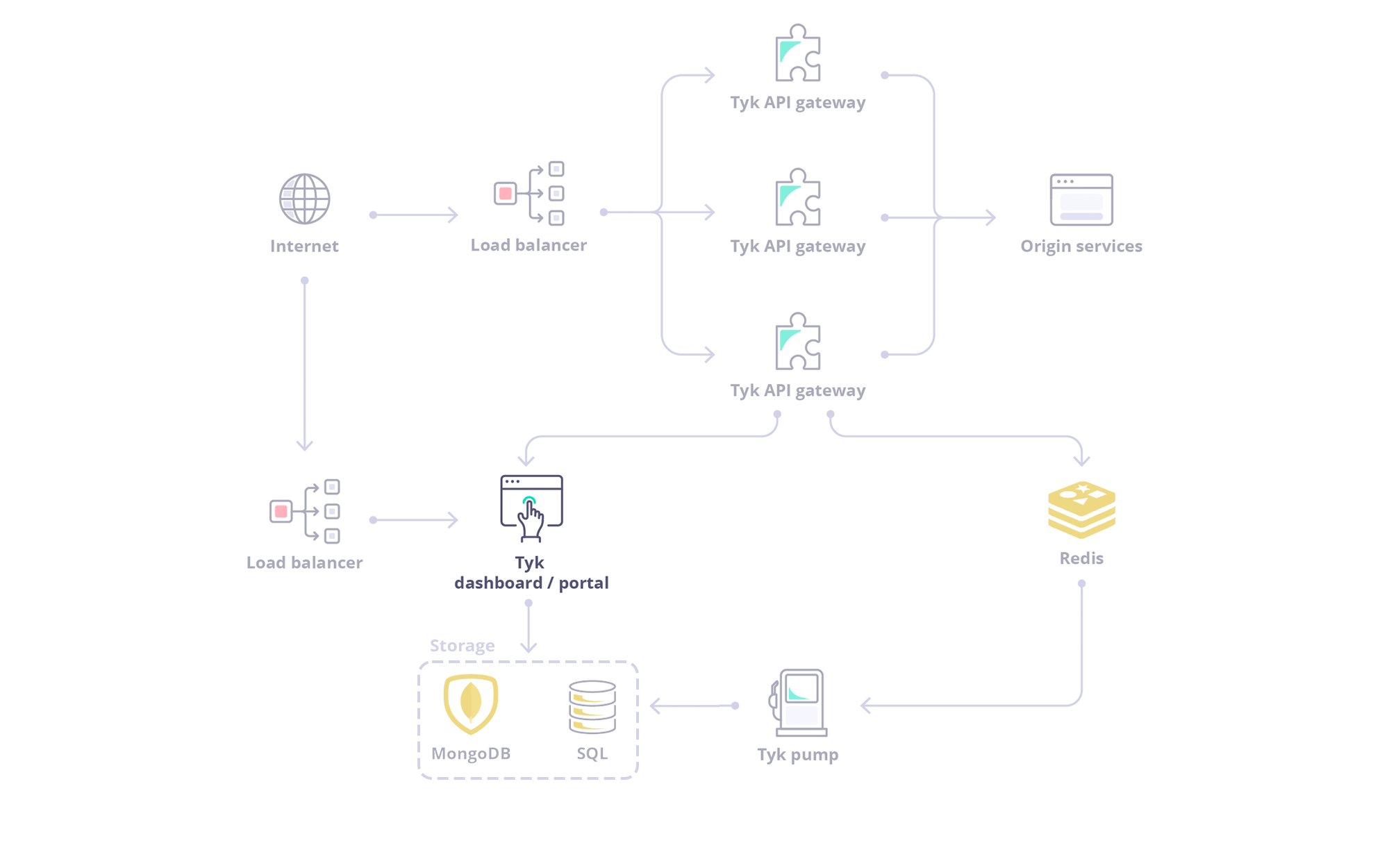
Being extensible, Tyk supports storing this data across different databases (MongoDB, MySQL and PostgreSQL etc.). For example, Tyk can be configured to store analytics in PostgreSQL, logs in MongoDB and uptime data in MySQL. As illustrated below it can be seen that Tyk Pump writes to one or more external data sources via a Redis store. Conversely, Tyk Dashboard reads this data from the external data sources. Tyk Dashboard Pump Architecture The following details are required to manage this configuration:
  • Data storage layer type
  • Database engine
  • Database connection string

Configure Dashboard to Read from a Data Storage Layer

Tyk Dashboard has configuration environment variables for each data storage layer in the following format:
where LAYER can be MAIN, ANALYTICS, LOGS or UPTIME. For example, to configure Tyk Dashboard to read logs from a mongo database, the following environment variables are required:
The full set of environment variables are listed below:
It should be noted that Tyk will attempt to use the configuration for the main data storage layer when no corresponding configuration is available for logs, uptime or analytics. Please refer to the storage configuration section to explore the parameters for configuring Tyk Dashboard to read from different storage layers.

Configure Pump to Write to Data Storage Layers

Tyk Pump writes traffic logs, aggregated analytics and uptime test results to these same storage layers. See Control Plane Pumps for configuring Tyk Pump to write logs and analytics, or Uptime Tests for the uptime storage layer specifically.