> ## Documentation Index
> Fetch the complete documentation index at: https://tyk.io/docs/llms.txt
> Use this file to discover all available pages before exploring further.
# Request Context Variables
> Learn how to use the request context in your transformation middleware
Context variables are extracted from the request at the start of the middleware chain. These values can be very useful for later transformation of request data, for example, in converting a form POST request into a JSON PUT request or to capture an IP address as a header.
When using Tyk Classic APIs, you must [enable](#enabling-context-variables-for-use-with-tyk-classic-apis) context variables for the API to be able to access them. When using Tyk OAS APIs, the context variables are always available to the context-aware middleware.
## Available context variables
| Variable name | Description |
| ---------------------- | -------------------------------------------------------------------------------------------------------------------------------------------------------------------------------------------------------------------------------------------------------------------------------------------------------------- |
| `request_data` | If the inbound request contained any query data or form data, it will be available in this object. For the header injector Tyk will format this data as `key:value1,value2,valueN;key:value1,value2` etc. |
| `path_parts` | The components of the path, split on `/`. These values should be in the format of a comma delimited list. |
| `token` | The inbound raw token of this user (if bearer tokens are being used). |
| `path` | The path that is being requested. |
| `remote_addr` | The client's IP address. |
| `request_id` | Allows the injection of request correlation ID (for example X-Request-ID) |
| `jwt_claims_CLAIMNAME` | If JWT tokens are being used, then each claim in the JWT is available in this format to the context processor. `CLAIMNAME` is case sensitive so use the exact claim. |
| `cookies_COOKIENAME` | If there are cookies, then each cookie is available in context processor in this format. `COOKIENAME` is case sensitive so use the exact cookie name and replace any `-` in the cookie name with `_`. |
| `headers_HEADERNAME` | Request headers are accessed using the following format: Convert the **first letter** in each word of an incoming header to Capital Case and replace any `-` in the `HEADERNAME` name with `_`. For example, to get the value stored in `test-header`, the syntax would be `$tyk_context.headers_Test_Header`. |
From Tyk 5.13.0 the current Session's rate limit and quota data are available from the following context variables:
| Variable name | Description |
| ---------------------- | ------------------------------------------------------------- |
| `rate_limit_limit` | Number of requests that can be sent in the rate limit period |
| `rate_limit_remaining` | Number of requests remaining in the current rate limit period |
| `rate_limit_reset` | Timestamp for next rate limit period reset (Unix time) |
| `quota_limit` | Number of requests that can be sent in the quota period |
| `quota_remaining` | Number of requests remaining in the current quota period |
| `quota_reset` | Timestamp for next quota period reset (Unix time) |
## Middleware that can use context variables:
Context variables are exposed in three middleware plugins but are accessed differently depending on the caller as follows:
1. URL Rewriter - Syntax is `$tyk_context.CONTEXTVARIABLES`. See [Path Modification](/transform-traffic/url-rewriting) for more details.
2. Modify Headers - Syntax is `$tyk_context.CONTEXTVARIABLES`. See [Request Headers](/api-management/traffic-transformation/request-headers) for more details.
3. Body Transforms - Syntax is `{{ ._tyk_context.CONTEXTVARIABLES }}`. See [Body Transforms](/api-management/traffic-transformation/request-body) for more details.
The Body Transform can fully iterate through list indices within context data so, for example, calling `{{ index ._tyk_context.path_parts 0 }}` in the Go Template in a Body Transform will expose the first entry in the `path_parts` list.
URL Rewriter and Header Transform middleware cannot iterate through list indices.
## Example use of context variables
### Examples of the syntax to use with all the available context variables:
```
"x-remote-addr": "$tyk_context.remote_addr",
"x-token": "$tyk_context.token",
"x-jwt-sub": "$tyk_context.jwt_claims_sub",
"x-part-path": "$tyk_context.path_parts",
"x-jwt-pol": "$tyk_context.jwt_claims_pol",
"x-cookie": "$tyk_context.cookies_Cookie_Context_Var",
"x-cookie-sensitive": "$tyk_context.cookies_Cookie_Case_sensitive",
"x-my-header": "$tyk_context.headers_My_Header",
"x-path": "$tyk_context.path",
"x-request-data": "$tyk_context.request_data",
"x-req-id": "$tyk_context.request_id"
```
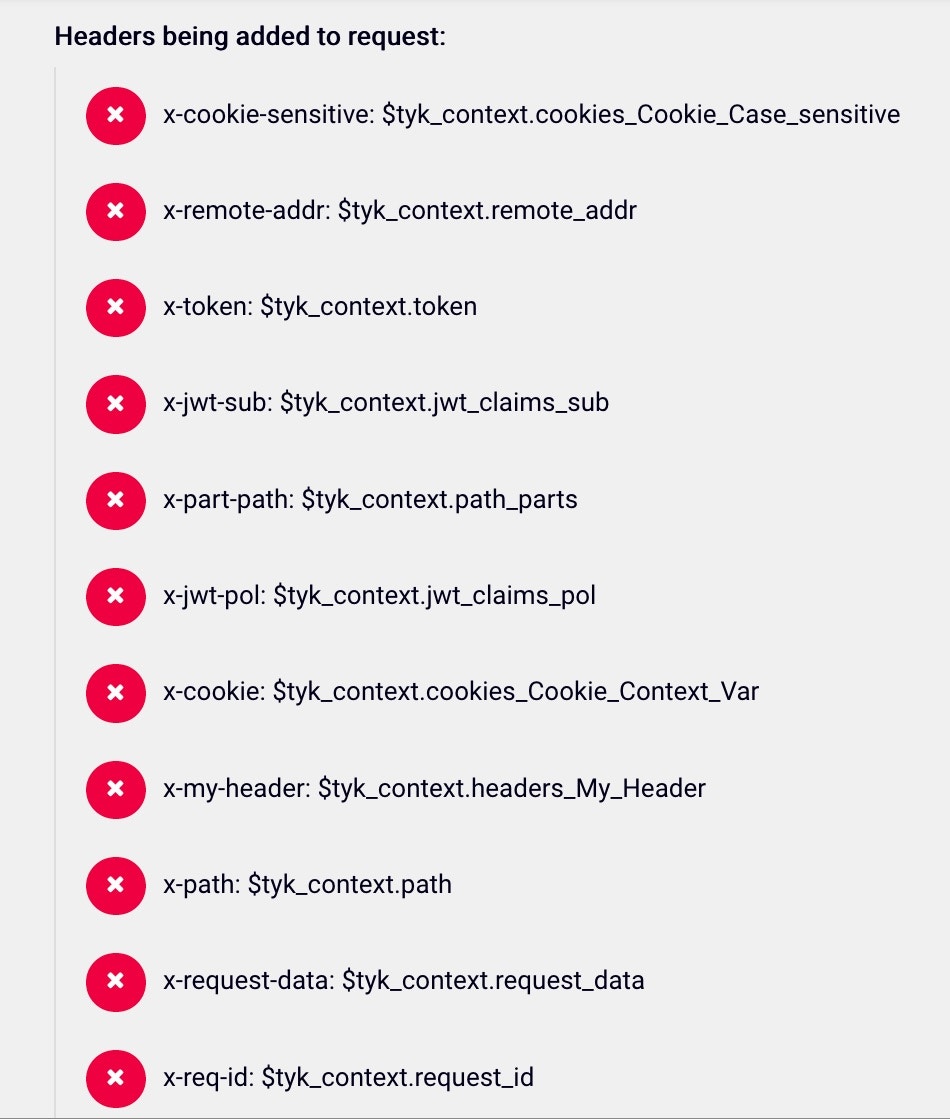 ### The context variable values in the response:
```
"My-Header": "this-is-my-header",
"User-Agent": "PostmanRuntime/7.4.0",
"X-Cookie": "this-is-my-cookie",
"X-Cookie-Sensitive": "case-sensitive",
"X-Jwt-Pol": "5bca6a739afe6a00017eb267",
"X-Jwt-Sub": "john.doe@test.com",
"X-My-Header": "this-is-my-header",
"X-Part-Path": "context-var-example,anything",
"X-Path": "/context-var-example/anything",
"X-Remote-Addr": "127.0.0.1",
"X-Req-Id": "e3e99350-b87a-4d7d-a75f-58c1f89b2bf3",
"X-Request-Data": "key1:val1;key2:val2",
"X-Token": "5bb2c2abfb6add0001d65f699dd51f52658ce2d3944d3d6cb69f07a2"
```
## Enabling Context Variables for use with Tyk Classic APIs
1. In the your Tyk Dashboard, select `APIs` from the `System Management` menu
2. Open the API you want to add Context Variable to
3. Click the `Advanced Options` tab and then select the `Enable context variables` option
### The context variable values in the response:
```
"My-Header": "this-is-my-header",
"User-Agent": "PostmanRuntime/7.4.0",
"X-Cookie": "this-is-my-cookie",
"X-Cookie-Sensitive": "case-sensitive",
"X-Jwt-Pol": "5bca6a739afe6a00017eb267",
"X-Jwt-Sub": "john.doe@test.com",
"X-My-Header": "this-is-my-header",
"X-Part-Path": "context-var-example,anything",
"X-Path": "/context-var-example/anything",
"X-Remote-Addr": "127.0.0.1",
"X-Req-Id": "e3e99350-b87a-4d7d-a75f-58c1f89b2bf3",
"X-Request-Data": "key1:val1;key2:val2",
"X-Token": "5bb2c2abfb6add0001d65f699dd51f52658ce2d3944d3d6cb69f07a2"
```
## Enabling Context Variables for use with Tyk Classic APIs
1. In the your Tyk Dashboard, select `APIs` from the `System Management` menu
2. Open the API you want to add Context Variable to
3. Click the `Advanced Options` tab and then select the `Enable context variables` option
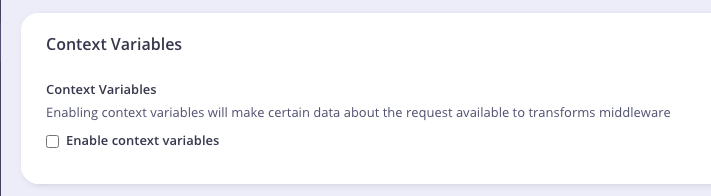 If not using a Tyk Dashboard, add the field `enable_context_vars` to your API definition file at root level and set it to `true`.
If you are using Tyk Operator, set the field `spec.enable_context_vars` to `true`.
The example API Definition below enabled context variable:
```yaml {linenos=true, linenostart=1, hl_lines=["10-10"]} theme={null}
apiVersion: tyk.tyk.io/v1alpha1
kind: ApiDefinition
metadata:
name: httpbin
spec:
name: httpbin
use_keyless: true
protocol: http
active: true
enable_context_vars: true
proxy:
target_url: http://httpbin.org
listen_path: /httpbin
strip_listen_path: true
```
If not using a Tyk Dashboard, add the field `enable_context_vars` to your API definition file at root level and set it to `true`.
If you are using Tyk Operator, set the field `spec.enable_context_vars` to `true`.
The example API Definition below enabled context variable:
```yaml {linenos=true, linenostart=1, hl_lines=["10-10"]} theme={null}
apiVersion: tyk.tyk.io/v1alpha1
kind: ApiDefinition
metadata:
name: httpbin
spec:
name: httpbin
use_keyless: true
protocol: http
active: true
enable_context_vars: true
proxy:
target_url: http://httpbin.org
listen_path: /httpbin
strip_listen_path: true
```