> ## Documentation Index
> Fetch the complete documentation index at: https://tyk.io/docs/llms.txt
> Use this file to discover all available pages before exploring further.
# Manage the Tyk Dashboard
> Learn how to use and configure the Tyk Dashboard, including its UI, REST API, traffic analytics, governance features, and system administration
export const ButtonLeft = ({href, color, content}) => {
const buttonStyle = {
display: 'inline-block',
padding: '5px 16px',
fontSize: '14px',
fontWeight: '500',
textDecoration: 'none',
borderRadius: '25px',
transition: 'all 0.2s ease',
cursor: 'pointer',
border: '1.2px solid black'
};
const colorStyles = {
green: {
backgroundColor: '#20EDBA',
color: 'black'
},
red: {
backgroundColor: '#dc2626',
color: 'white'
},
black: {
backgroundColor: '#1f2937',
color: 'white'
}
};
const hoverStyle = {
transform: 'translateY(-1px)',
boxShadow: '0 4px 8px rgba(0,0,0,0.15)'
};
const finalStyle = {
...buttonStyle,
...colorStyles[color] || colorStyles.black
};
return {
Object.assign(e.target.style, hoverStyle);
}} onMouseLeave={e => {
e.target.style.transform = 'translateY(0)';
e.target.style.boxShadow = 'none';
}}>
{content}
;
};
## Introduction
The Tyk Dashboard is a powerful web-based interface that serves as the **central management hub for your API ecosystem**. It provides a user-friendly Graphical User Interface (GUI) for configuring, monitoring, and analyzing your APIs managed by Tyk.
The Dashboard also exposes a **REST API**, allowing for programmatic control and integration with other tools and workflows.
This page introduces general features of dashboard and how to configure them. If you are looking for global configurations of the Dashboard deployment refer this [config file](/tyk-dashboard/configuration).
We will delve into the following key topics:
1. **[Exploring the Dasbhoard UI](#exploring-the-dashboard-ui)**: A tour of the Dashboard UI.
2. **[Exploring the Dasbhoard API](#exploring-the-dashboard-api)**: Explore the Dashboard APIs, including their classification, authentication methods, and usage examples with Swagger and Postman collections.
3. **[API Management using API Endpoint Designer](#exploring-api-endpoint-designer)**: A graphical environment for configuring your Tyk APIs.
4. **[Monitoring and Traffic Analytics](#traffic-analytics)**: Exploration of Tyk's traffic analytics capabilities, including logging mechanisms, error tracking, endpoint analysis, and various activity type measurements.
5. **[API Governance using API Templates and API Categories](#governance-using-api-categories)**
6. **[System Management](#system-administration)**: Detailed overview of Tyk's system management capabilities, including Admin API functionalities, organization management and configuting audit logs.
7. **[Supported Database](#supported-database)**: We will examine Dashboard's storage requirement, compatible database versions and how to configure them.
8. **[Exploring Data Storage Solution](#data-storage-solutions)**: We will explore Dashboard's multi-layered storage architecture and understand how to configure each storage tier effectively.
## Exploring the Dashboard UI
To get a tour of the Dashboard UI, refer to this [document](/getting-started/using-tyk-dashboard).
## Exploring the Dashboard API
The Dashboard is a large, granular REST API with a thin-client web front-end, and if being deployed as part of a Tyk install, serves as the main integration point instead of the Gateway API.
**The Dashboard API is a superset of the Gateway API**, providing the same functionality, with additional features (anything that can be done in the Dashboard has an API endpoint), and offers some additional advantages:
* The Dashboard API has a granular structure, you can create separate clients easily.
* The API features read/write permissions on a per-endpoint level to have extra control over integrations.
* The API enforces a schema that can be modified and hardened depending on your usage requirements.
### Types of Dashboard API
The Dashboard exposes two APIs:
* **Dashboard API**: Is used for operational management of Tyk resources (APIs, policies, keys, etc.). This API offers granular permissions based on user roles.
To know more about Dashboard APIs, refer the following documents:
* [Postman / Swagger / Open API specification](/tyk-dashboard-api)
* [Dashboard API Usage Examples](#dashboard-api-resources-and-usage)
* **Dashboard Admin API**: Is used for system-level administration and initial setup tasks like managing organizations, initial user creation, backups/migrations and SSO setup.
To know more about Dashboard Admin APIs, refer the following documents:
* [Postman / Swagger / Open API specification](/dashboard-admin-api)
* [Dashboard Admin API Usage Examples](#dashboard-admin-api-resources-and-usage)
### Authenticating with Dashboard APIs
**Dashboard API**
The [Tyk Dashboard API](/tyk-dashboard-api) is secured using an `Authorization` header that must be added to each request that is made. The **Tyk Dashboard API Access Credentials** `Authorization` key can be found within the Dashboard UI at the bottom of the **Edit User** section for a user.
**Dashboard Admin API**
The Tyk Dashboard Admin API is secured using a shared secret that is set in the `tyk_analytics.conf` file. Calls to the Admin API require the `admin-auth` header to be provided, to differentiate the call from a regular Dashboard API call.
## Dashboard API Resources and Usage
### Overview
The [Tyk Dashboard API](/tyk-dashboard-api) is a superset of the Tyk Gateway API, enabling (almost) all of the core features and adding many more. The Dashboard API is also more granular and supports [Role Based Access Control](/api-management/user-management#) (RBAC) on both a multi-tenant, and user basis.
Using the Dashboard API it is possible to set Read / Write / ReadWrite / Deny access to sections of the API on a user by user basis, and also segregate User / Key / API Ownership by organization.
The availability of RBAC varies depending on the license or subscription. For further information, please check our [price comparison](https://tyk.io/price-comparison/) or consult our sales and expert engineers
For optimal results, it is advisable to exclusively employ the Tyk Dashboard API (avoiding direct calls to the Tyk Gateway API) within a Self-Managed setup, enabling the Dashboard to manage the Tyk API gateways cluster.
### Pagination
Selected Dashboard APIs can be paginated.
You can select the number of result pages to return by adding a parameter `p` which starts at `1`. At the default page size, this returns items 1-10. Setting `p` to `2` returns items 11-20 and so on. Alternatively, passing `0` or lower as a parameter will return all items.
The default page size is 10. You can overwrite the default page size in your `tyk_analytics.conf` using the `page_size` key. It's suggested you do not modify it as it will affect the performance of the Dashboard.
**Sample Request:**
```http theme={null}
GET /api/apis/?p=1 HTTP/1.1
Host: localhost:3000
authorization:7a7b140f-2480-4d5a-4e78-24049e3ba7f8
```
**Sample Response:**
```yaml theme={null}
{
"apis": [
{ ... },
{ ... },
{ ... }
],
"pages": 1
}
```
### Manage APIs - API Definition
See [API Definition Objects](/api-management/gateway-config-tyk-classic) section for an explanation of each field in the request & response.
#### Get List of APIs
| **Property** | **Description** |
| :----------- | :-------------- |
| Resource URL | `/api/apis/` |
| Method | GET |
| Type | None |
| Body | None |
| Param | None |
**Sample Request**
```http theme={null}
GET /api/apis?p=0 HTTP/1.1
Host: localhost:3000
authorization: 7a7b140f-2480-4d5a-4e78-24049e3ba7f8
```
**Sample Response**
```yaml theme={null}
{
"apis": [
{
"api_model": {},
"api_definition": {
"id": "54b53e47eba6db5c70000002",
"name": "Nitrous Test",
"api_id": "39d2c98be05c424371c600bd8b3e2242",
"org_id": "54b53d3aeba6db5c35000002",
"use_keyless": false,
"use_oauth2": false,
"oauth_meta": {
"allowed_access_types": [],
"allowed_authorize_types": [
"token"
],
"auth_login_redirect": ""
},
"auth": {
"auth_header_name": "authorization"
},
"use_basic_auth": false,
"notifications": {
"shared_secret": "",
"oauth_on_keychange_url": ""
},
"enable_signature_checking": false,
"definition": {
"location": "header",
"key": ""
},
"version_data": {
"not_versioned": true,
"versions": {
"Default": {
"name": "Default",
"expires": "",
"paths": {
"ignored": [],
"white_list": [],
"black_list": []
},
"use_extended_paths": false,
"extended_paths": {
"ignored": [],
"white_list": [],
"black_list": []
}
}
}
},
"proxy": {
"listen_path": "/39d2c98be05c424371c600bd8b3e2242/",
"target_url": "http://tyk.io",
"strip_listen_path": true
},
"custom_middleware": {
"pre": null,
"post": null
},
"session_lifetime": 0,
"active": true,
"auth_provider": {
"name": "",
"storage_engine": "",
"meta": null
},
"session_provider": {
"name": "",
"storage_engine": "",
"meta": null
},
"event_handlers": {
"events": {}
},
"enable_batch_request_support": false,
"enable_ip_whitelisting": false,
"allowed_ips": [],
"expire_analytics_after": 0
},
"hook_references": []
}
...
],
"pages": 0
}
```
#### Search APIs by name
| **Property** | **Description** |
| :----------- | :----------------- |
| Resource URL | `/api/apis/search` |
| Method | GET |
| Type | None |
| Body | None |
| Param | None |
**Sample Request**
```http theme={null}
GET /api/apis?q=Some+Name HTTP/1.1
Host: localhost:3000
authorization: 7a7b140f-2480-4d5a-4e78-24049e3ba7f8
```
**Sample Response**
Similar to API list response
#### Retrieve a single API by ID
| **Property** | **Description** |
| :----------- | :--------------- |
| Resource URL | `/api/apis/{id}` |
| Method | GET |
| Type | None |
| Body | None |
| Param | None |
`{id}` can either be the internal or public ID ( see `api_id` in the sample response )
**Sample request**
```http theme={null}
GET /api/apis/54c24242eba6db1c9a000002 HTTP/1.1
Host: localhost
authorization: 7a7b140f-2480-4d5a-4e78-24049e3ba7f8
```
**Sample Response**
```json theme={null}
{
"api_model": {},
"api_definition": {
"id": "54c24242eba6db1c9a000002",
"name": "Test",
"api_id": "bc2f8cfb7ab241504d9f3574fe407499",
"org_id": "54b53d3aeba6db5c35000002",
"use_keyless": false,
"use_oauth2": false,
"oauth_meta": {
"allowed_access_types": [],
"allowed_authorize_types": [
"token"
],
"auth_login_redirect": ""
},
"auth": {
"auth_header_name": "authorization"
},
"use_basic_auth": false,
"notifications": {
"shared_secret": "",
"oauth_on_keychange_url": ""
},
"enable_signature_checking": false,
"definition": {
"location": "header",
"key": ""
},
"version_data": {
"not_versioned": true,
"versions": {
"Default": {
"name": "Default",
"expires": "",
"paths": {
"ignored": [],
"white_list": [],
"black_list": []
},
"use_extended_paths": true,
"extended_paths": {
"ignored": [
{
"path": "/test-path/",
"method_actions": {
"GET": {
"action": "no_action",
"code": 200,
"data": "",
"headers": {}
}
}
},
{
"path": "/test-path/reply",
"method_actions": {
"GET": {
"action": "reply",
"code": 200,
"data": "{\"foo\":\"bar\"}",
"headers": {
"x-test": "test"
}
}
}
}
],
"white_list": [],
"black_list": []
}
}
}
},
"proxy": {
"listen_path": "/bc2f8cfb7ab241504d9f3574fe407499/",
"target_url": "http://httpbin.org/",
"strip_listen_path": true
},
"custom_middleware": {
"pre": [],
"post": []
},
"session_lifetime": 0,
"active": true,
"auth_provider": {
"name": "",
"storage_engine": "",
"meta": null
},
"session_provider": {
"name": "",
"storage_engine": "",
"meta": null
},
"event_handlers": {
"events": {
"QuotaExceeded": [
{
"handler_name": "eh_web_hook_handler",
"handler_meta": {
"_id": "54be6c0beba6db07a6000002",
"event_timeout": 60,
"header_map": {
"x-tyk-test": "123456"
},
"method": "POST",
"name": "Test Post",
"org_id": "54b53d3aeba6db5c35000002",
"target_path": "http://httpbin.org/post",
"template_path": ""
}
}
]
}
},
"enable_batch_request_support": true,
"enable_ip_whitelisting": true,
"allowed_ips": [
"127.0.0.1"
],
"expire_analytics_after": 0
},
"hook_references": [
{
"event_name": "QuotaExceeded",
"event_timeout": 60,
"hook": {
"api_model": {},
"id": "54be6c0beba6db07a6000002",
"org_id": "54b53d3aeba6db5c35000002",
"name": "Test Post",
"method": "POST",
"target_path": "http://httpbin.org/post",
"template_path": "",
"header_map": {
"x-tyk-test": "123456"
},
"event_timeout": 0
}
}
]
}
```
#### Delete API by ID
**Sample Request**
```http theme={null}
DELETE /api/apis/54c24242eba6db1c9a000002 HTTP/1.1
Host: localhost
Authorization: 7a7b140f-2480-4d5a-4e78-24049e3ba7f8
```
**Sample Response**
```json theme={null}
{
"Status":"OK",
"Message":"API deleted",
"Meta":null
}
```
#### Create API Definition
Creating API definitions is slightly different to the core API, API definitions are wrapped inside an `api_definition` field and event handlers, such as webhooks are not embedded in the main `api_defintion` object (though they can be), webhooks are instead appended as references into the `hook_references` field, the API will embed the correct webhook data into the event handler interface.
Please note that ID's (both `id` and `api_id`) are auto-generated by Tyk and cannot be set by the user. In Self-Managed installations `api_id` can be overwritten with a call to the Update API Definition endpoint, but this is currently not possible when the Dashboard resides in Tyk Cloud.
| **Property** | **Description** |
| :----------- | :---------------------- |
| Resource URL | `/api/apis/` |
| Method | POST |
| Type | None |
| Body | Advanced API Definition |
| Param | None |
**Sample Request**
```http theme={null}
POST /api/apis HTTP/1.1
Host: localhost:3000
Connection: keep-alive
Content-Type: application/json
Content-Length: 1356
authorization: 7a7b140f-2480-4d5a-4e78-24049e3ba7f8
{
"api_definition": {
"name": "Test",
"auth": {
"auth_header_name": "authorization"
},
"definition": {
"location": "header",
"key": ""
},
"proxy": {
"target_url": "http://httpbin.org/"
},
"version_data": {
"use_extended_paths": true,
"not_versioned": true,
"versions": {
"Default": {
"expires": "",
"name": "Default",
"paths": {
"ignored": [],
"white_list": [],
"black_list": []
},
"extended_paths": {
"ignored": [
{
"path": "/test-path/",
"method_actions": {
"GET": {
"action": "no_action",
"code": 200,
"data": "",
"headers": {}
}
}
},
{
"path": "/test-path/reply",
"method_actions": {
"GET": {
"action": "reply",
"code": 200,
"data": "{\"foo\":\"bar\"}",
"headers": {
"x-test": "test"
}
}
}
}
],
"white_list": [],
"black_list": []
},
"use_extended_paths": true
}
}
},
"use_oauth2": false,
"oauth_meta": {
"auth_login_redirect": "",
"allowed_access_types": [],
"allowed_authorize_types": [
"token"
]
},
"notifications": {
"shared_secret": "",
"oauth_on_keychange_url": ""
},
"enable_ip_whitelisting": true,
"allowed_ips": [
"127.0.0.1"
],
"use_keyless": false,
"enable_signature_checking": false,
"use_basic_auth": false,
"active": true,
"enable_batch_request_support": true
},
"hook_references": [
{
"event_name": "QuotaExceeded",
"hook": {
"api_model": {},
"id": "54be6c0beba6db07a6000002",
"org_id": "54b53d3aeba6db5c35000002",
"name": "Test Post",
"method": "POST",
"target_path": "http://httpbin.org/post",
"template_path": "",
"header_map": {
"x-tyk-test": "123456"
},
"event_timeout": 0
},
"event_timeout": 60
}
]
}
```
**Sample Response**
```json theme={null}
{
"Status": "OK",
"Message": "API created",
"Meta": "54c24242eba6db1c9a000002"
}
```
Please note that Tyk matches the Ignored paths in the order in which they are specified in the `ignored` array. Subpaths of a route are matched automatically and so should be placed above parent routes if they need to be matched individually.
#### Update API Definition
APIs that are created using the advanced Dashboard API are referenced by their internal ID instead of their API-ID.
Please note that whilst `api_id` can be updated for Self-Managed installations, this is currently not possible when the Dashboard resides in Tyk Cloud. Updates to `api_id` in Tyk Cloud will be ignored.
| **Property** | **Description** |
| :----------- | :------------------------------------ |
| Resource URL | `/api/apis/{internal_or_external_id}` |
| Method | PUT |
| Type | None |
| Body | Advanced API Definition |
| Param | None |
**Sample Request**
```http theme={null}
PUT /api/apis/54c24242eba6db1c9a000002 HTTP/1.1
Host: localhost:3000
Connection: keep-alive
Content-Type: application/json
Content-Length: 1356
authorization: 7a7b140f-2480-4d5a-4e78-24049e3ba7f8
{
"api_definition": {
"id": "54c24242eba6db1c9a000002",
"api_id": "bc2f8cfb7ab241504d9f3574fe407499",
"name": "Test",
"auth": {
"auth_header_name": "authorization"
},
"definition": {
"location": "header",
"key": ""
},
"proxy": {
"target_url": "http://httpbin.org/"
},
"version_data": {
"use_extended_paths": true,
"not_versioned": true,
"versions": {
"Default": {
"expires": "",
"name": "Default",
"paths": {
"ignored": [],
"white_list": [],
"black_list": []
},
"extended_paths": {
"ignored": [
{
"path": "/test-path/",
"method_actions": {
"GET": {
"action": "no_action",
"code": 200,
"data": "",
"headers": {}
}
}
},
{
"path": "/test-path/reply",
"method_actions": {
"GET": {
"action": "reply",
"code": 200,
"data": "{\"foo\":\"bar\"}",
"headers": {
"x-test": "test"
}
}
}
}
],
"white_list": [],
"black_list": []
},
"use_extended_paths": true
}
}
},
"use_oauth2": false,
"oauth_meta": {
"auth_login_redirect": "",
"allowed_access_types": [],
"allowed_authorize_types": [
"token"
]
},
"notifications": {
"shared_secret": "",
"oauth_on_keychange_url": ""
},
"enable_ip_whitelisting": true,
"allowed_ips": [
"127.0.0.1"
],
"use_keyless": false,
"enable_signature_checking": false,
"use_basic_auth": false,
"active": true,
"enable_batch_request_support": true
},
"hook_references": [
{
"event_name": "QuotaExceeded",
"hook": {
"api_model": {},
"id": "54be6c0beba6db07a6000002",
"org_id": "54b53d3aeba6db5c35000002",
"name": "Test Post",
"method": "POST",
"target_path": "http://httpbin.org/post",
"template_path": "",
"header_map": {
"x-tyk-test": "123456"
},
"event_timeout": 0
},
"event_timeout": 60
}
]
}
```
**Sample Response**
```json theme={null}
{
"Status": "OK",
"Message": "Api updated",
"Meta": ""
}
```
### Data Graphs API
Currently `/api/data-graphs/` has only one endpoint called `/data-sources` with only a `POST` HTTP method.
The Dashboard exposes the `/api/data-graphs/data-sources/import` endpoint which allows you to import an [AsyncAPI](https://www.asyncapi.com/docs/reference/specification/v3.0.0) or [OpenAPI](https://swagger.io/specification/) document.
#### Supported AsyncAPI versions
* 2.0.0
* 2.1.0
* 2.2.0
* 2.3.0
* 2.4.0
#### Supported OpenAPI versions
* 3.0.0
#### Import a document from a remote resource
| **Property** | **Description** |
| :----------- | :---------------------------------------- |
| Resource URL | `/api/data-graphs/data-sources/import` |
| Method | `POST` |
| Content-Type | `application/json` |
| Body | `{` `"url": "resource URL"` `}` |
The fetched document can be an OpenAPI or AsyncAPI document. The format will be detected automatically. The data source import API only checks the fetched data and tries to determine the document format, the status codes are ignored.
It returns an error if it fails to determine the format and the document type. HTTP 500 is returned if a programming or network error occurs. If the fetched request body is malformed then HTTP 400 is returned.
#### Import an OpenAPI document
The data source import API supports importing OpenAPI documents. The document can be used as a request body.
| **Property** | **Description** |
| :----------- | :------------------------------------- |
| Resource URL | `/api/data-graphs/data-sources/import` |
| Method | `POST` |
| Content-Type | `application/vnd.tyk.udg.v2.openapi` |
| Body | `` |
The document can be in JSON or YAML format. The import API can determine the type and parse it.
#### Import an AsyncAPI document
The data source import API supports importing AsyncAPI documents. The document can be used as a request body.
| **Property** | **Description** |
| :----------- | :------------------------------------- |
| Resource URL | `/api/data-graphs/data-sources/import` |
| Method | `POST` |
| Content-Type | `application/vnd.tyk.udg.v2.asyncapi` |
| Body | `` |
The document can be in JSON or YAML format. The import API can determine the type and parse it.
#### Response Structure
The response structure is consistent with other endpoints, as shown in the table below:
| **Property** | **Description** |
| :----------- | :---------------------------------------------------- |
| Status | `Error` or `OK` |
| Message | Verbal explanation |
| Meta | API ID for success and `null` with error (not in use) |
**Sample Response**
```json theme={null}
{
"Status": "OK",
"Message": "Data source imported",
"Meta": "64102568f2c734bd2c0b8f99"
}
```
### Analytics API
Below APIs returns data only if you have Pump 1.7.0
#### Analytics of API Key
| **Property** | **Description** |
| :----------- | :-------------------------------------------------------------------------------------------------------- |
| Resource URL | `/api/activity/keys/endpoint/{keyHash}/{startDay}/{startMonth}/{startYear}/{EndDay}/{EndMonth}/{EndYear}` |
| Method | GET |
| Type | None |
| Body | None |
| Param | None |
It returns analytics of the endpoints of all APIs called using KEY between start and end date.
**Sample Request**
To get analytics of all endpoints called using the key `7f3c3ca87376cabe` between October 13th 2020 and October 14th 2020, make the following call:
```http theme={null}
GET api/activity/keys/endpoint/7f3c3ca87376cabe/13/10/2020/14/10/2020 HTTP/1.1
Host: localhost:3000
authorization: 7a7b140f-2480-4d5a-4e78-24049e3ba7f8
```
**Sample Response**
```json theme={null}
{
"data": [
{
"id": {
"day": 0,
"month": 0,
"year": 0,
"hour": 0,
"code": 0,
"path": "/anything",
"key": "",
"alias": "",
"url": "",
"iso_country": "",
"api_id": "41351a6a94094da05f75146a695a16f6",
"api_name": ""
},
"hits": 1,
"success": 1,
"error": 0,
"last_hit": "2020-10-13T13:22:49.667+05:30",
"request_time": 0,
"latency": 217,
"upstream_latency": 217,
"max_upstream_latency": 217,
"min_upstream_latency": 217,
"max_latency": 217,
"min_latency": 217
},
{
"id": {
"day": 0,
"month": 0,
"year": 0,
"hour": 0,
"code": 0,
"path": "/anything",
"key": "",
"alias": "",
"url": "",
"iso_country": "",
"api_id": "1793db2cbb724ad54da582ce3191d383",
"api_name": ""
},
"hits": 1,
"success": 1,
"error": 0,
"last_hit": "2020-10-13T13:22:20.534+05:30",
"request_time": 568,
"latency": 568,
"upstream_latency": 568,
"max_upstream_latency": 568,
"min_upstream_latency": 568,
"max_latency": 568,
"min_latency": 568
},
],
"pages": 1
}
```
#### Analytics of OAuth Client
| **Property** | **Description** |
| :----------- | :----------------------------------------------------------------------------------------------------------------- |
| Resource URL | `/api/activity/oauthid/endpoint/{OAuthClientID}/{startDay}/{startMonth}/{startYear}/{EndDay}/{EndMonth}/{EndYear}` |
| Method | GET |
| Type | None |
| Body | None |
| Param | None |
It returns analytics of the all endpoints called using the given OAuth Client ID.
**Sample Request**
To get activity of all endpoints which used OAuth client `27b35a9ed46e429eb2361e440cc4005c` between October 13th 2020 and October 14th 2020, make the following call:
```http theme={null}
GET /api/activity/oauthid/endpoint/27b35a9ed46e429eb2361e440cc4005c/13/10/2020/14/10/2020 HTTP/1.1
Host: localhost:3000
authorization: 7a7b140f-2480-4d5a-4e78-24049e3ba7f8
```
**Sample Response**
```
{
"data": [
{
"id": {
"day": 0,
"month": 0,
"year": 0,
"hour": 0,
"code": 0,
"path": "/get",
"key": "",
"alias": "",
"url": "",
"iso_country": "",
"api_id": "79fc7cb80df940cc5089772200bd4926",
"api_name": ""
},
"hits": 2,
"success": 1,
"error": 1,
"last_hit": "2020-10-13T14:48:51.582+05:30",
"request_time": 498,
"latency": 498,
"upstream_latency": 497.5,
"max_upstream_latency": 747,
"min_upstream_latency": 248,
"max_latency": 748,
"min_latency": 248
},
{
"id": {
"day": 0,
"month": 0,
"year": 0,
"hour": 0,
"code": 0,
"path": "/post",
"key": "",
"alias": "",
"url": "",
"iso_country": "",
"api_id": "79fc7cb80df940cc5089772200bd4926",
"api_name": ""
},
"hits": 1,
"success": 1,
"error": 0,
"last_hit": "2020-10-13T14:49:31.541+05:30",
"request_time": 0,
"latency": 241,
"upstream_latency": 239,
"max_upstream_latency": 239,
"min_upstream_latency": 239,
"max_latency": 241,
"min_latency": 241
}
],
"pages": 1
}
```
### Users API
`USER_ID` is a placeholder for your User ID value.
#### List Users
| **Property** | **Description** |
| :----------- | :-------------- |
| Resource URL | `/api/users` |
| Method | GET |
| Type | None |
| Body | None |
| Param | None |
**Sample Request**
```http theme={null}
GET /api/users HTTP/1.1
Host: localhost:3000
authorization:7a7b140f-2480-4d5a-4e78-24049e3ba7f8
```
**Sample Response**
```
{
"users": [
{
"api_model": {},
"first_name": "John",
"last_name": "Smith",
"email_address": "john@jive.ly",
"password": "$2a$10$mRVfrAf72N66anVNhA1KVuYaOwOrXhFzxyg6bwgZemUeVo2MNOpIa",
"org_id": "54b53d3aeba6db5c35000002",
"active": true,
"id": "54b53d4bf25b920f09361526",
"access_key": "0cf5e6c37add465a406f19807c081765",
"user_permissions": {
"IsAdmin": "admin",
"ResetPassword": "admin"
}
},
{
"api_model": {},
"first_name": "Test",
"last_name": "User",
"email_address": "banana@test.com",
"password": "",
"org_id": "54b53d3aeba6db5c35000002",
"active": true,
"id": "54bd0ad9ff4329b88985aafb",
"access_key": "f81ee6f0c8f2467d539c132c8a422346",
"user_permissions": {
"user_groups": "read",
"users": "read"
}
}
],
"pages": 0
}
```
#### Get User
| **Property** | **Description** |
| :----------- | :--------------------- |
| Resource URL | `/api/users/{USER_ID}` |
| Method | GET |
| Type | None |
| Body | None |
| Param | None |
**Sample Request**
```http theme={null}
GET /api/users/54bd0ad9ff4329b88985aafb HTTP/1.1
Host: localhost:3000
authorization:7a7b140f-2480-4d5a-4e78-24049e3ba7f8
```
**Sample Response**
```
{
"api_model": {},
"first_name": "Test",
"last_name": "User",
"email_address": "banana@test.com",
"password": "",
"org_id": "54b53d3aeba6db5c35000002",
"active": true,
"id": "54bd0ad9ff4329b88985aafb",
"access_key": "f81ee6f0c8f2467d539c132c8a422346"
}
```
#### Add User
You can add a user via the API without a password by leaving out the `password` field. You then use [Set User Password](#set-user-password) request to add a password.
You need to have the `users` [Permission object](/api-management/user-management#user-permissions) set to write to use **Add User**.
If you do set a password, you need to keep a record of it, to enable the password to be reset in the future.
| **Property** | **Description** |
| :----------- | :-------------- |
| Resource URL | `/api/users` |
| Method | POST |
| Type | None |
| Body | User Object |
| Param | None |
**Sample Request**
```http theme={null}
POST /api/users HTTP/1.1
Host: localhost:3000
authorization:7a7b140f-2480-4d5a-4e78-24049e3ba7f8
{
"first_name": "Jason",
"last_name": "Jasonson",
"email_address": "jason@jasonsonson.com",
"active": true,
"password": "thisisatest",
"user_permissions": { "IsAdmin": "admin" }
}
```
**Sample Response**
```
{
"Status": "OK",
"Message": "User created",
"Meta": ""
}
```
#### Set User Password
If a user is created with a blank password, you will need to add a password in a second API call to set a password. In this scenario, the `current_password` field is not required. To change an current password, you need to know the existing password set in **Add User**.
You need to have the `users` [Permission object](/api-management/user-management#user-permissions) set to **read** to use **Set User Password**.
| **Property** | **Description** |
| :----------- | :----------------------------------- |
| Resource URL | `/api/users/{USER_ID}/actions/reset` |
| Method | POST |
| Type | None |
| Body | Password Object |
| Param | None |
**Sample Request**
```http theme={null}
POST /api/users/54c25e845d932847067402e2/actions/reset HTTP/1.1
Host: localhost:3000
authorization:7a7b140f-2480-4d5a-4e78-24049e3ba7f8
{
"current_password": "12345",
"new_password":"test123456",
"user_permissions": { "IsAdmin": "admin" }
}
```
**Sample Response**
```
{
"Status": "OK",
"Message": "User password updated",
"Meta": ""
}
```
#### Allow Reset Password
| **Property** | **Description** |
| :----------- | :----------------------------------------------------- |
| Resource URL | `/admin/users/{USER_ID}/actions/allow_reset_passwords` |
| Method | PUT |
| Type | None |
| Body | None |
| Param | None |
**Sample Request**
```http theme={null}
PUT -H "admin-auth: " http:///admin/users/{USER_ID}/actions/allow_reset_passwords
```
**Sample Response**
```
{
"Status": "OK",
"Message": "User updated",
"Meta":
{ …user object payload …}
}
```
#### Disallow Reset Password
| **Property** | **Description** |
| :----------- | :-------------------------------------------------------- |
| Resource URL | `/admin/users/{USER_ID}/actions/disallow_reset_passwords` |
| Method | PUT |
| Type | None |
| Body | None |
| Param | None |
**Sample Request**
```http theme={null}
PUT -H "admin-auth: " http:///admin/users/{USER_ID}/actions/disallow_reset_passwords
```
**Sample Response**
```
{
"Status": "OK",
"Message": "User updated",
"Meta":
{ …user object payload …}
}
```
#### Update User
You need to have the `users` [Permission object](/api-management/user-management#user-permissions) set to write to use **Update User**.
| **Property** | **Description** |
| :----------- | :--------------------- |
| Resource URL | `/api/users/{USER_ID}` |
| Method | PUT |
| Type | None |
| Body | User Object |
| Param | None |
**Sample Request**
```http theme={null}
PUT /api/users/54c25e845d932847067402e2 HTTP/1.1
Host: localhost:3000
authorization:7a7b140f-2480-4d5a-4e78-24049e3ba7f8
{
"first_name": "Jason",
"last_name": "File",
"email_address": "jason.file@jasonsonson.com",
"active": true,
"user_permissions": { "IsAdmin": "admin" }
}
```
**Sample Response**
```
{
"Status": "OK",
"Message": "User updated",
"Meta": null
}
```
##### Reset User Session
This call allows you to reset a user's current Dashboard session.
You need to have the `users` [Permission object](/api-management/user-management#user-permissions) set to write to use this call.
This also resets the user's Dashboard API credentials.
| **Property** | **Description** |
| :----------- | :--------------------------------------- |
| Resource URL | `/api/users/{USER_ID}/actions/key/reset` |
| Method | PUT |
| Type | None |
| Body | `{"userId":"{USER_ID}"}` |
| Param | None |
**Sample Request**
```http theme={null}
PUT /api/users/54c25e845d932847067402e2/actions/key/reset HTTP/1.1
Host: localhost:3000
authorization:7a7b140f-2480-4d5a-4e78-24049e3ba7f8
{
"userId":"{USER_ID}"
}
```
**Sample Response**
```http theme={null}
{
"Status": "OK",
"Message": "User session renewed",
"Meta": null
}
```
#### Delete User
| **Property** | **Description** |
| :----------- | :--------------------- |
| Resource URL | `/api/users/{USER_ID}` |
| Method | DELETE |
| Type | None |
| Body | None |
| Param | None |
**Sample Request**
```http theme={null}
DELETE /api/users/54c25e845d932847067402e2 HTTP/1.1
Host: localhost:3000
authorization:7a7b140f-2480-4d5a-4e78-24049e3ba7f8
```
**Sample Response**
```
{
"Status": "OK",
"Message": "User deleted",
"Meta": ""
}
```
### User Groups API
#### List User Groups
| **Property** | **Description** |
| :----------- | :---------------- |
| Resource URL | `/api/usergroups` |
| Method | GET |
| Type | None |
| Body | None |
| Param | None |
**Sample Request**
```http theme={null}
GET /api/usergroups HTTP/1.1
Host: localhost:3000
authorization:7a7b140f-2480-4d5a-4e78-24049e3ba7f8
```
**Sample Response**
```
{
"groups": [
{
"org_id": "54b53d3aeba6db5c35000002",
"id": "54b53d4bf25b920f09361526",
"name": "Analytics team",
"description": "Only access to analytics pages",
"active": true,
"user_permissions": { "analytics": "read" }
},
{
"org_id": "54b53d3aeba6db5c35000003",
"id": "54b53d4bf25b920f09361527",
"name": "Certificates team",
"description": "Team to manage certificates",
"active": true,
"user_permissions": { "certificates": "write" }
}
],
"pages": 0
}
```
#### Get User Group
| **Property** | **Description** |
| :----------- | :-------------------------------- |
| Resource URL | `/api/usergroups/{user_group-id}` |
| Method | GET |
| Type | None |
| Body | None |
| Param | None |
**Sample Request**
```http theme={null}
GET /api/usergroups/54bd0ad9ff4329b88985aafb HTTP/1.1
Host: localhost:3000
authorization:7a7b140f-2480-4d5a-4e78-24049e3ba7f8
```
**Sample Response**
```
{
"org_id": "54b53d3aeba6db5c35000002",
"id": "54b53d4bf25b920f09361526",
"name": "Certificates team",
"description": "Team to manage certificates",
"active": true,
"user_permissions": { "certificates": "write" }
}
```
#### Add User Group
| **Property** | **Description** |
| :----------- | :---------------- |
| Resource URL | `/api/usergroups` |
| Method | POST |
| Type | None |
| Body | User Object |
| Param | None |
**Sample Request**
```http theme={null}
POST /api/usergroups HTTP/1.1
Host: localhost:3000
authorization:7a7b140f-2480-4d5a-4e78-24049e3ba7f8
{
"name": "Logs team",
"description": "Logs team description",
"user_permissions": { "logs": "read" }
}
```
**Sample Response**
```
{
"Status": "OK",
"Message": "User group created",
"Meta": ""
}
```
#### Update User Group
| **Property** | **Description** |
| :----------- | :-------------------------------- |
| Resource URL | `/api/usergroups/{user_group-id}` |
| Method | PUT |
| Type | None |
| Body | User Group Object |
| Param | None |
**Sample Request**
```http theme={null}
PUT /api/usergroups/54c25e845d932847067402e2 HTTP/1.1
Host: localhost:3000
authorization:7a7b140f-2480-4d5a-4e78-24049e3ba7f8
{
"name": "Certificates Team 2",
"description": "Another certificates team",
}
```
**Sample Response**
```
{
"Status": "OK",
"Message": "User group updated",
"Meta": null
}
```
#### Delete User Group
| **Property** | **Description** |
| :----------- | :-------------------------------- |
| Resource URL | `/api/usergroups/{user_group-id}` |
| Method | DELETE |
| Type | None |
| Body | None |
| Param | None |
**Sample Request**
```http theme={null}
DELETE /api/usergroups/54c25e845d932847067402e2 HTTP/1.1
Host: localhost:3000
authorization:7a7b140f-2480-4d5a-4e78-24049e3ba7f8
```
**Sample Response**
```
{
"Status": "OK",
"Message": "User group deleted",
"Meta": ""
}
```
### Additional Permissions API
This API helps you to add and delete (CRUD) a list of additional (custom) permissions for your Dashboard users.
Once created, a custom permission will be added to standard list of user permissions.
Only Admin Dashboard users will be authorized to use this API.
#### List Additional Permissions
This API returns by default the initial set of additional permissions defined in your Tyk Dashboard configuration, under [security.additional\_permissions](/tyk-dashboard/configuration#security-additional_permissions).
Once you update the permissions via the API, they will be stored at organization level.
| **Property** | **Description** |
| :----------- | :--------------------- |
| Resource URL | `/api/org/permissions` |
| Method | GET |
| Type | None |
| Body | None |
| Param | None |
**Sample Request**
```http theme={null}
GET /api/org/permissions HTTP/1.1
Host: localhost:3000
authorization:7a7b140f-2480-4d5a-4e78-24049e3ba7f8
```
**Sample Response**
```
{
"additional_permissions": {
"api_developer": "API Developer",
"api_manager": "API Manager"
}
}
```
#### Add/Delete/Update Additional Permission
Whenever you want to add/update/delete an additional permission, just send back the updated list of permissions, through a PUT request to the API.
| **Property** | **Description** |
| :----------- | :-------------------- |
| Resource URL | `/api/org/permission` |
| Method | PUT |
| Type | None |
| Body | Permissions Object |
| Param | None |
**Sample Request**
Let's imagine we have already defined two additional permissions: `api_developer` and `api_manager`. In order to add a new permission to this list, just send
an updated list of permissions by appending the values you want. In this example we will add a `custom_permission` permission.
```http theme={null}
PUT /api/org/permissions HTTP/1.1
Host: localhost:3000
authorization:7a7b140f-2480-4d5a-4e78-24049e3ba7f8
{
"additional_permissions": {
"api_developer": "API Developer",
"api_manager": "API Manager",
"custom_permission": "Custom Permission"
}
}
```
**Sample Response**
```
{
"Status": "OK",
"Message": "Additional Permissions updated in org level",
"Meta": null
}
```
### Access Keys Management API
`{api-id}` can either be the internal or external API id.
#### Get a list of Keys
**Note:** This will not work with a hashed key set.
| **Property** | **Description** |
| :----------- | :------------------------ |
| Resource URL | `/api/apis/{api-id}/keys` |
| Method | GET |
| Type | None |
| Body | None |
| Param | None |
**Sample Request:**
```http theme={null}
GET /api/apis/39d2c98be05c424371c600bd8b3e2242/keys HTTP/1.1
Host: localhost:3000
authorization:7a7b140f-2480-4d5a-4e78-24049e3ba7f8
```
**Sample Response:**
```yalm theme={null}
{
"data": {
"keys": [
"54b53d3aeba6db5c3500000289a8fbc2bbba4ebc4934bb113588c792",
"54b53d3aeba6db5c3500000230459d8568ec4bbf675bda2ff05e9293",
"54b53d3aeba6db5c35000002ec9a2b1aca7b495771273a0895cb3627",
"54b53d3aeba6db5c3500000272d97a10538248e9523ca09e425090b8",
"54b53d3aeba6db5c3500000252b5c56c61ad42fe765101f6d70cf9c6"
]
},
"pages": 0
}
```
#### Get a specific key
| **Property** | **Description** |
| :----------- | :--------------------------------- |
| Resource URL | `/api/apis/{api-id}/keys/{key-id}` |
| Method | GET |
| Type | None |
| Body | None |
| Param | None |
**Sample Request**
```http theme={null}
GET /api/apis/39d2c98be05c424371c600bd8b3e2242/keys/54b53d3aeba6db5c3500000289a8fbc2bbba4ebc4934bb113588c792 HTTP/1.1
Host: localhost:3000
authorization:7a7b140f-2480-4d5a-4e78-24049e3ba7f8
```
**Sample Response:**
```
{
"api_model": {},
"key_id": "54b53d3aeba6db5c3500000289a8fbc2bbba4ebc4934bb113588c792",
"data": {
"last_check": 1421674410,
"allowance": 1000,
"rate": 1000,
"per": 60,
"expires": 1423684135,
"quota_max": -1,
"quota_renews": 1421164189,
"quota_remaining": -1,
"quota_renewal_rate": 60,
"access_rights": {
"39d2c98be05c424371c600bd8b3e2242": {
"api_name": "Nitrous Test",
"api_id": "39d2c98be05c424371c600bd8b3e2242",
"versions": [
"Default"
]
}
},
"org_id": "54b53d3aeba6db5c35000002",
"oauth_client_id": "",
"basic_auth_data": {
"password": ""
},
"hmac_enabled": true,
"hmac_string": ""
}
}
```
#### Create a custom key
| **Property** | **Description** |
| :----------- | :-------------------------- |
| Resource URL | `/api/keys/{custom-key-id}` |
| Method | POST |
| Type | None |
| Body | Session Object |
| Param | None |
**Sample Request**
```http theme={null}
POST /api/keys/my-custom-key HTTP/1.1
Host: localhost:3000
authorization:7a7b140f-2480-4d5a-4e78-24049e3ba7f8
{
"apply_policies": ["5ecc0b91081ac40001ed261c"],
"org_id" : "5eb06f441fe4c4000147476e",
// Below gets overwritten by the Policy, required nonetheless
"expires": 0,
"allowance": 0,
"per": 0,
"quota_max": 0,
"rate": 0,
"access_rights": {
"b742100081764ff06b00f75733145614": {
"api_name": "",
"api_id": "b742100081764ff06b00f75733145614",
"versions": [
"Default"
]
}
}
}
```
You might be wondering why `access_rights` is necessary, as we are adding a security policy and inheriting the access rights from there. That's because of legacy functionality. We need to add any APIs `api_id` to the key of the access\_rights map, as well as the `api_id` value of that key. This will all get overwritten by the policy, but we need to add it.
**Sample Response:**
```
{
"api_model": {},
"key_id": "eyJvcmciOiI1ZTlkOTU0NGExZGNkNjAwMDFkMGVkMjAiLCJpZCI6ImhlbGxvLXdvcmxkIiwiaCI6Im11cm11cjY0In0=",
"data": {
...
},
"key_hash": "567b9a5419c3a9ef"
}
```
You can now use `my-custom-key` as a key to access the API. Furthermore, you can use it to lookup the key in the Dashboard as well as the generated `key_hash` in the response.
Let's try curling it:
```curl theme={null}
$ curl localhost:8080/my-api/users/1 --header "Authorization: my-custom-key"
{
"response" : "hello world"
}
```
#### Generate a key
| **Property** | **Description** |
| :----------- | :-------------- |
| Resource URL | `/api/keys` |
| Method | POST |
| Type | None |
| Body | Session Object |
| Param | None |
**Sample Request**
```http theme={null}
POST /api/keys HTTP/1.1
Host: localhost:3000
authorization:7a7b140f-2480-4d5a-4e78-24049e3ba7f8
{
"last_check": 0,
"allowance": 1000,
"rate": 1000,
"per": 60,
"expires": 0,
"quota_max": 10000,
"quota_renews": 1424543479,
"quota_remaining": 10000,
"quota_renewal_rate": 2520000,
"access_rights": {
"bc2f8cfb7ab241504d9f3574fe407499": {
"api_id": "bc2f8cfb7ab241504d9f3574fe407499",
"api_name": "Test",
"versions": [
"Default"
]
}
}
}
```
**Sample Response:**
```
{
"api_model": {},
"key_id": "54b53d3aeba6db5c3500000216d056646b4b4ffe4e54f5b07d658f8a",
"data": {
"last_check": 0,
"allowance": 1000,
"rate": 1000,
"per": 60,
"expires": 0,
"quota_max": 10000,
"quota_renews": 1424543479,
"quota_remaining": 10000,
"quota_renewal_rate": 2520000,
"access_rights": {
"bc2f8cfb7ab241504d9f3574fe407499": {
"api_name": "Test",
"api_id": "bc2f8cfb7ab241504d9f3574fe407499",
"versions": [
"Default"
]
}
},
"org_id": "54b53d3aeba6db5c35000002",
"oauth_client_id": "",
"basic_auth_data": {
"password": ""
},
"hmac_enabled": false,
"hmac_string": ""
}
}
```
#### Update a key
| **Property** | **Description** |
| :----------- | :-------------------------------- |
| Resource URL | `/api/apis/{api-id}/keys/{keyId}` |
| Method | PUT |
| Type | None |
| Body | Session Object |
| Param | None |
**Sample Request**
```http theme={null}
PUT /api/apis/39d2c98be05c424371c600bd8b3e2242/keys/54b53d3aeba6db5c3500000272d97a10538248e9523ca09e425090b8 HTTP/1.1
Host: localhost:3000
authorization:7a7b140f-2480-4d5a-4e78-24049e3ba7f8
{
"last_check": 0,
"allowance": 1000,
"rate": 1000,
"per": 60,
"expires": 1422113671,
"quota_max": -1,
"quota_renews": 1421675253,
"quota_remaining": -1,
"quota_renewal_rate": 60,
"access_rights": {
"39d2c98be05c424371c600bd8b3e2242": {
"api_id": "39d2c98be05c424371c600bd8b3e2242",
"api_name": "Nitrous Test",
"versions": [
"Default"
]
}
},
"org_id": "54b53d3aeba6db5c35000002",
"oauth_client_id": "",
"basic_auth_data": {
"password": ""
},
"hmac_enabled": false,
"hmac_string": ""
}
```
**Sample Response:**
```
{
"Status": "OK",
"Message": "Key updated",
"Meta": ""
}
```
#### Delete a key
| **Property** | **Description** |
| :----------- | :-------------------------------- |
| Resource URL | `/api/apis/{api-id}/keys/{keyId}` |
| Method | DELETE |
| Type | None |
| Body | None |
| Param | None |
**Sample Request**
```http theme={null}
DELETE /api/apis/39d2c98be05c424371c600bd8b3e2242/keys/54b53d3aeba6db5c3500000272d97a10538248e9523ca09e425090b8 HTTP/1.1
Host: localhost:3000
authorization:7a7b140f-2480-4d5a-4e78-24049e3ba7f8
```
**Sample Response:**
```
{
"Status": "OK",
"Message": "Key deleted succesfully",
"Meta": ""
}
```
#### Graphql API
Presently, the Tyk Dashboard uses the GraphQL API for keys.
| **Method** | **URL** | **Description** |
| :--------- | :------------ | :---------------------------------------------------------------------- |
| POST | `/graphql` | GraphQL query endpoint |
| GET | `/playground` | Dashboard Graphql Playground - where you could see docs and run queries |
### Basic Authentication API
Basic Auth users are essentially a form of API token, just with a customized, pre-set organization-specific ID instead of a generated one. To interact with basic auth users, you can use the API Token API calls (list, get delete etc.)
#### Create a user
| **Property** | **Description** |
| :----------- | :-------------------------------- |
| Resource URL | `/api/apis/keys/basic/{username}` |
| Method | POST |
| Type | None |
| Body | Session Object |
| Param | None |
**Sample Request**
```http theme={null}
POST /api/apis/keys/basic/test-user HTTP/1.1
Host: localhost:3000
authorization:7a7b140f-2480-4d5a-4e78-24049e3ba7f8
{
"last_check": 0,
"allowance": 1000,
"rate": 1000,
"per": 60,
"expires": 0,
"quota_max": 10000,
"quota_renews": 1424543479,
"quota_remaining": 10000,
"quota_renewal_rate": 2520000,
"access_rights": {
"bc2f8cfb7ab241504d9f3574fe407499": {
"api_id": "bc2f8cfb7ab241504d9f3574fe407499",
"api_name": "Test",
"versions": [
"Default"
]
}
},
"basic_auth_data": {
"password": "test123"
}
}
```
**Sample Response**
```
{
"api_model": {},
"key_id": "54b53d3aeba6db5c3500000test-user",
"data": {
"last_check": 0,
"allowance": 1000,
"rate": 1000,
"per": 60,
"expires": 0,
"quota_max": 10000,
"quota_renews": 1424543479,
"quota_remaining": 10000,
"quota_renewal_rate": 2520000,
"access_rights": {
"bc2f8cfb7ab241504d9f3574fe407499": {
"api_name": "Test",
"api_id": "bc2f8cfb7ab241504d9f3574fe407499",
"versions": [
"Default"
]
}
},
"org_id": "54b53d3aeba6db5c35000002",
"oauth_client_id": "",
"basic_auth_data": {
"password": ""
},
"hmac_enabled": false,
"hmac_string": ""
}
}
```
### OAuth Key Management API
#### Create a new OAuth2.0 Client
Any OAuth keys must be generated under an API in the Dashboard. Any POST requests made should contain the API's ID in the URL.
| **Property** | **Description** |
| :----------- | :--------------------------- |
| Resource URL | `/api/apis/oauth/{{api-id}}` |
| Method | POST |
| Type | JSON |
| Body | Client Object |
**Sample Request**
```curl theme={null}
curl -vX POST -H "Authorization: {{API Access Credentials}}" \
-H "Content-Type: application/json" \
-d '{"redirect_uri": "", "policy_id": "{{policy_id}}"}' http://{{dasboard-hostname}}/api/apis/oauth/{{api-id}}
```
**Sample Response**
```yaml theme={null}
{
"client_id": "72083e90e9b044c57e2667d49effff78",
"secret": "YWUxZTM2ODItOTJjYS00MmIyLTQxZGEtZTE0M2MzNmYwMDI2",
"redirect_uri": "",
"policy_id": "57f7b07647e0800001aa2320"
}
```
#### List OAuth Clients
| **Property** | **Description** |
| :----------- | :--------------------------- |
| Resource URL | `/api/apis/oauth/{{api-id}}` |
| Method | GET |
| Type | JSON |
| Body | NONE |
**Sample Request**
```http theme={null}
curl -vX GET -H "Authorization: {{API Access Credentials}}" \
-H "Content-Type: application/json" \
http://{{dashboard-hostname}}/api/apis/oauth/{{api-id}}
```
**Sample Response**
```yaml theme={null}
{
"apps": [
{
"client_id": "7dce7fc297424fd65596b51c214666a4",
"secret":"Yzg0ZDRjZTctMzUxNy00YmQ5LTRkM2UtMDdmODQ3MTNjNWM5",
"redirect_uri": "/cats",
"policy_id": "57f7b07647e0800001aa2320"
},
{
"client_id": "72083e90e9b044c57e2667d49effff78",
"secret": "YWUxZTM2ODItOTJjYS00MmIyLTQxZGEtZTE0M2MzNmYwMDI2",
"redirect_uri": "",
"policy_id": "57f7b07647e0800001aa2320"
}
],
"pages":0
}
```
#### Get an OAuth2.0 Client
| **Property** | **Description** |
| :----------- | :----------------------------------------- |
| Resource URL | `/api/apis/oauth/{{api-id}}/{{client_id}}` |
| Method | GET |
| Type | JSON |
| Body | NONE |
**Sample Request**
```curl theme={null}
curl -vX GET -H "Authorization: {{API Access Credentials}}" \
-H "Content-Type: application/json" \
http://localhost:3000/api/apis/oauth/{{api-id}}/{{client_id}}
```
**Sample Response**
```yaml theme={null}
{
"client_id": "7dce7fc297424fd65596b51c214666a4",
"secret": "Yzg0ZDRjZTctMzUxNy00YmQ5LTRkM2UtMDdmODQ3MTNjNWM5",
"redirect_uri": "/cats",
"policy_id": "57f7b07647e0800001aa2320"
}
```
#### Delete OAuth Client
You can delete an OAuth client using a simple DELETE method. Please note that tokens issued with the client ID will still be valid until they expire.
| **Property** | **Description** |
| :----------- | :----------------------------------------- |
| Resource URL | `/api/apis/oauth/{{api-id}}/{{client_id}}` |
| Method | DELETE |
| Type | JSON |
| Body | NONE |
**Sample Request**
```curl theme={null}
curl -vX DELETE -H "Authorization: {{API Access Credentials}}" \
-H "Content-Type: application/json" \
http://{{dashboard-hostname}}/api/apis/oauth/{{api-id}}/{{client_id}}
```
**Sample Response**
```json theme={null}
{
"Status": "OK",
"Message": "OAuth Client deleted successfully",
"Meta": null
}
```
#### Retrieve All Current Tokens for Specified OAuth2.0 Client
This endpoint allows you to retrieve a list of all current tokens and their expiry date for a provided API ID and OAuth-client ID in the following format. This endpoint will work only for newly created tokens.
This option is available from v2.6.0 onwards.
| **Property** | **Description** |
| :----------- | :----------------------------------------------- |
| Resource URL | `/api/apis/oauth/{apiID}/{oauthClientId}/tokens` |
| Method | GET |
| Type | |
| Body | NONE |
**Sample Request**
```http theme={null}
GET /api/apis/oauth/528a67c1ac9940964f9a41ae79235fcc/25348e8cf157409b52e39357fd9578f1/tokens HTTP/1.1
Host: localhost:3000
Authorization: {{API Access Credentials}}
Cache-Control: no-cache
```
**Sample Response**
```yaml theme={null}
[
{
"code": "5a7d110be6355b0c071cc339327563cb45174ae387f52f87a80d2496",
"expires": 1518158407
},
{
"code": "5a7d110be6355b0c071cc33988884222b0cf436eba7979c6c51d6dbd",
"expires": 1518158594
},
{
"code": "5a7d110be6355b0c071cc33990bac8b5261041c5a7d585bff291fec4",
"expires": 1518158638
},
{
"code": "5a7d110be6355b0c071cc339a66afe75521f49388065a106ef45af54",
"expires": 1518159792
}
]
```
You can control how long you want to store expired tokens in this list using `oauth_token_expired_retain_period` which specifies retain period for expired tokens stored in Redis. By default expired token not get removed. See [here](/tyk-oss-gateway/configuration#oauth_token_expired_retain_period) for more details.
#### Revoke a Single OAuth Client Token
| **Property** | **Description** |
| :----------- | :--------------------------------------- |
| Resource URL | `/api/apis/oauth/{oauthClientId}/revoke` |
| Method | POST |
| Type | JSON |
| Body | Client Object |
| Param | None |
**Sample Request**
```http theme={null}
POST /api/apis/oauth/411f0800957c4a3e81fe181141dbc22a/revoke
Host: localhost
Authorization 64c8e662f6924c4f55e94a873d75e44d
Body: {
"token": "eyJvcmciOiI1ZTIwOTFjNGQ0YWVmY2U2MGMwNGZiOTIiLCJpZCI6IjIyODQ1NmFjNmJlMjRiMzI5MTIyOTdlODQ5NTc4NjJhIiwiaCI6Im11cm11cjY0In0=",
"token_type_hint": "access_token"
}
```
**Sample Response**
```json theme={null}
{
"Status": "OK",
"Message": "token revoked successfully",
"Meta": null
}
```
#### Revoke all OAuth Client Tokens
| **Property** | **Description** |
| :----------- | :------------------------------------------- |
| Resource URL | `/api/apis/oauth/{oauthClientId}/revoke_all` |
| Method | POST |
| Type | JSON |
| Body | Client Object |
| Param | None |
**Sample Request**
```http theme={null}
POST /api/apis/oauth/411f0800957c4a3e81fe181141dbc22a/revoke_all
Host: localhost
Authorization: 64c8e662f6924c4f55e94a873d75e44d
Body: {
"client_secret":"MzUyNDliNzItMDhlNy00MzM3LTk1NWUtMWQyODMyMjkwZTc0"
}
```
**Sample Response**
```json theme={null}
{
"Status": "OK",
"Message": "tokens revoked successfully",
"Meta": null
}
```
#### OAuth2.0 Authorization Code
This endpoint is used in the [Authorization Code Grant](/api-management/authentication/oauth-2#using-the-authorization-code-grant) flow, generating an authorization code that can be used by the client to request an access token.
| **Property** | **Description** |
| :----------- | :--------------------------------------------- |
| Resource URL | `/api/apis/oauth/{{api_id}}/authorize-client/` |
| Method | POST |
| Type | Form-Encoded |
| Body | Fields (see below) |
* `api_id`: Unlike the other requests on this page, this must be the `api_id` value and **NOT** the API's `id` value.
* `response_type`: Should be provided by requesting client as part of authorization request, this should be either `code` or `token` depending on the methods you have specified for the API.
* `client_id`: Should be provided by requesting client as part of authorization request. The Client ID that is making the request.
* `redirect_uri`: Should be provided by requesting client as part of authorization request. Must match with the record stored with Tyk.
* `key_rules`: A string representation of a Session Object (form-encoded). *This should be provided by your application in order to apply any quotas or rules to the key.*
Note that in the following example, the `policy_id` isn't included in the request as these are optional. OAuth2.0 Flow also supports callbacks which can be added to the `key_rules` in the payload in requests that don't include the `policy_id`.
**Sample Request**
```curl theme={null}
curl -vX POST -H "Authorization: {{API Access Credentials}}" \
-H "Content-Type: application/x-www-form-urlencoded" \
-d 'response_type=code&client_id={{client_id}}&redirect_uri=http%3A%2F%2Foauth.com%2Fredirect&key_rules=%7B+++++%22allowance%22%3A+999%2C+++++%22rate%22%3A+1000%2C+++++%22per%22%3A+60%2C+++++%22expires%22%3A+0%2C+++++%22quota_max%22%3A+-1%2C+++++%22quota_renews%22%3A+1406121006%2C+++++%22quota_remaining%22%3A+0%2C+++++%22quota_renewal_rate%22%3A+60%2C+++++%22access_rights%22%3A+%7B+++++++++%22528a67c1ac9940964f9a41ae79235fcc%22%3A+%7B+++++++++++++%22api_name%22%3A+%22{{api_name}}%22%2C+++++++++++++%22api_id%22%3A+%{{api_id}}%22%2C+++++++++++++%22versions%22%3A+%5B+++++++++++++++++%22Default%22+++++++++++++%5D+++++++++%7D+++++%7D%2C+++++%22org_id%22%3A+%22{{org_id}}%22+%7D'
http://{{dashboard-hostname}}/api/apis/oauth/{{api_id}}/authorize-client
```
**Sample Response**
```
{
"code": "MWY0ZDRkMzktOTYwNi00NDRiLTk2YmQtOWQxOGQ3Mjc5Yzdk",
"redirect_to": "http://localhost:3000/oauth-redirect/?code=MWY0ZDRkMzktOTYwNi00NDRiLTk2YmQtOWQxOGQ3Mjc5Yzdk"
}
```
### Single Sign On API
This functionality is available from [v2.9.0](/developer-support/release-notes/archived#single-sign-on-for-the-tyk-saas). If you have an older version please using the [admin api](/api-management/dashboard-configuration#single-sign-on-api-1)
The Dashboard SSO API allows you to implement custom authentication schemes for the Dashboard and Portal.
Our Tyk Identity Broker (TIB) internally also uses this API.
#### Generate authentication token
The Dashboard exposes the `/api/sso` Dashboard API which allows you to generate a temporary authentication token, valid for 60 seconds.
You should provide JSON payload with the following data:
* `ForSection` - scope with possible values of `"dashboard"` or `"portal"` only.
* `OrgID` - organization id
* `EmailAddress` - user email
* `GroupID` - user group id ( it is the mongo id and you can can find it in the url when opening a user group via Tyk- Dashboard UI or if you call Tyk-Dashboard REST API `/api/usergroups` )
| **Property** | **Description** |
| :----------- | :--------------------------------------------------------------------------------------------------------------- |
| Resource URL | `/api/sso` |
| Method | POST |
| Body | `{"ForSection":"", "OrgID": "", "EmailAddress": "", "GroupID": ""}` |
**Sample Request**
```http theme={null}
POST /api/sso HTTP/1.1
Host: localhost:3000
authorization:7a7b140f-2480-4d5a-4e78-24049e3ba7f8
{
"ForSection": "dashboard",
"OrgID": "588b4f0bb275ff0001cc7471",
"EmailAddress": "name@somewhere.com",
"GroupID": ""
}
```
**Sample Response:**
```json theme={null}
{
"Status": "OK",
"Message": "SSO Nonce created",
"Meta": "YTNiOGUzZjctYWZkYi00OTNhLTYwODItZTAzMDI3MjM0OTEw"
}
```
See [Single Sign On](/tyk-identity-broker/dashboard-sso) documentation for how to use this token and more details.
### Web Hooks API
#### List web hooks
| **Property** | **Description** |
| :----------- | :-------------- |
| Resource URL | `/api/hooks` |
| Method | GET |
| Type | None |
| Body | None |
| Param | None |
**Sample Request**
```http theme={null}
GET /api/hooks HTTP/1.1
Host: localhost:3000
authorization:7a7b140f-2480-4d5a-4e78-24049e3ba7f8
```
**Sample Response**
```
{
"hooks": [
{
"api_model": {},
"id": "54be6c0beba6db07a6000002",
"org_id": "54b53d3aeba6db5c35000002",
"name": "Test Post",
"method": "POST",
"target_path": "http://httpbin.org/post",
"template_path": "",
"header_map": {
"x-tyk-test": "123456"
},
"event_timeout": 0
}
],
"pages": 0
}
```
#### Get single web hook
| **Property** | **Description** |
| :----------- | :--------------------- |
| Resource URL | `/api/hooks/{hook-id}` |
| Method | GET |
| Type | None |
| Body | None |
| Param | None |
**Sample Request**
```http theme={null}
GET /api/hooks/54be6c0beba6db07a6000002 HTTP/1.1
Host: localhost:3000
authorization:7a7b140f-2480-4d5a-4e78-24049e3ba7f8
```
**Sample Response**
```
{
"api_model": {},
"id": "54be6c0beba6db07a6000002",
"org_id": "54b53d3aeba6db5c35000002",
"name": "Test Post",
"method": "POST",
"target_path": "http://httpbin.org/post",
"template_path": "",
"header_map": {
"x-tyk-test": "123456"
},
"event_timeout": 0
}
```
#### Add hook
| **Property** | **Description** |
| :----------- | :-------------- |
| Resource URL | `/api/hooks` |
| Method | POST |
| Type | None |
| Body | Hook object |
| Param | None |
**Sample Request**
```http theme={null}
POST /api/hooks HTTP/1.1
Host: localhost:3000
authorization:7a7b140f-2480-4d5a-4e78-24049e3ba7f8
{
"name": "New Post Test",
"method": "POST",
"target_path": "http://httpbin.org/post",
"header_map": {
"x-test": "y-answer"
}
}
```
**Sample Response**
```
{
"Status": "OK",
"Message": "Webhook created",
"Meta": ""
}
```
#### Update hook
| **Property** | **Description** |
| :----------- | :--------------------- |
| Resource URL | `/api/hooks/{hook-id}` |
| Method | PUT |
| Type | None |
| Body | Hook object |
| Param | None |
**Sample Request**
```http theme={null}
PUT /api/hooks/54c2617aeba6db1edc000003 HTTP/1.1
Host: localhost:3000
authorization:7a7b140f-2480-4d5a-4e78-24049e3ba7f8
{
"api_model": {},
"id": "54c2617aeba6db1edc000003",
"org_id": "54b53d3aeba6db5c35000002",
"name": "New Post Test",
"method": "PUT",
"target_path": "http://httpbin.org/post",
"template_path": "",
"header_map": {
"x-test": "y-answer"
},
"event_timeout": 0
}
```
**Sample Response**
```
{
"Status": "OK",
"Message": "Webhook updated",
"Meta": ""
}
```
#### Delete web hook
| **Property** | **Description** |
| :----------- | :--------------------- |
| Resource URL | `/api/hooks/{hook-id}` |
| Method | DELETE |
| Type | None |
| Body | None |
| Param | None |
**Sample Request**
```http theme={null}
DELETE /api/hooks/54c2617aeba6db1edc000003 HTTP/1.1
Host: localhost:3000
authorization:7a7b140f-2480-4d5a-4e78-24049e3ba7f8
```
**Sample Response**
```
{
"Status": "OK",
"Message": "Webhook deleted",
"Meta": ""
}
```
### Open Policy Agent API
The Open Policy Agent API helps you to manage (CRUD) the OPA (Open Policy Agent) rules that are being applied to the Tyk Dashboard. You can also change the OPA settings, such as to enable/disable it or enable/disable the debug mode.
Only Admin role Dashboard users are authorized to use it.
For more information on how to configure OPA see [Open Policy Agent](/api-management/dashboard-configuration#extend-permissions-using-open-policy-agent-opa).
#### List OPA rules and settings
This endpoint returns by defaul the initial set of OPA rules defined in your Tyk Dashboard, which are located in [schema/dashboard.rego](/api-management/dashboard-configuration#dashboard-opa-rules) (accessible in Self-Managed installations).
Once you update the rules via the API, the OPA rules will be stored at the organization level.
| **Property** | **Description** |
| :----------- | :--------------------- |
| Resource URL | `/api/org/opa ` |
| Method | GET |
| Type | None |
| Body | None |
| Param | None |
**Sample Request**
```http theme={null}
GET /api/org/opa HTTP/1.1
Host: localhost:3000
authorization:7a7b140f-2480-4d5a-4e78-24049e3ba7f8
```
**Sample Response**
```
{
"open_policy": {
"enabled": true,
"rules": "default hello = false\r\n\r\nhello {\r\n m := input.message\r\n m == \"world\"\r\n}"
}
}
```
#### Update OPA rules and settings
Whenever you want to update OPA rules or its settings, send the updated value of the OPA rules or changed values for the settings (`enabled`) via a PUT request to the `permissions` endpoint.
| **Property** | **Description** |
| :----------- | :-------------------- |
| Resource URL | `/api/org/permission` |
| Method | PUT |
| Type | None |
| Body | Permissions Object |
| Param | None |
**Sample Request**
```http theme={null}
PUT /api/org/opa HTTP/1.1
Host: localhost:3000
authorization:7a7b140f-2480-4d5a-4e78-24049e3ba7f8
```
```
{
"open_policy": {
"enabled": false,
"rules": "default hello = false\r\n\r\nhello {\r\n m := input.message\r\n m == \"world\"\r\n}"
}
}
```
**Sample Response**
```
{
"Status": "OK",
"Message": "OPA rules has been updated on org level",
"Meta": null
}
```
## Dashboard Admin API Resources and Usage
### API Usage Instructions
**Important Note on Spelling:**
While our documentation now uses American English [(en-us)](https://www.andiamo.co.uk/resources/iso-language-codes/), the product itself, including all user interfaces, configuration
fields, environment variables, and APIs, continues to use British English spellings. When interacting with the product,
please continue using the British English (en-gb) spellings as appear in the interface and API. This change does not affect
how you use the product; all functionality remains the same.
**Example:** The API endpoint `/organisations` as shown throughout this page uses British spelling (with an 's' not 'z').
In all other instances, such as when describing or referring to this object in the documentation, we will use the
American spelling “organization” with a 'z'.
In a production environment, you must change the default `admin_Secret` in the`tyk_analytics.conf` file. Admin APIs use this value for authentication, and you should set it in the `admin-auth` header while sending the request.
For the official Tyk Dashboard Admin API Reference, please visit our [API Documentation](/dashboard-admin-api).
### Organizations API
#### Retrieve a single Organization
| **Property** | **Description** |
| :----------- | :------------------------------ |
| Resource URL | `/admin/organisations/{org-id}` |
| Method | GET |
| Type | None |
| Body | Organization Object |
| Param | None |
**Sample Request**
```http theme={null}
GET /admin/organisations/{ORG_ID} HTTP/1.1
Host: localhost:3000
admin-auth: 12345
```
**Sample Response**
```json theme={null}
{
"id": "5cc03283d07e7f00019404b3",
"owner_name": "TestOrg5 Ltd.",
"owner_slug": "testorg",
"cname_enabled": true,
"cname": "www.tyk-portal-test.com",
"apis": [
{
"api_human_name": "First API #Test",
"api_id": "5508bd9429434d5768c423a04db259ea"
}
],
"developer_quota": 0,
"developer_count": 0,
"event_options": {},
"hybrid_enabled": false,
"ui": {
"languages": {},
"hide_help": false,
"default_lang": "",
"login_page": {},
"nav": {},
"uptime": {},
"portal_section": {},
"designer": {},
"dont_show_admin_sockets": false,
"dont_allow_license_management": false,
"dont_allow_license_management_view": false,
"cloud": false
},
"org_options_meta": {}
}
```
#### Retrieve all Organizations
| **Property** | **Description** |
| :----------- | :----------------------- |
| Resource URL | \`/admin/organisations/' |
| Method | GET |
| Type | None |
| Body | Organization Object |
| Param | None |
**Sample Request**
```http theme={null}
GET /admin/organisations/ HTTP/1.1
Host: localhost:3000
admin-auth: 12345
```
**Sample Response**
```json theme={null}
{
"organisations": [
{
"id": "5cc03283d07e7f00019404b3",
"owner_name": "TestOrg5 Ltd.",
"owner_slug": "testorg",
"cname_enabled": true,
"cname": "www.tyk-portal-test.com",
"apis": [
{
"api_human_name": "First API #Test",
"api_id": "5508bd9429434d5768c423a04db259ea"
}
],
"developer_quota": 0,
"developer_count": 0,
"event_options": {},
"hybrid_enabled": false,
"ui": {
"languages": {},
"hide_help": false,
"default_lang": "",
"login_page": {},
"nav": {},
"uptime": {},
"portal_section": {},
"designer": {},
"dont_show_admin_sockets": false,
"dont_allow_license_management": false,
"dont_allow_license_management_view": false,
"cloud": false
},
"org_options_meta": {}
},
{
"id": "5ccae84aa402ce00018b5435",
"owner_name": "Jively",
"owner_slug": "",
"cname_enabled": true,
"cname": "jive.ly",
"apis": [],
"developer_quota": 0,
"developer_count": 0,
"event_options": {},
"hybrid_enabled": false,
"ui": {
"languages": {},
"hide_help": false,
"default_lang": "",
"login_page": {},
"nav": {},
"uptime": {},
"portal_section": {},
"designer": {},
"dont_show_admin_sockets": false,
"dont_allow_license_management": false,
"dont_allow_license_management_view": false,
"cloud": false
},
"org_options_meta": {}
}
],
"pages": 0
}
```
#### Create an Organization
| **Property** | **Description** |
| :----------- | :---------------------- |
| Resource URL | `/admin/organisations/` |
| Method | POST |
| Type | None |
| Body | Organization Object |
| Param | None |
**Sample Request**
```http theme={null}
POST /admin/organisations/ HTTP/1.1
Host: localhost:3000
admin-auth: 12345
{
"owner_name": "Jively",
"cname": "jive.ly",
"cname_enabled": true
}
```
**Sample response**
```json theme={null}
{
"Status":"OK",
"Message":"Org created",
"Meta":"54b53d3aeba6db5c35000002"
}
```
#### Update an Organization
| **Property** | **Description** |
| :----------- | :-------------------------- |
| Resource URL | `/admin/organisations/{id}` |
| Method | PUT |
| Type | None |
| Body | Organization Object |
| Param | None |
**Sample Request**
```http theme={null}
PUT /admin/organisations/54b53d3aeba6db5c35000002 HTTP/1.1
Host: localhost:3000
admin-auth: 12345
{
"owner_name": "Jively",
"cname": "jive.ly",
"cname_enabled": true
}
```
**Sample Response**
```json theme={null}
{
"Status":"OK",
"Message":"Org updated",
"Meta":""
}
```
#### Delete an Organization
| **Property** | **Description** |
| :----------- | :-------------------------- |
| Resource URL | `/admin/organisations/{id}` |
| Method | DELETE |
| Type | None |
| Body | None |
| Param | None |
**Sample Request**
```http theme={null}
DELETE /admin/organisations/54b53d3aeba6db5c35000002 HTTP/1.1
Host: localhost:3000
admin-auth: 12345
```
**Sample Response**
```json theme={null}
{
"Status":"OK",
"Message":"Org deleted",
"Meta":""
}
```
### Users API
#### Get User
| **Property** | **Description** |
| :----------- | :----------------------- |
| Resource URL | `/admin/users/{USER_ID}` |
| Method | GET |
| Type | None |
| Body | None |
| Param | None |
**Sample Request**
```http theme={null}
GET /admin/users/54bd0ad9ff4329b88985aafb HTTP/1.1
Host: localhost:3000
admin-auth: 12345
```
**Sample Response**
```json theme={null}
{
"api_model": {},
"first_name": "Test",
"last_name": "User",
"email_address": "banana@test.com",
"password": "",
"org_id": "54b53d3aeba6db5c35000002",
"active": true,
"id": "54bd0ad9ff4329b88985aafb",
"access_key": "f81ee6f0c8f2467d539c132c8a422346"
}
```
#### Add user
When you add a new user, they are created without a password being set. After adding a user, you need to use the [Set Password](#set-user-password) call to set a password using the `user-id` created.
| **Property** | **Description** |
| :----------- | :-------------- |
| Resource URL | `/admin/users` |
| Method | POST |
| Type | None |
| Body | User Object |
| Param | None |
**Sample Request**
```http theme={null}
POST /admin/users HTTP/1.1
Host: localhost:3000
admin-auth: 12345
{
"org_id": "5d15d3068ba30a0001621bfe",
"first_name": "Jason",
"last_name": "Jasonson",
"email_address": "jason@jasonsonson.com",
"active": true,
"user_permissions": { "IsAdmin": "admin" }
}
```
You can also create a user without an `org_id`. This will create a "Super User", who has global access to all APIs, Policies, etc, for all organizations created within Tyk.
**Sample Response**
```
{
"Status": "OK",
"Message": "e5485fa02e12425974e1220e1636e4d0",
"Meta": {
"api_model": {},
"first_name": "Jason",
"last_name": "user",
"email_address": "jason@jasonsonson.com",
"org_id": "",
"active": true,
"id": "5d55378edd4b9e9c308e87da",
"access_key": "e5485fa02e12425974e1220e1636e4d0",
"user_permissions": {
"IsAdmin": "admin"
},
"group_id": "",
"password_max_days": 0,
"password_updated": "0001-01-01T00:00:00Z",
"PWHistory": [],
"created_at": "2019-08-15T10:44:30.784Z"
}
}
```
#### Update User
You need to have the `users` [Permission object](/api-management/user-management#user-permissions) set to write to use **Update User**.
| **Property** | **Description** |
| :----------- | :----------------------- |
| Resource URL | `/admin/users/{USER_ID}` |
| Method | PUT |
| Type | None |
| Body | User Object |
| Param | None |
**Sample Request**
```http theme={null}
PUT /admin/users/54c25e845d932847067402e2 HTTP/1.1
Host: localhost:3000
admin-auth: 12345
{
"access_key": "3a8c1cea90af485575bb5455c2e9fb68",
"first_name": "Jason",
"last_name": "File",
"email_address": "jason.file@jasonsonson.com",
"active": true,
"password": "plaintext_password",
"user_permissions": { "IsAdmin": "admin" }
}
```
If you are modifying a user password, you will need to include an access\_key in the body of your request. This can be obtained from doing a GET to the same Resource URL.
**Sample Response**
```json theme={null}
{
"Status": "OK",
"Message": "User updated",
"Meta": ""
}
```
### Single Sign On API
The Dashboard Admin SSO API endpoint allows you to implement custom authentication schemes for the Dashboard and Portal. Our Tyk Identity Broker (TIB) internally also uses this API. See [Single Sign On](/tyk-identity-broker/dashboard-sso) for more details.
#### Generate authentication token
The Dashboard exposes the `/admin/sso` Admin API which allows you to generate a temporary authentication token, valid for 60 seconds.
You should provide JSON payload with the following data:
* `ForSection` - scope with possible values of `"dashboard"` or `"portal"`
* `OrgID` - with your organization id.
* `GroupID` - the group id
* `EmailAddress` - user email
| **Property** | **Description** |
| :----------- | :----------------------------------------------------------------------- |
| Resource URL | `/admin/sso` |
| Method | POST |
| Body | `{"ForSection":"", "OrgID": "", "GroupID": ""}` |
**Sample Request**
```http theme={null}
POST /admin/sso HTTP/1.1
Host: localhost:3000
admin-auth: 12345
{
"ForSection": "dashboard",
"OrgID": "588b4f0bb275ff0001cc7471",
"EmailAddress": "name@somewhere.com",
"GroupID": ""
}
```
**Sample Response:**
```json theme={null}
{
"Status": "OK",
"Message": "SSO Nonce created",
"Meta": "YTNiOGUzZjctYWZkYi00OTNhLTYwODItZTAzMDI3MjM0OTEw"
}
```
See [Single Sign On](/tyk-identity-broker/dashboard-sso) documentation for how to use this token and more details.
### URL Reload API
Since the Dashboard can have multiple URLs associated with it. It is possible to force a URL reload by calling an API endpoint of the Dashboard API.
#### Reload the Dashboard URLs
| **Property** | **Description** |
| :----------- | :--------------------- |
| Resource URL | `/admin/system/reload` |
| Method | GET |
| Type | None |
| Body | None |
| Param | None |
**Sample Request**
```http theme={null}
GET /admin/system/reload HTTP/1.1
Host: localhost:3000
admin-auth:12345
```
**Sample Response**
```json theme={null}
{
"status": "ok"
}
```
### Export Assets API
To make Tyk installations more portable, the Export API enables you to export key configuration objects required to back-up and re-deploy a basic Tyk Pro installation.
To enable this feature, the minimum required versions for the Gateway and Dashboard are v2.3 and v1.3.1.2, respectively.
#### Export Organizations
The organization object is the most fundamental object in a Tyk setup, all other ownership properties hang off the relationship between an organization and its APIs, Policies and API Tokens.
| **Property** | **Description** |
| :----------- | :------------------------------ |
| Resource URL | `/admin/organisations/{ORG-ID}` |
| Method | GET |
| Type | None |
| Body | None |
| Param | None |
**Sample Request**
```http theme={null}
GET /admin/organisations/54bd0ad9ff4329b88985aafb HTTP/1.1
Host: localhost:3000
admin-auth: 12345
```
**Sample Response**
```json theme={null}
{
"id": "53ac07777cbb8c2d53000002",
"owner_name": "Test",
"owner_slug": "test",
"cname_enabled": true,
"cname": "my.domain.com",
"apis": [{
"api_human_name": "API 2",
"api_id": "5fa2db834e07444f760b7ceb314209fb"
}, {
"api_human_name": "API 1",
"api_id": "7a6ddeca9244448a4233866938a0d6e2"
}, {
"api_human_name": "API 3",
"api_id": "109eacaa50b24b64651a1d4dce8ec385"
}],
"developer_quota": 123,
"developer_count": 21,
"event_options": {
"key_event": {
"webhook": "",
"email": "",
"redis": true
},
"key_request_event": {
"webhook": "",
"email": "",
"redis": false
}
},
"hybrid_enabled": false,
"ui": {
"languages": {},
"hide_help": false,
"default_lang": "",
"login_page": {},
"nav": {},
"uptime": {},
"portal_section": {},
"designer": {},
"dont_show_admin_sockets": false,
"dont_allow_license_management": false,
"dont_allow_license_management_view": false
}
}
```
#### Export APIs and Policies
To export APIs and Policies you should use the standard `GET APIS` endpoint and `GET POLICIES` list endpoints. The output from these endpoints can be used by the [Import API](#import-assets-api).
### Import Assets API
The import API enables you to add *Organizations*, *APIs* and *Policies* back into a Tyk installation while retaining their base IDs so that they work together.
To enable this feature, the minimum required versions for the Gateway and Dashboard are v2.3 and v1.3.1.2, respectively.
#### Import Organization
The [Organization object](#organizations) is the most fundamental object in a Tyk setup, all other ownership properties hang off the relationship between an Organization and its APIs, Policies and API Tokens.
| **Property** | **Description** |
| :----------- | :--------------------------- |
| Resource URL | `admin/organisations/import` |
| Method | POST |
| Type | None |
| Body | None |
| Param | None |
**Sample Request**
```http theme={null}
POST /admin/organisations/import HTTP/1.1
Host: localhost:3000
admin-auth: 12345
{
"id": "53ac07777cbb8c2d53000002",
"owner_name": "Test",
"owner_slug": "test",
"cname_enabled": true,
"cname": "my.domain.com",
"apis": [{
"api_human_name": "API 2",
"api_id": "5fa2db834e07444f760b7ceb314209fb"
}, {
"api_human_name": "API 1",
"api_id": "7a6ddeca9244448a4233866938a0d6e2"
}, {
"api_human_name": "API 3",
"api_id": "109eacaa50b24b64651a1d4dce8ec385"
}],
"developer_quota": 123,
"developer_count": 21,
"event_options": {
"key_event": {
"webhook": "",
"email": "",
"redis": true
},
"key_request_event": {
"webhook": "",
"email": "",
"redis": false
}
},
"hybrid_enabled": false,
"ui": {
"languages": {},
"hide_help": false,
"default_lang": "",
"login_page": {},
"nav": {},
"uptime": {},
"portal_section": {},
"designer": {},
"dont_show_admin_sockets": false,
"dont_allow_license_management": false,
"dont_allow_license_management_view": false
}
}
```
#### Import APIs
The import APIs operates on *lists* of APIs.
| **Property** | **Description** |
| :----------- | :------------------ |
| Resource URL | `admin/apis/import` |
| Method | POST |
| Type | None |
| Body | None |
| Param | None |
**Sample Request**
```http theme={null}
POST /admin/apis/import HTTP/1.1
Host: localhost:3000
admin-auth: 12345
{
"apis": [{
"api_model": {},
"api_definition": {...},
"hook_references": [],
"is_site": false,
"sort_by": 0
}, {
"api_model": {},
"api_definition": {...},
"hook_references": [],
"is_site": false,
"sort_by": 0
}]
}
```
#### Import Policies
The import Policies operates on *lists* of Policies.
| **Property** | **Description** |
| :----------- | :---------------------- |
| Resource URL | `admin/policies/import` |
| Method | POST |
| Type | None |
| Body | None |
| Param | None |
**Sample Request**
```http theme={null}
POST /admin/policies/import HTTP/1.1
Host: localhost:3000
admin-auth: 12345
{
"Data": [{
"_id": "57ed12fc30c55e6b890d37d8",
"access_rights": {
"5fa2db834e07444f760b7ceb314209fb": {
"allowed_urls": [],
"api_id": "5fa2db834e07444f760b7ceb314209fb",
"api_name": "New API 1",
"versions": ["Default"]
},
"7a6ddeca9244448a4233866938a0d6e2": {
"allowed_urls": [],
"api_id": "7a6ddeca9244448a4233866938a0d6e2",
"api_name": "API1",
"versions": ["Default"]
}
},
"active": true,
"date_created": "0001-01-01T00:00:00Z",
"hmac_enabled": false,
"is_inactive": false,
"key_expires_in": 0,
"last_updated": "1478791603",
"name": "Default",
"org_id": "53ac07777cbb8c2d53000002",
"partitions": {
"acl": false,
"quota": false,
"rate_limit": false
},
"per": 60,
"quota_max": -1,
"quota_renewal_rate": 3600,
"rate": 1000,
"tags": []
}, {
"_id": "5824343b30c55e52d5e6cfde",
"access_rights": {
"7a6ddeca9244448a4233866938a0d6e2": {
"allowed_urls": [],
"api_id": "7a6ddeca9244448a4233866938a0d6e2",
"api_name": "API 1",
"versions": ["Default"]
}
},
"active": true,
"date_created": "0001-01-01T00:00:00Z",
"hmac_enabled": false,
"is_inactive": false,
"key_expires_in": 0,
"last_updated": "1478791761",
"name": "Test Policy",
"org_id": "53ac07777cbb8c2d53000002",
"partitions": {
"acl": false,
"quota": false,
"rate_limit": false
},
"per": 1,
"quota_max": 100,
"quota_renewal_rate": 90000,
"rate": 10,
"tags": []
}, {
"_id": "58172a2330c55e22afcd59af",
"access_rights": {
"109eacaa50b24b64651a1d4dce8ec385": {
"allowed_urls": [],
"api_id": "109eacaa50b24b64651a1d4dce8ec385",
"api_name": "API 3",
"versions": ["Default"]
},
"5fa2db834e07444f760b7ceb314209fb": {
"allowed_urls": [],
"api_id": "5fa2db834e07444f760b7ceb314209fb",
"api_name": "API 2",
"versions": ["Default"]
},
"7a6ddeca9244448a4233866938a0d6e2": {
"allowed_urls": [],
"api_id": "7a6ddeca9244448a4233866938a0d6e2",
"api_name": "API 1",
"versions": ["Default"]
},
"d023576f836a4e407153009e8d95cf73": {
"allowed_urls": [],
"api_id": "d023576f836a4e407153009e8d95cf73",
"api_name": "Test API",
"versions": ["Default"]
}
},
"active": true,
"date_created": "0001-01-01T00:00:00Z",
"hmac_enabled": false,
"is_inactive": false,
"key_expires_in": 2592000,
"last_updated": "1477913123",
"name": "Big Policy",
"org_id": "53ac07777cbb8c2d53000002",
"partitions": {
"acl": false,
"quota": false,
"rate_limit": false
},
"per": 1,
"quota_max": 6000,
"quota_renewal_rate": 3600,
"rate": 10,
"tags": ["TEST-1", "TEST-2"]
}],
"Pages": 0
}
```
## Exploring API Endpoint Designer
### Classic APIs
Tyk Dashboard's Endpoint Designer provides a graphical environment for the creation and update of your Tyk Classic APIs.
The Endpoint Designer allows to configure all elements of your Tyk Classic API and consists of several tabs, plus a **Raw Definition** view which allows you to directly edit the Tyk Classic API Definition (in JSON format). Note that
### Core Settings
The **Core Settings** tab provides access to configure basic settings for the API:
* [Detailed logging](/api-management/tyk-pump#configure-detailed-recording)
* API Settings including
* Listen path
* [API Categories](#governance-using-api-categories)
* Upstream settings including
* Upstream service (target) URL
* [Service Discovery](/planning-for-production/ensure-high-availability/service-discovery)
* [API Ownership](/api-management/user-management#api-ownership)
* [API level rate limiting](/api-management/rate-limit#configuring-the-rate-limiter-at-the-api-level)
* [Authentication](/api-management/client-authentication)
### Versions
The **Versions** tab allows you to create and manage [API versioning](/api-management/gateway-config-tyk-classic#tyk-classic-api-versioning) for the API.
At the top of the Endpoint Designer, you can see which version you are currently editing. If you have more than one option, selecting it from the drop-down will load its endpoint configuration into the editor.
### Endpoint Designer
The **Endpoint Designer** is where you can define endpoints for your API so that you can enable and configure Tyk middleware to [perform checks and transformations](/api-management/traffic-transformation) on the API traffic.
In some cases, you will want to set global settings that affect all paths that are managed by Tyk. The **Global Version Settings** section will enable you to configure API-level [request](/api-management/traffic-transformation/request-headers#tyk-classic-api) and [response](/api-management/traffic-transformation/request-headers#tyk-classic-api) header transformation.
### Advanced Options
The **Advanced Options** tab is where you can configure Tyk's other powerful features including:
* Upstream certificate management
* [API-level caching](/api-management/response-caching#configuring-the-cache-via-the-dashboard) including a button to invalidate (flush) the cache for the API
* [CORS](/api-management/gateway-config-tyk-classic#cross-origin-resource-sharing-cors)
* Add custom attributes to the API definition as *config data* that can be accessed by middleware
* Enable [context variables](/api-management/traffic-transformation/request-context-variables) so that they are extracted from requests and made available to middleware
* Manage *segment tags* if you are working with [sharded gateways](/api-management/multiple-environments#gateway-sharding)
* Manage client IP address [allow](/api-management/gateway-config-tyk-classic#ip-access-control) and [block](/api-management/gateway-config-tyk-classic#ip-access-control) lists
* Attach [webhooks](/api-management/gateway-events#event-handling-with-webhooks) that will be triggered for different events
### Uptime Tests
In the **Uptime Tests** tab you can configure Tyk's [Uptime Test](/api-management/gateway-config-tyk-classic#uptime-tests) functionality
### Debugging
The **Debugging** tab allows you to test your endpoints before you publish or update them. You can also use it for testing any middleware plugins you have implemented. Any debugging you create will persist while still in the current API, enabling you to make changes in the rest of the API settings without losing the debugging scenario.
The Debugging tab consists of the following sections:
* Request
* Response
* Logs
##### Request
In this section, you can enter the following information:
* Method - select the method for your test from the drop-down list
* Path - your endpoint to test
* Headers/Body - enter any header information, such as Authorization, etc. Enter any body information. For example, entering user information if creating/updating a user.
Once you have entered all the requested information, click **Run**. Debugging Response and Log information will be displayed:
##### Response
The Response section shows the JSON response to your request.
##### Logs
The debugging level is set to **debug** for the request. This outputs all logging information in the Endpoint Designer. In the Tyk Gateway logs you will see a single request. Any Error messages will be displayed at the bottom of the Logs output.
## Traffic Analytics
The Tyk Dashboard provides a full set of analytics functions and graphs that you can use to segment and view your API traffic and activity. The Dashboard offers a great way for you to debug your APIs and quickly pin down where errors might be cropping up and for which clients.
[User Owned Analytics](/api-management/user-management#user-permissions), introduced in Tyk v5.1, can be used to limit the visibility of aggregate statistics to users when API Ownership is enabled. Due to the way that the analytics data are aggregated, not all statistics can be filtered by API and so may be inaccessible to users with the Owned Analytics permission.
For the Tyk Dashboard's analytics functionality to work, you must configure both per-request and aggregated pumps for the database platform that you are using. For more details see the [Setup Dashboard Analytics](/api-management/tyk-pump#setup-dashboard-analytics) section.
## Analyzing API Traffic Activity
### API Activity Dashboard
The first screen (and main view) of the Tyk Dashboard will show you an overview of the aggregate usage of your APIs, this view includes the number of hits, the number of errors and the average latency over time for all of your APIs as an average:
You can toggle the graphs by clicking the circular toggles above the graph to isolate only the stats you want to see.
Use the Start and End dates to set the range of the graph, and the version drop-down to select the API and version you wish to see traffic for.
You can change the granularity of the data by selecting the granularity drop down (in the above screenshot: it is set to “Day”).
The filter by tag option, in a graph view, will enable you to see the graph filtered by any tags you add to the search.
Below the aggregate graph, you’ll see an error breakdown and endpoint popularity chart. These charts will show you the overall error type (and code) for your APIs as an aggregate and the popularity of the endpoints that are being targeted by your clients:
From Tyk v5.1 (and LTS patches v4.0.14 and v5.0.3) the Error Breakdown and Endpoint Popularity charts will not be visible to a user if they are assigned the [Owned Analytics](/api-management/user-management#user-permissions) permission.
### Activity Logs
When you look through your Dashboard and your error breakdown statistics, you'll find that you will want to drill down to the root cause of the errors. This is what the Log Browser is for.
The Log Browser will isolate individual log lines in your analytics data set and allow you to filter them by:
* API Name
* Token ID (hashed)
* Errors Only
* By Status Code
You will be presented with a list of requests, and their metadata:
Click a request to view its details.
#### Self-Managed Installations Option
In an Self-Managed installation, if you have request and response logging enabled, then you can also view the request payload and the response if it is available.
To enable request and response logging, please take a look at [useful debug modes](/api-management/troubleshooting-debugging#capturing-detailed-logs) .
**A warning on detailed logging:** This mode generates a very large amount of data, and that data exponentially increases the size of your log data set, and may cause problems with delivering analytics in bulk to your MongoDB instances. This mode should only be used to debug your APIs for short periods of time.
### Activity by API
To get a tabular view of how your API traffic is performing, you can select the **Activity by API** option in the navigation and see a tabular view of your APIs. This table will list out your APIs by their traffic volume and you'll be able to see when they were last accessed:
You can use the same range selectors as with the Dashboard view to modify how you see the data. However, granularity and tag views will not work since they do not apply to a tabulated view.
If you select an API name, you will be taken to the drill-down view for that specific API, here you will have a similar Dashboard as you do with the aggregate API Dashboard that you first visit on log in, but the whole view will be constrained to just the single API in question:
You will also see an error breakdown and the endpoint popularity stats for the API:
Tyk will try to normalize endpoint metrics by identifying IDs and UUIDs in a URL string and replacing them with normalized tags, this can help make your analytics more useful. It is possible to configure custom tags in the configuration file of your Tyk Self-Managed or Multi-Cloud installation.
From Tyk v5.1 (and LTS patches v4.0.14 and v5.0.3) the Error Breakdown and Endpoint Popularity charts will not be visible to a user if they are assigned the [Owned Analytics](/api-management/user-management#user-permissions) permission.
### Activity by Key
You will often want to see what individual keys are up to in Tyk, and you can do this with the **Activity per Key** section of your analytics Dashboard. This view will show a tabular layout of all keys that Tyk has seen in the range period and provide analytics for them:
You'll notice in the screenshot above that the keys look completely different to the ones you can generate in the key designer (or via the API), this is because, by default, Tyk will hash all keys once they are created in order for them to not be snooped should your key-store be breached.
This poses a problem though, and that is that the keys also no longer have any meaning as analytics entries. You'll notice in the screenshot above, one of the keys is appended by the text **TEST\_ALIAS\_KEY**. This is what we call an Alias, and you can add an alias to any key you generate and that information will be transposed into your analytics to make the information more human-readable.
The key `00000000` is an empty token, or an open-request. If you have an API that is open, or a request generates an error before we can identify the API key, then it will be automatically assigned this nil value.
If you select a key, you can get a drill down view of the activity of that key, and the errors and codes that the token has generated:
(The filters in this view will not be of any use except to filter by API Version).
From Tyk v5.1 (and LTS patches v4.0.14 and v5.0.3) the Traffic per Key screen will not be visible to a user if they are assigned the [Owned Analytics](/api-management/user-management#user-permissions) permission.
### Activity by endpoint
To get a tabular view of how your API traffic is performing at the endpoint level, you can select the Activity by Endpoint option in the navigation and see a tabular view of your API endpoints. This table will list your API endpoints by their traffic volume and you’ll be able to see when they were last accessed:
#### Controlling which endpoints appear in the analytics data
The aggregate pumps have an option to `track_all_paths` which will ensure that all analytics records generated by the Tyk Gateway will be included in the aggregated statistics on the Endpoint Popularity screen. Set this to `true` to capture all endpoints in the aggregated data and subsequently on the Dashboard page.
You can alternatively select only a subset of the endpoints to include in the aggregated data by setting `track_all_paths` to `false` and identifying specific endpoints to be "tracked". These are identified by the `TrackPath` [flag](/api-management/tyk-pump#trackpath) being set to `true` in the record. In this configuration, the Pump will only include transaction records from "tracked" endpoints in the aggregated data.
Tyk Gateway will set `TrackPath` to `true` in transaction records generated for endpoints that have the track endpoint middleware enabled.
The *track endpoint* middleware only affects the inclusion of endpoints in the per-endpoint aggregates, it does not have any impact on other [aggregated data](/api-management/tyk-pump#aggregated-analytics) nor the [per-request data](/api-management/dashboard-configuration#activity-logs).
#### Selecting Tyk OAS APIs endpoints to be tracked
The design of the Tyk OAS API Definition takes advantage of the `operationId` defined in the OpenAPI Document that declares both the path and method for which the middleware should be added. The `path` can contain wildcards in the form of any string bracketed by curly braces, for example `{user_id}`. These wildcards are so they are human readable and do not translate to variable names. Under the hood, a wildcard translates to the “match everything” regex of: `(.*)`.
The track endpoint middleware (`trackEndpoint`) can be added to the `operations` section of the Tyk OAS Extension (`x-tyk-api-gateway`) in your Tyk OAS API Definition for the appropriate `operationId` (as configured in the `paths` section of your OpenAPI Document).
The `trackEndpoint` object has the following configuration:
* `enabled`: enable the middleware for the endpoint
For example:
```json {hl_lines=["39-41"],linenos=true, linenostart=1} theme={null}
{
"components": {},
"info": {
"title": "example-track-endpoint",
"version": "1.0.0"
},
"openapi": "3.0.3",
"paths": {
"/anything": {
"get": {
"operationId": "anythingget",
"responses": {
"200": {
"description": ""
}
}
}
}
},
"x-tyk-api-gateway": {
"info": {
"name": "example-track-endpoint",
"state": {
"active": true
}
},
"upstream": {
"url": "http://httpbin.org/"
},
"server": {
"listenPath": {
"value": "/example-track-endpoint/",
"strip": true
}
},
"middleware": {
"operations": {
"anythingget": {
"trackEndpoint": {
"enabled": true
}
}
}
}
}
}
```
In this example the track endpoint middleware has been configured for requests to the `GET /anything` endpoint. These requests will appear in the Endpoint Popularity analytics screen, located within the API Usage section of Tyk Dashboard.
The configuration above is a complete and valid Tyk OAS API Definition that you can import into Tyk to try out the track endpoint middleware.
##### Configuring the middleware in the API Designer
Adding the track endpoint middleware to your API endpoints is easy when using the API Designer in the Tyk Dashboard, simply follow these steps:
1. **Add an endpoint**
From the **API Designer** add an endpoint that matches the path and method to which you want to apply the middleware.
2. **Select the Track Endpoint middleware**
Select **ADD MIDDLEWARE** and choose the **Track Endpoint** middleware from the *Add Middleware* screen.
3. **Save the API**
Select **SAVE API** to apply the changes to your API.
#### Selecting Tyk Classic API endpoints to be tracked
If you are working with Tyk Classic APIs then you must add a new `track_endpoints` object to the `extended_paths` section of your API definition.
The `track_endpoints` object has the following configuration:
* `path`: the endpoint path
* `method`: the endpoint HTTP method
For example:
```.json {linenos=true, linenostart=1} theme={null}
{
"extended_paths": {
"track_endpoints": [
{
"disabled": false,
"path": "/anything",
"method": "GET",
}
]
}
}
```
In this example the track endpoint middleware has been configured for HTTP `GET` requests to the `/anything` endpoint. These requests will appear in the Endpoint Popularity analytics screen, located within the API Usage section of Tyk Dashboard.
##### Configuring the middleware in the API Designer
You can use the API Designer in the Tyk Dashboard to configure the track endpoint middleware for your Tyk Classic API by following these steps.
1. **Add an endpoint for the path and select the plugin**
From the **Endpoint Designer** add an endpoint that matches the path for which you want to allow access. Select the **Track endpoint** plugin.
2. **Save the API**
Use the *save* or *create* buttons to save the changes and activate the middleware for the selected endpoint.
### Activity by Graph
The **Activity by Graph** page provides analytics for your [GraphQL APIs](/api-management/graphql) (Universal Data Graph / UDG). It allows you to monitor and analyze GraphQL-specific traffic through the following charts and tables:
* **Popularity by Graph API**: Displays the most popular GraphQL APIs based on request volume.
* **Errors by Graph API**: Shows the error rates and distribution across your GraphQL APIs.
* **All Graph APIs**: A comprehensive table listing all configured GraphQL APIs and their key metrics.
### Activity by Location
Tyk will attempt to record GeoIP based information based on your inbound traffic. This requires a MaxMind IP database to be available to Tyk and is limited to the accuracy of that database.
You can view the overview of what the traffic breakdown looks like per country, and then drill down into the per-country traffic view by selecting a country code from the list:
From Tyk v5.1 (and LTS patches v4.0.14 and v5.0.3) the Geographic Distribution screen will not be visible to a user if they are assigned the [Owned Analytics](/api-management/user-management#user-permissions) permission.
**MaxMind Settings**
To use a MaxMind database, see [MaxMind Database Settings](/tyk-oss-gateway/configuration#analytics_config-enable_geo_ip) in the Tyk Gateway Configuration Options.
### Activity by MCP
The **Activity by MCP** page provides analytics for your Model Context Protocol (MCP) [proxies and primitives](/ai-management/mcp-gateway/managing-proxies). It allows you to track and monitor MCP-specific traffic through the following charts and tables:
* **Activity per MCP**: Displays request volumes and traffic trends across your configured MCP servers.
* **Errors by MCP**: Tracks error rates and distribution across different MCP servers.
* **Primitives Traffic**: Shows the overall traffic volume handled by your MCP primitives (tools, resources, and prompts).
* **Most Used Primitives**: Identifies the most frequently invoked primitives.
* **Most Failing Primitives**: Highlights the primitives with the highest failure rates.
* **Slowest Primitives**: Measures latency and identifies the slowest-performing primitives.
* **Error Status Codes by Primitive**: Breaks down error responses by HTTP status codes for each primitive.
For more information, see [MCP Observability](/ai-management/mcp-gateway/mcp-observability#mcp-analytics).
### Activity by Error
The error overview page limits the analytics down to errors only, and gives you a detailed look over the range of the number of errors that your APIs have generated. This view is very similar to the Dashboard, but will provide more detail on the error types:
From Tyk v5.1 (and LTS patches v4.0.14 and v5.0.3) the Errors by Category data will not be visible to a user if they are assigned the [Owned Analytics](/api-management/user-management#user-permissions) permission.
### Activity by Oauth Client
Traffic statistics are available on a per OAuth Client ID basis if you are using the OAuth mode for one of your APIs. To get a breakdown view of traffic aggregated to a Client ID, you will need to go to the **System Management -> APIs** section and then under the **OAuth API**, there will be a button called **OAuth API**. Selecting an OAuth client will then show its aggregate activity
In the API list view – an **OAuth Clients** button will appear for OAuth enabled APIs, use this to browse to the Client ID and the associated analytics for that client ID:
You can view the analytics of individual tokens generated by this Client ID in the regular token view.
From Tyk v5.1 (and LTS patches v4.0.14 and v5.0.3) the Traffic per OAuth Client ID charts will not be visible to a user if they are assigned the [Owned Analytics](/api-management/user-management#user-permissions) permission.
***
## Governance using API Categories
API categorization is a governance feature provided within the Tyk Dashboard that helps you to manage a portfolio of APIs. You can filter the list of APIs visible in the Dashboard UI or to be returned by the Dashboard API by category. You can assign an API to any number of categories and any number of APIs to a category. All category names are entirely user defined.
### When to use API categories
#### Managing a large portfolio of APIs
As a platform manager looking after a large portfolio of APIs, if I need to make changes to a sub-set of APIs, it's cumbersome having to identify which APIs they are and then to find them one-by-one in the list. If I have assigned categories to my APIs then I can filter quickly and easily to work with that sub-set. What's really powerful is that an API can appear in as many different categories as I like.
#### Multi-tenant deployment
Multi-tenant deployments with [role-based access control](/api-management/user-management#) enabled allows an admin user to give different users or groups access to a sub-set of the entire API portfolio. Categories can be aligned with the API ownership rules that you have deployed to allow filtering the list of APIs for those visible to each separate user group/team.
### How API categories work
API categories with Tyk are a very simple concept - you can define any string as a category and then tag the relevant APIs with that string.
Categories might refer to the API's general focus (e.g. 'weather' or 'share prices'); they might relate to geographic location (e.g. 'APAC' or 'EMEA'); they might refer to technical markers (e.g. 'dev', 'test'); or anything else you might need. It's completely up to you.
Categories can be defined, added to and removed from APIs without limitation.
#### Tyk OAS APIs
When a Tyk OAS API is assigned to a category, the category name (string) is appended to a list in the database object where the API definition is stored by Tyk Dashboard. No change is made to the API definition itself.
#### Tyk Classic APIs
When a Tyk Classic API is assigned to a category, the category name (string) is appended to the `name` field in the API definition using a `#` qualifier. For example, let's say you have an API with this (partial) API definition:
```json theme={null}
{
"name": "my-classic-api"
}
```
You can add it to the `global` and `staging` categories by updating the API definition to:
```json theme={null}
{
"name": "my-classic-api #global #staging"
}
```
When a Tyk Classic API is migrated from one environment to another using Tyk Sync, it will retain any category labels that it has been assigned.
The use of the `#` qualifier to identify a category prevents the use of `#` in your API names; this is not an issue when working with Tyk OAS APIs.
### Using API categories
API categories can be added and removed from APIs within the [API Designer](#api-designer), via the [Tyk Dashboard API](#tyk-dashboard-api), or via [Tyk Operator](/api-management/automations/operator#what-is-tyk-operator).
#### API Designer
The API Designer in the Tyk Dashboard UI provides a simple method for assigning APIs to categories, removing categories and filtering the API list by category.
##### Managing categories with Tyk OAS APIs
When working with Tyk OAS APIs, the API Designer has a separate **Access** tab where you can configure the categories to which the API is assigned.
You can choose existing categories from the drop-down or define new categories simply by typing in the box. You can also remove the API from a category by clicking on the `x` or deleting the category from the box.
##### Managing categories with Tyk Classic APIs
When working with Tyk Classic APIs, the API Designer has a box in the **API Settings** section where you can configure the categories to which the API is assigned.
You can choose existing categories from the list that appears when you click in the box or you can define new categories simply by typing in the box. You can also remove the API from a category by clicking on the `x` or deleting the category from the box.
##### Filtering the API list
When you have APIs assigned to categories, you can choose to view only the APIs in a specific category by using the **FILTER BY API CATEGORY** drop-down on the **Created APIs** screen.
#### Tyk Dashboard API
The [Tyk Dashboard API](/tyk-dashboard-api) provides endpoints to manage categories directly, if you are not using the API Designer.
When working with Tyk OAS APIs, you can manage categories for an API using these endpoints:
| Method | Endpoint path | Action |
| :----- | :--------------------------------- | :------------------------------------------------------------ |
| `PUT` | `/api/apis/oas/{apiID}/categories` | Assign a list of categories to the specified API |
| `GET` | `/api/apis/oas/{apiID}/categories` | Retrieve the list of categories assigned to the specified API |
When working with Tyk Classic APIs, you manage categories for an API by modifying the `name` field in the API definition and then updating the API in Tyk with that using these endpoints:
| Method | Endpoint | Action |
| :----- | :------------------ | :--------------------------------------------------------------------------------------- |
| `PUT` | `/api/apis/{apiID}` | Update the API definition for the specified API - CRUD category tags in the `name` field |
| `GET` | `/api/apis/{apiID}` | Retrieve the API definition for the specified API - category tags in `name` field |
These endpoints will return information for categories across all APIs in the system (both Tyk OAS and Tyk Classic):
| Method | Endpoint path | Action |
| :----- | :----------------------------------- | :------------------------------------------------------------------------------------- |
| `GET` | `/api/apis/categories` | Retrieve a list of all categories defined in the system and the number of APIs in each |
| `GET` | `/api/apis?category={category_name}` | Retrieve a list of all APIs assigned to the specified category |
#### Tyk Operator
You can manage categories using Tyk Operator custom resources. Please refer to [Tyk Operator](/api-management/automations/operator#api-categories) documentation to see how to manage API categories for Tyk OAS APIs and Tyk Classic APIs.
## Governance using API Templates
API Templates are an API governance feature provided to streamline the process of creating Tyk OAS APIs. An API template is an asset managed by Tyk Dashboard that is used as the starting point - a blueprint - from which you can create a new Tyk OAS API definition.
The default template is a blank API definition; your custom templates will contain some configuration, for example cache configuration or default endpoints with pre-configured middleware. When you create a new API using a custom template, whether importing an OpenAPI document or building the API from scratch in the Tyk API Designer, those elements of the API configuration included in the template will be pre-configured for you.
API Templates are exclusive to [Tyk OAS APIs](/api-management/gateway-config-introduction#api-definitions) and can be managed via the Tyk Dashboard API or within the Tyk Dashboard UI.
### When to use API templates
#### Gateway agnostic API design
When working with OpenAPI described upstream service APIs, your service developers do not need to learn about Tyk. You can create and maintain a suitable suite of templates that contain the Tyk-specific configuration (`x-tyk-api-gateway`) that you require for your externally published API portfolio. Creating an API on Tyk is as simple as importing the OpenAPI document and selecting the correct template. Tyk will combine the OpenAPI description with the template to produce a valid Tyk OAS API.
#### Standardizing API configuration
If you have specific requirements for your external facing APIs - for example authentication, caching or even a healthcheck endpoint - you can define the appropriate API templates so that when APIs are created on Tyk these fields are automatically and correctly configured.
### How API templating works
An API template is a blueprint from which you can build new APIs - it is an incomplete JSON representation of a Tyk OAS API definition that you can use as the starting point when creating a new API on Tyk. There is no limit to how much or how little of the API definition is pre-configured in the template (such that when you choose to create a new API without choosing a template, the blank API definition that you start from is itself a template).
Templates are used only during the creation of an API, they cannot be applied later. Before you can use a template as the basis for an API, you must register the template with Tyk Dashboard.
#### Structure of an API template
An API template asset has the following structure:
* `id`: a unique string type identifier for the template
* `kind`: the asset type, which is set to `oas-template`
* `name`: human-readable name for the template
* `description`: a short description of the template, that could be used for example to indicate the configuration held within the template
* `data`: a Tyk OAS API definition, the content of which will be used for templating APIs
* `_id`: a unique identifier assigned by Tyk when the template is registered in the Dashboard database
#### Creating an API from a template
When you use a template during the [creation](/api-management/gateway-config-managing-oas#creating-an-api) of an API, the fields configured in `data` will be pre-set in your new API. You are able to modify these during and after creation of the template. No link is created between the API and the template, so changes made to the API will not impact the template.
#### Merging with an OpenAPI description or Tyk OAS API definition
When you use a template during the creation of an API where you [import](/api-management/gateway-config-managing-oas#importing-an-openapi-description-to-create-an-api) the OpenAPI document or a full Tyk OAS API definition, the template is combined with the imported OAS description. If the `x-tyk-api-gateway` extension exists in the template, it will be applied to the newly created API.
Where there are clashes between configuration in the OpenAPI description and the template:
* for maps, such as `paths` and `components`, new keys will be added alongside any existing ones from the template
* if a key in the OpenAPI description matches one in the template, the OpenAPI description takes precedence
* for array properties, such as `servers` and `tags`, values in the OpenAPI description will replace those in the template
If you're using the API Designer in the Tyk Dashboard UI, then you can find details and examples of how to work with API templates [here](#working-with-api-templates-using-the-template-designer).
If you're using the Tyk Dashboard API, then you can find details and examples of how to work with API templates [here](#working-with-api-templates-using-the-dashboard-api).
### Working with API Templates using the Template Designer
[API Templates](#governance-using-api-templates) are an API governance feature provided to streamline the process of creating Tyk OAS APIs. An API template is an asset managed by Tyk Dashboard that is used as the starting point - a blueprint - from which you can create a new Tyk OAS API definition.
The Tyk Dashboard UI provides the following functionality to support working with API templates:
* Creating templates
* [new template](#creating-a-new-api-template)
* [from an existing API](#creating-a-template-from-an-existing-api)
* Using templates
* [when creating an API](#using-a-template-when-creating-a-new-api)
* [when importing an OpenAPI description or API definition](#using-a-template-when-importing-an-openapi-description-or-api-definition)
* [Managing templates](#managing-templates)
API Templates can be found in the **API Templates** section of the **API Management** menu in the Tyk Dashboard. This screen lists all the templates currently registered with Tyk and displays their names and short descriptions. It also gives access to options to create and manage templates.
API Templates are exclusive to [Tyk OAS APIs](/api-management/gateway-config-introduction#api-definitions).
#### Creating templates
API templates can be created starting from a blank template or from an existing API
##### Creating a new API template
To create a template, simply visit the **API Templates** section of the Tyk Dashboard and select **ADD TEMPLATE**.
This will take you to the **Create API Template** screen, where you can configure all aspects of the template.
The template does not need to be a complete or valid API definition however as a minimum:
* you must give the template a **Name**
* you must give the template a **Description**
In this example, we have configured just the Name, Description, Gateway Status and Access settings:
When you have configured all of the API-level and endpoint-level settings you require, select **SAVE TEMPLATE** to create and register the template with Tyk.
Returning to the **API Template** screen you will see your new template has been added to the list and assigned a unique `id` that can be used to access the template from the [Tyk Dashboard API](#structure-of-an-api-template):
##### Creating a template from an existing API
You can use an existing API deployed on Tyk as the basis for a new API template - this is a great way to build up a portfolio of standardized APIs once you've got your first one correctly configured.
From the **Created APIs** screen within the **APIs** section of the Tyk Dashboard, select the API that you wish to use as your starting point. In the **ACTIONS** drop-down select the **CREATE API TEMPLATE** option.
This will take you to the **Create API Template** screen, where you can configure all aspects of the template.
The template does not need to be a complete or valid API definition however as a minimum:
* you must give the template a **Name**
* you must give the template a **Description**
In this example, we have configured the Name and Description. The base API included response header transformation middleware on the `/anything` endpoint and API-level cache configuration, all of which will be configured within the template.
When you have configured all of the API-level and endpoint-level settings you require, select **SAVE TEMPLATE** to create and register the template with Tyk.
Returning to the **API Template** screen you will see your new template has been added to the list and assigned a unique `id` that can be used to access the template from the [Tyk Dashboard API](#structure-of-an-api-template).
#### Using templates
API templates are used as the starting point during the creation of a new API. They can be applied in all of the methods supported by Tyk for creating new APIs.
##### Using a template when creating a new API
There are two ways to base a new API, created entirely within the Tyk Dashboard's API Designer, on a template that you've created and registered with Tyk.
You can go from the **API Template** screen - for the template you want to use, select **CREATE API FROM TEMPLATE** from the **ACTIONS** menu:
Or, from the **Created APIs** screen, select **ADD NEW API** as normal and then select the template you want to use from the **API Template** section:
Both of these routes will take you through to the API Designer, where the settings from your API template will be pre-configured.
In this example, we applied "My first template" that we created [here](#creating-a-new-api-template). You can see that the Gateway Status and Access fields have been configured:
##### Using a template when importing an OpenAPI description or API definition
From the **Import API** screen, if you select the OpenAPI **type** then you can create an API from an OpenAPI description or Tyk OAS API definition; choose the appropriate method to provide this to the Dashboard:
* paste the JSON into the text editor
* provide a plain text file containing the JSON
* provide a URL to the JSON
After pasting the JSON or locating the file, you can select the template you want to use from the **API Template** section:
In this example we used this simple OpenAPI description and selected "My second template" that we created [here](#creating-a-template-from-an-existing-api):
```json {linenos=true, linenostart=1} theme={null}
{
"components": {},
"info": {
"title": "my-open-api-document",
"version": "1.0.0"
},
"openapi": "3.0.3",
"servers": [
{
"url": "http://httpbin.org"
}
],
"paths": {
"/xml": {
"get": {
"operationId": "xmlget",
"responses": {
"200": {
"description": ""
}
}
}
}
}
}
```
The API that is created has both `/xml` and `/anything` endpoints defined, with API-level caching configured. You can see the API definition [here](https://gist.github.com/andyo-tyk/5d5cfeda404ce1ba498bbf4b9c105cf0).
#### Managing templates
The Dashboard UI allows you to edit and delete templates after they have been created and registered with the Tyk Dashboard
##### Editing a template
You can make changes to a template that has been registered with Tyk from the **API Templates** screen. For the template that you want to modify, simply select **EDIT TEMPLATE** from the **ACTIONS** menu:
This will take you to the **API Template Details** screen where you can view the current template configuration. If you want to make changes, simply select **EDIT** to make the fields editable:
Alternatively you can view and modify the raw JSON for the template by selecting **VIEW RAW TEMPLATE** from the **ACTIONS** menu:
You'll need to select **SAVE TEMPLATE** to apply your changes from either screen.
##### Deleting a template
You can delete a template from your Tyk Dashboard from the **API Template Details** screen. This screen can be accessed by selecting the template from the **API Templates** screen (either by clicking on the template name, or selecting **EDIT TEMPLATE** from the **ACTIONS** menu):
From the **API Template Details** screen you can select **DELETE TEMPLATE** from the **ACTIONS** menu:
You will be asked to confirm the deletion, because this is irrevocable. Once confirmed, the template will be removed from the database and cannot be recovered.
### Working with API Templates using the Dashboard API
[API Templates](#governance-using-api-templates) are an API governance feature provided to streamline the process of creating Tyk OAS APIs. An API template is an asset managed by Tyk Dashboard that is used as the starting point - a blueprint - from which you can create a new Tyk OAS API definition.
The Tyk Dashboard API provides the following functionality to support working with API templates:
* [registering a template with Tyk Dashboard](#registering-a-template-with-tyk-dashboard)
* [applying a template when creating an API from an OpenAPI document](#applying-a-template-when-creating-an-api-from-an-openapi-document)
* [applying a template when creating an API from a Tyk OAS API definition](#applying-a-template-when-creating-an-api-from-a-tyk-oas-api-definition)
API Templates are exclusive to [Tyk OAS APIs](/api-management/gateway-config-introduction#api-definitions).
#### Structure of an API template
An API template asset has the following structure:
* `id`: a unique string type identifier for the template
* `kind`: the asset type, which is set to `oas-template`
* `name`: human-readable name for the template
* `description`: a short description of the template, that could be used for example to indicate the configuration held within the template
* `data`: a Tyk OAS API definition, the content of which will be used for templating APIs
* `_id`: a unique identifier assigned by Tyk when the template is registered in the Dashboard database
#### Registering a template with Tyk Dashboard
To register an API template with Tyk, you pass the asset in the body of a `POST` request to the dashboard's `/api/assets` endpoint.
For example, if you send this command to the endpoint:
```bash {linenos=true, linenostart=1} theme={null}
curl --location 'http://localhost:3000/api/assets' \
--header 'Content-Type: application/json' \
--header 'Authorization: Bearer d9957aff302b4f5e5596c86a685e63d8' \
--data '{
"kind": "oas-template",
"name": "my-template",
"description": "My first template",
"id": "my-unique-template-id",
"data": {
"info": {
"title": "",
"version": ""
},
"openapi": "3.0.3",
"paths": {
"/anything": {
"post": {
"operationId": "anythingpost",
"responses": {
"200": {
"description": ""
}
}
}
}
},
"x-tyk-api-gateway": {
"middleware": {
"global": {
"cache": {
"enabled": true,
"timeout": 5,
"cacheAllSafeRequests": true
}
},
"operations": {
"anythingpost": {
"requestSizeLimit": {
"enabled": true,
"value": 100
}
}
}
}
}
}
}'
```
Tyk will respond with `HTTP 201 Created` and will provide this payload in response:
```json theme={null}
{
"Status": "success",
"Message": "asset created",
"Meta": "65e8c352cb71918520ff660c",
"ID": "my-unique-template-id"
}
```
Here `Meta` contains the database ID (where the asset has been registered in the persistent storage) and `ID` contains the unique identifier for the template. This unique identifier will be automatically generated by Tyk if none was provided in the `id` of the template asset provided in the `curl` request.
#### Applying a template when creating an API from an OpenAPI document
When creating an API on Tyk using an OpenAPI document describing your upstream service, you can use the `/apis/oas/import` endpoint to import the OpenAPI description and apply it to your API.
If you have a template registered with your Dashboard, you can use this as the starting point for your new API. Tyk will combine the OpenAPI document with the template, automating the configuration of any element in the Tyk OAS API definition as defined in your chosen template.
You'll need to identify the template to be used during the import. You can use either its unique `id` or the database ID that was assigned when the template was [registered with Tyk Dashboard](#registering-a-template-with-tyk-dashboard). You provide either the `id` or `_id ` in the `templateID` query parameter in the call to `/oapis/oas/import`.
For example:
```bash {linenos=true, linenostart=1} theme={null}
curl --location 'http://localhost:3000/api/apis/oas/import?templateID=my-unique-template-id' \
--header 'Content-Type: application/json' \
--header 'Authorization: Bearer ' \
--data '{
"components": {},
"info": {
"title": "my-open-api-document",
"version": "1.0.0"
},
"openapi": "3.0.3",
"servers": [
{
"url": "http://httpbin.org"
}
],
"paths": {
"/xml": {
"get": {
"operationId": "xmlget",
"responses": {
"200": {
"description": ""
}
}
}
}
}
}'
```
Tyk will respond with `HTTP 200 OK` and will provide this payload in response:
```json theme={null}
{
"Status": "OK",
"Message": "API created",
"Meta": "65e8c4f4cb71918520ff660d",
"ID": "970560005b564c4755f1db51ca5660e6"
}
```
Here `Meta` contains the database ID (where the API has been registered in the persistent storage) and `ID` contains the unique identifier for the API. This unique identifier will be automatically generated by Tyk as none was provided in the `id` field of the `x-tyk-api-gateway.info` field provided in the `curl` request.
The new Tyk OAS API will have this definition, combining the OpenAPI description provided in the body of the `curl` request with the template with Id `my-unique-template-id`:
```json {linenos=true, linenostart=1} theme={null}
{
"info": {
"title": "my-open-api-document",
"version": "1.0.0"
},
"openapi": "3.0.3",
"servers": [
{
"url": "http://localhost:8181/"
},
{
"url": "http://httpbin.org"
}
],
"security": [],
"paths": {
"/anything": {
"post": {
"operationId": "anythingpost",
"responses": {
"200": {
"description": ""
}
}
}
},
"/xml": {
"get": {
"operationId": "xmlget",
"responses": {
"200": {
"description": ""
}
}
}
}
},
"components": {
"securitySchemes": {}
},
"x-tyk-api-gateway": {
"info": {
"dbId": "65e8c4f4cb71918520ff660d",
"id": "970560005b564c4755f1db51ca5660e6",
"orgId": "65d635966ec69461e0e7ee52",
"name": "my-open-api-document",
"state": {
"active": true,
"internal": false
}
},
"middleware": {
"global": {
"cache": {
"cacheResponseCodes": [],
"cacheByHeaders": [],
"timeout": 5,
"cacheAllSafeRequests": true,
"enabled": true
}
},
"operations": {
"anythingpost": {
"requestSizeLimit": {
"enabled": true,
"value": 100
}
}
}
},
"server": {
"listenPath": {
"strip": true,
"value": "/"
}
},
"upstream": {
"url": "http://httpbin.org"
}
}
}
```
Note that the `GET /xml` endpoint from the OpenAPI description and the `POST /anything` endpoint from the template (complete with `requestSizeLimit` middleware) have both been defined in the API definition. API-level caching has been enabled, as configured in the template. Tyk has included the `server` entry from the OpenAPI description (which points to the upstream server) and added the API URL on Tyk Gateway ([as explained here](/api-management/gateway-config-tyk-oas#modifying-the-openapi-description)).
#### Applying a template when creating an API from a Tyk OAS API definition
When creating an API using a complete Tyk OAS API definition (which includes `x-tyk-api-gateway`), you can use the `/apis/oas` endpoint to import the API defintiion.
If you have a template registered with your Dashboard, you can use this as the starting point for your new API. Tyk will combine the API definition with the template, automating the configuration of any element defined in your chosen template.
You'll need to identify the template to be used during the import. You can use either its unique `id` or the database ID that was assigned when the template was [registered with Tyk Dashboard](#registering-a-template-with-tyk-dashboard). You provide either the `id` or `_id` in the `templateID` query parameter in the call to `/apis/oas`.
For example:
```bash {linenos=true, linenostart=1} theme={null}
curl --location 'http://localhost:3000/api/apis/oas?templateID=my-unique-template-id' \
--header 'Content-Type: application/json' \
--header 'Authorization: Bearer ' \
--data '{
"components": {},
"info": {
"title": "example-api",
"version": "1.0.0"
},
"openapi": "3.0.3",
"paths": {
"/json": {
"get": {
"operationId": "jsonget",
"responses": {
"200": {
"description": ""
}
}
}
}
},
"x-tyk-api-gateway": {
"info": {
"name": "example-api",
"state": {
"active": true,
"internal": false
}
},
"upstream": {
"url": "http://httpbin.org/"
},
"server": {
"listenPath": {
"strip": true,
"value": "/example-api/"
}
},
"middleware": {
"operations": {
"jsonget": {
"transformResponseHeaders": {
"enabled": true,
"add": [
{
"name": "X-Foo",
"value": "bar"
}
]
}
}
}
}
}
}'
```
Tyk will respond with `HTTP 200 OK` and will provide this payload in response:
```json theme={null}
{
"Status": "OK",
"Message": "API created",
"Meta": "65e98ca5cb71918520ff6616",
"ID": "b8b693c5e28a49154659232ca615a7e8"
}
```
Here `Meta` contains the database ID (where the API has been registered in the persistent storage) and `ID` contains the unique identifier for the API. This unique identifier will be automatically generated by Tyk as none was provided in the `id` field of the `x-tyk-api-gateway.info` field provided in the `curl` request.
The new Tyk OAS API will have this definition, combining the Tyk OAS API definition provided in the body of the `curl` request with the template with Id `my-unique-template-id`:
```json {linenos=true, linenostart=1} theme={null}
{
"info": {
"title": "example-api",
"version": "1.0.0"
},
"openapi": "3.0.3",
"servers": [
{
"url": "http://localhost:8181/example-api/"
}
],
"security": [],
"paths": {
"/anything": {
"post": {
"operationId": "anythingpost",
"responses": {
"200": {
"description": ""
}
}
}
},
"/json": {
"get": {
"operationId": "jsonget",
"responses": {
"200": {
"description": ""
}
}
}
}
},
"components": {
"securitySchemes": {}
},
"x-tyk-api-gateway": {
"info": {
"dbId": "65e98ca5cb71918520ff6616",
"id": "b8b693c5e28a49154659232ca615a7e8",
"orgId": "65d635966ec69461e0e7ee52",
"name": "example-api",
"state": {
"active": true,
"internal": false
}
},
"middleware": {
"global": {
"cache": {
"cacheResponseCodes": [],
"cacheByHeaders": [],
"timeout": 5,
"cacheAllSafeRequests": true,
"enabled": true
}
},
"operations": {
"anythingpost": {
"requestSizeLimit": {
"enabled": true,
"value": 100
}
},
"jsonget": {
"transformResponseHeaders": {
"enabled": true,
"add": [
{
"name": "X-Foo",
"value": "bar"
}
]
}
}
}
},
"server": {
"listenPath": {
"strip": true,
"value": "/example-api/"
}
},
"upstream": {
"url": "http://httpbin.org/"
}
}
}
```
Note that the `GET /json` endpoint from the OpenAPI description and the `POST /anything` endpoint from the template (complete with `requestSizeLimit` middleware) have both been defined in the API definition. API-level caching has been enabled, as configured in the template.
## Extend Permissions using Open Policy Agent (OPA)
### Overview
The Tyk Dashboard permission system can be extended by writing custom rules using an Open Policy Agent (OPA). The rules engine works on top of your Dashboard API, which means you can control not only access rules, but also behavior of all Dashboard APIs (except your public developer portal).
To give you some inspiration here are some ideas of the rules you can implement now:
* Enforce HTTP proxy option for all APIs for which the target URL does not point at the internal domain
* Control access for individual fields. For example, do not allow changing the API "active" status (e.g. deploy), unless you have a specific permission set (and make new permissions to be available to the Dashboard/API). Custom permissions can be creating using the [Additional Permissions API](/api-management/dashboard-configuration#additional-permissions-api)
* Have a user(or group) which has read access to one APIs and write to another
OPA rule engine put on top of Dashboard API, which means you can control the behavior of all APIs (except public developer portal)
We have a video that demonstrates how our Open Policy Agent enables you to add custom permissions.
#### Configuration
By default the Dashboard OPA engine is turned off, and you need to explicitly enable it via your Dashboard `tyk_analytics.conf` file.
You can then control OPA functionality on a global level via your `tyk_analytics.conf` file, or at an organization level using either the [OPA API](/api-management/dashboard-configuration#open-policy-agent-api) or the [Dashboard](#using-the-open-policy-agent-in-the-dashboard).
| Key | Type | Description | Example |
| :-------------------------------- | :--------- | :------------------------------------------------------------------------------------------------------------------- | :---------------------- |
| security.open\_policy.enabled | boolean | Toggle support for OPA | false |
| security.open\_policy.debug | boolean | Enable debugging mode, prints a lot of information to the console | false |
| security.open\_policy.enable\_api | boolean | Enable access to the OPA API, even for users with Admin role | false |
| security.additional\_permissions | string map | Add custom user/user\_group permissions. You can use them in your rules, and they will be displayed in the Dashboard | `{"key": "human name"}` |
#### Example
```json theme={null}
"basic-config-and-security/security": {
"open_policy": {
"enabled":true,
"debug": true,
"enable_api": true
},
"additional_permissions": {}
}
```
With the OPA turned on, the majority of the security rules will be dynamically evaluated based on these rules.
Additionally, users can modify OPA rules, and define their own, through the [OPA API](/api-management/dashboard-configuration#additional-permissions-api). For Self-Managed installations you can access and modify the OPA rules from your Tyk installation directory from [schemas/dashboard.rego](/api-management/dashboard-configuration#dashboard-opa-rules).
Moreover, using these rules you can also modify request content. Our recommendation is to use those modifications in a development environment and remember to create a backup of the rego rules.
#### Language intro
The Open Policy Agent (OPA, pronounced “oh-pa”) is an open source, general-purpose policy engine that unifies policy enforcement across the stack. OPA provides a high-level declarative language (Rego) that lets you specify policy as code and simple APIs to offload policy decision-making from your software. (source: [https://www.openpolicyagent.org/docs/latest/](https://www.openpolicyagent.org/docs/latest/))
#### What is Rego?
OPA policies are expressed in a high-level declarative language called Rego. Rego (pronounced “ray-go”) is purpose-built for expressing policies over complex hierarchical data structures. For detailed information on Rego see the [Policy Language](https://www.openpolicyagent.org/docs/latest/policy-language) documentation.
Rego was inspired by Datalog, which is a well understood, decades old query language. Rego extends Datalog to support structured document models such as JSON.
Rego queries are assertions on data stored in OPA. These queries can be used to define policies that enumerate instances of data that violate the expected state of the system.
#### Why use Rego?
Use Rego for defining a policy that is easy to read and write.
Rego focuses on providing powerful support for referencing nested documents and ensuring that queries are correct and unambiguous.
Rego is declarative so policy authors can focus on what queries should return rather than how queries should be executed. These queries are simpler and more concise than the equivalent in an imperative language.
Like other applications which support declarative query languages, OPA is able to optimize queries to improve performance.
Rego supports a variety of statements and functions. You can even use things like HTTP calls to build policies that depends on third-party APIs.
See more about the language itself [here](https://www.openpolicyagent.org/docs/latest/policy-language/).
#### Tyk policy primitives
The main building block which is required for controlling access is a "deny" rule, which should return a detailed error in case of a rejection. You can specify multiple deny rules, and they will all be evaluated. If none of the rules was matched, user will be allowed to access the resource.
A simple deny rule with a static error message can look like:
```javascript theme={null}
deny["User is not active"] {
not input.user.active
}
```
You can also specify a dynamic error message:
```javascript theme={null}
# None of the permissions was matched based on path
deny[x] {
count(request_permission) == 0
x := sprintf("Unknown action '%v'", [input.request.path])
}
```
In addition, to `deny` rules, you can also modify the requests using `patch_request`.
You should respond with a JSON merge patch format [https://tools.ietf.org/html/rfc7396](https://tools.ietf.org/html/rfc7396)
For example:
```javascript theme={null}
# Example: Enforce http proxy configuration for an APIs with category #external.
patch_request[x] {
request_permission[_] == "apis"
request_intent == "write"
contains(input.request.body.api_definition.name, "#external")
x := {"api_definition": {"proxy": {"transport": {"proxy_url": "http://company-proxy:8080"}}}}
}
```
#### Getting Tyk Objects
In some cases, you may want to write a rule which is based on existing Tyk Object.
For example, you can write a rule for a policy API, which depends on the metadata of the API inside it.
The policy engine has access to the `TykAPIGet` function, which essentially just does a GET call to the Tyk Dashboard API.
Example:
```javascript theme={null}
api := TykAPIGet("/apis/api/12345")
contains(api.target_url, "external.com")
```
Getting changeset of current request
For requests which modify the content, you can get a changeset (e.g. difference) using the `TykDiff` function, combined with a `TykAPIGet` call to get the original object.
Example:
```javascript theme={null}
# Example of the complex rule which forbids user to change API status, if he has some custom permission
deny["You are not allowed to change API status"] {
input.user.user_permissions["test_disable_deploy"]
# Intent is to to update API
request_permission[_] == "apis"
request_intent == "write"
# Lets get original API object, before update
# TykAPIGet accepts API url as argument, e.g. to receive API object call: TykAPIGet("/api/apis/")
api := TykAPIGet(input.request.path)
# TykDiff performs Object diff and returns JSON Merge Patch document https://tools.ietf.org/html/rfc7396
# For example if only state has changed diff may look like: {"api_definition":{"state": "active"}}
diff := TykDiff(api, input.request.body)
# API state has changed
not is_null(diff.api_definition.active)
}
```
#### Developer guide
Since Opa rules are declarative, to test them in the majority of the cases, you can test your rules without using the Tyk Dashboard, and using this Rego [playground](https://play.openpolicyagent.org).
When it comes to the `TykAPIGet` and `TykDiff` functions, you can mock them in your tests.
In order to understand how the Dashboard evaluates the rules, you can enable debugging mode by setting the `security.open_policy.debug` option, and in the Dashboard logs, you will see the detailed output with input and output of the rule engine. It can be useful to copy-paste the Dashboard log output to the Rego playground, fix the issue, and validate it on the Dashboard.
When you modify the `dashboard.opa` file, you will need to restart your tyk Dashboard.
#### Using the Open Policy Agent in the Dashboard
As well as configuring OPA rules through the API, admin users can view and edit OPA rules from within the Tyk Dashboard. The advantage of configuring your OPA rules in the Dashboard is that you can use a code editor for it, emulating a proper developer experience. There are two ways you can do this:
1. From the **OPA Rules menu**. From the Dashboard Management menu, select OPA Rules. You can view and make any changes and select whether your OPA rules should be enabled or disabled.
2. From **Developer Tools**. Using the keyboard shortcut `CMD+SHIFT+D` (or `CTRL+SHIFT+D` for PC), you can open the Developer Tools panel on any page in the Dashboard and configure the permissions. Updates are applied in real-time.
OPA rules can only be accessed by admin role users in the Dashboard.
### Dashboard OPA rules
```rego theme={null}
# Default OPA rules
package dashboard_users
default request_intent = "write"
request_intent = "read" { input.request.method == "GET" }
request_intent = "read" { input.request.method == "HEAD" }
request_intent = "delete" { input.request.method == "DELETE" }
# Set of rules to define which permission is required for a given request intent.
# read intent requires, at a minimum, the "read" permission
intent_match("read", "read")
intent_match("read", "write")
intent_match("read", "admin")
# write intent requires either the "write" or "admin" permission
intent_match("write", "write")
intent_match("write", "admin")
# delete intent requires either the "write" or "admin permission
intent_match("delete", "write")
intent_match("delete", "admin")
# Helper to check if the user has "admin" permissions
default is_admin = false
is_admin {
input.user.user_permissions["IsAdmin"] == "admin"
}
is_self_key_reset {
request_intent == "write"
# The path must match /users/:userId/actions/key/reset
path_parts := split(input.request.path, "/")
path_parts[2] == "users"
path_parts[4] == "actions"
path_parts[5] == "key"
path_parts[6] == "reset"
# The path's userId must match the currently logged-in user's id
path_parts[3] == input.user.id
}
is_me {
# The path must match GET /users/:userId
request_intent == "read"
path_parts := split(input.request.path, "/")
path_parts[2] == "users"
# The path's userId must match the currently logged-in user's id
path_parts[3] == input.user.id
}
# Check if the request path matches any of the known permissions.
# input.permissions is an object passed from the Tyk Dashboard containing mapping between user permissions (“read”, “write” and “deny”) and the endpoint associated with the permission.
# (eg. If “deny” is the permission for Analytics, it means the user would be denied the ability to make a request to ‘/api/usage’.)
#
# Example object:
# "permissions": [
# {
# "permission": "analytics",
# "rx": "\\/api\\/usage"
# },
# {
# "permission": "analytics",
# "rx": "\\/api\\/uptime"
# }
# ....
# ]
#
# The input.permissions object can be extended with additional permissions (eg. you could create a permission called ‘Monitoring’ which gives “read” access to the analytics API ‘/analytics’).
# This is can be achieved inside this script using the array.concat function.
request_permission[role] {
perm := input.permissions[_]
regex.match(perm.rx, input.request.path)
role := perm.permission
}
# --------- Start "deny" rules -----------
# A deny object contains a detailed reason behind the denial.
default allow = false
allow { count(deny) == 0 }
deny["User is not active"] {
not input.user.active
}
# If a request to an endpoint does not match any defined permissions, the request will be denied.
deny[x] {
# Only deny if there are NO matching permissions
count(request_permission) == 0
# AND it's NOT a self-key-reset call
not is_self_key_reset
# AND it's NOT retrieving the user's own data
not is_me
# In that case, deny:
x := sprintf("This action is unknown. You do not have permission to access '%v'.", [input.request.path])
}
# Reset password permissions are restricted.
deny[x] {
perm := request_permission[_]
perm != "ResetPassword"
# it's NOT admin
not is_admin
# AND it's NOT a self-key-reset call
not is_self_key_reset
# AND it's NOT retrieving the user's own data
not is_me
not input.user.user_permissions[perm]
x := sprintf("You do not have permission to access '%v'.", [input.request.path])
}
# Deny requests for non-admins if the intent does not match or does not exist.
deny[x] {
# SKIP the check if it's self-key-reset
not is_self_key_reset
perm := request_permission[_]
not is_admin
not intent_match(request_intent, input.user.user_permissions[perm])
x := sprintf("You do not have permission to carry out '%v' operation.", [request_intent, input.request.path])
}
# If the "deny" rule is found, deny the operation for admins.
deny[x] {
not is_self_key_reset
perm := request_permission[_]
is_admin
input.user.user_permissions[perm] == "deny"
x := sprintf("You do not have permission to carry out '%v' operation.", [request_intent, input.request.path])
}
# Do not allow users (excluding admin users) to reset the password of another user.
deny[x] {
request_permission[_] = "ResetPassword"
not is_admin
user_id := split(input.request.path, "/")[3]
user_id != input.user.id
x := sprintf("You do not have permission to reset the password for other users.", [user_id])
}
# Do not allow admin users to reset passwords if it is not allowed in the global config
deny[x] {
request_permission[_] == "ResetPassword"
is_admin
user_id := split(input.request.path, "/")[3]
user_id != input.user.id
not input.config.security.allow_admin_reset_password
not input.user.user_permissions["ResetPassword"]
x := "You do not have permission to reset the password for other users. As an admin user, this permission can be modified using OPA rules."
}
# --------- End "deny" rules ----------
##################################################################################################################
# Demo Section: Examples of rule capabilities. #
# The rules below are not executed until additional permissions have been assigned to the user or user group. #
##################################################################################################################
# If you are testing using OPA playground, you can mock Tyk functions like this:
#
# TykAPIGet(path) = {}
# TykDiff(o1,o2) = {}
#
# You can use this pre-built playground: https://play.openpolicyagent.org/p/T1Rcz5Ugnb
# Example: Deny users the ability to change the API status with an additional permission.
# Note: This rule will not be executed unless the additional permission is set.
deny["You do not have permission to change the API status."] {
# Checks the additional user permission enabled with tyk_analytics config: `"additional_permissions":["test_disable_deploy"]`
input.user.user_permissions["test_disable_deploy"]
# Checks the request intent is to update the API
request_permission[_] == "apis"
request_intent == "write"
# Checks if the user is attempting to update the field for API status.
# TykAPIGet accepts API URL as an argument, e.g. to receive API object call: TykAPIGet("/api/apis/")
api := TykAPIGet(input.request.path)
# TykDiff performs Object diff and returns JSON Merge Patch document https://tools.ietf.org/html/rfc7396
# eg. If only the state has changed, the diff may look like: {"active": true}
diff := TykDiff(api, input.request.body)
# Checks if API state has changed.
not is_null(diff.api_definition.active)
}
# Using the patch_request helper you can modify the content of the request
# You should respond with JSON merge patch.
# See https://tools.ietf.org/html/rfc7396 for more details
#
# Example: Modify data under a certain condition by enforcing http proxy configuration for all APIs with the #external category.
patch_request[x] {
# Enforce only for users with ["test_patch_request"] permissions.
# Remove the ["test_patch_request"] permission to enforce the proxy configuration for all users instead of those with the permission.
input.user.user_permissions["test_patch_request"]
request_permission[_] == "apis"
request_intent == "write"
contains(input.request.body.api_definition.name, "#external")
isTykClassic()
x := {"api_definition": {"proxy": {"transport": {"proxy_url": "http://company-proxy:8080"}}}}
}
# You can create additional permissions for not only individual users, but also user groups in your rules.
deny["Only '%v' group has permission to access this API"] {
# Checks for the additional user permission enabled with tyk_analytics config: '"additional_permissions":["test_admin_usergroup"]
input.user.user_permissions["test_admin_usergroup"]
# Checks that the request intent is to access the API.
request_permission[_] == "apis"
api := TykAPIGet(input.request.path)
# Checks that the API being accessed has the category #admin-teamA
contains(input.request.body.api_definition.name, "#admin-teamA")
# Checks for the user group name.
not input.user.group_name == "TeamA-Admin"
}
```
### Configuring Open Policy Agent Rules
This is an end-to-end worked example showing how to configure Open Policy Agent rules with some [additional permissions](/api-management/dashboard-configuration#additional-permissions-api).
#### Use Case
Tyk's [RBAC](/api-management/user-management) includes out of the box permissions to Write, Read, and Deny access to API Definitions, but what if we want to distinguish between those users who can create APIs and those users who can edit or update APIs? Essentially, we want to extend Tyk's out of the box RBAC to include more fine grained permissions that prevent an `API Editor` role from creating new APIs, but allow them to edit or update existing APIs.
#### High Level Steps
The high level steps to realize this use case are as follows:
1. Create additional permissions using API
2. Create user
3. Add Open Policy Agent Rule
4. Test new rule
#### Create additional permissions
To include the `API Editor` role with additional permissions, send a PUT Request to the [Dashboard Additional Permissions API endpoint](/api-management/dashboard-configuration#additional-permissions-api) `/api/org/permissions`
**Sample Request**
In order to add the new role/permissions use the following payload.
```console theme={null}
PUT /api/org/permissions HTTP/1.1
Host: localhost:3000
authorization:7a7b140f-2480-4d5a-4e78-24049e3ba7f8
{
"additional_permissions": {
"api_editor": "API Editor"
}
}
```
**Sample Response**
```json theme={null}
{
"Status": "OK",
"Message": "Additional Permissions updated in org level",
"Meta": null
}
```
Remember to set the `authorization` header to your Tyk Dashboard API Access Credentials secret, obtained from your user profile on the Dashboard UI.
This assumes no other additional permissions already exist. If you're adding to existing permissions you'll want to send a GET to `/api/org/permissions` first, and then add the new permission to the existing list.
#### Create user
In the Dashboard UI, navigate to System Management -> Users, and hit the `Add User` button. Create a user that has API `Write` access and the newly created `API Editor` permission, e.g.
##### Add Open Policy Agent (OPA) Rule
In the Dashboard UI, navigate to Dashboard Management -> OPA Rules
Edit the rules to add the following:
```
request_intent = "create" { input.request.method == "POST" }
request_intent = "update" { input.request.method == "PUT" }
# Editor and Creator intent
intent_match("create", "write")
intent_match("update", "write")
# API Editors not allowed to create APIs
deny[x] {
input.user.user_permissions["api_editor"]
request_permission[_] == "apis"
request_intent == "create"
x := "API Editors not allowed to create APIs."
}
```
Updated Default OPA Rules incorporating the above rules as follows:
```bash theme={null}
# Default OPA rules
package dashboard_users
default request_intent = "write"
request_intent = "read" { input.request.method == "GET" }
request_intent = "read" { input.request.method == "HEAD" }
request_intent = "delete" { input.request.method == "DELETE" }
request_intent = "create" { input.request.method == "POST" }
request_intent = "update" { input.request.method == "PUT" }
# Set of rules to define which permission is required for a given request intent.
# read intent requires, at a minimum, the "read" permission
intent_match("read", "read")
intent_match("read", "write")
intent_match("read", "admin")
# write intent requires either the "write" or "admin" permission
intent_match("write", "write")
intent_match("write", "admin")
# delete intent requires either the "write" or "admin permission
intent_match("delete", "write")
intent_match("delete", "admin")
# Editor and Creator intent
intent_match("create", "write")
intent_match("update", "write")
# Helper to check if the user has "admin" permissions
default is_admin = false
is_admin {
input.user.user_permissions["IsAdmin"] == "admin"
}
# Check if the request path matches any of the known permissions.
# input.permissions is an object passed from the Tyk Dashboard containing mapping between user permissions (“read”, “write” and “deny”) and the endpoint associated with the permission.
# (eg. If “deny” is the permission for Analytics, it means the user would be denied the ability to make a request to ‘/api/usage’.)
#
# Example object:
# "permissions": [
# {
# "permission": "analytics",
# "rx": "\\/api\\/usage"
# },
# {
# "permission": "analytics",
# "rx": "\\/api\\/uptime"
# }
# ....
# ]
#
# The input.permissions object can be extended with additional permissions (eg. you could create a permission called ‘Monitoring’ which gives “read” access to the analytics API ‘/analytics’).
# This is can be achieved inside this script using the array.concat function.
request_permission[role] {
perm := input.permissions[_]
regex.match(perm.rx, input.request.path)
role := perm.permission
}
# --------- Start "deny" rules -----------
# A deny object contains a detailed reason behind the denial.
default allow = false
allow { count(deny) == 0 }
deny["User is not active"] {
not input.user.active
}
# If a request to an endpoint does not match any defined permissions, the request will be denied.
deny[x] {
count(request_permission) == 0
x := sprintf("This action is unknown. You do not have permission to access '%v'.", [input.request.path])
}
deny[x] {
perm := request_permission[_]
perm != "ResetPassword"
not is_admin
not input.user.user_permissions[perm]
x := sprintf("You do not have permission to access '%v'.", [input.request.path])
}
# Deny requests for non-admins if the intent does not match or does not exist.
deny[x] {
perm := request_permission[_]
not is_admin
not intent_match(request_intent, input.user.user_permissions[perm])
x := sprintf("You do not have permission to carry out '%v' operation.", [request_intent, input.request.path])
}
# If the "deny" rule is found, deny the operation for admins
deny[x] {
perm := request_permission[_]
is_admin
input.user.user_permissions[perm] == "deny"
x := sprintf("You do not have permission to carry out '%v' operation.", [request_intent, input.request.path])
}
# Do not allow users (excluding admin users) to reset the password of another user.
deny[x] {
request_permission[_] = "ResetPassword"
not is_admin
user_id := split(input.request.path, "/")[3]
user_id != input.user.id
x := sprintf("You do not have permission to reset the password for other users.", [user_id])
}
# Do not allow admin users to reset passwords if it is not allowed in the global config
deny[x] {
request_permission[_] == "ResetPassword"
is_admin
not input.config.security.allow_admin_reset_password
not input.user.user_permissions["ResetPassword"]
x := "You do not have permission to reset the password for other users. As an admin user, this permission can be modified using OPA rules."
}
# API Editors not allowed to create APIs
deny[x] {
input.user.user_permissions["api_editor"]
request_permission[_] == "apis"
request_intent == "create"
x := "API Editors not allowed to create APIs."
}
# --------- End "deny" rules ----------
##################################################################################################################
# Demo Section: Examples of rule capabilities. #
# The rules below are not executed until additional permissions have been assigned to the user or user group. #
##################################################################################################################
# If you are testing using OPA playground, you can mock Tyk functions like this:
#
# TykAPIGet(path) = {}
# TykDiff(o1,o2) = {}
#
# You can use this pre-built playground: https://play.openpolicyagent.org/p/T1Rcz5Ugnb
# Example: Deny users the ability to change the API status with an additional permission.
# Note: This rule will not be executed unless the additional permission is set.
deny["You do not have permission to change the API status."] {
# Checks the additional user permission enabled with tyk_analytics config: `"additional_permissions":["test_disable_deploy"]`
input.user.user_permissions["test_disable_deploy"]
# Checks the request intent is to update the API
request_permission[_] == "apis"
request_intent == "write"
# Checks if the user is attempting to update the field for API status.
# TykAPIGet accepts API URL as an argument, e.g. to receive API object call: TykAPIGet("/api/apis/")
api := TykAPIGet(input.request.path)
# TykDiff performs Object diff and returns JSON Merge Patch document https://tools.ietf.org/html/rfc7396
# eg. If only the state has changed, the diff may look like: {"active": true}
diff := TykDiff(api, input.request.body)
# Checks if API state has changed.
not is_null(diff.api_definition.active)
}
# Using the patch_request helper you can modify the content of the request
# You should respond with JSON merge patch.
# See https://tools.ietf.org/html/rfc7396 for more details
#
# Example: Modify data under a certain condition by enforcing http proxy configuration for all APIs with the #external category.
patch_request[x] {
# Enforce only for users with ["test_patch_request"] permissions.
# Remove the ["test_patch_request"] permission to enforce the proxy configuration for all users instead of those with the permission.
input.user.user_permissions["test_patch_request"]
request_permission[_] == "apis"
request_intent == "write"
contains(input.request.body.api_definition.name, "#external")
x := {"api_definition": {"proxy": {"transport": {"proxy_url": "http://company-proxy:8080"}}}}
}
# You can create additional permissions for not only individual users, but also user groups in your rules.
deny["Only '%v' group has permission to access this API"] {
# Checks for the additional user permission enabled with tyk_analytics config: '"additional_permissions":["test_admin_usergroup"]
input.user.user_permissions["test_admin_usergroup"]
# Checks that the request intent is to access the API.
request_permission[_] == "apis"
api := TykAPIGet(input.request.path)
# Checks that the API being accessed has the category #admin-teamA
contains(input.request.body.api_definition.name, "#admin-teamA")
# Checks for the user group name.
not input.user.group_name == "TeamA-Admin"
}
```
#### Test
Login to the Dashboard UI as the new `API Editor` user and try to create a new API. You should see an `Access Denied` error message. Now try to update an existing API. This should be successful!!
## System Administration
The Tyk Dashboard Admin API provides the following administrator level functions:
* Managing [organizations](#organizations).
* Creating initial [users](/api-management/dashboard-configuration#users-api-1) during boot-strapping of the system.
* Forcing a [URL reload](/api-management/dashboard-configuration#url-reload-api).
* [Exporting](#export-assets-api) and [importing](#import-assets-api) Tyk assets (orgs, APIs, policies) for backup or when migrating between environments.
* Setting up [SSO integration](#single-sign-on-api-1).
### Organizations
Many businesses have a complex structure, for example a lot of distinct departments where each department has its own teams. You might also need to deploy and manage multiple environments such as Production, Staging and QA for different stages in your product workflow. The Tyk Dashboard is multi-tenant capable which allows you to use a single Tyk Dashboard to host separate *organizations* for each team or environment.
An Organization is a completely isolated unit, and has its own:
* API Definitions
* API Keys
* Users
* Developers
* Domain
* Tyk Classic Portal
When bootstrapping your Dashboard, the first thing the bootstrap script does is to create a new default Organization.
Additional organizations can be created and managed using the [Dashboard Admin API](#organizations-api).
#### Tyk Gateway and organizations
The concept of an organization does not exist within the Tyk Gateway. Gateways only proxy and validate the rules imposed on them by the definitions and keys that are being processed, however at their core there are some security checks within the Gateway that ensure organizational ownership of objects.
Tyk allows each organization to own its own set of Gateways, for example when you want to use different hosting providers you can segregate them in terms of resources, or just for security reasons.
Self-Managed users should use [API tagging](/api-management/multiple-environments#api-tagging-with-on-premises) and enforce a tagging standard across all organizations.
All actions in a Self-Managed installation of Tyk must use a base Organization, and all actions should stem from a User owned by that organization.
A user that does not belong to an Organization is sometimes referred to as an *unbounded user*. These users have visibility across all Organizations, but should be granted read-only access.
### Dashboard Audit Logs
The audit log system captures detailed records of all requests made to endpoints under the `/api` route. These audit logs can be stored either in files (in JSON or text format) or in the database, providing flexible options for log management and retrieval.
Subsequently, if hosting Tyk Dashboard within a Kubernetes cluster, please ensure that the configured log file path is valid and writeable.
The Tyk Dashboard config section contains an audit section for configuring audit logging behavior. An example is listed below.
```yaml theme={null}
...
"audit": {
"enabled": true,
"format": "json",
"path": "/tmp/audit.log",
"detailed_recording": false
},
...
```
#### Configuration Parameters
| Parameter | Description | Default |
| :------------------ | :----------------------------------------------------------------------------------------------------------------------------------------------------------------------- | :------ |
| enabled | Enable audit logging. Setting `security.audit_log_path` also enables audit logging | true |
| format | Specifies audit log file format. Valid values are `json` and `text` | `text` |
| path | Path to the audit log. Overwrites `security.audit_log_path` if it was set | |
| detailed\_recording | Enable detailed records in the audit log. If set to `true` then audit log records will contain the http-request (without body) and full http-response including the body | `false` |
| store\_type | Specifies the storage in which audit logs will be written, valid values are `file` and `db`. | `file` |
Please consult [Tyk Dashboard Configuration Options](/tyk-dashboard/configuration#audit) for equivalent configuration with environment variables.
#### JSON File Format
Audit records the following fields for `json` format:
| Field | Description |
| :------------- | :---------------------------------------------------------------------- |
| req\_id | Unique request ID |
| org\_id | Organization ID |
| date | Date in *RFC1123* format |
| timestamp | UNIX timestamp |
| ip | IP address the request originated from |
| user | Dashboard user who performed the request |
| action | Description of the action performed (e.g. Update User) |
| method | HTTP request method |
| url | URL of the request |
| status | HTTP response status of the request |
| diff | Provides a diff of changed fields (available only for PUT requests) |
| request\_dump | HTTP request copy (available if `detailed_recording` is set to `true`) |
| response\_dump | HTTP response copy (available if `detailed_recording` is set to `true`) |
#### Text File Format
The `text` format outputs all fields as plain text separated with a new line and provided in the same order as `json` format.
#### Database Storage Support
In addition to file storage, audit logs can be stored in the main database (MongoDB or Postgres), this feature has been available since Tyk 5.7.0. To enable database storage set `audit.store_type` to `db`:
```yaml theme={null}
...
"audit": {
"enabled": true,
"store_type": "db",
"detailed_recording": false
}
...
```
When `store_type` is set to `db`, audit logs will be stored in the main database storage instead of a file.
#### Retrieving Audit Logs via API
Since Tyk 5.7.0 a new API endpoint has been added to allow authorized users to retrieve audit logs from the database storage. To know more about the API specifications, check out the swagger [documentation](/tyk-dashboard-api).
To access the audit logs through the API ensure that your user account or group has been granted the "Audit Logs" RBAC group. If you do not have the necessary permissions, please contact your system administrator.
## Supported Database
Tyk Dashboard requires a persistent datastore for its operations. By default MongoDB is used. From Tyk v4.0, we also support PostgreSQL.
### MongoDB Supported Versions
[MongoDB](https://www.mongodb.com) is our default storage option. We support the following versions:
* MongoDB 5.0.x, 6.0.x, 7.0.x (with `mongo-go` driver).
Note: `mongo-go` driver has been available since Tyk 5.0.2 and is the default from Tyk 5.3.0.
**MongoDB 3.x to 4.4.x**
Prior to Tyk 5.0.2, Tyk used the `mgo` driver which supported MongoDB 3.x to 4.4.x, but we no longer test MongoDB versions prior to 5.0 since they are EOL.
We can not guarantee full compatibility with these versions of MongoDB for Tyk and recommend upgrading to a supported MongoDB version. In particular, when using Tyk OAS APIs with [Tyk 5.3.0](/developer-support/release-notes/dashboard#TykOAS-v5.3.0) onwards, the minimum supported version of MongoDB is 5.0.
You can also use the following as a drop-in replacement for MongoDB:
* [Amazon DocumentDB](https://aws.amazon.com/documentdb/) 3.6 and 4 engine
* [Azure Cosmos DB for MongoDB](https://learn.microsoft.com/en-us/azure/cosmos-db/mongodb/introduction) 3.6 and 4 engine
#### Configuring MongoDB
Please check [here](/planning-for-production/database-settings#mongodb) for MongoDB driver and production configurations.
### PostgreSQL Supported Versions
From Tyk 4.0, you can use PostgreSQL as your datastore. We support the following versions:
* [PostgreSQL](https://www.postgresql.org) version 13.x, 14.x, 15.x, 16.x, 17.x
You can also use the following as a drop in replacement for PostgreSQL:
* [Amazon RDS](https://aws.amazon.com/rds/)
* [Amazon Aurora PostgreSQL](https://docs.aws.amazon.com/AmazonRDS/latest/AuroraUserGuide/Aurora.AuroraPostgreSQL.html)
* [Azure CosmosDB for PostgreSQL](https://learn.microsoft.com/en-us/azure/cosmos-db/postgresql/introduction)
In a production environment, we *only* support the PostgreSQL versions listed above.
For POC, you can also use the following as replacement:
* SQLite 3.x
SQLite support will be deprecated from Tyk 5.7.0. To avoid disrupution, please transition to PostgreSQL, MongoDB or one of the listed compatible alternatives.
#### Configuring PostgreSQL
Please check [here](#configuring-postgresql) for production configurations.
See the following pages for configuring your SQL installation with Tyk:
* [Configuring Tyk Dashboard](#configuring-postgresql)
* [Configuring Tyk Pumps](#configuring-postgresql)
All data stored in SQL platforms will be identical to our existing MongoDB support.
### Which platform should you use?
Tyk no longer supports SQLite as of Tyk 5.7.0. To avoid disruption, please transition to [PostgreSQL](/planning-for-production/database-settings#postgresql), [MongoDB](/planning-for-production/database-settings#mongodb), or one of the listed compatible alternatives.
We recommend the following:
* For PoC installations, you can use PostgreSQL or MongoDB.
* For production installations, we **only** support MongoDB or PostgreSQL
## Data Storage Solutions
Tyk stores a variety of data in 4 separate data storage layers. You can configure each layer separately to use one of our supported database platforms. Alternatively a single platform can be used for all layers. The 4 data storage layers are as follows:
1. **Main**: Stores configurations of: APIs, Policies, Users and User Groups.
2. **Aggregate Analytics**: Data used to display Dashboard charts and [analytics](#traffic-analytics).
3. **Logs**: When [detailed logging](/api-management/troubleshooting-debugging#capturing-detailed-logs) is enabled, request and response data is logged to storage. These logs can previewed in the Dashboard [log browser](#activity-logs).
4. **Uptime**: Uptime test analytics.
Being extensible, Tyk supports storing this data across different databases (MongoDB, MySQL and PostgreSQL etc.). For example, Tyk can be configured to store analytics in PostgreSQL, logs in MongoDB and uptime data in MySQL.
As illustrated below it can be seen that Tyk Pump writes to one or more external data sources via a Redis store. Conversely, Tyk Dashboard reads this data from the external data sources.
The following details are required to manage this configuration:
* Data storage layer type
* Database engine
* Database connection string
The remainder of this document explains how to configure Tyk Dashboard and Tyk Pump to read and write from one or more data storage layers, respectively.
### Configure Dashboard to Read from a Data Storage Layer
Tyk Dashboard has configuration environment variables for each data storage layer in the following format:
```console theme={null}
TYK_DB_STORAGE__TYPE
TYK_DB_STORAGE__CONNECTIONSTRING
```
where *LAYER* can be *MAIN*, *ANALYTICS*, *LOGS* or *UPTIME*.
For example, to configure Tyk Dashboard to read logs from a mongo database, the following environment variables are required:
```console theme={null}
TYK_DB_STORAGE_LOGS_TYPE=mongo
TYK_DB_STORAGE_LOGS_CONNECTIONSTRING=mongodb://db_host_name:27017/tyk_analytics
```
The full set of environment variables are listed below:
```console theme={null}
TYK_DB_STORAGE_MAIN_TYPE
TYK_DB_STORAGE_MAIN_CONNECTIONSTRING
TYK_DB_STORAGE_LOGS_TYPE
TYK_DB_STORAGE_LOGS_CONNECTIONSTRING
TYK_DB_STORAGE_ANALYTICS_TYPE
TYK_DB_STORAGE_ANALYTICS_CONNECTIONSTRING
TYK_DB_STORAGE_UPTIME_TYPE
TYK_DB_STORAGE_UPTIME_CONNECTIONSTRING
```
It should be noted that Tyk will attempt to use the configuration for the *main* data storage layer when no corresponding configuration is available for logs, uptime or analytics.
Please refer to the [storage configuration](/tyk-dashboard/configuration#storage) section to explore the parameters for configuring Tyk Dashboard to read from different storage layers.
### Configure Pump to Write to Data Storage Layers?
Please consult the Pump configuration [guide](/api-management/tyk-pump#sql-uptime-pump) for an explanation of how to configure Tyk Pump to write to different storage layers.
The remainder of this section explains the *environment variables* that can be used to configure Tyk Pump to write to the following data storage layers:
* Uptime
* Aggregated Analytics
* Logs
#### Write Uptime Data
Tyk Pump can be configured to write uptime data to SQL (Postgres and SQL Lite) and Mongo. The default behavior is to write to Mongo.
##### PostgreSQL Database
Tyk Pump can be configured to write to a PostgreSQL database, using the following environment variables:
* *TYK\_PMP\_UPTIMEPUMPCONFIG\_UPTIMETYPE*: Set to *sql* to configure Pump to store logs in a SQL based database.
* *TYK\_PMP\_UPTIMEPUMPCONFIG\_TYPE*: Set to *postgres* to configure Pump to use a PostgreSQL database for uptime data.
* *TYK\_PMP\_UPTIMEPUMPCONFIG\_CONNECTIONSTRING*: Set the connection string for the PostgreSQL database.
An example configuration is shown below:
```console theme={null}
TYK_PMP_UPTIMEPUMPCONFIG_UPTIMETYPE=sql
TYK_PMP_UPTIMEPUMPCONFIG_TYPE=postgres
TYK_PMP_UPTIMEPUMPCONFIG_CONNECTIONSTRING=user=postgres password=topsecretpassword host=tyk-postgres port=5432 database=tyk_analytics
```
Further details for configuring an uptime SQL database are available [here](/tyk-pump/tyk-pump-configuration/tyk-pump-environment-variables#uptime_pump_config-uptime_type)
##### Mongo Database
Tyk Pump can be configured to write to a Mongo database, using the following environment variables:
* *TYK\_PMP\_UPTIMEPUMPCONFIG\_UPTIMETYPE*: Set to *mongo* to configure Pump to store logs in a Mongo database.
* *TYK\_PMP\_UPTIMEPUMPCONFIG\_MONGOURL*: Set to Mongo database connection string.
* *TYK\_PMP\_UPTIMEPUMPCONFIG\_COLLECTIONNAME*: Set to the name of the collection used to store uptime analytics.
```console theme={null}
TYK_PMP_UPTIMEPUMPCONFIG_UPTIMETYPE=mongo
TYK_PMP_UPTIMEPUMPCONFIG_MONGOURL=mongodb://db_host_name:27017/tyk_uptime_db
TYK_PMP_UPTIMEPUMPCONFIG_COLLECTIONNAME=umptime_analytics
```
Further details for configuring a Tyk Mongo Pump are available [here](/tyk-pump/tyk-pump-configuration/tyk-pump-environment-variables#uptime_pump_config)
#### Write Logs Data
Tyk Pump can be configured to write logs to Mongo or SQL based databases.
##### Mongo Database
Tyk Pump can be configured to write to a Mongo database by setting the following environment variables:
* *TYK\_PMP\_PUMPS\_LOGS\_TYPE*: Set to *mongo* to configure Pump to store logs in a Mongo database.
* *TYK\_PMP\_PUMPS\_LOGS\_META\_MONGOURL*: Set the connection string for the Mongo database.
* *TYK\_PMP\_PUMPS\_LOGS\_META\_COLLECTION\_NAME*: Set the name of the collection that will store logs in the Mongo database.
An example is listed below:
```console theme={null}
TYK_PMP_PUMPS_LOGS_TYPE=mongo
TYK_PMP_PUMPS_LOGS_META_MONGOURL=mongodb://tyk-mongo:27017/tyk_analytics
TYK_PMP_PUMPS_LOGS_META_COLLECTIONNAME=tyk_logs
```
##### PostgreSQL Database
Tyk Pump can be configured to write to a PostgreSQL database by setting the following environment variables:
* *TYK\_PMP\_PUMPS\_LOGS\_TYPE*: Set to *SQL* to configure Pump to store logs in a SQL based database.
* *TYK\_PMP\_PUMPS\_LOGS\_META\_TYPE*: Set to *postgres* to configure Pump to store logs in a PostgreSQL database.
* *TYK\_PMP\_PUMPS\_LOGS\_META\_CONNECTIONSTRING*: Set the name of the connection string for the PostgreSQL database.
```console theme={null}
TYK_PMP_PUMPS_LOGS_TYPE=SQL
TYK_PMP_PUMPS_LOGS_META_TYPE=postgres
TYK_PMP_PUMPS_LOGS_META_CONNECTIONSTRING=user=postgres password=topsecretpassword host=tyk-postgres port=5432 database=tyk_analytics
```
##### MySQL Database
Tyk Pump can be configured to write to a MySQL database by setting the following environment variables:
* *TYK\_PMP\_PUMPS\_LOGS\_TYPE*: Set to *SQL* to configure Pump to store logs in a SQL based database.
* *TYK\_PMP\_PUMPS\_LOGS\_META\_TYPE*: Set to *mysql* to configure Pump to store logs in a MySQL database.
* *TYK\_PMP\_PUMPS\_LOGS\_META\_CONNECTIONSTRING*: Set the name of the connection string for the MySQL database.
```console theme={null}
TYK_PMP_PUMPS_LOGS_TYPE=SQL
TYK_PMP_PUMPS_LOGS_META_TYPE=mysql
TYK_PMP_PUMPS_LOGS_META_CONNECTIONSTRING=mysql://db_host_name:3306/tyk_logs_db
```
#### Write Aggregated Analytics Data
Aggregated analytics corresponds to data that is used for the display of charts and graphs in [dashboard](#traffic-analytics). Tyk Pump can be configured to write aggregated analytics data to SQL based databases or MongoDB.
##### SQL Database
Tyk no longer supports SQLite as of Tyk 5.7.0. To avoid disruption, please transition to [PostgreSQL](/planning-for-production/database-settings#postgresql), [MongoDB](/planning-for-production/database-settings#mongodb), or one of the listed compatible alternatives.
Storage of aggregated analytics data has been tested with PostgreSQL and SqlLite databases. The following environment variables can be used to manage this configuration:
* *TYK\_PMP\_PUMPS\_SQLAGGREGATE\_TYPE*: Set to *sql\_aggregate* to configure Pump to store aggregated analytics data for charts and graphs in dashboard to a SQL based database.
* *TYK\_PMP\_PUMPS\_SQLAGGREGATE\_META\_TYPE*: The database engine used to store aggregate analytics. Tested values are *postgres* or *sqlite*.
* *TYK\_PMP\_PUMPS\_SQLAGGREGATE\_META\_CONNECTIONSTRING*: The connection string for the database that will store the aggregated analytics.
The example below demonstrates how to configure Tyk Pump to write aggregated to a PostgreSQL database:
```console theme={null}
TYK_PMP_PUMPS_SQLAGGREGATE_TYPE=SQL
TYK_PMP_PUMPS_SQLAGGREGATE_META_TYPE=postgres
TYK_PMP_PUMPS_SQLAGGREGATE_META_CONNECTIONSTRING=user=postgres password=topsecretpassword host=tyk-postgres port=5432 database=tyk_aggregated_analytics
```
##### Mongo Database
Tyk Pump can be configured to write aggregated analytics data to MongoDB. Aggregated analytics are written to a collection named `z_tyk_analyticz_aggregate_{ORG ID}`, where *ORG\_ID* corresponds to the ID of your organization assigned by Tyk.
The following environment variables can be used as a minimum to manage this configuration:
* *TYK\_PMP\_PUMPS\_MONGOAGGREGATE\_TYPE*: Set to *mongo-pump-aggregate* to configure Pump to store aggregated analytics data in a MongoDB database.
* *TYK\_PMP\_PUMPS\_MONGOAGGREGATE\_META\_MONGOURL*: Mongo database connection URL.
An example is given below:
```console theme={null}
- TYK_PMP_PUMPS_MONGOAGGREGATE_TYPE=mongo-pump-aggregate
- TYK_PMP_PUMPS_MONGOAGGREGATE_META_MONGOURL=mongodb://db_host_name:27017/tyk_aggregated_analytics_db
```
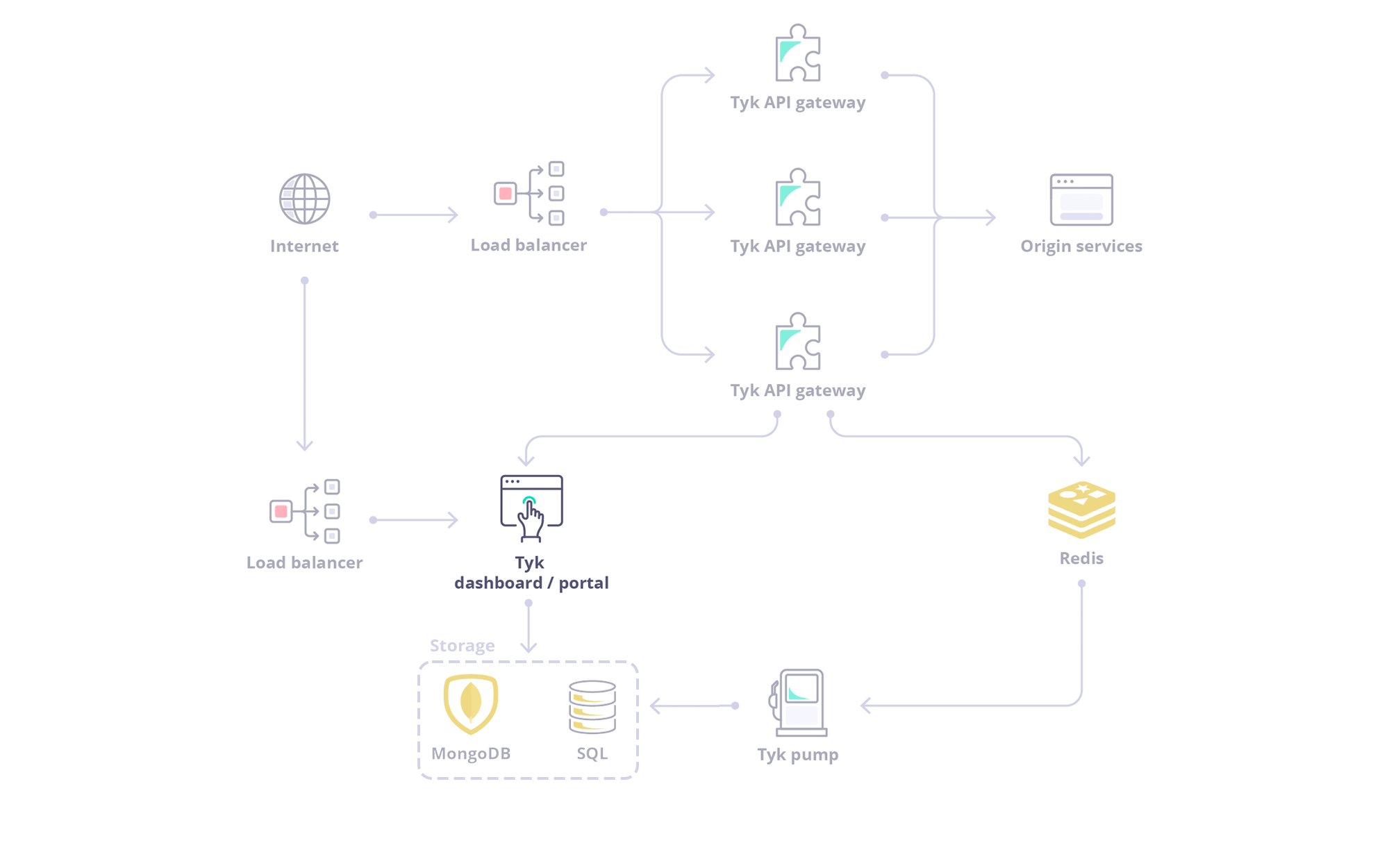 The Tyk Dashboard is a powerful web-based interface that serves as the **central management hub for your API ecosystem**. It provides a user-friendly Graphical User Interface (GUI) for configuring, monitoring, and analyzing your APIs managed by Tyk.
The Dashboard also exposes a **REST API**, allowing for programmatic control and integration with other tools and workflows.
This page introduces general features of dashboard and how to configure them. If you are looking for global configurations of the Dashboard deployment refer this [config file](/tyk-dashboard/configuration).
We will delve into the following key topics:
1. **[Exploring the Dasbhoard UI](#exploring-the-dashboard-ui)**: A tour of the Dashboard UI.
2. **[Exploring the Dasbhoard API](#exploring-the-dashboard-api)**: Explore the Dashboard APIs, including their classification, authentication methods, and usage examples with Swagger and Postman collections.
3. **[API Management using API Endpoint Designer](#exploring-api-endpoint-designer)**: A graphical environment for configuring your Tyk APIs.
4. **[Monitoring and Traffic Analytics](#traffic-analytics)**: Exploration of Tyk's traffic analytics capabilities, including logging mechanisms, error tracking, endpoint analysis, and various activity type measurements.
5. **[API Governance using API Templates and API Categories](#governance-using-api-categories)**
6. **[System Management](#system-administration)**: Detailed overview of Tyk's system management capabilities, including Admin API functionalities, organization management and configuting audit logs.
7. **[Supported Database](#supported-database)**: We will examine Dashboard's storage requirement, compatible database versions and how to configure them.
8. **[Exploring Data Storage Solution](#data-storage-solutions)**: We will explore Dashboard's multi-layered storage architecture and understand how to configure each storage tier effectively.
## Exploring the Dashboard UI
To get a tour of the Dashboard UI, refer to this [document](/getting-started/using-tyk-dashboard).
## Exploring the Dashboard API
The Dashboard is a large, granular REST API with a thin-client web front-end, and if being deployed as part of a Tyk install, serves as the main integration point instead of the Gateway API.
The Tyk Dashboard is a powerful web-based interface that serves as the **central management hub for your API ecosystem**. It provides a user-friendly Graphical User Interface (GUI) for configuring, monitoring, and analyzing your APIs managed by Tyk.
The Dashboard also exposes a **REST API**, allowing for programmatic control and integration with other tools and workflows.
This page introduces general features of dashboard and how to configure them. If you are looking for global configurations of the Dashboard deployment refer this [config file](/tyk-dashboard/configuration).
We will delve into the following key topics:
1. **[Exploring the Dasbhoard UI](#exploring-the-dashboard-ui)**: A tour of the Dashboard UI.
2. **[Exploring the Dasbhoard API](#exploring-the-dashboard-api)**: Explore the Dashboard APIs, including their classification, authentication methods, and usage examples with Swagger and Postman collections.
3. **[API Management using API Endpoint Designer](#exploring-api-endpoint-designer)**: A graphical environment for configuring your Tyk APIs.
4. **[Monitoring and Traffic Analytics](#traffic-analytics)**: Exploration of Tyk's traffic analytics capabilities, including logging mechanisms, error tracking, endpoint analysis, and various activity type measurements.
5. **[API Governance using API Templates and API Categories](#governance-using-api-categories)**
6. **[System Management](#system-administration)**: Detailed overview of Tyk's system management capabilities, including Admin API functionalities, organization management and configuting audit logs.
7. **[Supported Database](#supported-database)**: We will examine Dashboard's storage requirement, compatible database versions and how to configure them.
8. **[Exploring Data Storage Solution](#data-storage-solutions)**: We will explore Dashboard's multi-layered storage architecture and understand how to configure each storage tier effectively.
## Exploring the Dashboard UI
To get a tour of the Dashboard UI, refer to this [document](/getting-started/using-tyk-dashboard).
## Exploring the Dashboard API
The Dashboard is a large, granular REST API with a thin-client web front-end, and if being deployed as part of a Tyk install, serves as the main integration point instead of the Gateway API.
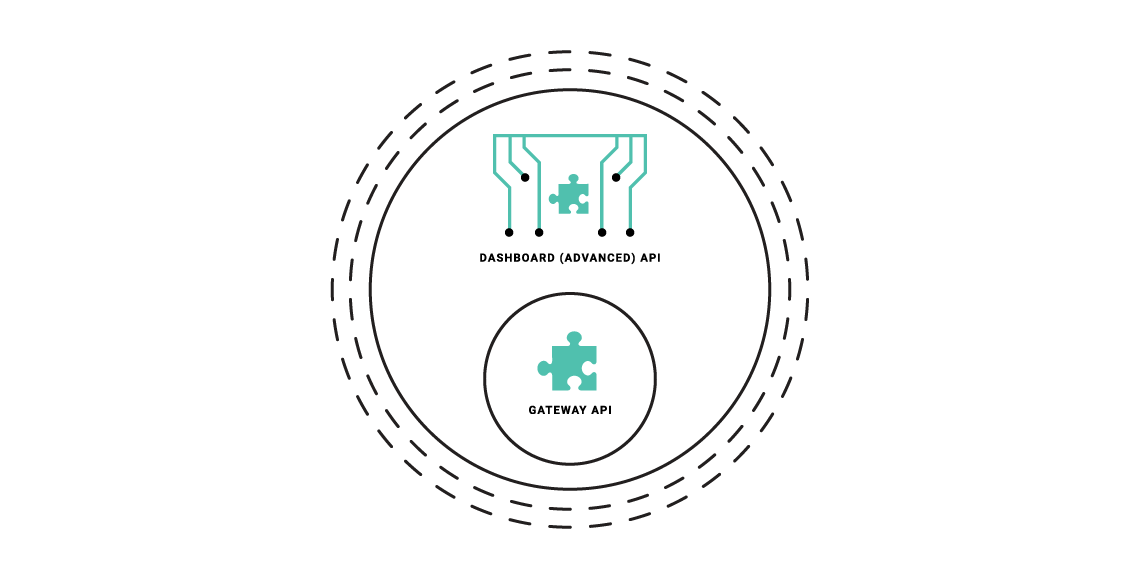 **The Dashboard API is a superset of the Gateway API**, providing the same functionality, with additional features (anything that can be done in the Dashboard has an API endpoint), and offers some additional advantages:
* The Dashboard API has a granular structure, you can create separate clients easily.
* The API features read/write permissions on a per-endpoint level to have extra control over integrations.
* The API enforces a schema that can be modified and hardened depending on your usage requirements.
### Types of Dashboard API
The Dashboard exposes two APIs:
* **Dashboard API**: Is used for operational management of Tyk resources (APIs, policies, keys, etc.). This API offers granular permissions based on user roles.
To know more about Dashboard APIs, refer the following documents:
* [Postman / Swagger / Open API specification](/tyk-dashboard-api)
* [Dashboard API Usage Examples](#dashboard-api-resources-and-usage)
* **Dashboard Admin API**: Is used for system-level administration and initial setup tasks like managing organizations, initial user creation, backups/migrations and SSO setup.
To know more about Dashboard Admin APIs, refer the following documents:
* [Postman / Swagger / Open API specification](/dashboard-admin-api)
* [Dashboard Admin API Usage Examples](#dashboard-admin-api-resources-and-usage)
### Authenticating with Dashboard APIs
**Dashboard API**
The [Tyk Dashboard API](/tyk-dashboard-api) is secured using an `Authorization` header that must be added to each request that is made. The **Tyk Dashboard API Access Credentials** `Authorization` key can be found within the Dashboard UI at the bottom of the **Edit User** section for a user.
**Dashboard Admin API**
The Tyk Dashboard Admin API is secured using a shared secret that is set in the `tyk_analytics.conf` file. Calls to the Admin API require the `admin-auth` header to be provided, to differentiate the call from a regular Dashboard API call.
## Dashboard API Resources and Usage
### Overview
The [Tyk Dashboard API](/tyk-dashboard-api) is a superset of the Tyk Gateway API, enabling (almost) all of the core features and adding many more. The Dashboard API is also more granular and supports [Role Based Access Control](/api-management/user-management#) (RBAC) on both a multi-tenant, and user basis.
Using the Dashboard API it is possible to set Read / Write / ReadWrite / Deny access to sections of the API on a user by user basis, and also segregate User / Key / API Ownership by organization.
The availability of RBAC varies depending on the license or subscription. For further information, please check our [price comparison](https://tyk.io/price-comparison/) or consult our sales and expert engineers
**The Dashboard API is a superset of the Gateway API**, providing the same functionality, with additional features (anything that can be done in the Dashboard has an API endpoint), and offers some additional advantages:
* The Dashboard API has a granular structure, you can create separate clients easily.
* The API features read/write permissions on a per-endpoint level to have extra control over integrations.
* The API enforces a schema that can be modified and hardened depending on your usage requirements.
### Types of Dashboard API
The Dashboard exposes two APIs:
* **Dashboard API**: Is used for operational management of Tyk resources (APIs, policies, keys, etc.). This API offers granular permissions based on user roles.
To know more about Dashboard APIs, refer the following documents:
* [Postman / Swagger / Open API specification](/tyk-dashboard-api)
* [Dashboard API Usage Examples](#dashboard-api-resources-and-usage)
* **Dashboard Admin API**: Is used for system-level administration and initial setup tasks like managing organizations, initial user creation, backups/migrations and SSO setup.
To know more about Dashboard Admin APIs, refer the following documents:
* [Postman / Swagger / Open API specification](/dashboard-admin-api)
* [Dashboard Admin API Usage Examples](#dashboard-admin-api-resources-and-usage)
### Authenticating with Dashboard APIs
**Dashboard API**
The [Tyk Dashboard API](/tyk-dashboard-api) is secured using an `Authorization` header that must be added to each request that is made. The **Tyk Dashboard API Access Credentials** `Authorization` key can be found within the Dashboard UI at the bottom of the **Edit User** section for a user.
**Dashboard Admin API**
The Tyk Dashboard Admin API is secured using a shared secret that is set in the `tyk_analytics.conf` file. Calls to the Admin API require the `admin-auth` header to be provided, to differentiate the call from a regular Dashboard API call.
## Dashboard API Resources and Usage
### Overview
The [Tyk Dashboard API](/tyk-dashboard-api) is a superset of the Tyk Gateway API, enabling (almost) all of the core features and adding many more. The Dashboard API is also more granular and supports [Role Based Access Control](/api-management/user-management#) (RBAC) on both a multi-tenant, and user basis.
Using the Dashboard API it is possible to set Read / Write / ReadWrite / Deny access to sections of the API on a user by user basis, and also segregate User / Key / API Ownership by organization.
The availability of RBAC varies depending on the license or subscription. For further information, please check our [price comparison](https://tyk.io/price-comparison/) or consult our sales and expert engineers 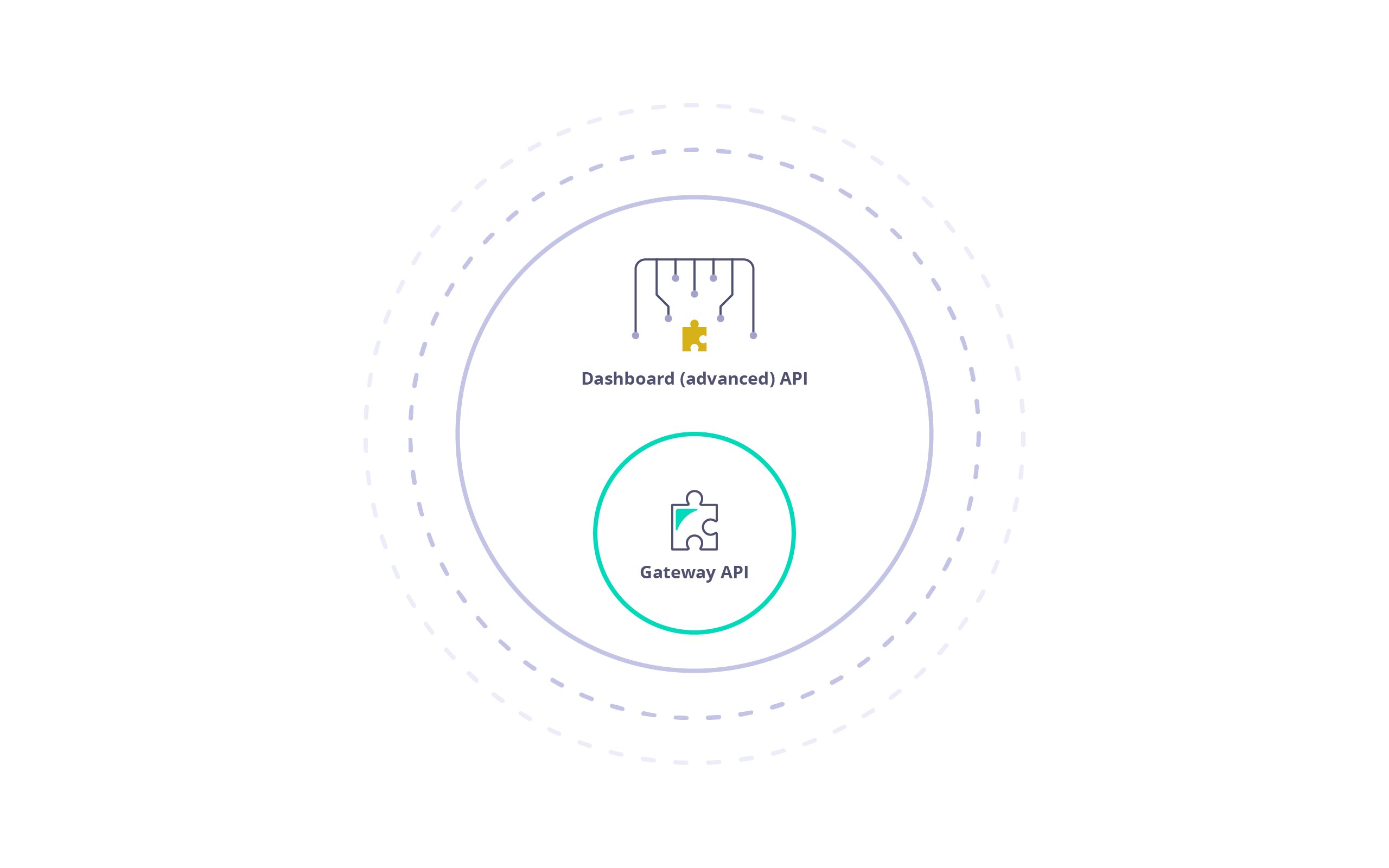 ### Pagination
Selected Dashboard APIs can be paginated.
You can select the number of result pages to return by adding a parameter `p` which starts at `1`. At the default page size, this returns items 1-10. Setting `p` to `2` returns items 11-20 and so on. Alternatively, passing `0` or lower as a parameter will return all items.
The default page size is 10. You can overwrite the default page size in your `tyk_analytics.conf` using the `page_size` key. It's suggested you do not modify it as it will affect the performance of the Dashboard.
**Sample Request:**
```http theme={null}
GET /api/apis/?p=1 HTTP/1.1
Host: localhost:3000
authorization:7a7b140f-2480-4d5a-4e78-24049e3ba7f8
```
**Sample Response:**
```yaml theme={null}
{
"apis": [
{ ... },
{ ... },
{ ... }
],
"pages": 1
}
```
### Manage APIs - API Definition
### Pagination
Selected Dashboard APIs can be paginated.
You can select the number of result pages to return by adding a parameter `p` which starts at `1`. At the default page size, this returns items 1-10. Setting `p` to `2` returns items 11-20 and so on. Alternatively, passing `0` or lower as a parameter will return all items.
The default page size is 10. You can overwrite the default page size in your `tyk_analytics.conf` using the `page_size` key. It's suggested you do not modify it as it will affect the performance of the Dashboard.
**Sample Request:**
```http theme={null}
GET /api/apis/?p=1 HTTP/1.1
Host: localhost:3000
authorization:7a7b140f-2480-4d5a-4e78-24049e3ba7f8
```
**Sample Response:**
```yaml theme={null}
{
"apis": [
{ ... },
{ ... },
{ ... }
],
"pages": 1
}
```
### Manage APIs - API Definition
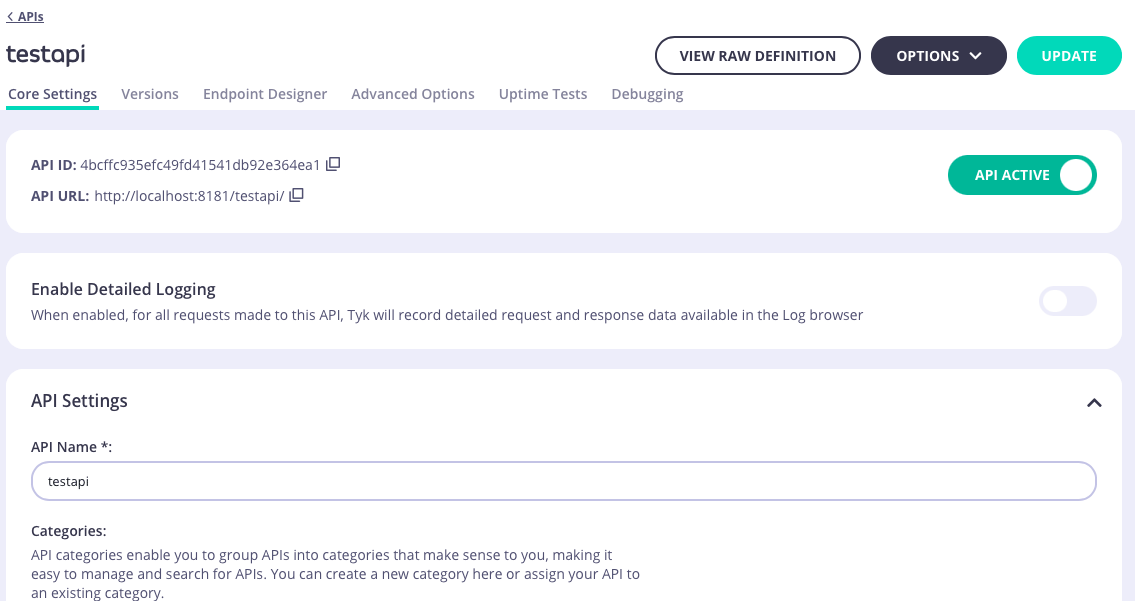 The **Core Settings** tab provides access to configure basic settings for the API:
* [Detailed logging](/api-management/tyk-pump#configure-detailed-recording)
* API Settings including
* Listen path
* [API Categories](#governance-using-api-categories)
* Upstream settings including
* Upstream service (target) URL
* [Service Discovery](/planning-for-production/ensure-high-availability/service-discovery)
* [API Ownership](/api-management/user-management#api-ownership)
* [API level rate limiting](/api-management/rate-limit#configuring-the-rate-limiter-at-the-api-level)
* [Authentication](/api-management/client-authentication)
### Versions
The **Core Settings** tab provides access to configure basic settings for the API:
* [Detailed logging](/api-management/tyk-pump#configure-detailed-recording)
* API Settings including
* Listen path
* [API Categories](#governance-using-api-categories)
* Upstream settings including
* Upstream service (target) URL
* [Service Discovery](/planning-for-production/ensure-high-availability/service-discovery)
* [API Ownership](/api-management/user-management#api-ownership)
* [API level rate limiting](/api-management/rate-limit#configuring-the-rate-limiter-at-the-api-level)
* [Authentication](/api-management/client-authentication)
### Versions
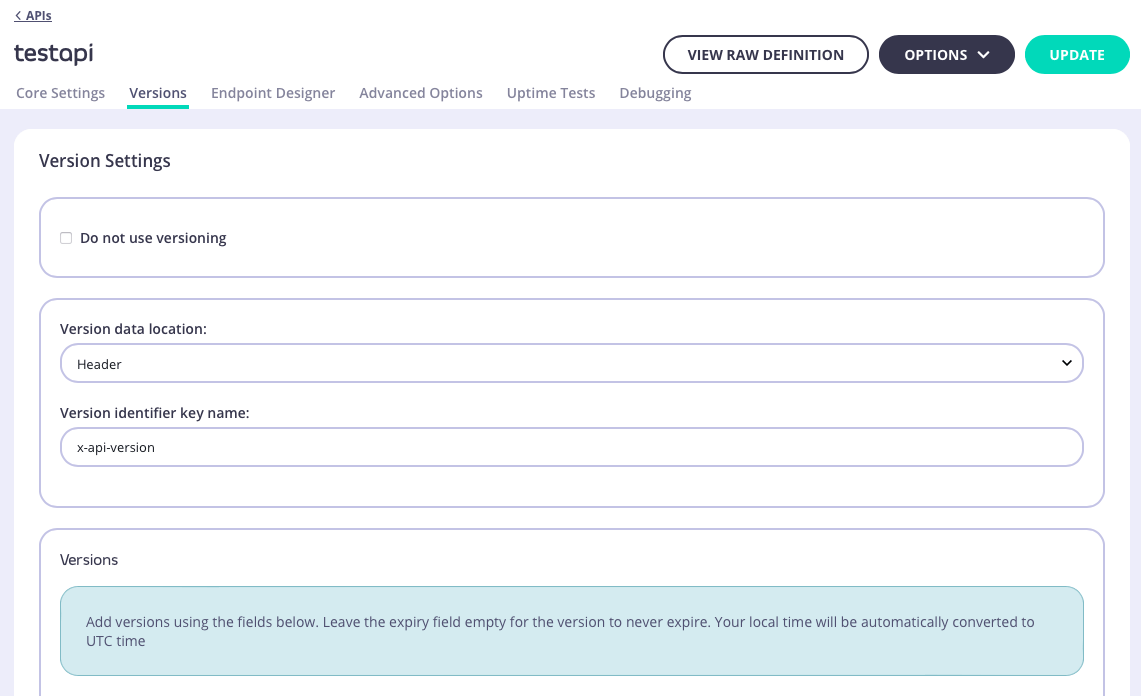 The **Versions** tab allows you to create and manage [API versioning](/api-management/gateway-config-tyk-classic#tyk-classic-api-versioning) for the API.
At the top of the Endpoint Designer, you can see which version you are currently editing. If you have more than one option, selecting it from the drop-down will load its endpoint configuration into the editor.
### Endpoint Designer
The **Versions** tab allows you to create and manage [API versioning](/api-management/gateway-config-tyk-classic#tyk-classic-api-versioning) for the API.
At the top of the Endpoint Designer, you can see which version you are currently editing. If you have more than one option, selecting it from the drop-down will load its endpoint configuration into the editor.
### Endpoint Designer
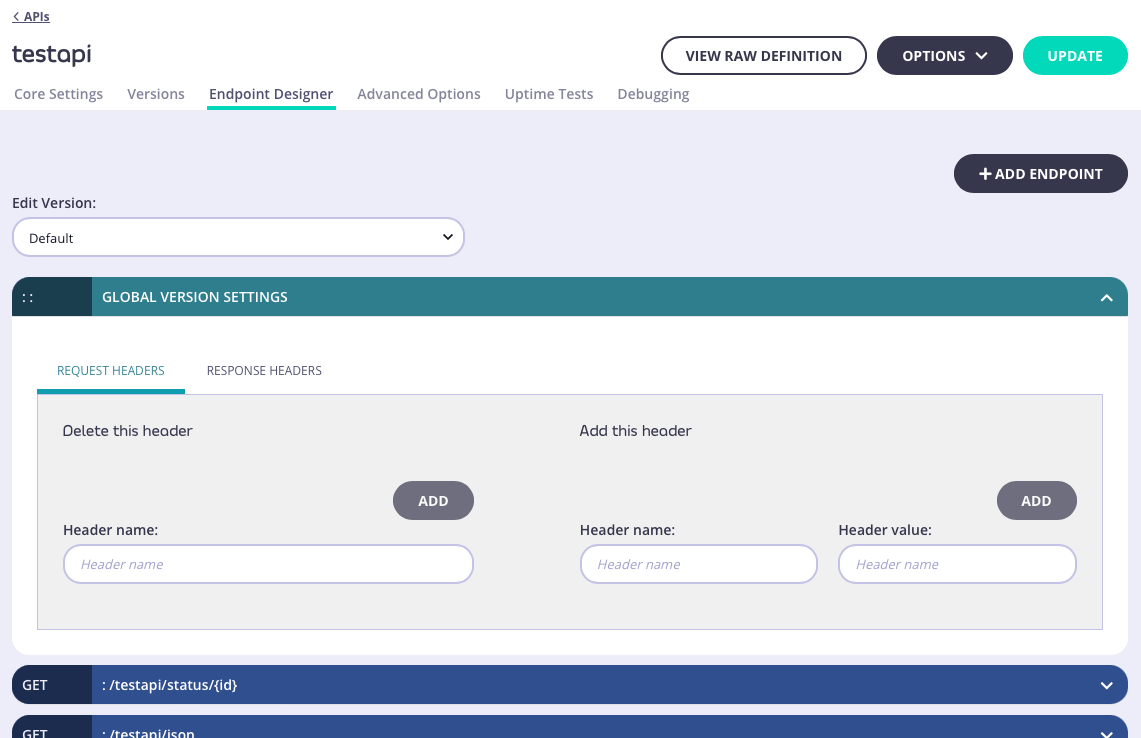 The **Endpoint Designer** is where you can define endpoints for your API so that you can enable and configure Tyk middleware to [perform checks and transformations](/api-management/traffic-transformation) on the API traffic.
In some cases, you will want to set global settings that affect all paths that are managed by Tyk. The **Global Version Settings** section will enable you to configure API-level [request](/api-management/traffic-transformation/request-headers#tyk-classic-api) and [response](/api-management/traffic-transformation/request-headers#tyk-classic-api) header transformation.
### Advanced Options
The **Endpoint Designer** is where you can define endpoints for your API so that you can enable and configure Tyk middleware to [perform checks and transformations](/api-management/traffic-transformation) on the API traffic.
In some cases, you will want to set global settings that affect all paths that are managed by Tyk. The **Global Version Settings** section will enable you to configure API-level [request](/api-management/traffic-transformation/request-headers#tyk-classic-api) and [response](/api-management/traffic-transformation/request-headers#tyk-classic-api) header transformation.
### Advanced Options
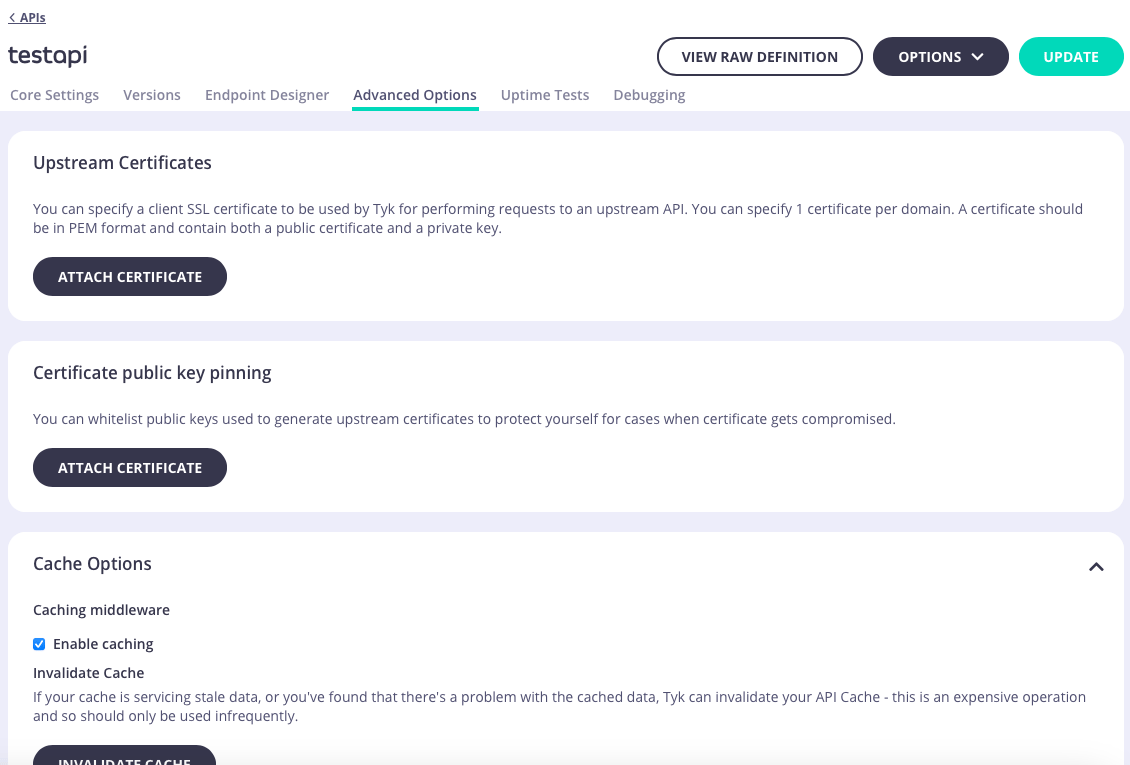 The **Advanced Options** tab is where you can configure Tyk's other powerful features including:
* Upstream certificate management
* [API-level caching](/api-management/response-caching#configuring-the-cache-via-the-dashboard) including a button to invalidate (flush) the cache for the API
* [CORS](/api-management/gateway-config-tyk-classic#cross-origin-resource-sharing-cors)
* Add custom attributes to the API definition as *config data* that can be accessed by middleware
* Enable [context variables](/api-management/traffic-transformation/request-context-variables) so that they are extracted from requests and made available to middleware
* Manage *segment tags* if you are working with [sharded gateways](/api-management/multiple-environments#gateway-sharding)
* Manage client IP address [allow](/api-management/gateway-config-tyk-classic#ip-access-control) and [block](/api-management/gateway-config-tyk-classic#ip-access-control) lists
* Attach [webhooks](/api-management/gateway-events#event-handling-with-webhooks) that will be triggered for different events
### Uptime Tests
The **Advanced Options** tab is where you can configure Tyk's other powerful features including:
* Upstream certificate management
* [API-level caching](/api-management/response-caching#configuring-the-cache-via-the-dashboard) including a button to invalidate (flush) the cache for the API
* [CORS](/api-management/gateway-config-tyk-classic#cross-origin-resource-sharing-cors)
* Add custom attributes to the API definition as *config data* that can be accessed by middleware
* Enable [context variables](/api-management/traffic-transformation/request-context-variables) so that they are extracted from requests and made available to middleware
* Manage *segment tags* if you are working with [sharded gateways](/api-management/multiple-environments#gateway-sharding)
* Manage client IP address [allow](/api-management/gateway-config-tyk-classic#ip-access-control) and [block](/api-management/gateway-config-tyk-classic#ip-access-control) lists
* Attach [webhooks](/api-management/gateway-events#event-handling-with-webhooks) that will be triggered for different events
### Uptime Tests
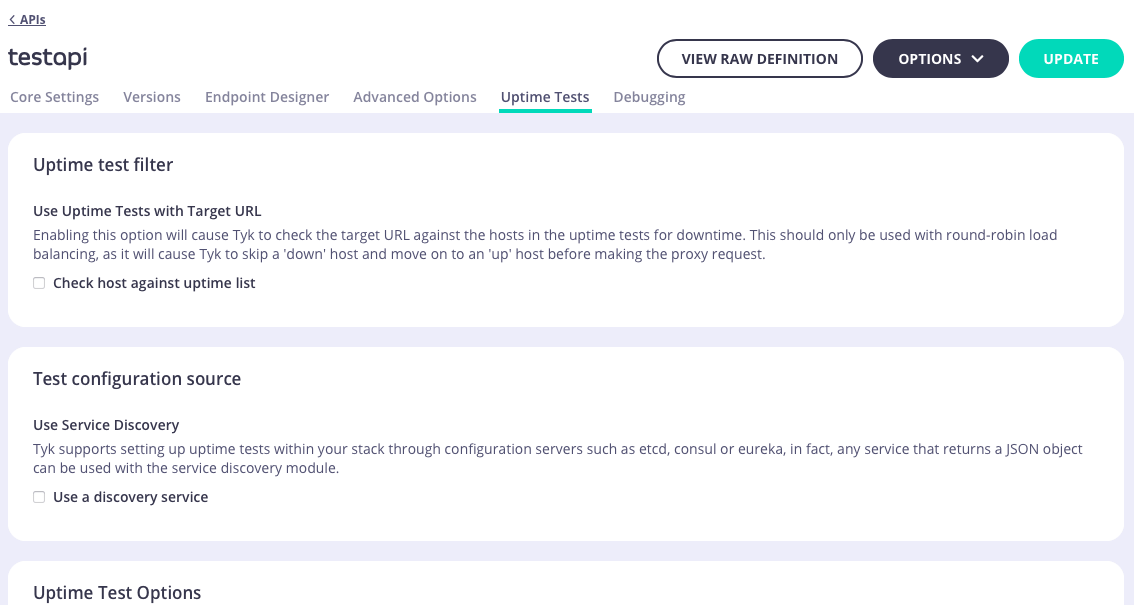 In the **Uptime Tests** tab you can configure Tyk's [Uptime Test](/api-management/gateway-config-tyk-classic#uptime-tests) functionality
### Debugging
In the **Uptime Tests** tab you can configure Tyk's [Uptime Test](/api-management/gateway-config-tyk-classic#uptime-tests) functionality
### Debugging
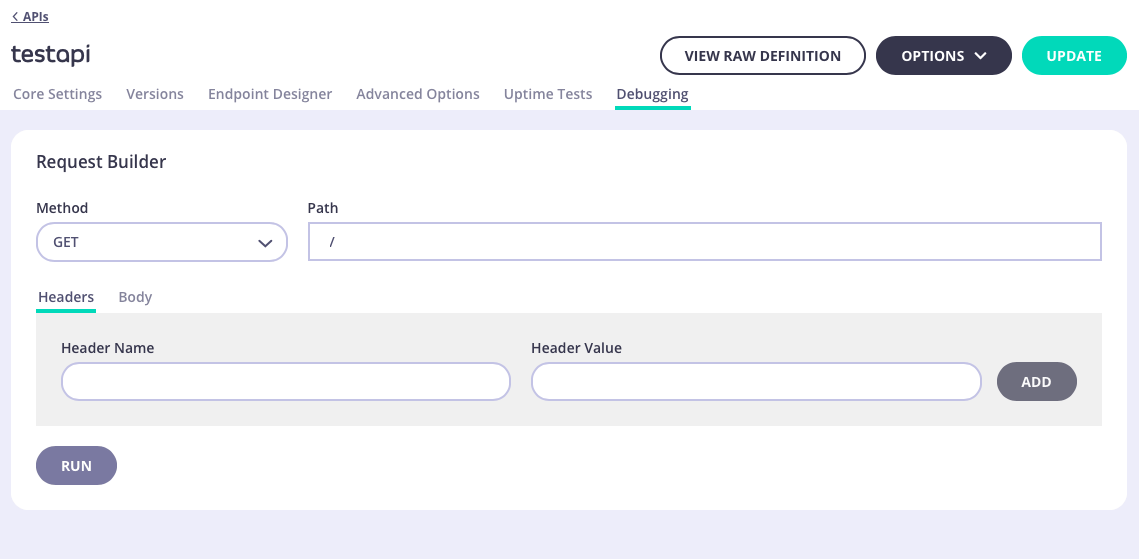 The **Debugging** tab allows you to test your endpoints before you publish or update them. You can also use it for testing any middleware plugins you have implemented. Any debugging you create will persist while still in the current API, enabling you to make changes in the rest of the API settings without losing the debugging scenario.
The Debugging tab consists of the following sections:
* Request
* Response
* Logs
##### Request
The **Debugging** tab allows you to test your endpoints before you publish or update them. You can also use it for testing any middleware plugins you have implemented. Any debugging you create will persist while still in the current API, enabling you to make changes in the rest of the API settings without losing the debugging scenario.
The Debugging tab consists of the following sections:
* Request
* Response
* Logs
##### Request
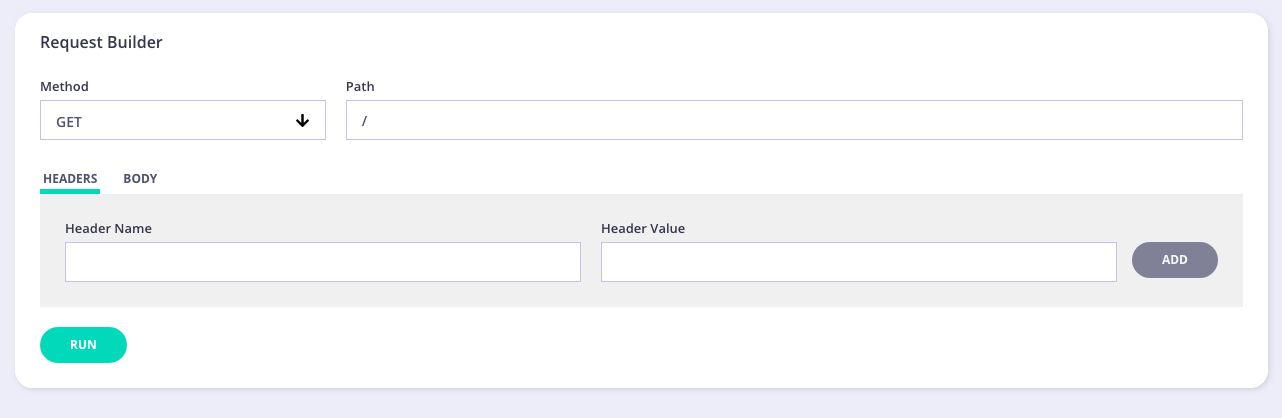 In this section, you can enter the following information:
* Method - select the method for your test from the drop-down list
* Path - your endpoint to test
* Headers/Body - enter any header information, such as Authorization, etc. Enter any body information. For example, entering user information if creating/updating a user.
Once you have entered all the requested information, click **Run**. Debugging Response and Log information will be displayed:
##### Response
In this section, you can enter the following information:
* Method - select the method for your test from the drop-down list
* Path - your endpoint to test
* Headers/Body - enter any header information, such as Authorization, etc. Enter any body information. For example, entering user information if creating/updating a user.
Once you have entered all the requested information, click **Run**. Debugging Response and Log information will be displayed:
##### Response
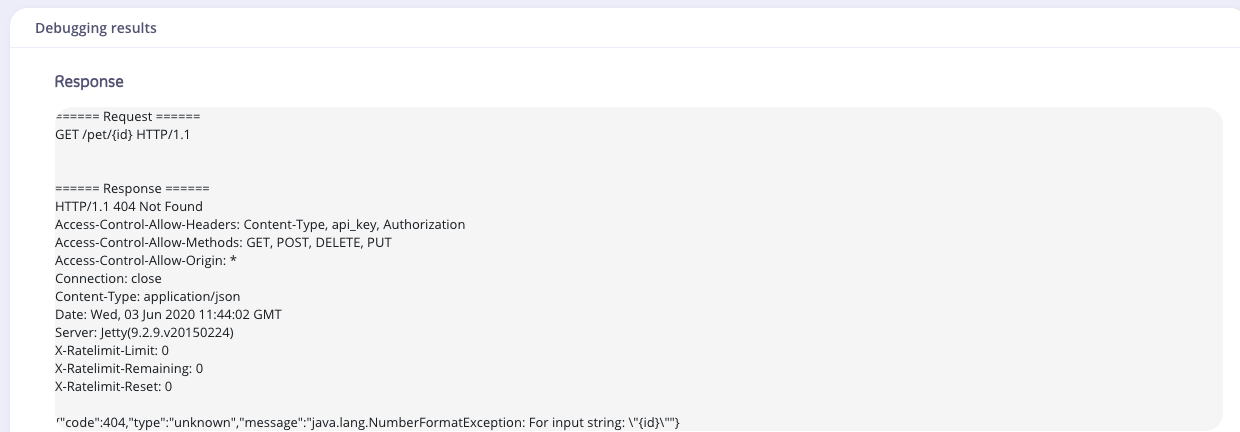 The Response section shows the JSON response to your request.
##### Logs
The Response section shows the JSON response to your request.
##### Logs
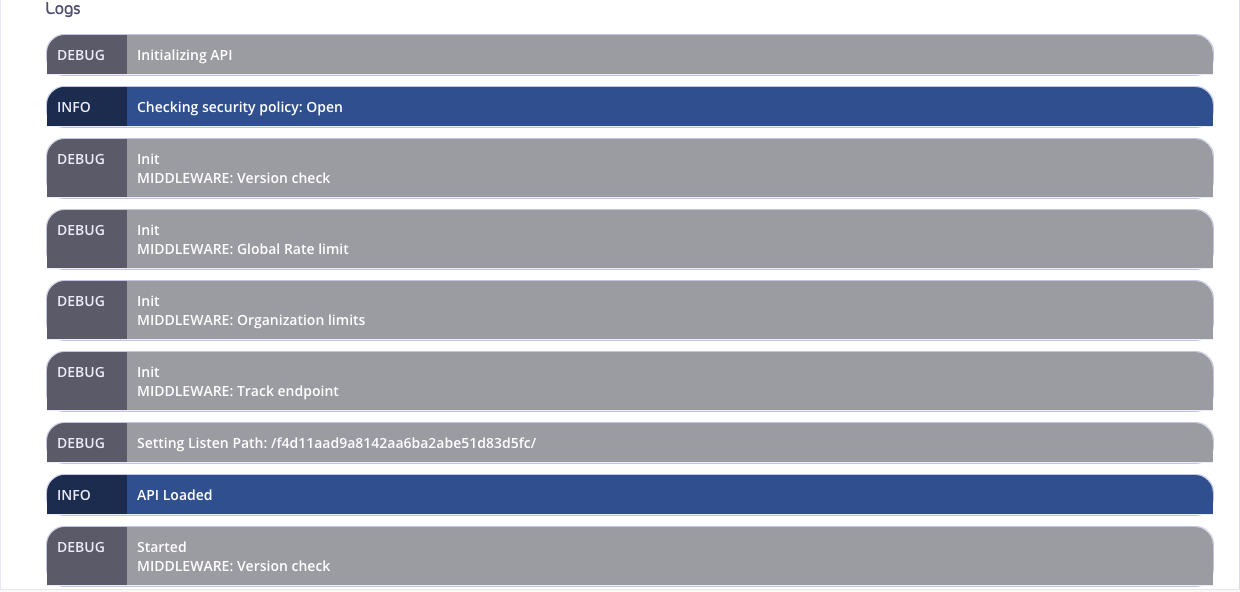 The debugging level is set to **debug** for the request. This outputs all logging information in the Endpoint Designer. In the Tyk Gateway logs you will see a single request. Any Error messages will be displayed at the bottom of the Logs output.
## Traffic Analytics
The Tyk Dashboard provides a full set of analytics functions and graphs that you can use to segment and view your API traffic and activity. The Dashboard offers a great way for you to debug your APIs and quickly pin down where errors might be cropping up and for which clients.
[User Owned Analytics](/api-management/user-management#user-permissions), introduced in Tyk v5.1, can be used to limit the visibility of aggregate statistics to users when API Ownership is enabled. Due to the way that the analytics data are aggregated, not all statistics can be filtered by API and so may be inaccessible to users with the Owned Analytics permission.
The debugging level is set to **debug** for the request. This outputs all logging information in the Endpoint Designer. In the Tyk Gateway logs you will see a single request. Any Error messages will be displayed at the bottom of the Logs output.
## Traffic Analytics
The Tyk Dashboard provides a full set of analytics functions and graphs that you can use to segment and view your API traffic and activity. The Dashboard offers a great way for you to debug your APIs and quickly pin down where errors might be cropping up and for which clients.
[User Owned Analytics](/api-management/user-management#user-permissions), introduced in Tyk v5.1, can be used to limit the visibility of aggregate statistics to users when API Ownership is enabled. Due to the way that the analytics data are aggregated, not all statistics can be filtered by API and so may be inaccessible to users with the Owned Analytics permission.
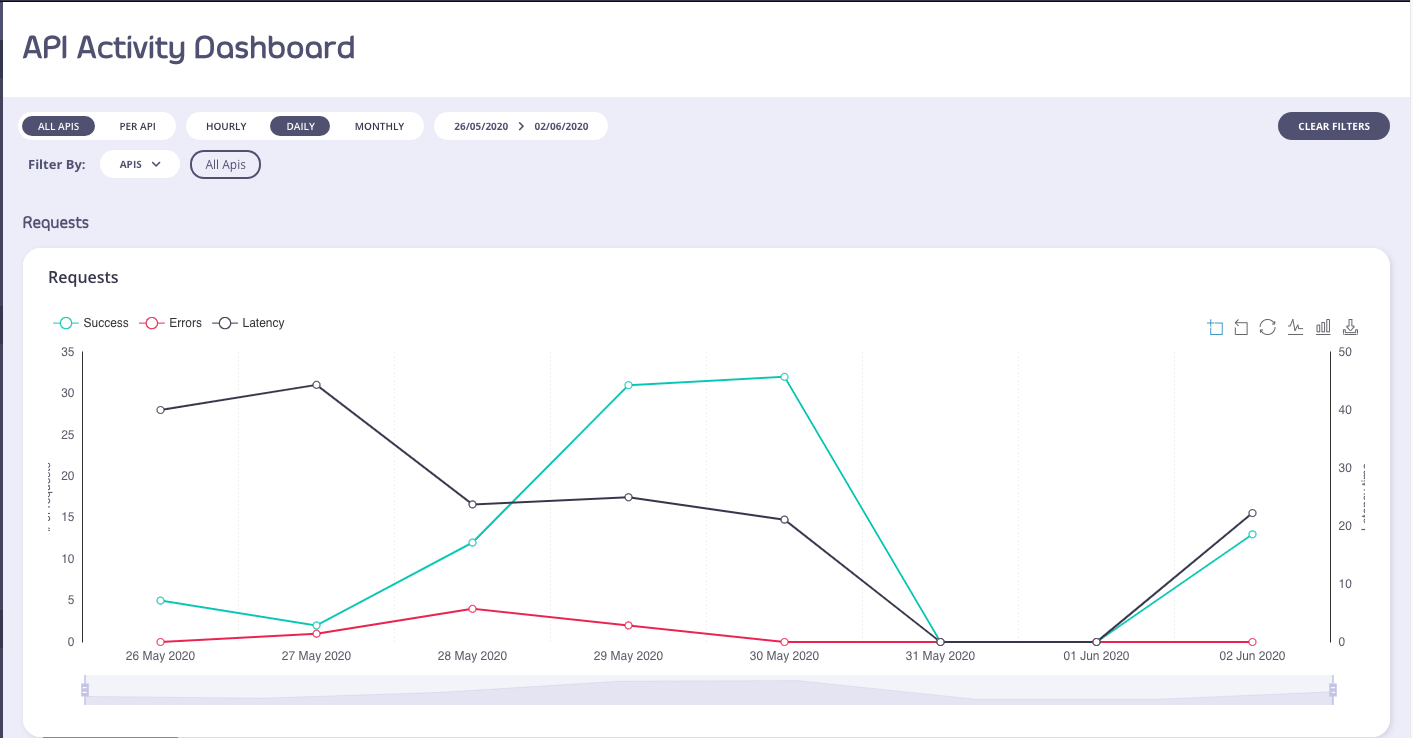 You can toggle the graphs by clicking the circular toggles above the graph to isolate only the stats you want to see.
Use the Start and End dates to set the range of the graph, and the version drop-down to select the API and version you wish to see traffic for.
You can change the granularity of the data by selecting the granularity drop down (in the above screenshot: it is set to “Day”).
The filter by tag option, in a graph view, will enable you to see the graph filtered by any tags you add to the search.
Below the aggregate graph, you’ll see an error breakdown and endpoint popularity chart. These charts will show you the overall error type (and code) for your APIs as an aggregate and the popularity of the endpoints that are being targeted by your clients:
You can toggle the graphs by clicking the circular toggles above the graph to isolate only the stats you want to see.
Use the Start and End dates to set the range of the graph, and the version drop-down to select the API and version you wish to see traffic for.
You can change the granularity of the data by selecting the granularity drop down (in the above screenshot: it is set to “Day”).
The filter by tag option, in a graph view, will enable you to see the graph filtered by any tags you add to the search.
Below the aggregate graph, you’ll see an error breakdown and endpoint popularity chart. These charts will show you the overall error type (and code) for your APIs as an aggregate and the popularity of the endpoints that are being targeted by your clients:
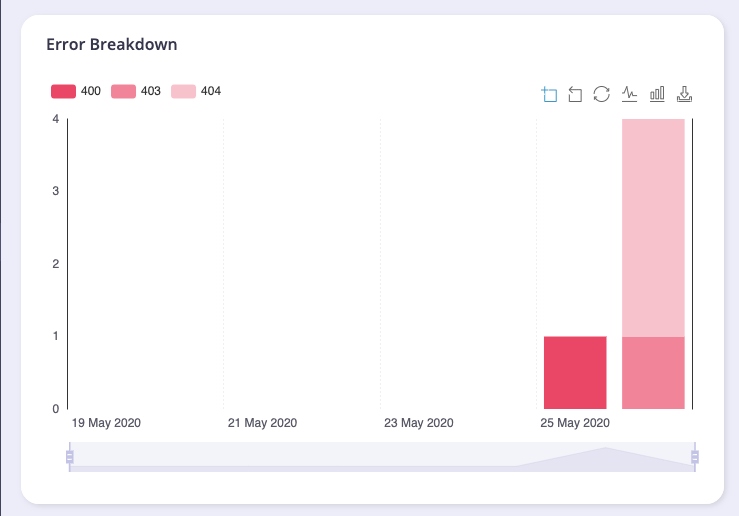
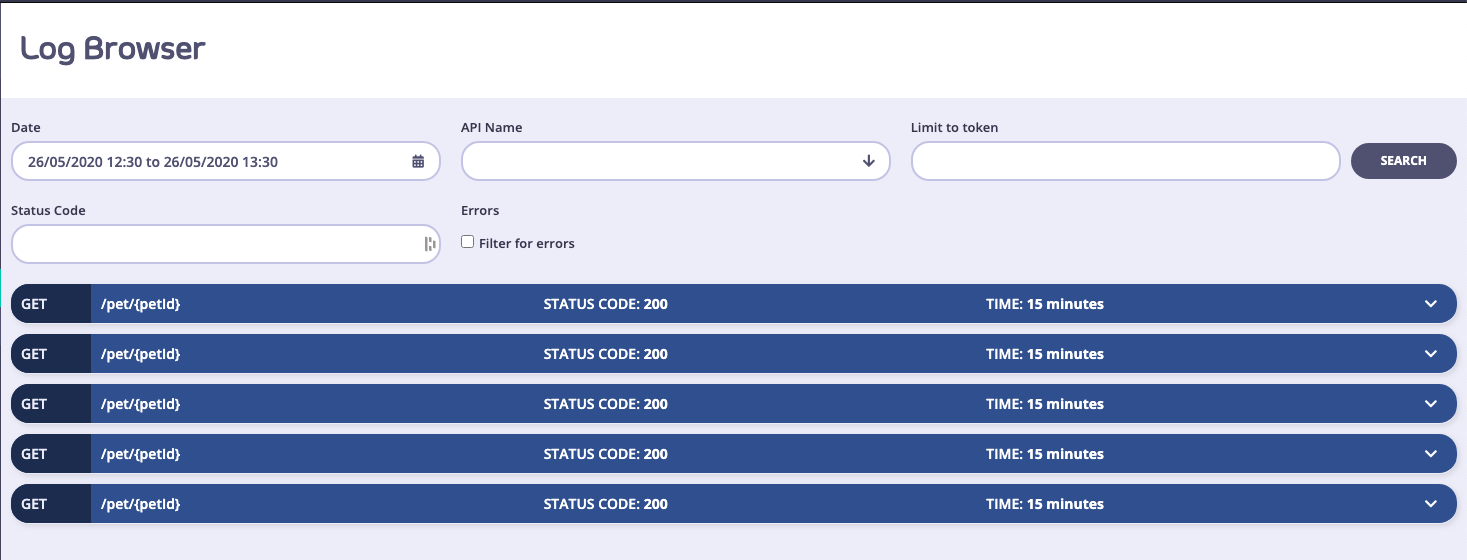 Click a request to view its details.
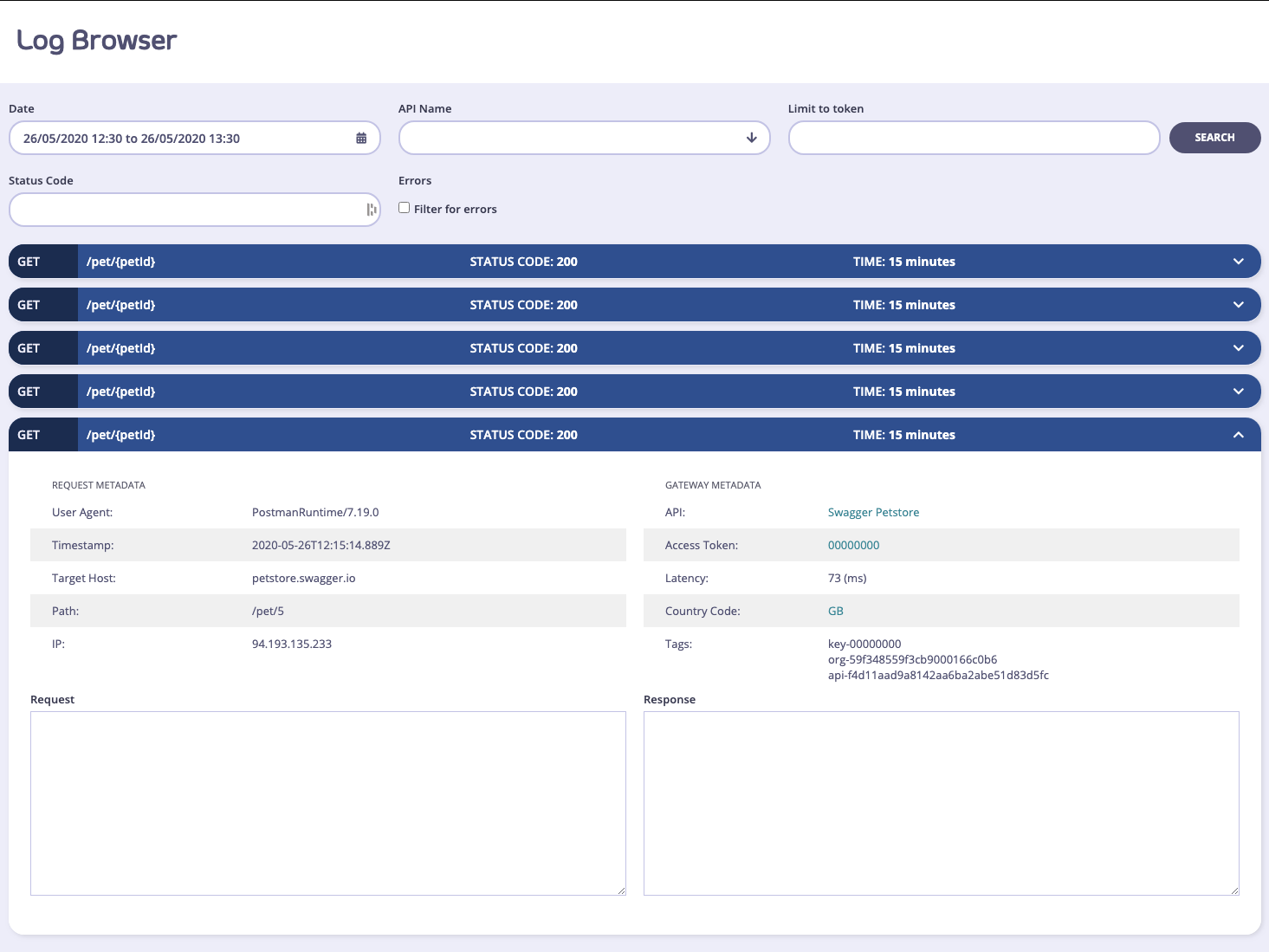 #### Self-Managed Installations Option
In an Self-Managed installation, if you have request and response logging enabled, then you can also view the request payload and the response if it is available.
To enable request and response logging, please take a look at [useful debug modes](/api-management/troubleshooting-debugging#capturing-detailed-logs) .
**A warning on detailed logging:** This mode generates a very large amount of data, and that data exponentially increases the size of your log data set, and may cause problems with delivering analytics in bulk to your MongoDB instances. This mode should only be used to debug your APIs for short periods of time.
### Activity by API
To get a tabular view of how your API traffic is performing, you can select the **Activity by API** option in the navigation and see a tabular view of your APIs. This table will list out your APIs by their traffic volume and you'll be able to see when they were last accessed:
#### Self-Managed Installations Option
In an Self-Managed installation, if you have request and response logging enabled, then you can also view the request payload and the response if it is available.
To enable request and response logging, please take a look at [useful debug modes](/api-management/troubleshooting-debugging#capturing-detailed-logs) .
**A warning on detailed logging:** This mode generates a very large amount of data, and that data exponentially increases the size of your log data set, and may cause problems with delivering analytics in bulk to your MongoDB instances. This mode should only be used to debug your APIs for short periods of time.
### Activity by API
To get a tabular view of how your API traffic is performing, you can select the **Activity by API** option in the navigation and see a tabular view of your APIs. This table will list out your APIs by their traffic volume and you'll be able to see when they were last accessed:
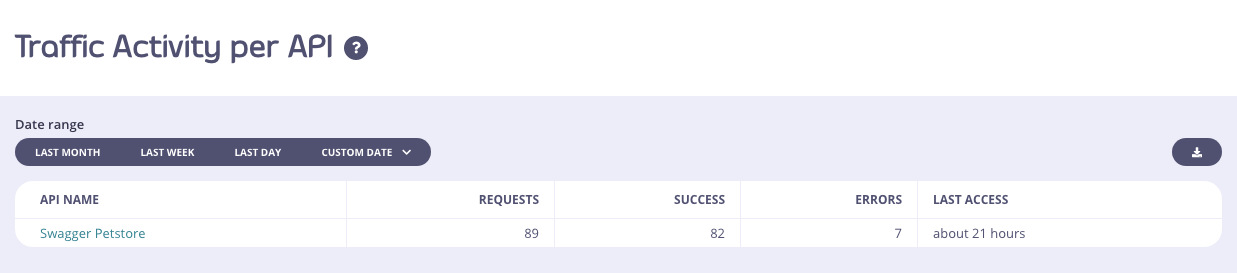 You can use the same range selectors as with the Dashboard view to modify how you see the data. However, granularity and tag views will not work since they do not apply to a tabulated view.
If you select an API name, you will be taken to the drill-down view for that specific API, here you will have a similar Dashboard as you do with the aggregate API Dashboard that you first visit on log in, but the whole view will be constrained to just the single API in question:
You can use the same range selectors as with the Dashboard view to modify how you see the data. However, granularity and tag views will not work since they do not apply to a tabulated view.
If you select an API name, you will be taken to the drill-down view for that specific API, here you will have a similar Dashboard as you do with the aggregate API Dashboard that you first visit on log in, but the whole view will be constrained to just the single API in question:
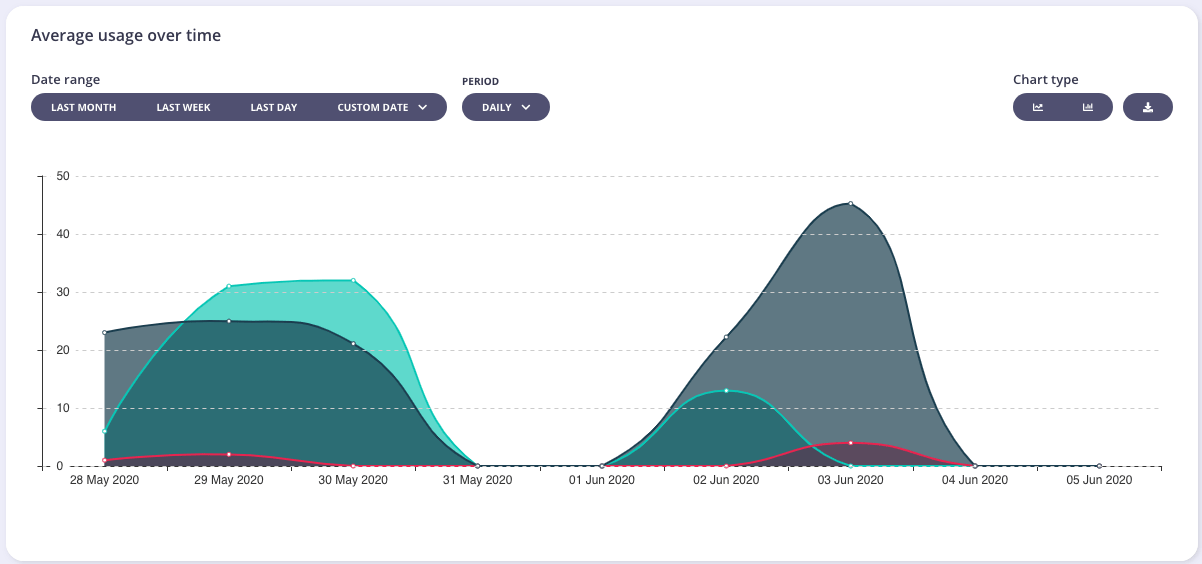 You will also see an error breakdown and the endpoint popularity stats for the API:
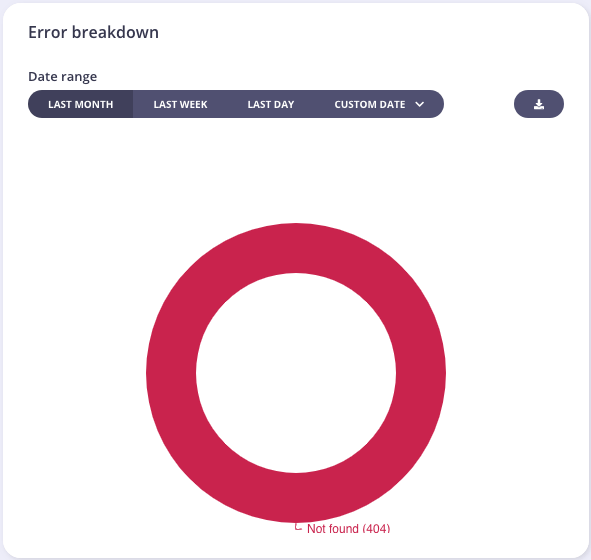 Tyk will try to normalize endpoint metrics by identifying IDs and UUIDs in a URL string and replacing them with normalized tags, this can help make your analytics more useful. It is possible to configure custom tags in the configuration file of your Tyk Self-Managed or Multi-Cloud installation.
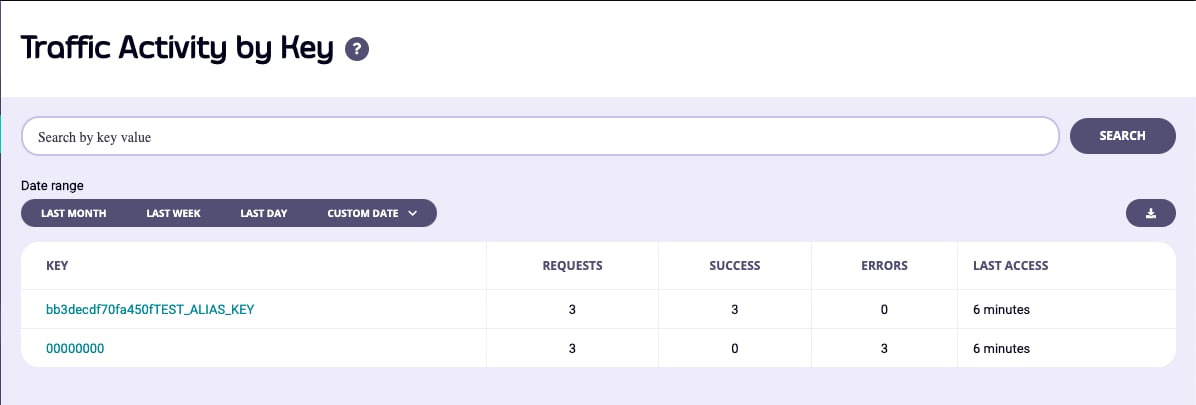 You'll notice in the screenshot above that the keys look completely different to the ones you can generate in the key designer (or via the API), this is because, by default, Tyk will hash all keys once they are created in order for them to not be snooped should your key-store be breached.
This poses a problem though, and that is that the keys also no longer have any meaning as analytics entries. You'll notice in the screenshot above, one of the keys is appended by the text **TEST\_ALIAS\_KEY**. This is what we call an Alias, and you can add an alias to any key you generate and that information will be transposed into your analytics to make the information more human-readable.
The key `00000000` is an empty token, or an open-request. If you have an API that is open, or a request generates an error before we can identify the API key, then it will be automatically assigned this nil value.
If you select a key, you can get a drill down view of the activity of that key, and the errors and codes that the token has generated:
You'll notice in the screenshot above that the keys look completely different to the ones you can generate in the key designer (or via the API), this is because, by default, Tyk will hash all keys once they are created in order for them to not be snooped should your key-store be breached.
This poses a problem though, and that is that the keys also no longer have any meaning as analytics entries. You'll notice in the screenshot above, one of the keys is appended by the text **TEST\_ALIAS\_KEY**. This is what we call an Alias, and you can add an alias to any key you generate and that information will be transposed into your analytics to make the information more human-readable.
The key `00000000` is an empty token, or an open-request. If you have an API that is open, or a request generates an error before we can identify the API key, then it will be automatically assigned this nil value.
If you select a key, you can get a drill down view of the activity of that key, and the errors and codes that the token has generated:
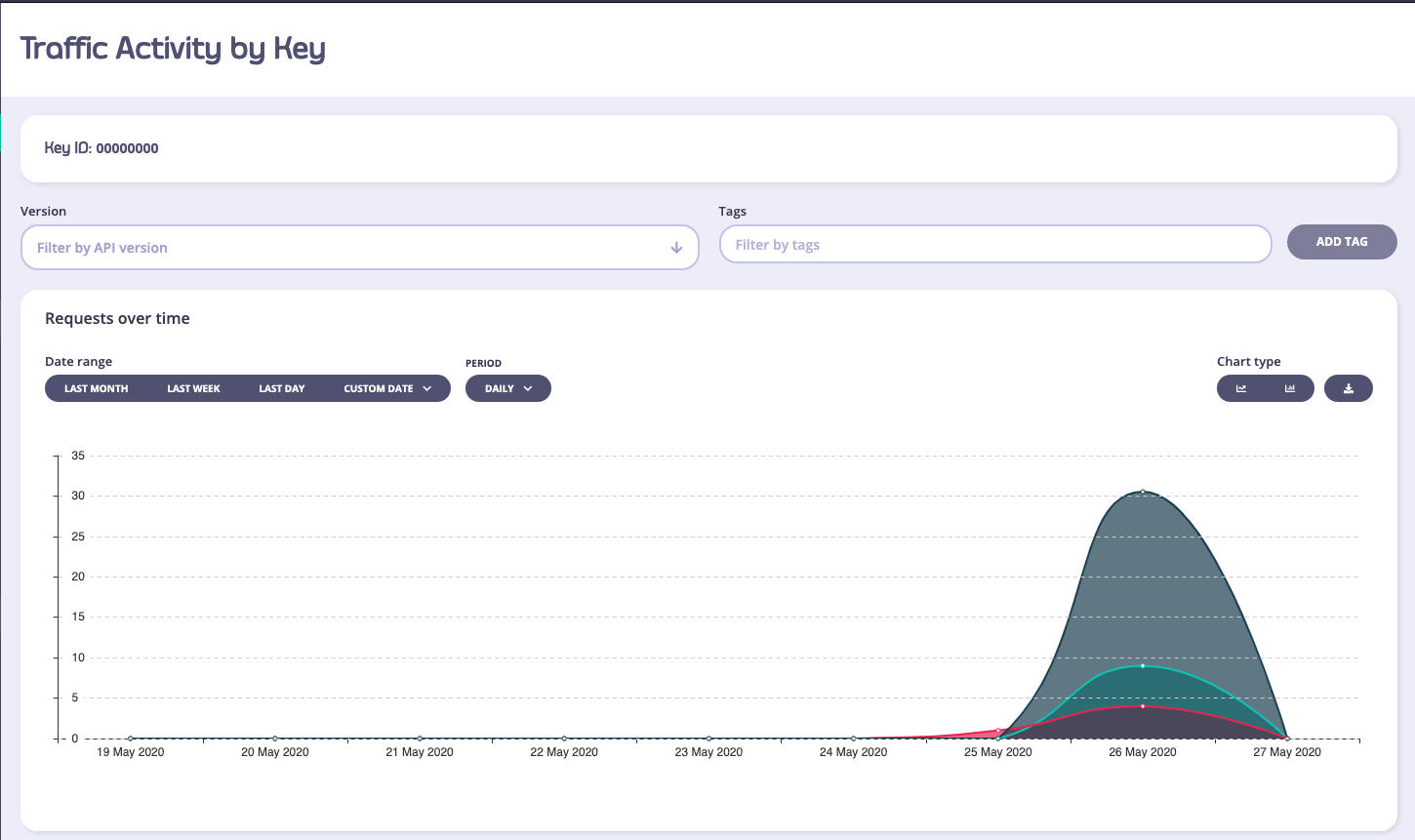
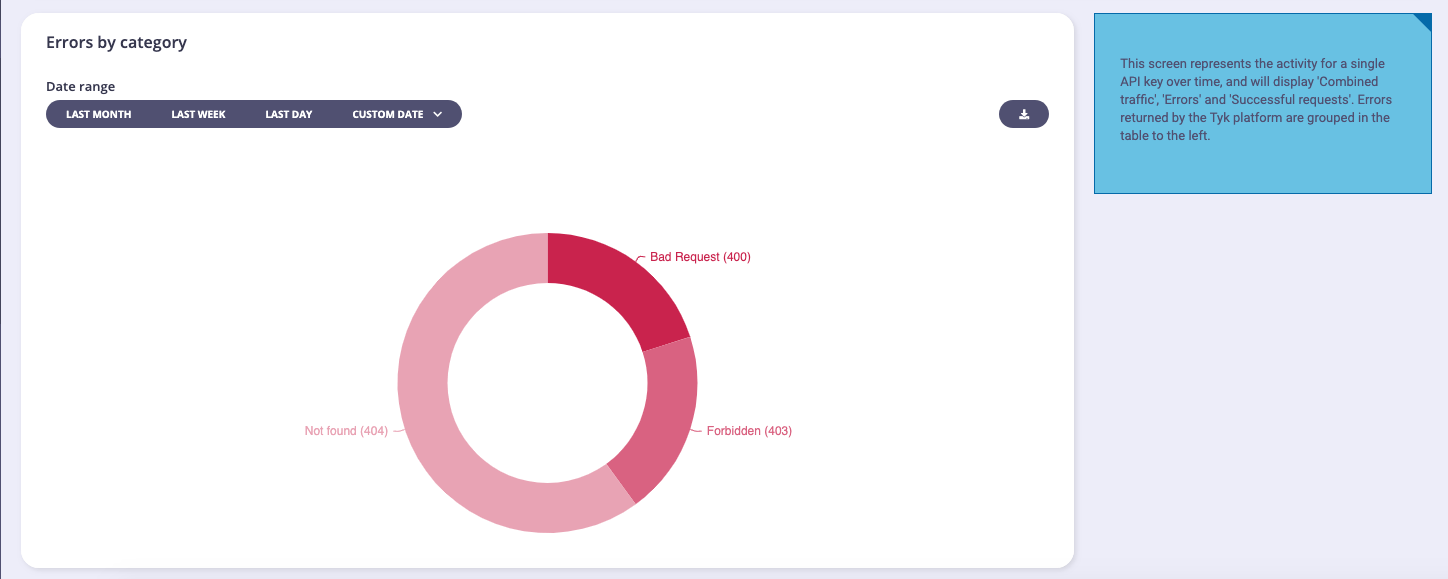 (The filters in this view will not be of any use except to filter by API Version).
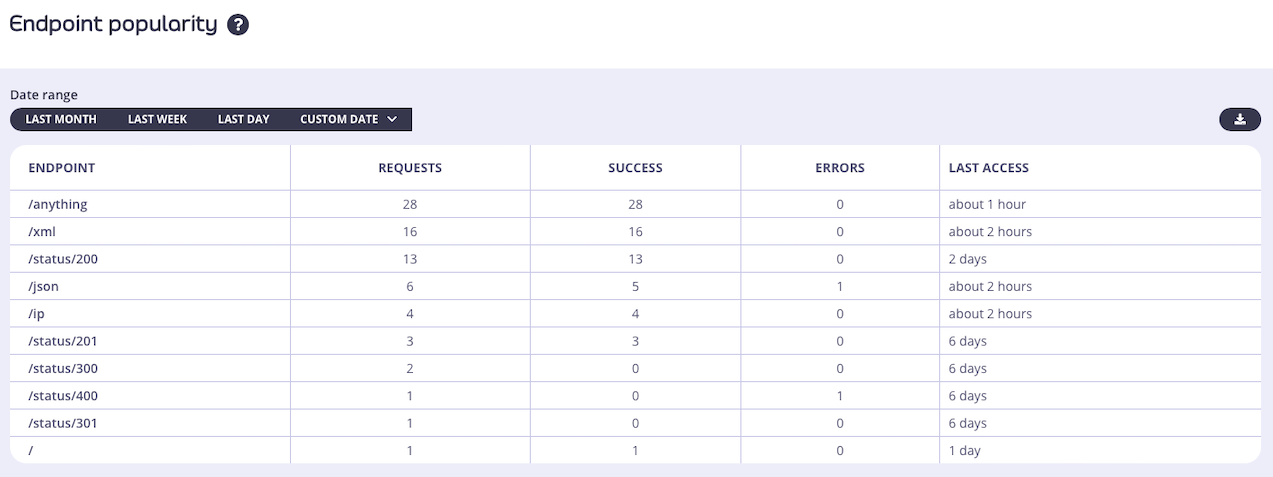 #### Controlling which endpoints appear in the analytics data
The aggregate pumps have an option to `track_all_paths` which will ensure that all analytics records generated by the Tyk Gateway will be included in the aggregated statistics on the Endpoint Popularity screen. Set this to `true` to capture all endpoints in the aggregated data and subsequently on the Dashboard page.
You can alternatively select only a subset of the endpoints to include in the aggregated data by setting `track_all_paths` to `false` and identifying specific endpoints to be "tracked". These are identified by the `TrackPath` [flag](/api-management/tyk-pump#trackpath) being set to `true` in the record. In this configuration, the Pump will only include transaction records from "tracked" endpoints in the aggregated data.
Tyk Gateway will set `TrackPath` to `true` in transaction records generated for endpoints that have the track endpoint middleware enabled.
#### Controlling which endpoints appear in the analytics data
The aggregate pumps have an option to `track_all_paths` which will ensure that all analytics records generated by the Tyk Gateway will be included in the aggregated statistics on the Endpoint Popularity screen. Set this to `true` to capture all endpoints in the aggregated data and subsequently on the Dashboard page.
You can alternatively select only a subset of the endpoints to include in the aggregated data by setting `track_all_paths` to `false` and identifying specific endpoints to be "tracked". These are identified by the `TrackPath` [flag](/api-management/tyk-pump#trackpath) being set to `true` in the record. In this configuration, the Pump will only include transaction records from "tracked" endpoints in the aggregated data.
Tyk Gateway will set `TrackPath` to `true` in transaction records generated for endpoints that have the track endpoint middleware enabled.
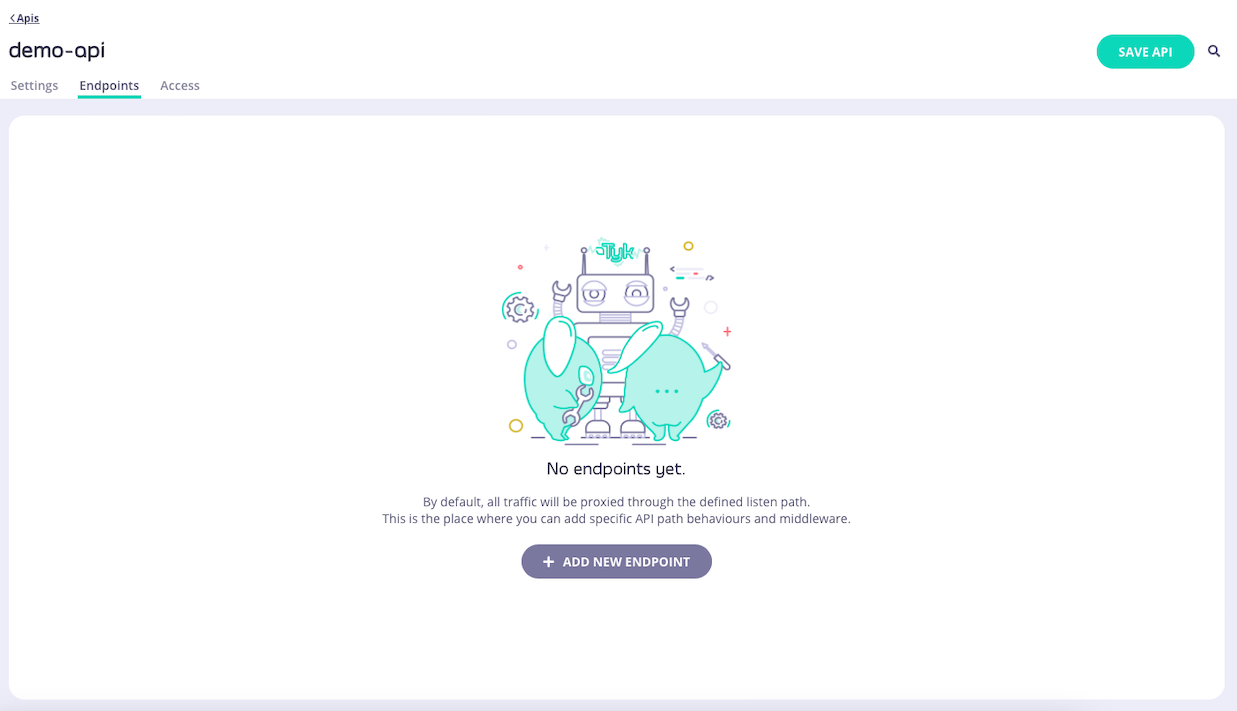
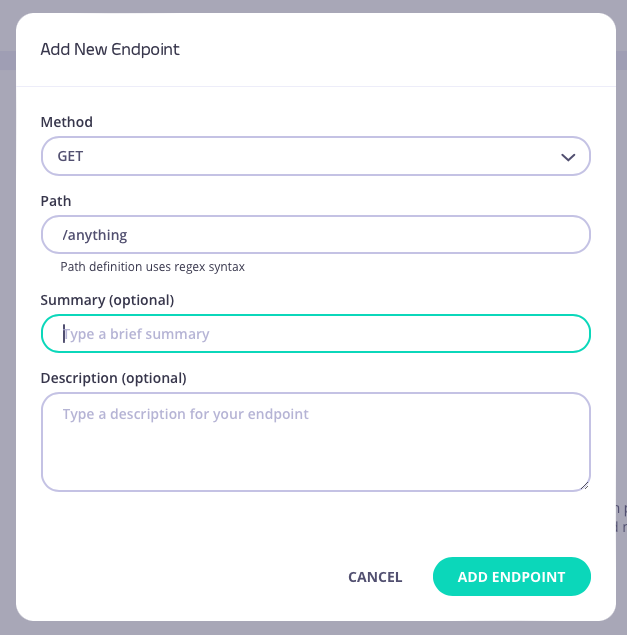
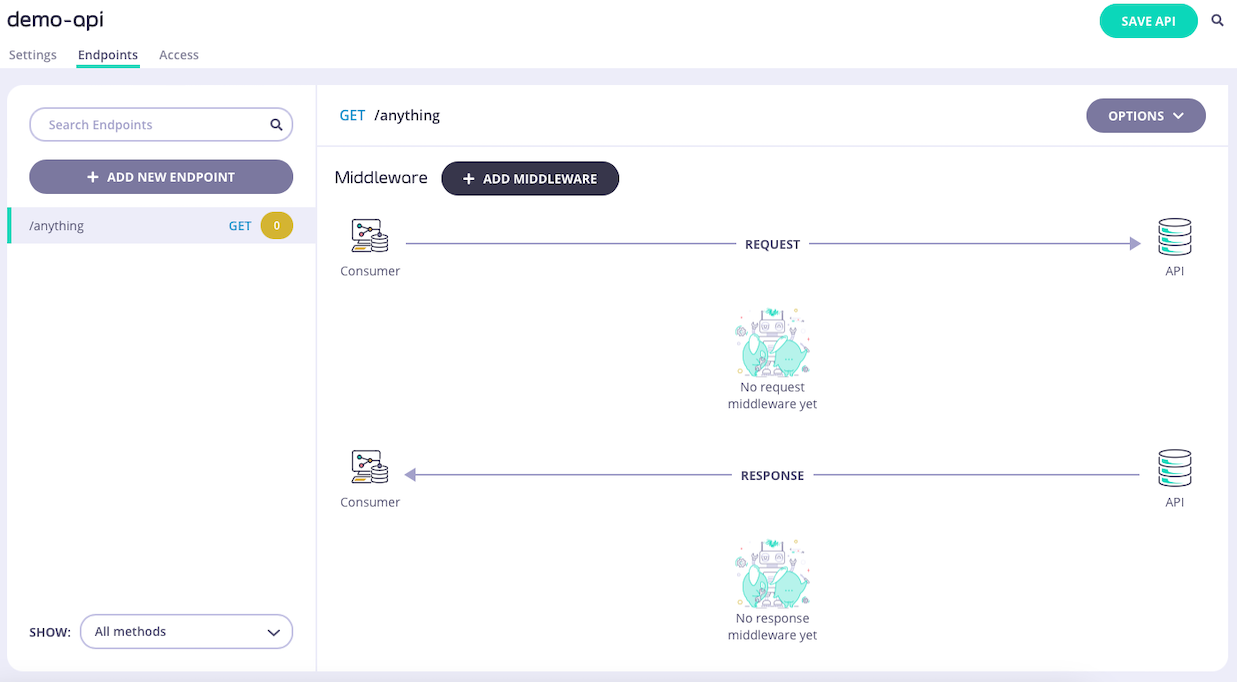 2. **Select the Track Endpoint middleware**
Select **ADD MIDDLEWARE** and choose the **Track Endpoint** middleware from the *Add Middleware* screen.
2. **Select the Track Endpoint middleware**
Select **ADD MIDDLEWARE** and choose the **Track Endpoint** middleware from the *Add Middleware* screen.
 3. **Save the API**
Select **SAVE API** to apply the changes to your API.
#### Selecting Tyk Classic API endpoints to be tracked
If you are working with Tyk Classic APIs then you must add a new `track_endpoints` object to the `extended_paths` section of your API definition.
The `track_endpoints` object has the following configuration:
* `path`: the endpoint path
* `method`: the endpoint HTTP method
For example:
```.json {linenos=true, linenostart=1} theme={null}
{
"extended_paths": {
"track_endpoints": [
{
"disabled": false,
"path": "/anything",
"method": "GET",
}
]
}
}
```
In this example the track endpoint middleware has been configured for HTTP `GET` requests to the `/anything` endpoint. These requests will appear in the Endpoint Popularity analytics screen, located within the API Usage section of Tyk Dashboard.
##### Configuring the middleware in the API Designer
You can use the API Designer in the Tyk Dashboard to configure the track endpoint middleware for your Tyk Classic API by following these steps.
1. **Add an endpoint for the path and select the plugin**
From the **Endpoint Designer** add an endpoint that matches the path for which you want to allow access. Select the **Track endpoint** plugin.
3. **Save the API**
Select **SAVE API** to apply the changes to your API.
#### Selecting Tyk Classic API endpoints to be tracked
If you are working with Tyk Classic APIs then you must add a new `track_endpoints` object to the `extended_paths` section of your API definition.
The `track_endpoints` object has the following configuration:
* `path`: the endpoint path
* `method`: the endpoint HTTP method
For example:
```.json {linenos=true, linenostart=1} theme={null}
{
"extended_paths": {
"track_endpoints": [
{
"disabled": false,
"path": "/anything",
"method": "GET",
}
]
}
}
```
In this example the track endpoint middleware has been configured for HTTP `GET` requests to the `/anything` endpoint. These requests will appear in the Endpoint Popularity analytics screen, located within the API Usage section of Tyk Dashboard.
##### Configuring the middleware in the API Designer
You can use the API Designer in the Tyk Dashboard to configure the track endpoint middleware for your Tyk Classic API by following these steps.
1. **Add an endpoint for the path and select the plugin**
From the **Endpoint Designer** add an endpoint that matches the path for which you want to allow access. Select the **Track endpoint** plugin.
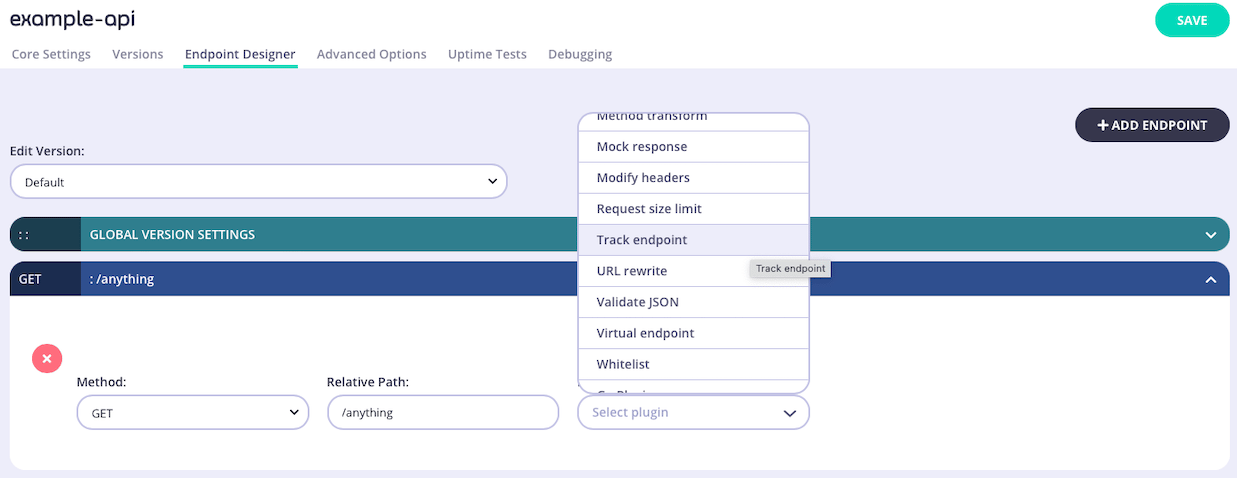 2. **Save the API**
Use the *save* or *create* buttons to save the changes and activate the middleware for the selected endpoint.
### Activity by Graph
The **Activity by Graph** page provides analytics for your [GraphQL APIs](/api-management/graphql) (Universal Data Graph / UDG). It allows you to monitor and analyze GraphQL-specific traffic through the following charts and tables:
* **Popularity by Graph API**: Displays the most popular GraphQL APIs based on request volume.
* **Errors by Graph API**: Shows the error rates and distribution across your GraphQL APIs.
* **All Graph APIs**: A comprehensive table listing all configured GraphQL APIs and their key metrics.
### Activity by Location
Tyk will attempt to record GeoIP based information based on your inbound traffic. This requires a MaxMind IP database to be available to Tyk and is limited to the accuracy of that database.
You can view the overview of what the traffic breakdown looks like per country, and then drill down into the per-country traffic view by selecting a country code from the list:
2. **Save the API**
Use the *save* or *create* buttons to save the changes and activate the middleware for the selected endpoint.
### Activity by Graph
The **Activity by Graph** page provides analytics for your [GraphQL APIs](/api-management/graphql) (Universal Data Graph / UDG). It allows you to monitor and analyze GraphQL-specific traffic through the following charts and tables:
* **Popularity by Graph API**: Displays the most popular GraphQL APIs based on request volume.
* **Errors by Graph API**: Shows the error rates and distribution across your GraphQL APIs.
* **All Graph APIs**: A comprehensive table listing all configured GraphQL APIs and their key metrics.
### Activity by Location
Tyk will attempt to record GeoIP based information based on your inbound traffic. This requires a MaxMind IP database to be available to Tyk and is limited to the accuracy of that database.
You can view the overview of what the traffic breakdown looks like per country, and then drill down into the per-country traffic view by selecting a country code from the list:
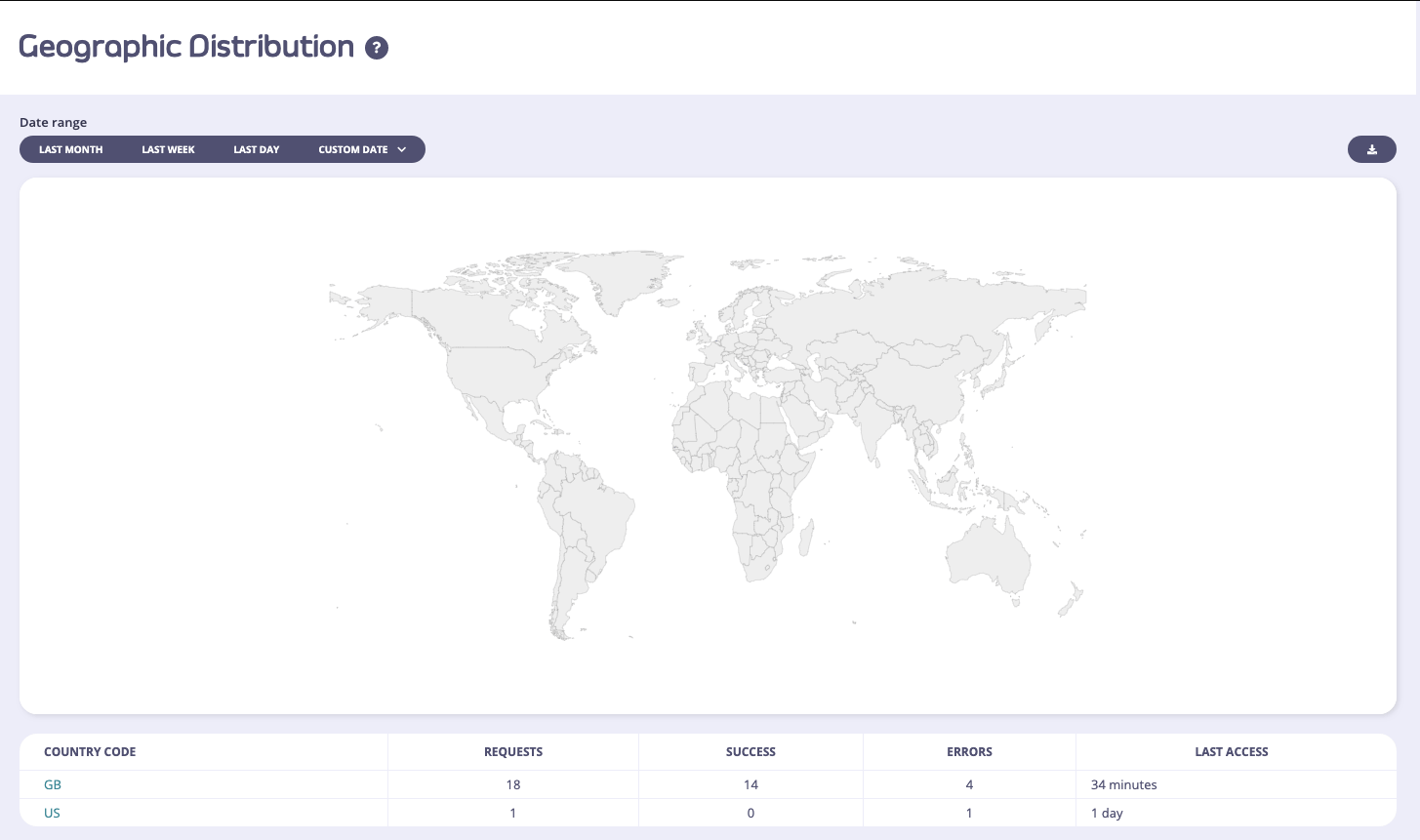
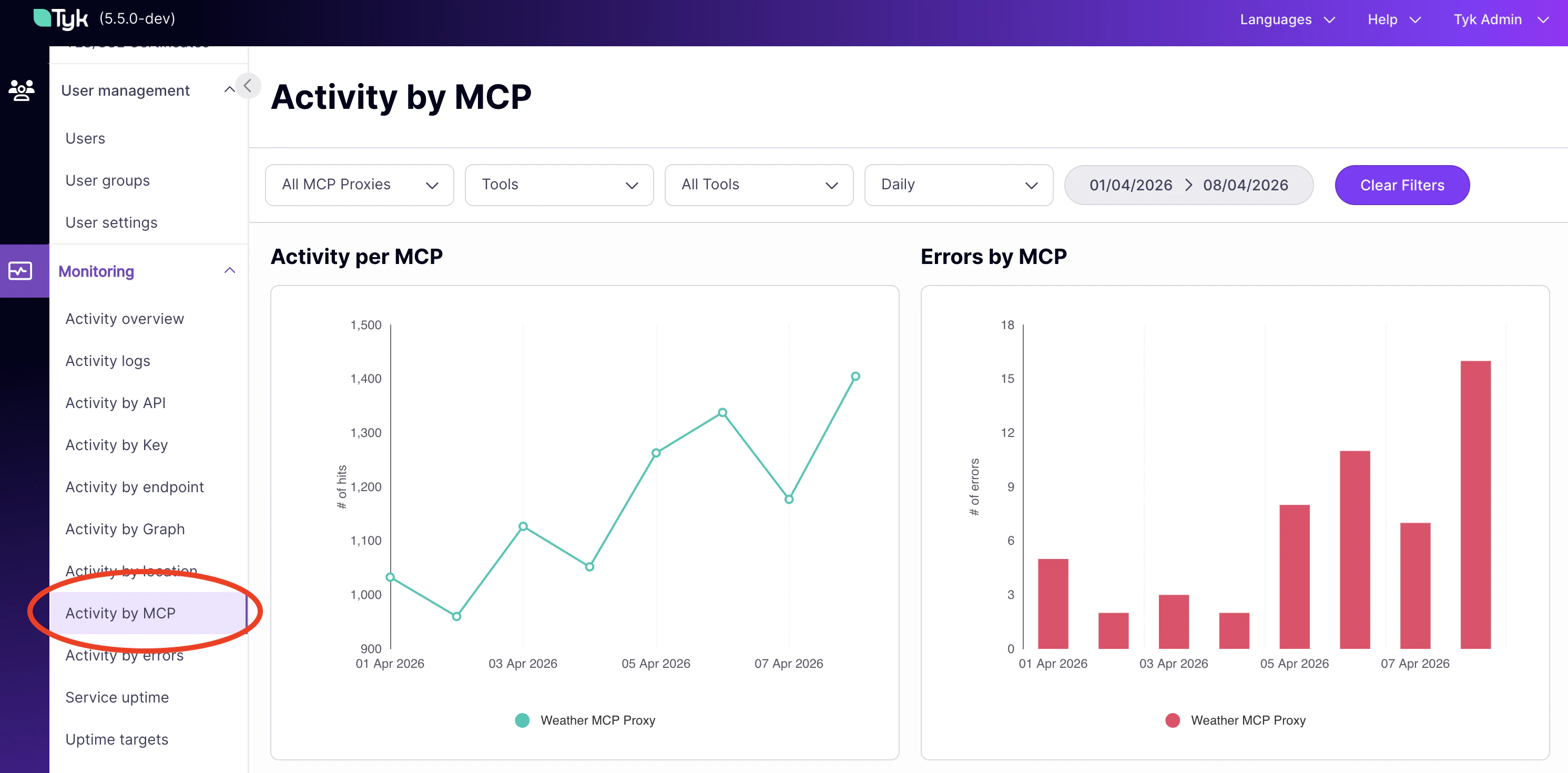 ### Activity by Error
The error overview page limits the analytics down to errors only, and gives you a detailed look over the range of the number of errors that your APIs have generated. This view is very similar to the Dashboard, but will provide more detail on the error types:
### Activity by Error
The error overview page limits the analytics down to errors only, and gives you a detailed look over the range of the number of errors that your APIs have generated. This view is very similar to the Dashboard, but will provide more detail on the error types:
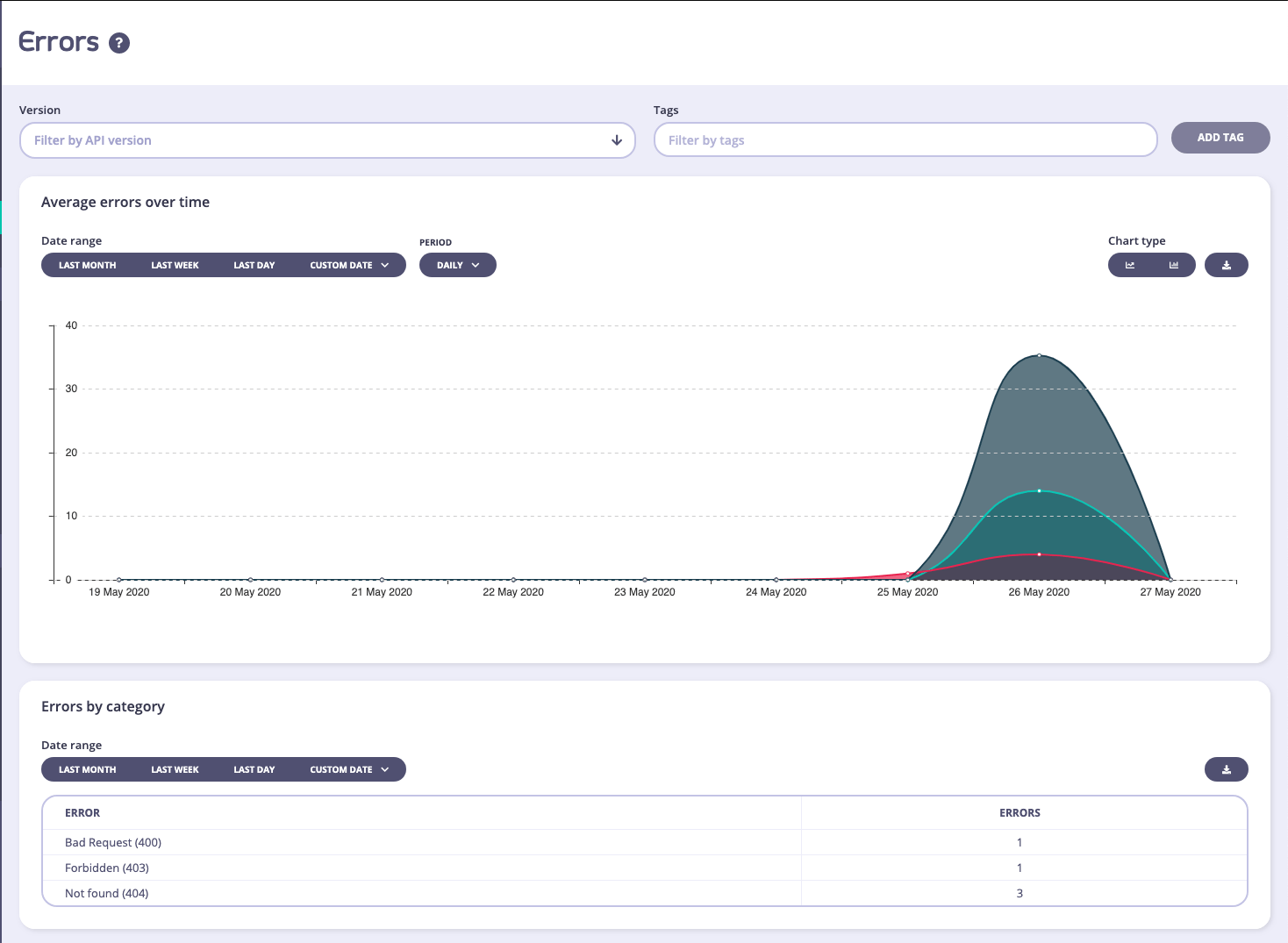
 In the API list view – an **OAuth Clients** button will appear for OAuth enabled APIs, use this to browse to the Client ID and the associated analytics for that client ID:
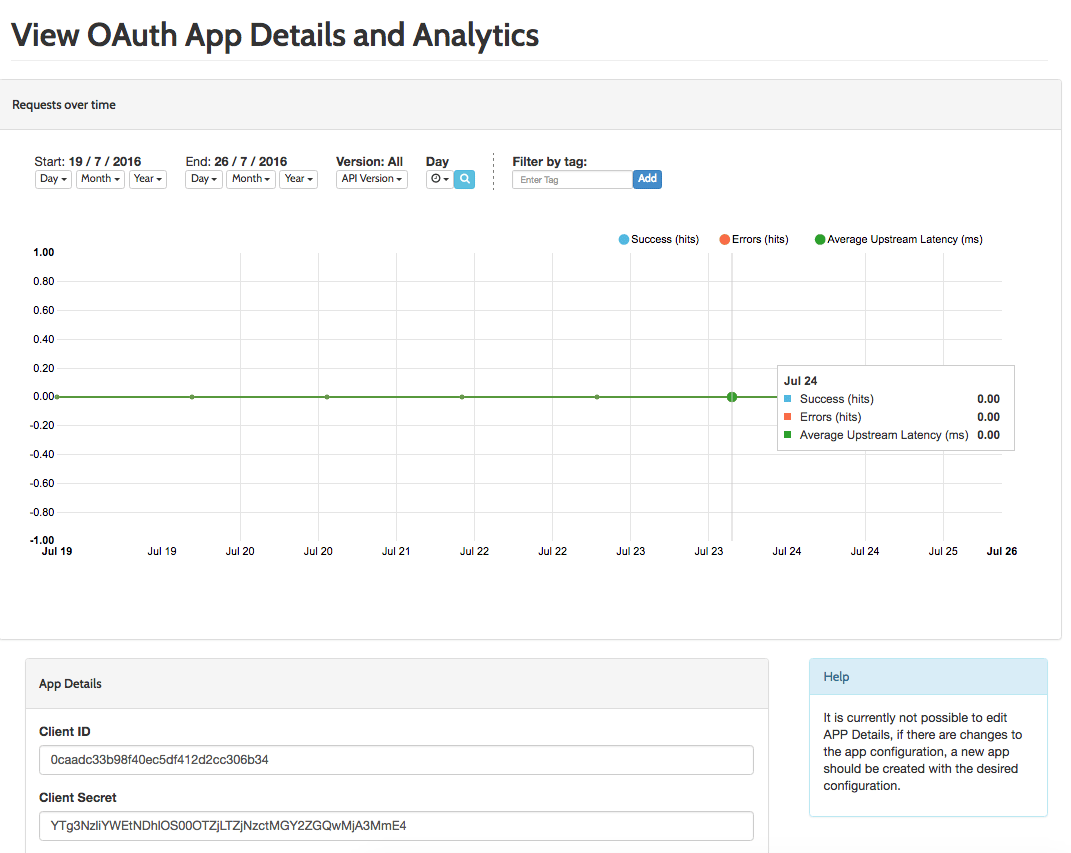 You can view the analytics of individual tokens generated by this Client ID in the regular token view.
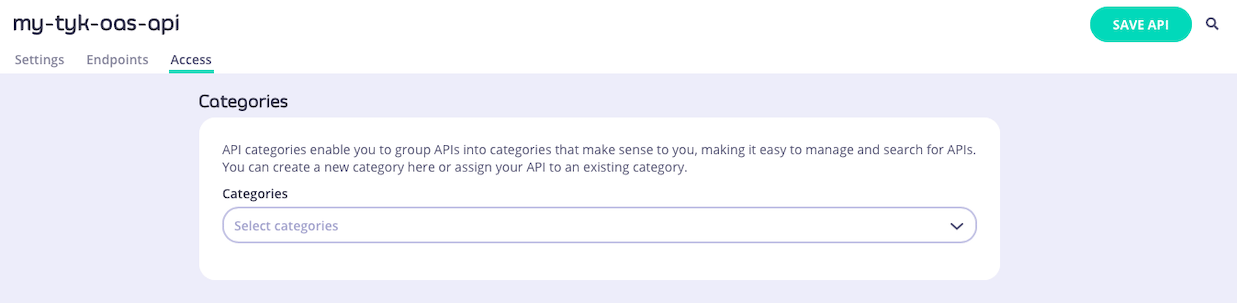 You can choose existing categories from the drop-down or define new categories simply by typing in the box. You can also remove the API from a category by clicking on the `x` or deleting the category from the box.
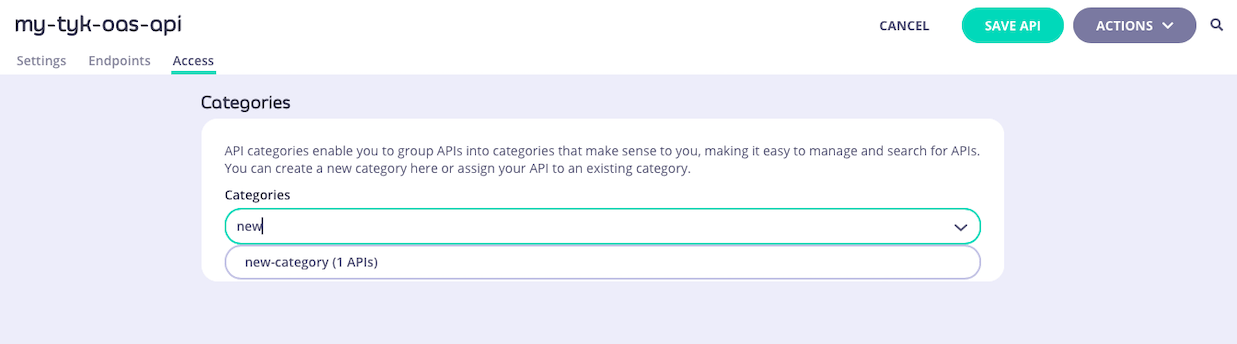 ##### Managing categories with Tyk Classic APIs
When working with Tyk Classic APIs, the API Designer has a box in the **API Settings** section where you can configure the categories to which the API is assigned.
##### Managing categories with Tyk Classic APIs
When working with Tyk Classic APIs, the API Designer has a box in the **API Settings** section where you can configure the categories to which the API is assigned.
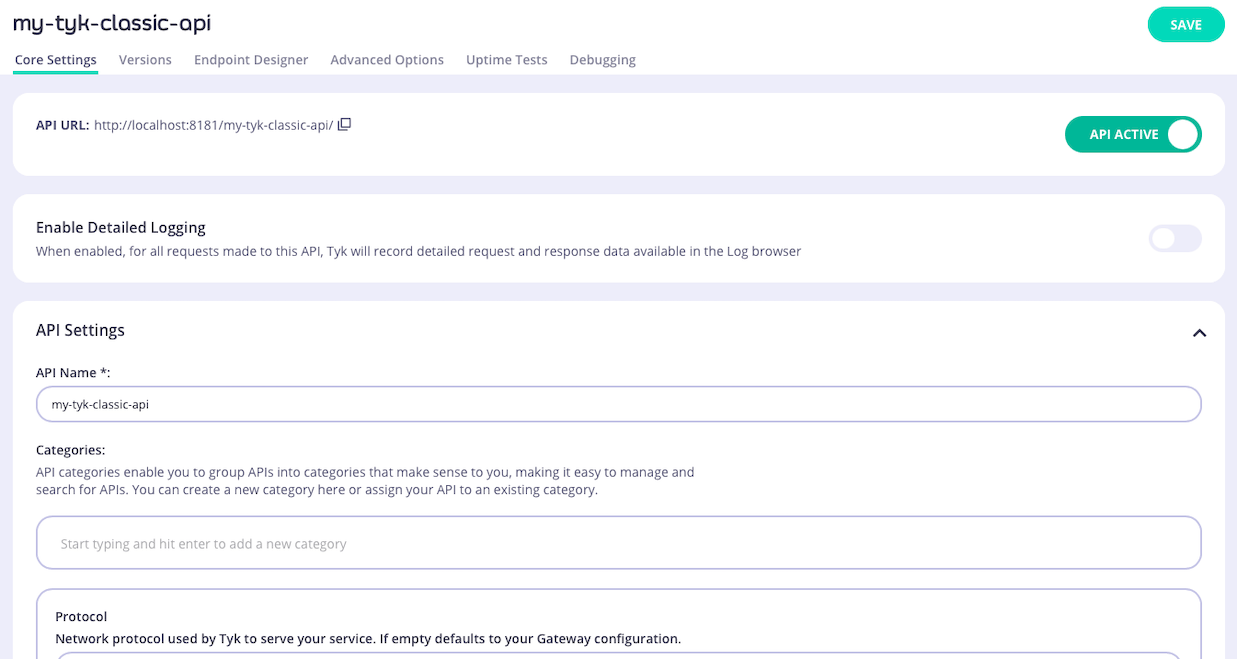 You can choose existing categories from the list that appears when you click in the box or you can define new categories simply by typing in the box. You can also remove the API from a category by clicking on the `x` or deleting the category from the box.
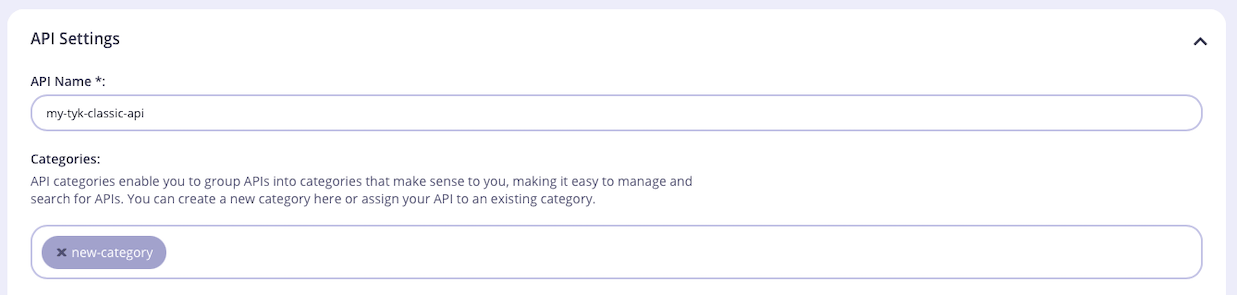 ##### Filtering the API list
When you have APIs assigned to categories, you can choose to view only the APIs in a specific category by using the **FILTER BY API CATEGORY** drop-down on the **Created APIs** screen.
##### Filtering the API list
When you have APIs assigned to categories, you can choose to view only the APIs in a specific category by using the **FILTER BY API CATEGORY** drop-down on the **Created APIs** screen.
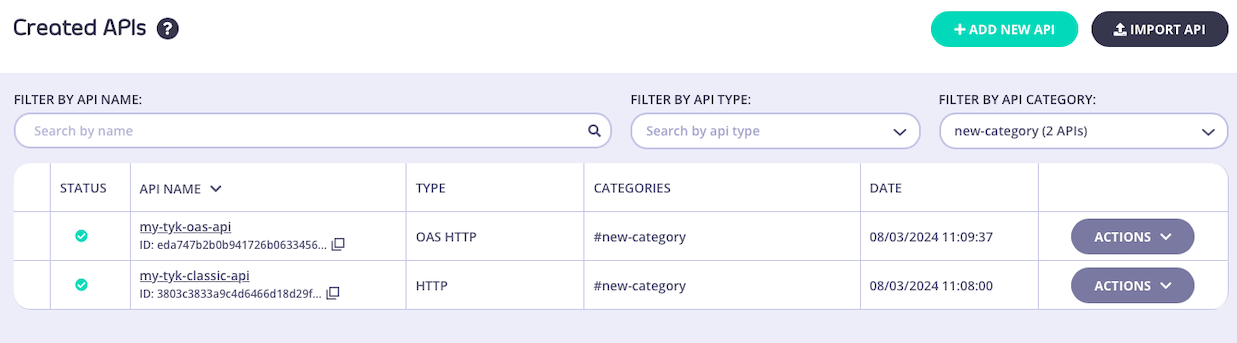 #### Tyk Dashboard API
The [Tyk Dashboard API](/tyk-dashboard-api) provides endpoints to manage categories directly, if you are not using the API Designer.
When working with Tyk OAS APIs, you can manage categories for an API using these endpoints:
| Method | Endpoint path | Action |
| :----- | :--------------------------------- | :------------------------------------------------------------ |
| `PUT` | `/api/apis/oas/{apiID}/categories` | Assign a list of categories to the specified API |
| `GET` | `/api/apis/oas/{apiID}/categories` | Retrieve the list of categories assigned to the specified API |
When working with Tyk Classic APIs, you manage categories for an API by modifying the `name` field in the API definition and then updating the API in Tyk with that using these endpoints:
| Method | Endpoint | Action |
| :----- | :------------------ | :--------------------------------------------------------------------------------------- |
| `PUT` | `/api/apis/{apiID}` | Update the API definition for the specified API - CRUD category tags in the `name` field |
| `GET` | `/api/apis/{apiID}` | Retrieve the API definition for the specified API - category tags in `name` field |
These endpoints will return information for categories across all APIs in the system (both Tyk OAS and Tyk Classic):
| Method | Endpoint path | Action |
| :----- | :----------------------------------- | :------------------------------------------------------------------------------------- |
| `GET` | `/api/apis/categories` | Retrieve a list of all categories defined in the system and the number of APIs in each |
| `GET` | `/api/apis?category={category_name}` | Retrieve a list of all APIs assigned to the specified category |
#### Tyk Operator
You can manage categories using Tyk Operator custom resources. Please refer to [Tyk Operator](/api-management/automations/operator#api-categories) documentation to see how to manage API categories for Tyk OAS APIs and Tyk Classic APIs.
## Governance using API Templates
API Templates are an API governance feature provided to streamline the process of creating Tyk OAS APIs. An API template is an asset managed by Tyk Dashboard that is used as the starting point - a blueprint - from which you can create a new Tyk OAS API definition.
The default template is a blank API definition; your custom templates will contain some configuration, for example cache configuration or default endpoints with pre-configured middleware. When you create a new API using a custom template, whether importing an OpenAPI document or building the API from scratch in the Tyk API Designer, those elements of the API configuration included in the template will be pre-configured for you.
#### Tyk Dashboard API
The [Tyk Dashboard API](/tyk-dashboard-api) provides endpoints to manage categories directly, if you are not using the API Designer.
When working with Tyk OAS APIs, you can manage categories for an API using these endpoints:
| Method | Endpoint path | Action |
| :----- | :--------------------------------- | :------------------------------------------------------------ |
| `PUT` | `/api/apis/oas/{apiID}/categories` | Assign a list of categories to the specified API |
| `GET` | `/api/apis/oas/{apiID}/categories` | Retrieve the list of categories assigned to the specified API |
When working with Tyk Classic APIs, you manage categories for an API by modifying the `name` field in the API definition and then updating the API in Tyk with that using these endpoints:
| Method | Endpoint | Action |
| :----- | :------------------ | :--------------------------------------------------------------------------------------- |
| `PUT` | `/api/apis/{apiID}` | Update the API definition for the specified API - CRUD category tags in the `name` field |
| `GET` | `/api/apis/{apiID}` | Retrieve the API definition for the specified API - category tags in `name` field |
These endpoints will return information for categories across all APIs in the system (both Tyk OAS and Tyk Classic):
| Method | Endpoint path | Action |
| :----- | :----------------------------------- | :------------------------------------------------------------------------------------- |
| `GET` | `/api/apis/categories` | Retrieve a list of all categories defined in the system and the number of APIs in each |
| `GET` | `/api/apis?category={category_name}` | Retrieve a list of all APIs assigned to the specified category |
#### Tyk Operator
You can manage categories using Tyk Operator custom resources. Please refer to [Tyk Operator](/api-management/automations/operator#api-categories) documentation to see how to manage API categories for Tyk OAS APIs and Tyk Classic APIs.
## Governance using API Templates
API Templates are an API governance feature provided to streamline the process of creating Tyk OAS APIs. An API template is an asset managed by Tyk Dashboard that is used as the starting point - a blueprint - from which you can create a new Tyk OAS API definition.
The default template is a blank API definition; your custom templates will contain some configuration, for example cache configuration or default endpoints with pre-configured middleware. When you create a new API using a custom template, whether importing an OpenAPI document or building the API from scratch in the Tyk API Designer, those elements of the API configuration included in the template will be pre-configured for you.
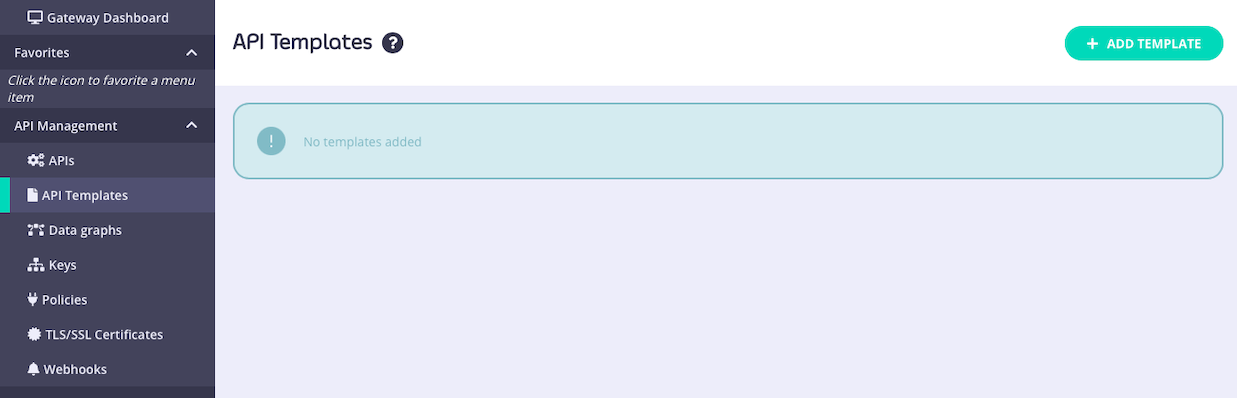
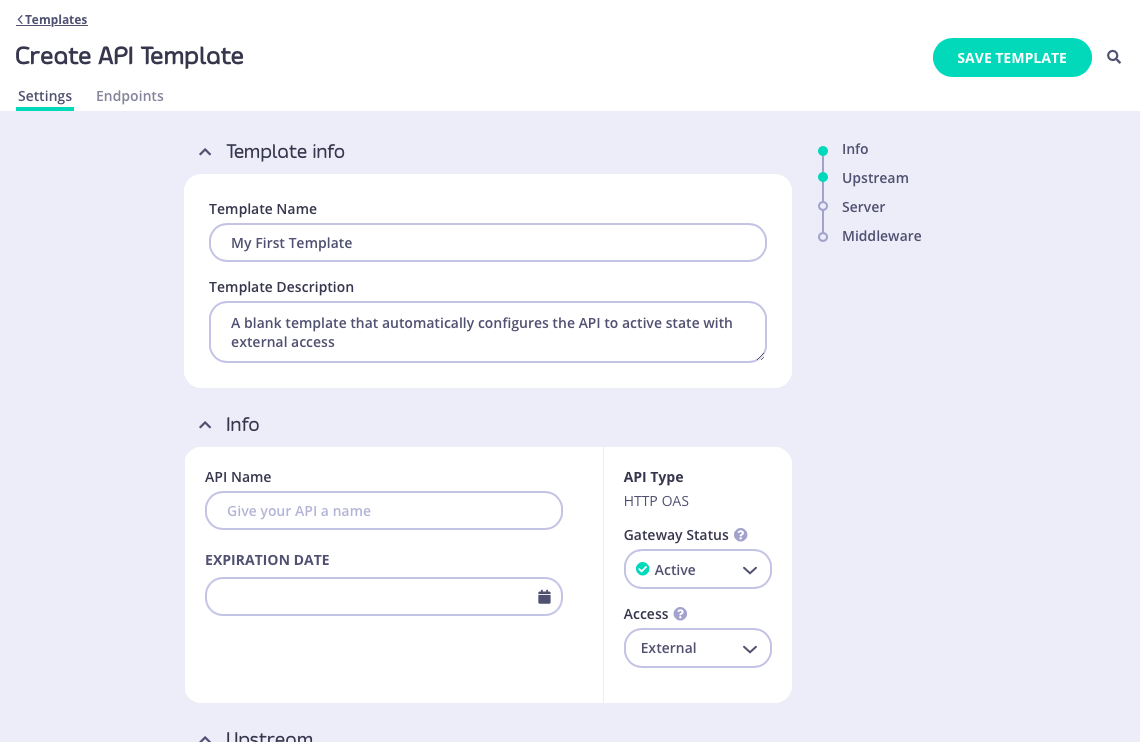 When you have configured all of the API-level and endpoint-level settings you require, select **SAVE TEMPLATE** to create and register the template with Tyk.
Returning to the **API Template** screen you will see your new template has been added to the list and assigned a unique `id` that can be used to access the template from the [Tyk Dashboard API](#structure-of-an-api-template):
When you have configured all of the API-level and endpoint-level settings you require, select **SAVE TEMPLATE** to create and register the template with Tyk.
Returning to the **API Template** screen you will see your new template has been added to the list and assigned a unique `id` that can be used to access the template from the [Tyk Dashboard API](#structure-of-an-api-template):
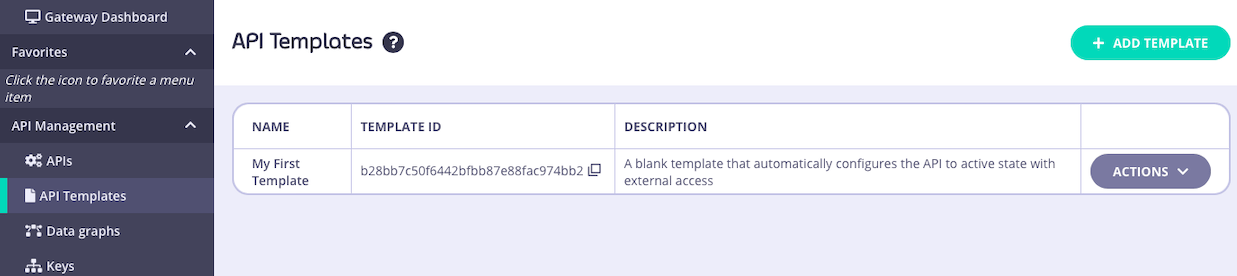 ##### Creating a template from an existing API
You can use an existing API deployed on Tyk as the basis for a new API template - this is a great way to build up a portfolio of standardized APIs once you've got your first one correctly configured.
From the **Created APIs** screen within the **APIs** section of the Tyk Dashboard, select the API that you wish to use as your starting point. In the **ACTIONS** drop-down select the **CREATE API TEMPLATE** option.
##### Creating a template from an existing API
You can use an existing API deployed on Tyk as the basis for a new API template - this is a great way to build up a portfolio of standardized APIs once you've got your first one correctly configured.
From the **Created APIs** screen within the **APIs** section of the Tyk Dashboard, select the API that you wish to use as your starting point. In the **ACTIONS** drop-down select the **CREATE API TEMPLATE** option.
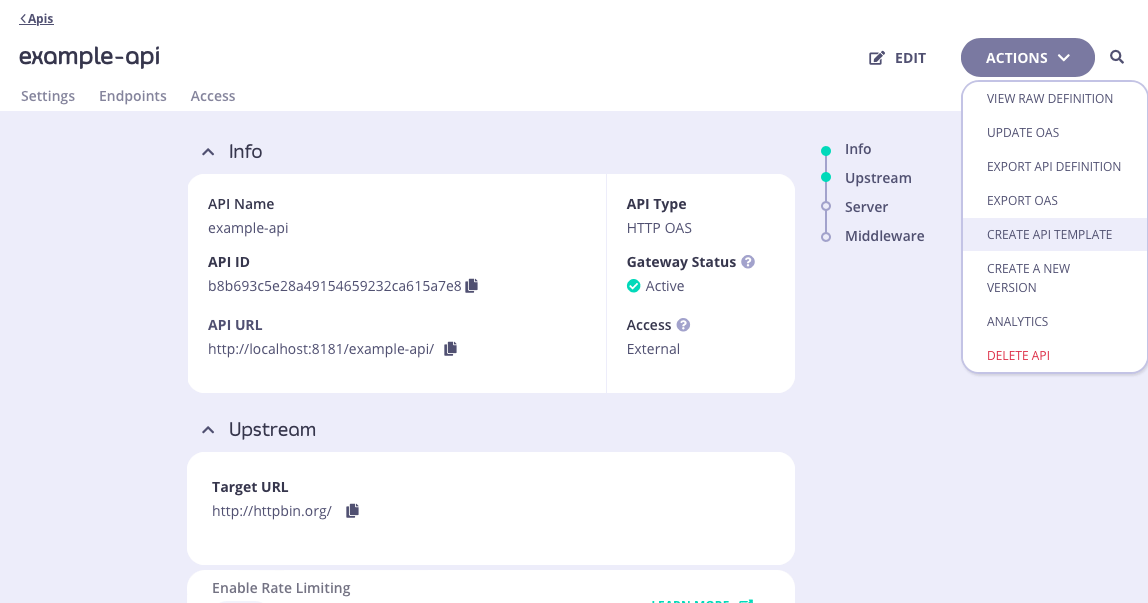 This will take you to the **Create API Template** screen, where you can configure all aspects of the template.
The template does not need to be a complete or valid API definition however as a minimum:
* you must give the template a **Name**
* you must give the template a **Description**
In this example, we have configured the Name and Description. The base API included response header transformation middleware on the `/anything` endpoint and API-level cache configuration, all of which will be configured within the template.
This will take you to the **Create API Template** screen, where you can configure all aspects of the template.
The template does not need to be a complete or valid API definition however as a minimum:
* you must give the template a **Name**
* you must give the template a **Description**
In this example, we have configured the Name and Description. The base API included response header transformation middleware on the `/anything` endpoint and API-level cache configuration, all of which will be configured within the template.
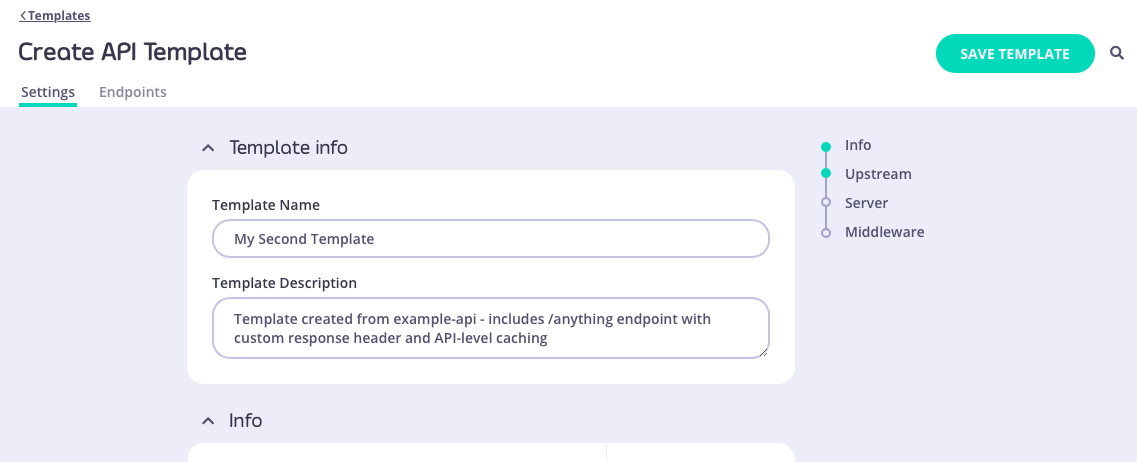
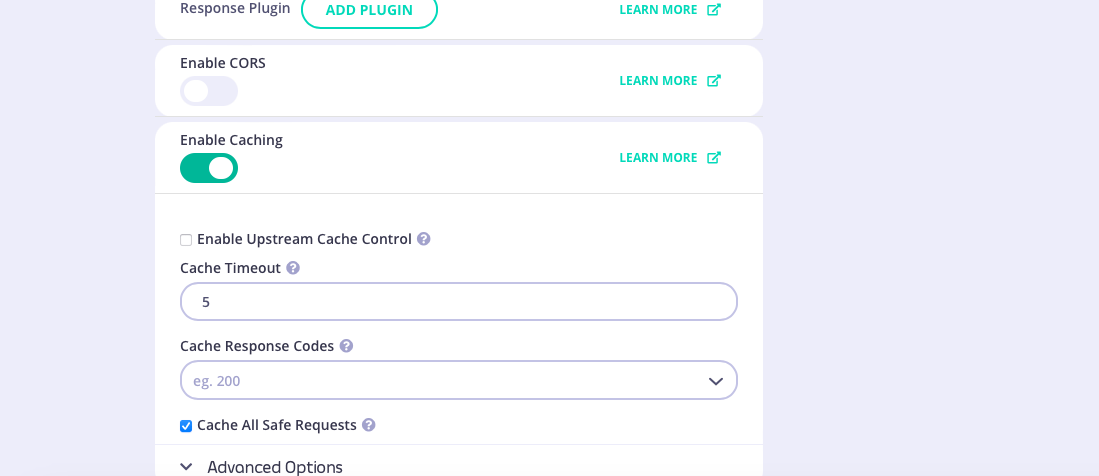
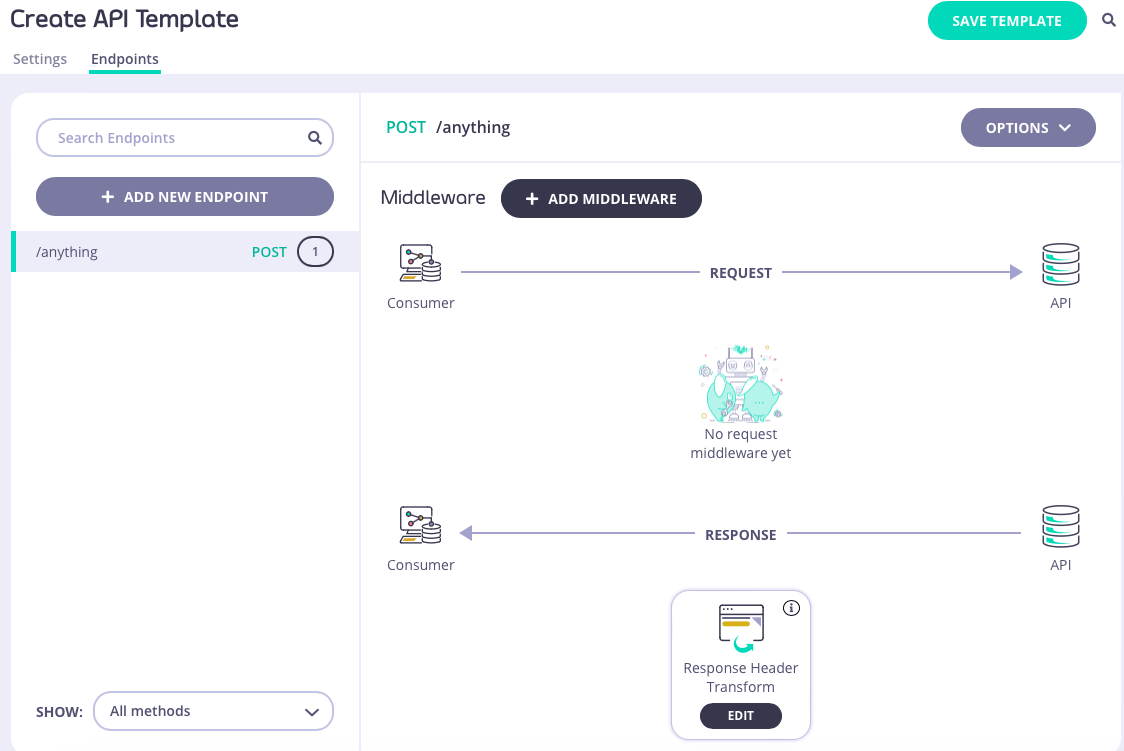 When you have configured all of the API-level and endpoint-level settings you require, select **SAVE TEMPLATE** to create and register the template with Tyk.
Returning to the **API Template** screen you will see your new template has been added to the list and assigned a unique `id` that can be used to access the template from the [Tyk Dashboard API](#structure-of-an-api-template).
When you have configured all of the API-level and endpoint-level settings you require, select **SAVE TEMPLATE** to create and register the template with Tyk.
Returning to the **API Template** screen you will see your new template has been added to the list and assigned a unique `id` that can be used to access the template from the [Tyk Dashboard API](#structure-of-an-api-template).
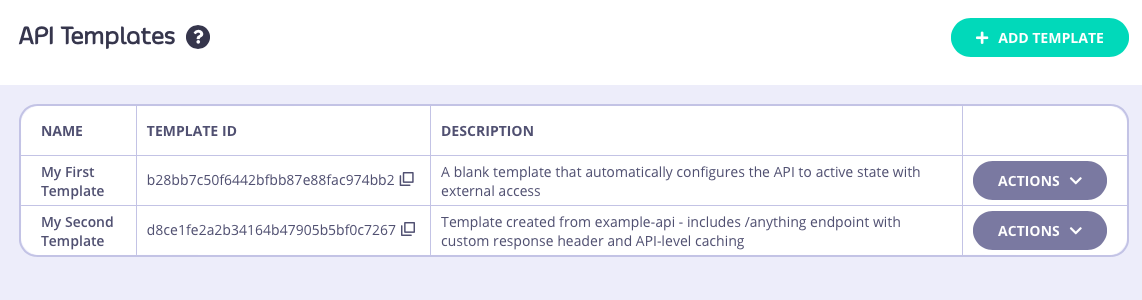 #### Using templates
API templates are used as the starting point during the creation of a new API. They can be applied in all of the methods supported by Tyk for creating new APIs.
##### Using a template when creating a new API
There are two ways to base a new API, created entirely within the Tyk Dashboard's API Designer, on a template that you've created and registered with Tyk.
You can go from the **API Template** screen - for the template you want to use, select **CREATE API FROM TEMPLATE** from the **ACTIONS** menu:
#### Using templates
API templates are used as the starting point during the creation of a new API. They can be applied in all of the methods supported by Tyk for creating new APIs.
##### Using a template when creating a new API
There are two ways to base a new API, created entirely within the Tyk Dashboard's API Designer, on a template that you've created and registered with Tyk.
You can go from the **API Template** screen - for the template you want to use, select **CREATE API FROM TEMPLATE** from the **ACTIONS** menu:
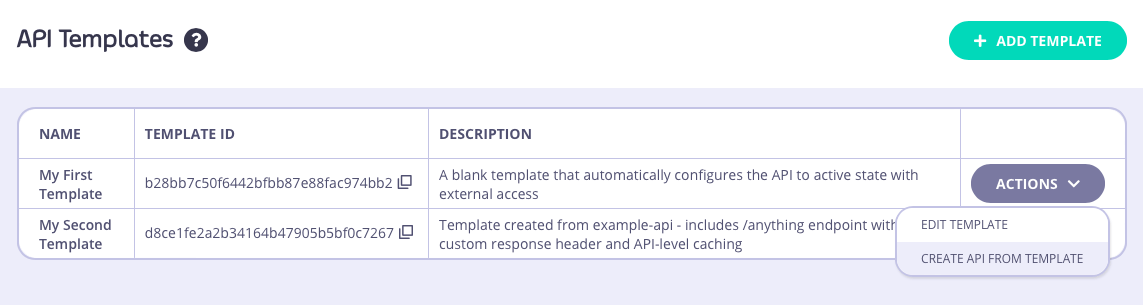 Or, from the **Created APIs** screen, select **ADD NEW API** as normal and then select the template you want to use from the **API Template** section:
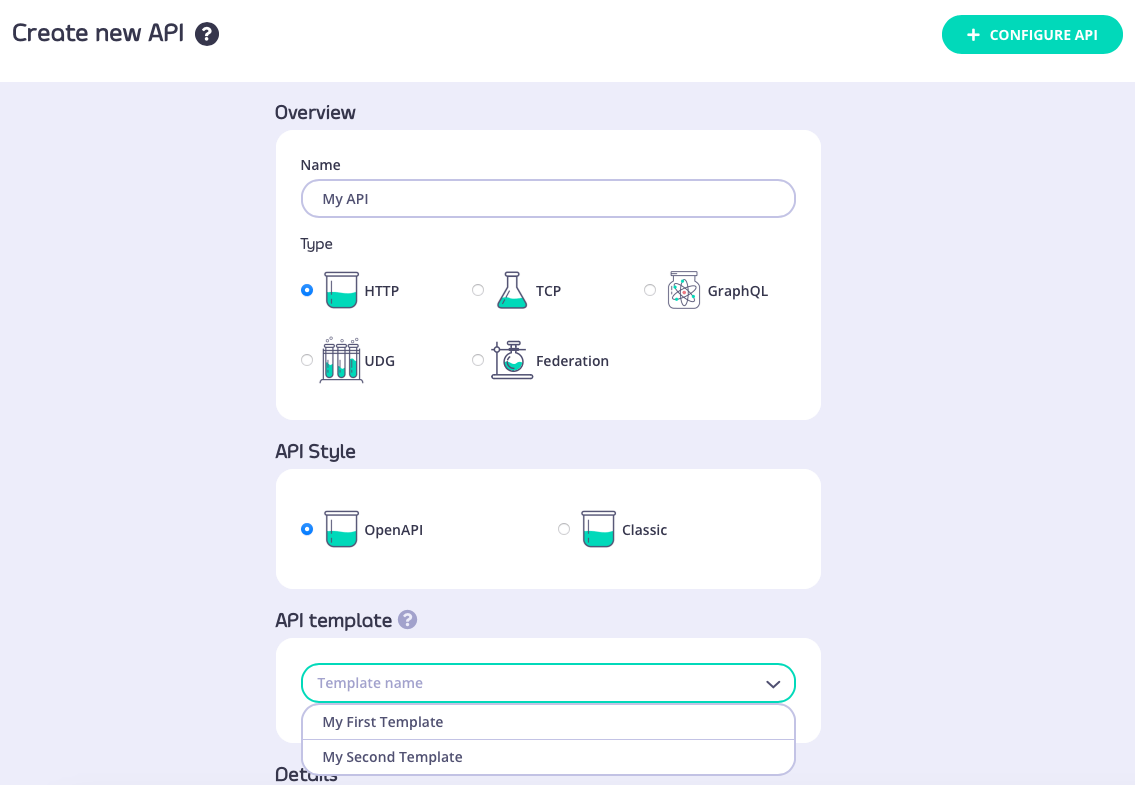 Both of these routes will take you through to the API Designer, where the settings from your API template will be pre-configured.
In this example, we applied "My first template" that we created [here](#creating-a-new-api-template). You can see that the Gateway Status and Access fields have been configured:
Both of these routes will take you through to the API Designer, where the settings from your API template will be pre-configured.
In this example, we applied "My first template" that we created [here](#creating-a-new-api-template). You can see that the Gateway Status and Access fields have been configured:
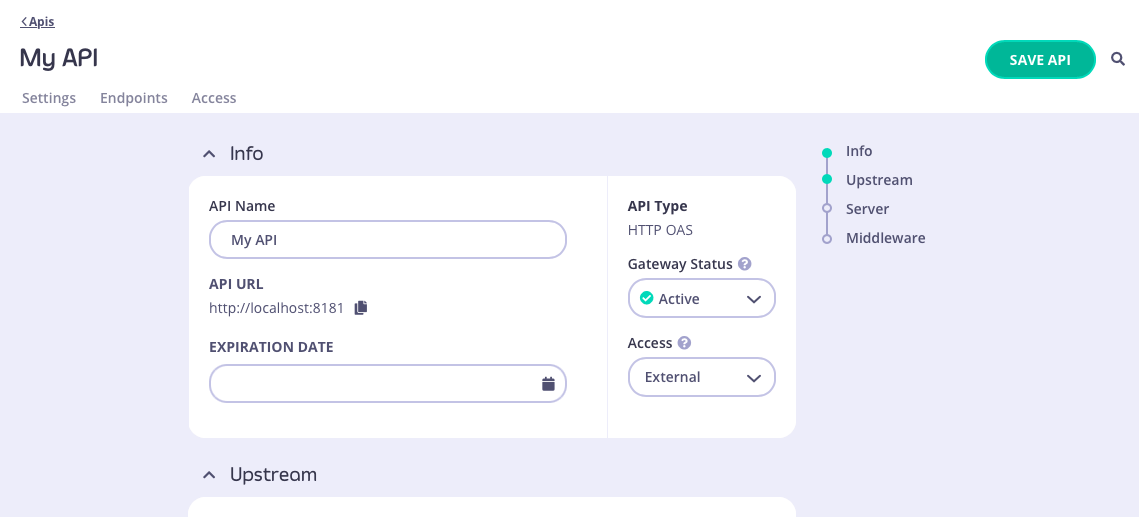 ##### Using a template when importing an OpenAPI description or API definition
From the **Import API** screen, if you select the OpenAPI **type** then you can create an API from an OpenAPI description or Tyk OAS API definition; choose the appropriate method to provide this to the Dashboard:
* paste the JSON into the text editor
* provide a plain text file containing the JSON
* provide a URL to the JSON
##### Using a template when importing an OpenAPI description or API definition
From the **Import API** screen, if you select the OpenAPI **type** then you can create an API from an OpenAPI description or Tyk OAS API definition; choose the appropriate method to provide this to the Dashboard:
* paste the JSON into the text editor
* provide a plain text file containing the JSON
* provide a URL to the JSON
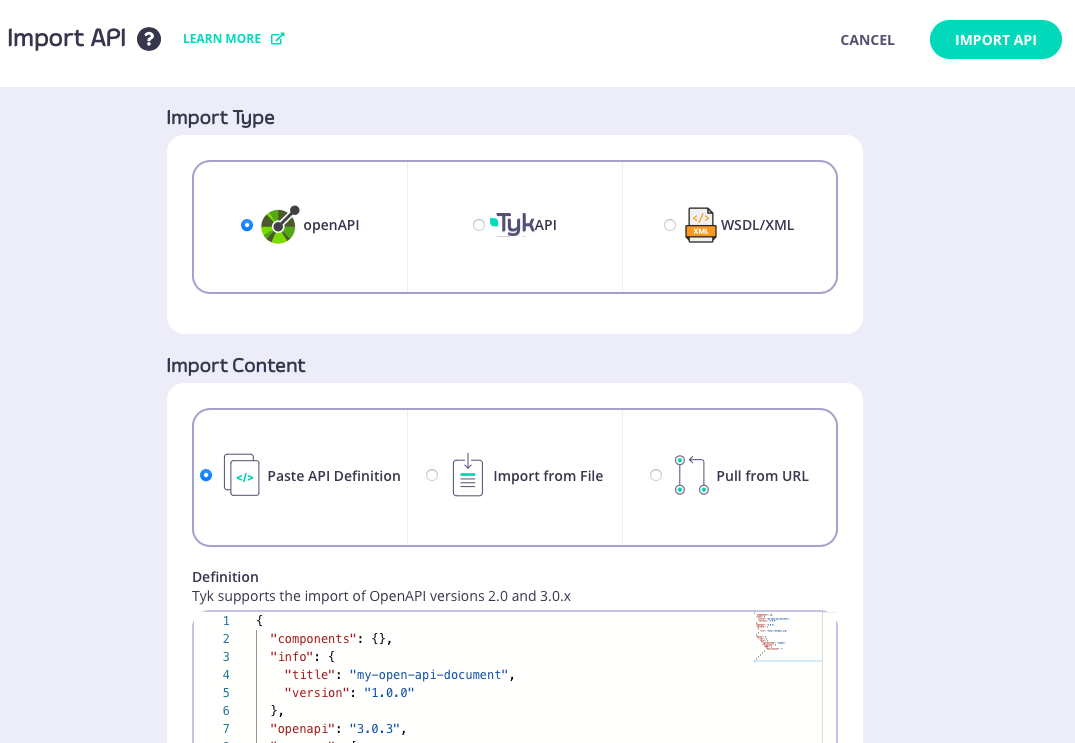 After pasting the JSON or locating the file, you can select the template you want to use from the **API Template** section:
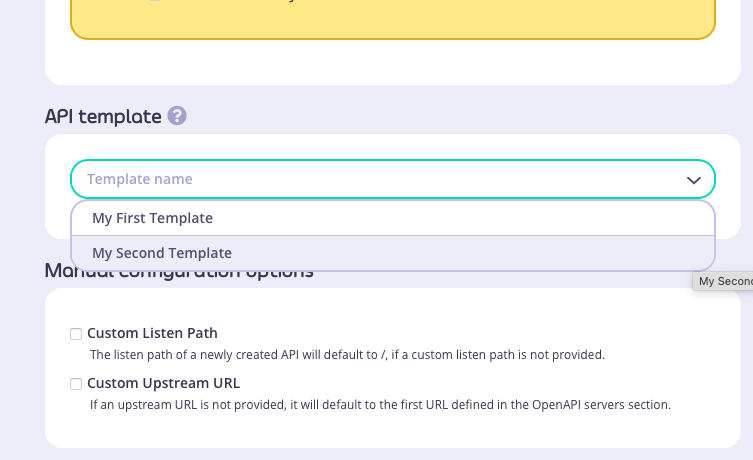 In this example we used this simple OpenAPI description and selected "My second template" that we created [here](#creating-a-template-from-an-existing-api):
```json {linenos=true, linenostart=1} theme={null}
{
"components": {},
"info": {
"title": "my-open-api-document",
"version": "1.0.0"
},
"openapi": "3.0.3",
"servers": [
{
"url": "http://httpbin.org"
}
],
"paths": {
"/xml": {
"get": {
"operationId": "xmlget",
"responses": {
"200": {
"description": ""
}
}
}
}
}
}
```
The API that is created has both `/xml` and `/anything` endpoints defined, with API-level caching configured. You can see the API definition [here](https://gist.github.com/andyo-tyk/5d5cfeda404ce1ba498bbf4b9c105cf0).
#### Managing templates
The Dashboard UI allows you to edit and delete templates after they have been created and registered with the Tyk Dashboard
##### Editing a template
You can make changes to a template that has been registered with Tyk from the **API Templates** screen. For the template that you want to modify, simply select **EDIT TEMPLATE** from the **ACTIONS** menu:
In this example we used this simple OpenAPI description and selected "My second template" that we created [here](#creating-a-template-from-an-existing-api):
```json {linenos=true, linenostart=1} theme={null}
{
"components": {},
"info": {
"title": "my-open-api-document",
"version": "1.0.0"
},
"openapi": "3.0.3",
"servers": [
{
"url": "http://httpbin.org"
}
],
"paths": {
"/xml": {
"get": {
"operationId": "xmlget",
"responses": {
"200": {
"description": ""
}
}
}
}
}
}
```
The API that is created has both `/xml` and `/anything` endpoints defined, with API-level caching configured. You can see the API definition [here](https://gist.github.com/andyo-tyk/5d5cfeda404ce1ba498bbf4b9c105cf0).
#### Managing templates
The Dashboard UI allows you to edit and delete templates after they have been created and registered with the Tyk Dashboard
##### Editing a template
You can make changes to a template that has been registered with Tyk from the **API Templates** screen. For the template that you want to modify, simply select **EDIT TEMPLATE** from the **ACTIONS** menu:
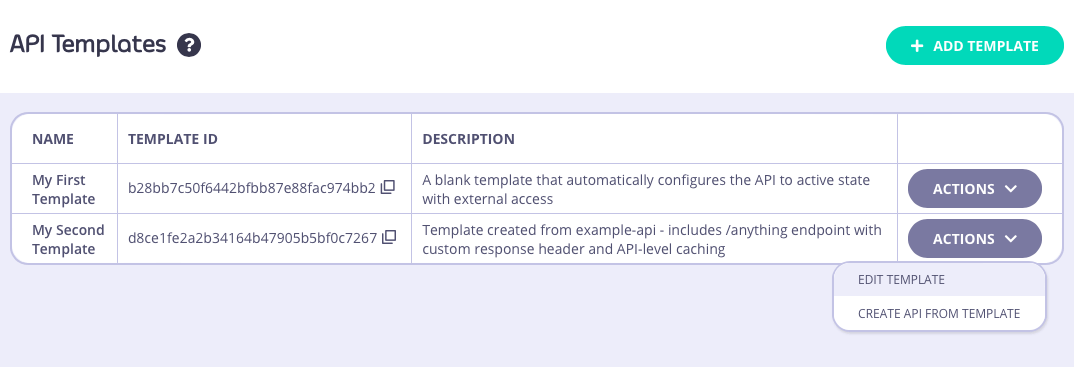 This will take you to the **API Template Details** screen where you can view the current template configuration. If you want to make changes, simply select **EDIT** to make the fields editable:
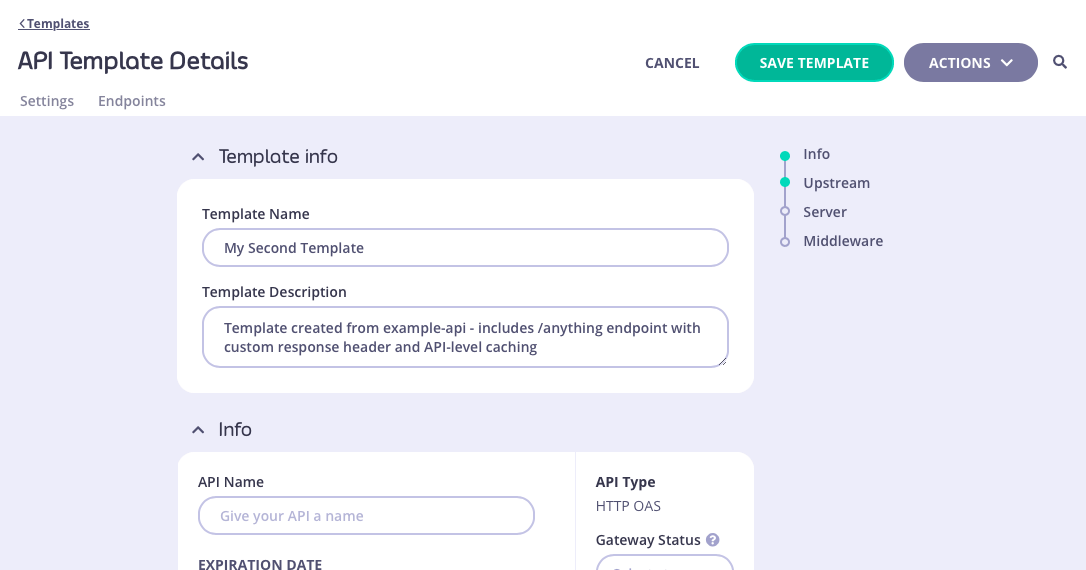 Alternatively you can view and modify the raw JSON for the template by selecting **VIEW RAW TEMPLATE** from the **ACTIONS** menu:
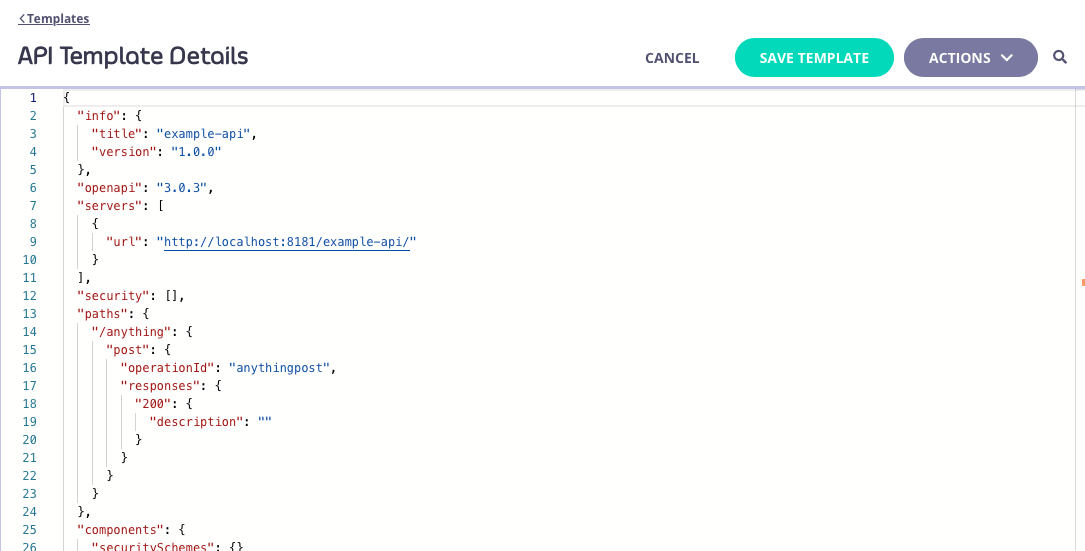 You'll need to select **SAVE TEMPLATE** to apply your changes from either screen.
##### Deleting a template
You can delete a template from your Tyk Dashboard from the **API Template Details** screen. This screen can be accessed by selecting the template from the **API Templates** screen (either by clicking on the template name, or selecting **EDIT TEMPLATE** from the **ACTIONS** menu):
You'll need to select **SAVE TEMPLATE** to apply your changes from either screen.
##### Deleting a template
You can delete a template from your Tyk Dashboard from the **API Template Details** screen. This screen can be accessed by selecting the template from the **API Templates** screen (either by clicking on the template name, or selecting **EDIT TEMPLATE** from the **ACTIONS** menu):
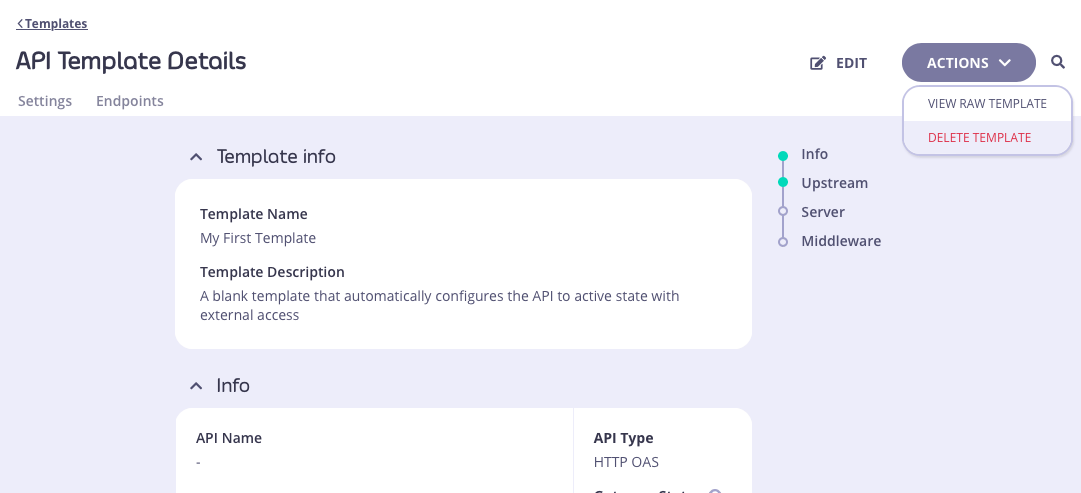
 2. From **Developer Tools**. Using the keyboard shortcut `CMD+SHIFT+D` (or `CTRL+SHIFT+D` for PC), you can open the Developer Tools panel on any page in the Dashboard and configure the permissions. Updates are applied in real-time.
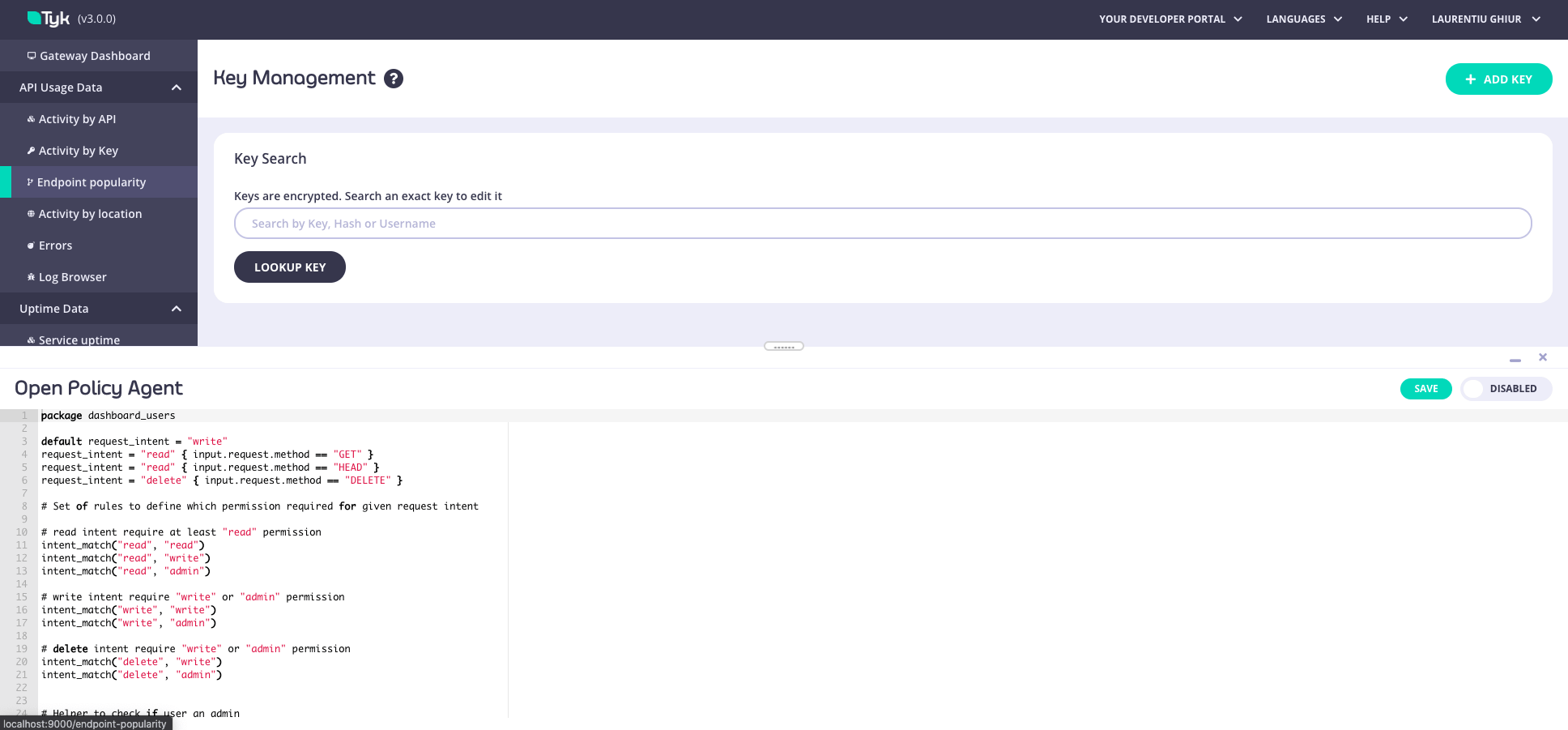
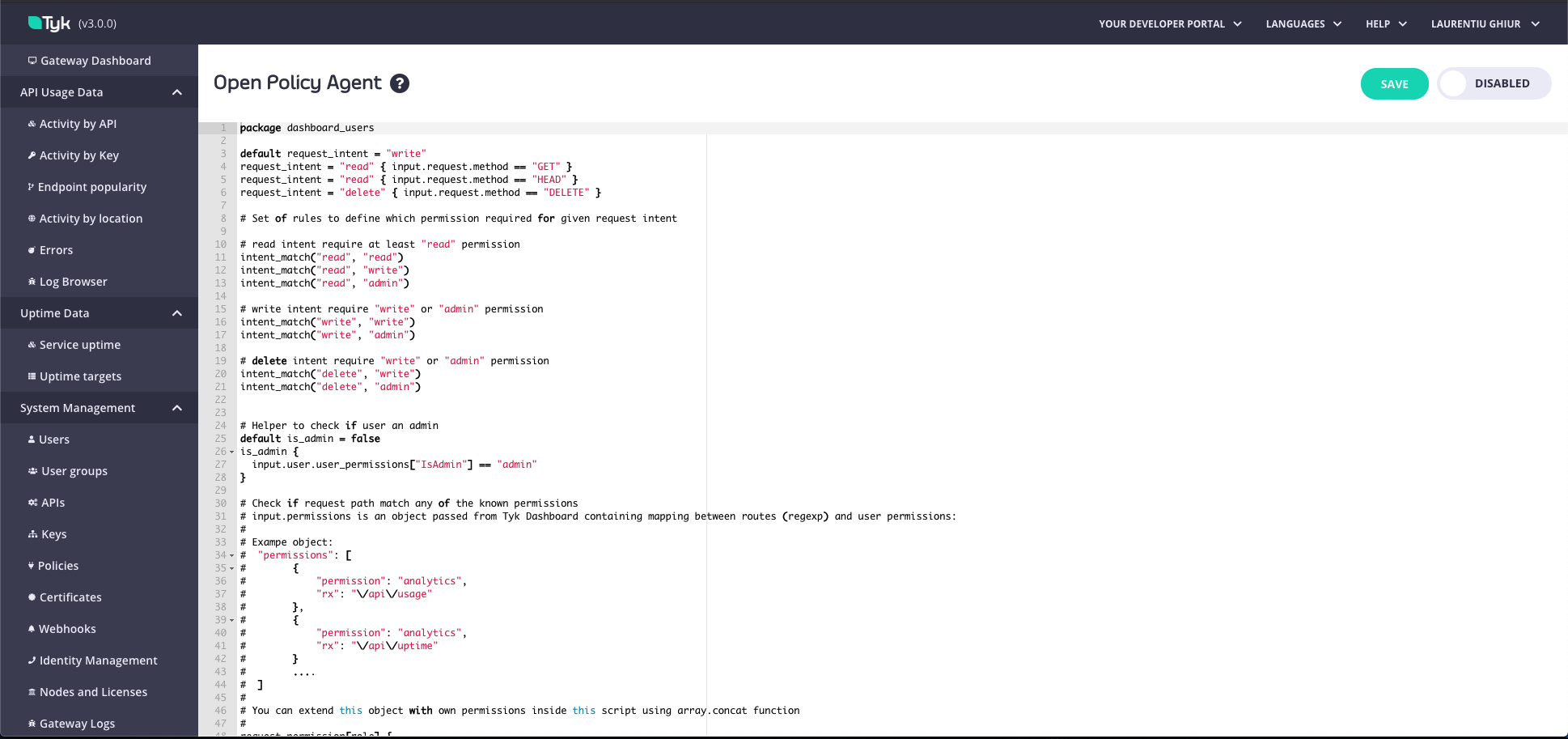 ### Dashboard OPA rules
```rego theme={null}
# Default OPA rules
package dashboard_users
default request_intent = "write"
request_intent = "read" { input.request.method == "GET" }
request_intent = "read" { input.request.method == "HEAD" }
request_intent = "delete" { input.request.method == "DELETE" }
# Set of rules to define which permission is required for a given request intent.
# read intent requires, at a minimum, the "read" permission
intent_match("read", "read")
intent_match("read", "write")
intent_match("read", "admin")
# write intent requires either the "write" or "admin" permission
intent_match("write", "write")
intent_match("write", "admin")
# delete intent requires either the "write" or "admin permission
intent_match("delete", "write")
intent_match("delete", "admin")
# Helper to check if the user has "admin" permissions
default is_admin = false
is_admin {
input.user.user_permissions["IsAdmin"] == "admin"
}
is_self_key_reset {
request_intent == "write"
# The path must match /users/:userId/actions/key/reset
path_parts := split(input.request.path, "/")
path_parts[2] == "users"
path_parts[4] == "actions"
path_parts[5] == "key"
path_parts[6] == "reset"
# The path's userId must match the currently logged-in user's id
path_parts[3] == input.user.id
}
is_me {
# The path must match GET /users/:userId
request_intent == "read"
path_parts := split(input.request.path, "/")
path_parts[2] == "users"
# The path's userId must match the currently logged-in user's id
path_parts[3] == input.user.id
}
# Check if the request path matches any of the known permissions.
# input.permissions is an object passed from the Tyk Dashboard containing mapping between user permissions (“read”, “write” and “deny”) and the endpoint associated with the permission.
# (eg. If “deny” is the permission for Analytics, it means the user would be denied the ability to make a request to ‘/api/usage’.)
#
# Example object:
# "permissions": [
# {
# "permission": "analytics",
# "rx": "\\/api\\/usage"
# },
# {
# "permission": "analytics",
# "rx": "\\/api\\/uptime"
# }
# ....
# ]
#
# The input.permissions object can be extended with additional permissions (eg. you could create a permission called ‘Monitoring’ which gives “read” access to the analytics API ‘/analytics’).
# This is can be achieved inside this script using the array.concat function.
request_permission[role] {
perm := input.permissions[_]
regex.match(perm.rx, input.request.path)
role := perm.permission
}
# --------- Start "deny" rules -----------
# A deny object contains a detailed reason behind the denial.
default allow = false
allow { count(deny) == 0 }
deny["User is not active"] {
not input.user.active
}
# If a request to an endpoint does not match any defined permissions, the request will be denied.
deny[x] {
# Only deny if there are NO matching permissions
count(request_permission) == 0
# AND it's NOT a self-key-reset call
not is_self_key_reset
# AND it's NOT retrieving the user's own data
not is_me
# In that case, deny:
x := sprintf("This action is unknown. You do not have permission to access '%v'.", [input.request.path])
}
# Reset password permissions are restricted.
deny[x] {
perm := request_permission[_]
perm != "ResetPassword"
# it's NOT admin
not is_admin
# AND it's NOT a self-key-reset call
not is_self_key_reset
# AND it's NOT retrieving the user's own data
not is_me
not input.user.user_permissions[perm]
x := sprintf("You do not have permission to access '%v'.", [input.request.path])
}
# Deny requests for non-admins if the intent does not match or does not exist.
deny[x] {
# SKIP the check if it's self-key-reset
not is_self_key_reset
perm := request_permission[_]
not is_admin
not intent_match(request_intent, input.user.user_permissions[perm])
x := sprintf("You do not have permission to carry out '%v' operation.", [request_intent, input.request.path])
}
# If the "deny" rule is found, deny the operation for admins.
deny[x] {
not is_self_key_reset
perm := request_permission[_]
is_admin
input.user.user_permissions[perm] == "deny"
x := sprintf("You do not have permission to carry out '%v' operation.", [request_intent, input.request.path])
}
# Do not allow users (excluding admin users) to reset the password of another user.
deny[x] {
request_permission[_] = "ResetPassword"
not is_admin
user_id := split(input.request.path, "/")[3]
user_id != input.user.id
x := sprintf("You do not have permission to reset the password for other users.", [user_id])
}
# Do not allow admin users to reset passwords if it is not allowed in the global config
deny[x] {
request_permission[_] == "ResetPassword"
is_admin
user_id := split(input.request.path, "/")[3]
user_id != input.user.id
not input.config.security.allow_admin_reset_password
not input.user.user_permissions["ResetPassword"]
x := "You do not have permission to reset the password for other users. As an admin user, this permission can be modified using OPA rules."
}
# --------- End "deny" rules ----------
##################################################################################################################
# Demo Section: Examples of rule capabilities. #
# The rules below are not executed until additional permissions have been assigned to the user or user group. #
##################################################################################################################
# If you are testing using OPA playground, you can mock Tyk functions like this:
#
# TykAPIGet(path) = {}
# TykDiff(o1,o2) = {}
#
# You can use this pre-built playground: https://play.openpolicyagent.org/p/T1Rcz5Ugnb
# Example: Deny users the ability to change the API status with an additional permission.
# Note: This rule will not be executed unless the additional permission is set.
deny["You do not have permission to change the API status."] {
# Checks the additional user permission enabled with tyk_analytics config: `"additional_permissions":["test_disable_deploy"]`
input.user.user_permissions["test_disable_deploy"]
# Checks the request intent is to update the API
request_permission[_] == "apis"
request_intent == "write"
# Checks if the user is attempting to update the field for API status.
# TykAPIGet accepts API URL as an argument, e.g. to receive API object call: TykAPIGet("/api/apis/
### Dashboard OPA rules
```rego theme={null}
# Default OPA rules
package dashboard_users
default request_intent = "write"
request_intent = "read" { input.request.method == "GET" }
request_intent = "read" { input.request.method == "HEAD" }
request_intent = "delete" { input.request.method == "DELETE" }
# Set of rules to define which permission is required for a given request intent.
# read intent requires, at a minimum, the "read" permission
intent_match("read", "read")
intent_match("read", "write")
intent_match("read", "admin")
# write intent requires either the "write" or "admin" permission
intent_match("write", "write")
intent_match("write", "admin")
# delete intent requires either the "write" or "admin permission
intent_match("delete", "write")
intent_match("delete", "admin")
# Helper to check if the user has "admin" permissions
default is_admin = false
is_admin {
input.user.user_permissions["IsAdmin"] == "admin"
}
is_self_key_reset {
request_intent == "write"
# The path must match /users/:userId/actions/key/reset
path_parts := split(input.request.path, "/")
path_parts[2] == "users"
path_parts[4] == "actions"
path_parts[5] == "key"
path_parts[6] == "reset"
# The path's userId must match the currently logged-in user's id
path_parts[3] == input.user.id
}
is_me {
# The path must match GET /users/:userId
request_intent == "read"
path_parts := split(input.request.path, "/")
path_parts[2] == "users"
# The path's userId must match the currently logged-in user's id
path_parts[3] == input.user.id
}
# Check if the request path matches any of the known permissions.
# input.permissions is an object passed from the Tyk Dashboard containing mapping between user permissions (“read”, “write” and “deny”) and the endpoint associated with the permission.
# (eg. If “deny” is the permission for Analytics, it means the user would be denied the ability to make a request to ‘/api/usage’.)
#
# Example object:
# "permissions": [
# {
# "permission": "analytics",
# "rx": "\\/api\\/usage"
# },
# {
# "permission": "analytics",
# "rx": "\\/api\\/uptime"
# }
# ....
# ]
#
# The input.permissions object can be extended with additional permissions (eg. you could create a permission called ‘Monitoring’ which gives “read” access to the analytics API ‘/analytics’).
# This is can be achieved inside this script using the array.concat function.
request_permission[role] {
perm := input.permissions[_]
regex.match(perm.rx, input.request.path)
role := perm.permission
}
# --------- Start "deny" rules -----------
# A deny object contains a detailed reason behind the denial.
default allow = false
allow { count(deny) == 0 }
deny["User is not active"] {
not input.user.active
}
# If a request to an endpoint does not match any defined permissions, the request will be denied.
deny[x] {
# Only deny if there are NO matching permissions
count(request_permission) == 0
# AND it's NOT a self-key-reset call
not is_self_key_reset
# AND it's NOT retrieving the user's own data
not is_me
# In that case, deny:
x := sprintf("This action is unknown. You do not have permission to access '%v'.", [input.request.path])
}
# Reset password permissions are restricted.
deny[x] {
perm := request_permission[_]
perm != "ResetPassword"
# it's NOT admin
not is_admin
# AND it's NOT a self-key-reset call
not is_self_key_reset
# AND it's NOT retrieving the user's own data
not is_me
not input.user.user_permissions[perm]
x := sprintf("You do not have permission to access '%v'.", [input.request.path])
}
# Deny requests for non-admins if the intent does not match or does not exist.
deny[x] {
# SKIP the check if it's self-key-reset
not is_self_key_reset
perm := request_permission[_]
not is_admin
not intent_match(request_intent, input.user.user_permissions[perm])
x := sprintf("You do not have permission to carry out '%v' operation.", [request_intent, input.request.path])
}
# If the "deny" rule is found, deny the operation for admins.
deny[x] {
not is_self_key_reset
perm := request_permission[_]
is_admin
input.user.user_permissions[perm] == "deny"
x := sprintf("You do not have permission to carry out '%v' operation.", [request_intent, input.request.path])
}
# Do not allow users (excluding admin users) to reset the password of another user.
deny[x] {
request_permission[_] = "ResetPassword"
not is_admin
user_id := split(input.request.path, "/")[3]
user_id != input.user.id
x := sprintf("You do not have permission to reset the password for other users.", [user_id])
}
# Do not allow admin users to reset passwords if it is not allowed in the global config
deny[x] {
request_permission[_] == "ResetPassword"
is_admin
user_id := split(input.request.path, "/")[3]
user_id != input.user.id
not input.config.security.allow_admin_reset_password
not input.user.user_permissions["ResetPassword"]
x := "You do not have permission to reset the password for other users. As an admin user, this permission can be modified using OPA rules."
}
# --------- End "deny" rules ----------
##################################################################################################################
# Demo Section: Examples of rule capabilities. #
# The rules below are not executed until additional permissions have been assigned to the user or user group. #
##################################################################################################################
# If you are testing using OPA playground, you can mock Tyk functions like this:
#
# TykAPIGet(path) = {}
# TykDiff(o1,o2) = {}
#
# You can use this pre-built playground: https://play.openpolicyagent.org/p/T1Rcz5Ugnb
# Example: Deny users the ability to change the API status with an additional permission.
# Note: This rule will not be executed unless the additional permission is set.
deny["You do not have permission to change the API status."] {
# Checks the additional user permission enabled with tyk_analytics config: `"additional_permissions":["test_disable_deploy"]`
input.user.user_permissions["test_disable_deploy"]
# Checks the request intent is to update the API
request_permission[_] == "apis"
request_intent == "write"
# Checks if the user is attempting to update the field for API status.
# TykAPIGet accepts API URL as an argument, e.g. to receive API object call: TykAPIGet("/api/apis/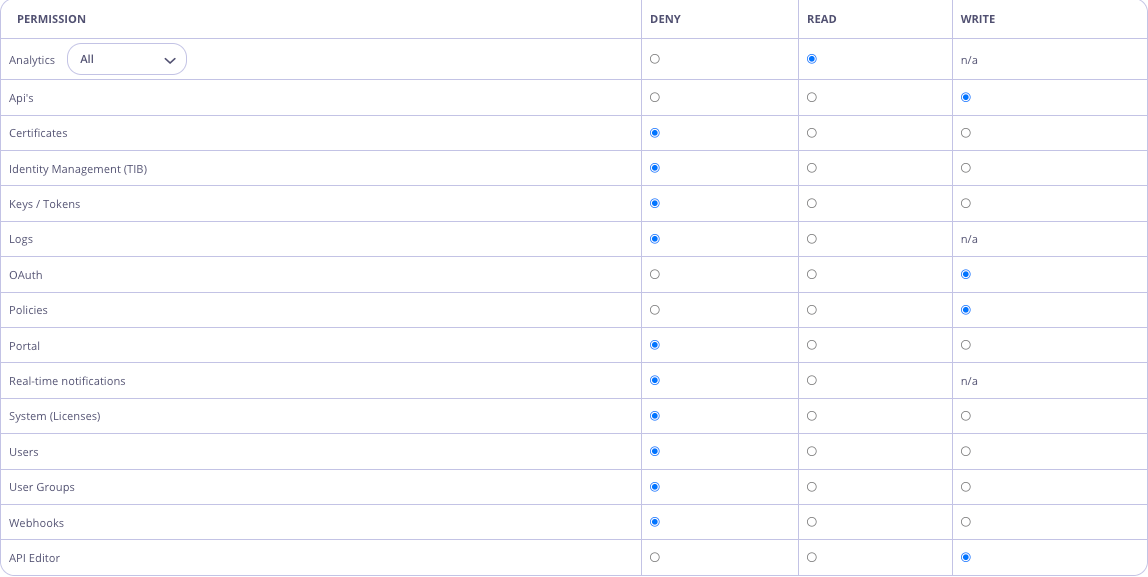 ##### Add Open Policy Agent (OPA) Rule
In the Dashboard UI, navigate to Dashboard Management -> OPA Rules
Edit the rules to add the following:
```
request_intent = "create" { input.request.method == "POST" }
request_intent = "update" { input.request.method == "PUT" }
# Editor and Creator intent
intent_match("create", "write")
intent_match("update", "write")
# API Editors not allowed to create APIs
deny[x] {
input.user.user_permissions["api_editor"]
request_permission[_] == "apis"
request_intent == "create"
x := "API Editors not allowed to create APIs."
}
```
Updated Default OPA Rules incorporating the above rules as follows:
```bash theme={null}
# Default OPA rules
package dashboard_users
default request_intent = "write"
request_intent = "read" { input.request.method == "GET" }
request_intent = "read" { input.request.method == "HEAD" }
request_intent = "delete" { input.request.method == "DELETE" }
request_intent = "create" { input.request.method == "POST" }
request_intent = "update" { input.request.method == "PUT" }
# Set of rules to define which permission is required for a given request intent.
# read intent requires, at a minimum, the "read" permission
intent_match("read", "read")
intent_match("read", "write")
intent_match("read", "admin")
# write intent requires either the "write" or "admin" permission
intent_match("write", "write")
intent_match("write", "admin")
# delete intent requires either the "write" or "admin permission
intent_match("delete", "write")
intent_match("delete", "admin")
# Editor and Creator intent
intent_match("create", "write")
intent_match("update", "write")
# Helper to check if the user has "admin" permissions
default is_admin = false
is_admin {
input.user.user_permissions["IsAdmin"] == "admin"
}
# Check if the request path matches any of the known permissions.
# input.permissions is an object passed from the Tyk Dashboard containing mapping between user permissions (“read”, “write” and “deny”) and the endpoint associated with the permission.
# (eg. If “deny” is the permission for Analytics, it means the user would be denied the ability to make a request to ‘/api/usage’.)
#
# Example object:
# "permissions": [
# {
# "permission": "analytics",
# "rx": "\\/api\\/usage"
# },
# {
# "permission": "analytics",
# "rx": "\\/api\\/uptime"
# }
# ....
# ]
#
# The input.permissions object can be extended with additional permissions (eg. you could create a permission called ‘Monitoring’ which gives “read” access to the analytics API ‘/analytics’).
# This is can be achieved inside this script using the array.concat function.
request_permission[role] {
perm := input.permissions[_]
regex.match(perm.rx, input.request.path)
role := perm.permission
}
# --------- Start "deny" rules -----------
# A deny object contains a detailed reason behind the denial.
default allow = false
allow { count(deny) == 0 }
deny["User is not active"] {
not input.user.active
}
# If a request to an endpoint does not match any defined permissions, the request will be denied.
deny[x] {
count(request_permission) == 0
x := sprintf("This action is unknown. You do not have permission to access '%v'.", [input.request.path])
}
deny[x] {
perm := request_permission[_]
perm != "ResetPassword"
not is_admin
not input.user.user_permissions[perm]
x := sprintf("You do not have permission to access '%v'.", [input.request.path])
}
# Deny requests for non-admins if the intent does not match or does not exist.
deny[x] {
perm := request_permission[_]
not is_admin
not intent_match(request_intent, input.user.user_permissions[perm])
x := sprintf("You do not have permission to carry out '%v' operation.", [request_intent, input.request.path])
}
# If the "deny" rule is found, deny the operation for admins
deny[x] {
perm := request_permission[_]
is_admin
input.user.user_permissions[perm] == "deny"
x := sprintf("You do not have permission to carry out '%v' operation.", [request_intent, input.request.path])
}
# Do not allow users (excluding admin users) to reset the password of another user.
deny[x] {
request_permission[_] = "ResetPassword"
not is_admin
user_id := split(input.request.path, "/")[3]
user_id != input.user.id
x := sprintf("You do not have permission to reset the password for other users.", [user_id])
}
# Do not allow admin users to reset passwords if it is not allowed in the global config
deny[x] {
request_permission[_] == "ResetPassword"
is_admin
not input.config.security.allow_admin_reset_password
not input.user.user_permissions["ResetPassword"]
x := "You do not have permission to reset the password for other users. As an admin user, this permission can be modified using OPA rules."
}
# API Editors not allowed to create APIs
deny[x] {
input.user.user_permissions["api_editor"]
request_permission[_] == "apis"
request_intent == "create"
x := "API Editors not allowed to create APIs."
}
# --------- End "deny" rules ----------
##################################################################################################################
# Demo Section: Examples of rule capabilities. #
# The rules below are not executed until additional permissions have been assigned to the user or user group. #
##################################################################################################################
# If you are testing using OPA playground, you can mock Tyk functions like this:
#
# TykAPIGet(path) = {}
# TykDiff(o1,o2) = {}
#
# You can use this pre-built playground: https://play.openpolicyagent.org/p/T1Rcz5Ugnb
# Example: Deny users the ability to change the API status with an additional permission.
# Note: This rule will not be executed unless the additional permission is set.
deny["You do not have permission to change the API status."] {
# Checks the additional user permission enabled with tyk_analytics config: `"additional_permissions":["test_disable_deploy"]`
input.user.user_permissions["test_disable_deploy"]
# Checks the request intent is to update the API
request_permission[_] == "apis"
request_intent == "write"
# Checks if the user is attempting to update the field for API status.
# TykAPIGet accepts API URL as an argument, e.g. to receive API object call: TykAPIGet("/api/apis/
##### Add Open Policy Agent (OPA) Rule
In the Dashboard UI, navigate to Dashboard Management -> OPA Rules
Edit the rules to add the following:
```
request_intent = "create" { input.request.method == "POST" }
request_intent = "update" { input.request.method == "PUT" }
# Editor and Creator intent
intent_match("create", "write")
intent_match("update", "write")
# API Editors not allowed to create APIs
deny[x] {
input.user.user_permissions["api_editor"]
request_permission[_] == "apis"
request_intent == "create"
x := "API Editors not allowed to create APIs."
}
```
Updated Default OPA Rules incorporating the above rules as follows:
```bash theme={null}
# Default OPA rules
package dashboard_users
default request_intent = "write"
request_intent = "read" { input.request.method == "GET" }
request_intent = "read" { input.request.method == "HEAD" }
request_intent = "delete" { input.request.method == "DELETE" }
request_intent = "create" { input.request.method == "POST" }
request_intent = "update" { input.request.method == "PUT" }
# Set of rules to define which permission is required for a given request intent.
# read intent requires, at a minimum, the "read" permission
intent_match("read", "read")
intent_match("read", "write")
intent_match("read", "admin")
# write intent requires either the "write" or "admin" permission
intent_match("write", "write")
intent_match("write", "admin")
# delete intent requires either the "write" or "admin permission
intent_match("delete", "write")
intent_match("delete", "admin")
# Editor and Creator intent
intent_match("create", "write")
intent_match("update", "write")
# Helper to check if the user has "admin" permissions
default is_admin = false
is_admin {
input.user.user_permissions["IsAdmin"] == "admin"
}
# Check if the request path matches any of the known permissions.
# input.permissions is an object passed from the Tyk Dashboard containing mapping between user permissions (“read”, “write” and “deny”) and the endpoint associated with the permission.
# (eg. If “deny” is the permission for Analytics, it means the user would be denied the ability to make a request to ‘/api/usage’.)
#
# Example object:
# "permissions": [
# {
# "permission": "analytics",
# "rx": "\\/api\\/usage"
# },
# {
# "permission": "analytics",
# "rx": "\\/api\\/uptime"
# }
# ....
# ]
#
# The input.permissions object can be extended with additional permissions (eg. you could create a permission called ‘Monitoring’ which gives “read” access to the analytics API ‘/analytics’).
# This is can be achieved inside this script using the array.concat function.
request_permission[role] {
perm := input.permissions[_]
regex.match(perm.rx, input.request.path)
role := perm.permission
}
# --------- Start "deny" rules -----------
# A deny object contains a detailed reason behind the denial.
default allow = false
allow { count(deny) == 0 }
deny["User is not active"] {
not input.user.active
}
# If a request to an endpoint does not match any defined permissions, the request will be denied.
deny[x] {
count(request_permission) == 0
x := sprintf("This action is unknown. You do not have permission to access '%v'.", [input.request.path])
}
deny[x] {
perm := request_permission[_]
perm != "ResetPassword"
not is_admin
not input.user.user_permissions[perm]
x := sprintf("You do not have permission to access '%v'.", [input.request.path])
}
# Deny requests for non-admins if the intent does not match or does not exist.
deny[x] {
perm := request_permission[_]
not is_admin
not intent_match(request_intent, input.user.user_permissions[perm])
x := sprintf("You do not have permission to carry out '%v' operation.", [request_intent, input.request.path])
}
# If the "deny" rule is found, deny the operation for admins
deny[x] {
perm := request_permission[_]
is_admin
input.user.user_permissions[perm] == "deny"
x := sprintf("You do not have permission to carry out '%v' operation.", [request_intent, input.request.path])
}
# Do not allow users (excluding admin users) to reset the password of another user.
deny[x] {
request_permission[_] = "ResetPassword"
not is_admin
user_id := split(input.request.path, "/")[3]
user_id != input.user.id
x := sprintf("You do not have permission to reset the password for other users.", [user_id])
}
# Do not allow admin users to reset passwords if it is not allowed in the global config
deny[x] {
request_permission[_] == "ResetPassword"
is_admin
not input.config.security.allow_admin_reset_password
not input.user.user_permissions["ResetPassword"]
x := "You do not have permission to reset the password for other users. As an admin user, this permission can be modified using OPA rules."
}
# API Editors not allowed to create APIs
deny[x] {
input.user.user_permissions["api_editor"]
request_permission[_] == "apis"
request_intent == "create"
x := "API Editors not allowed to create APIs."
}
# --------- End "deny" rules ----------
##################################################################################################################
# Demo Section: Examples of rule capabilities. #
# The rules below are not executed until additional permissions have been assigned to the user or user group. #
##################################################################################################################
# If you are testing using OPA playground, you can mock Tyk functions like this:
#
# TykAPIGet(path) = {}
# TykDiff(o1,o2) = {}
#
# You can use this pre-built playground: https://play.openpolicyagent.org/p/T1Rcz5Ugnb
# Example: Deny users the ability to change the API status with an additional permission.
# Note: This rule will not be executed unless the additional permission is set.
deny["You do not have permission to change the API status."] {
# Checks the additional user permission enabled with tyk_analytics config: `"additional_permissions":["test_disable_deploy"]`
input.user.user_permissions["test_disable_deploy"]
# Checks the request intent is to update the API
request_permission[_] == "apis"
request_intent == "write"
# Checks if the user is attempting to update the field for API status.
# TykAPIGet accepts API URL as an argument, e.g. to receive API object call: TykAPIGet("/api/apis/ The following details are required to manage this configuration:
* Data storage layer type
* Database engine
* Database connection string
The remainder of this document explains how to configure Tyk Dashboard and Tyk Pump to read and write from one or more data storage layers, respectively.
### Configure Dashboard to Read from a Data Storage Layer
Tyk Dashboard has configuration environment variables for each data storage layer in the following format:
```console theme={null}
TYK_DB_STORAGE_
The following details are required to manage this configuration:
* Data storage layer type
* Database engine
* Database connection string
The remainder of this document explains how to configure Tyk Dashboard and Tyk Pump to read and write from one or more data storage layers, respectively.
### Configure Dashboard to Read from a Data Storage Layer
Tyk Dashboard has configuration environment variables for each data storage layer in the following format:
```console theme={null}
TYK_DB_STORAGE_