> ## Documentation Index
> Fetch the complete documentation index at: https://tyk.io/docs/llms.txt
> Use this file to discover all available pages before exploring further.
# Configure Developer Portal in Tyk Cloud
> Learn how to set up and configure the Developer Portal in Tyk Cloud Control Plane deployments.
After deploying your Control Plane, you need to perform some initial configuration for the Developer Portal to prevent seeing any `Page Not Found` errors when trying to access the portal. You need to set up a Home page from the Control Plane Dashboard.
Watch our video on configuring your Tyk Cloud Developer Portal.
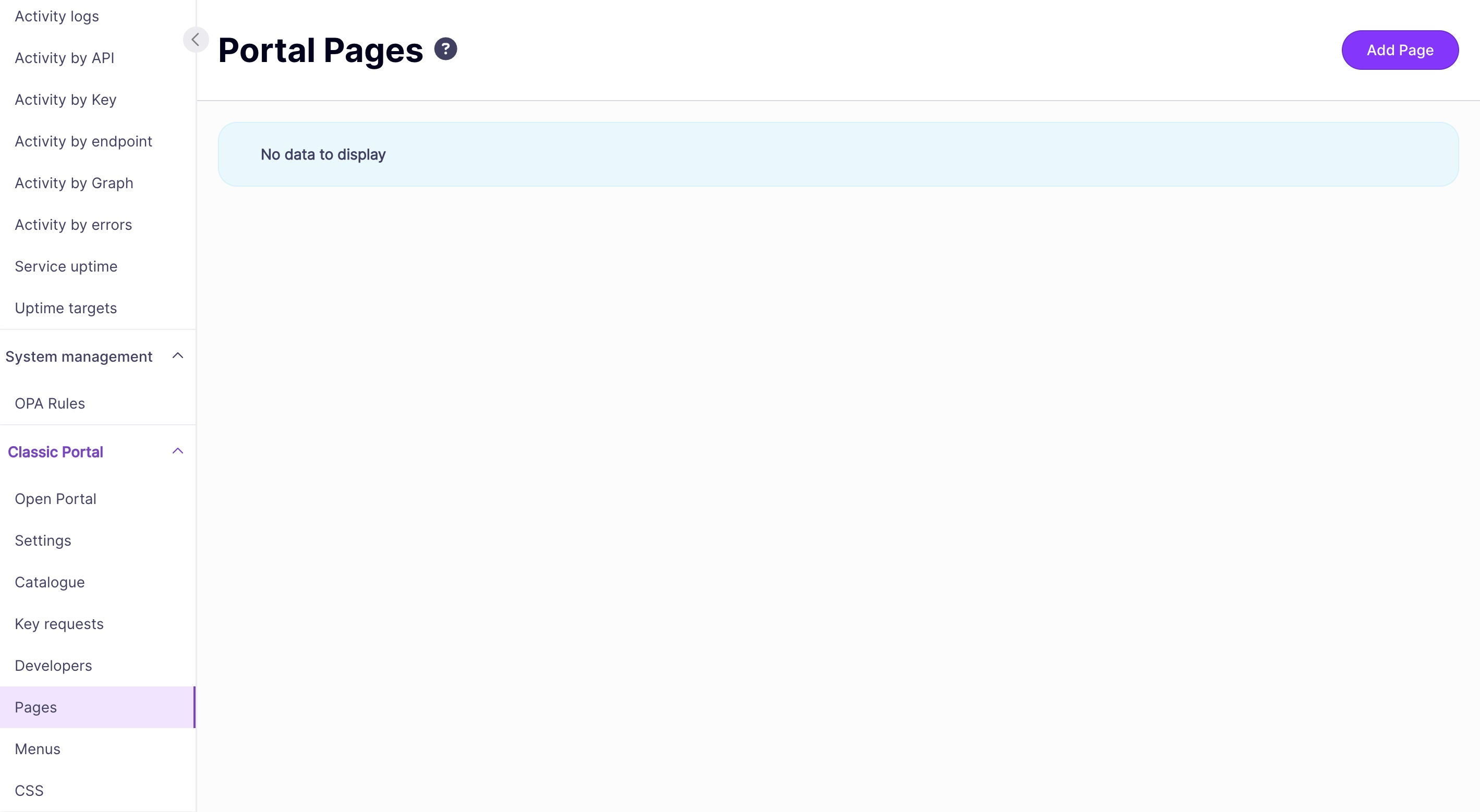
1. From the Control Plane Dashboard, select **Pages** from the **Portal Management** menu
2. Click **Add Page**
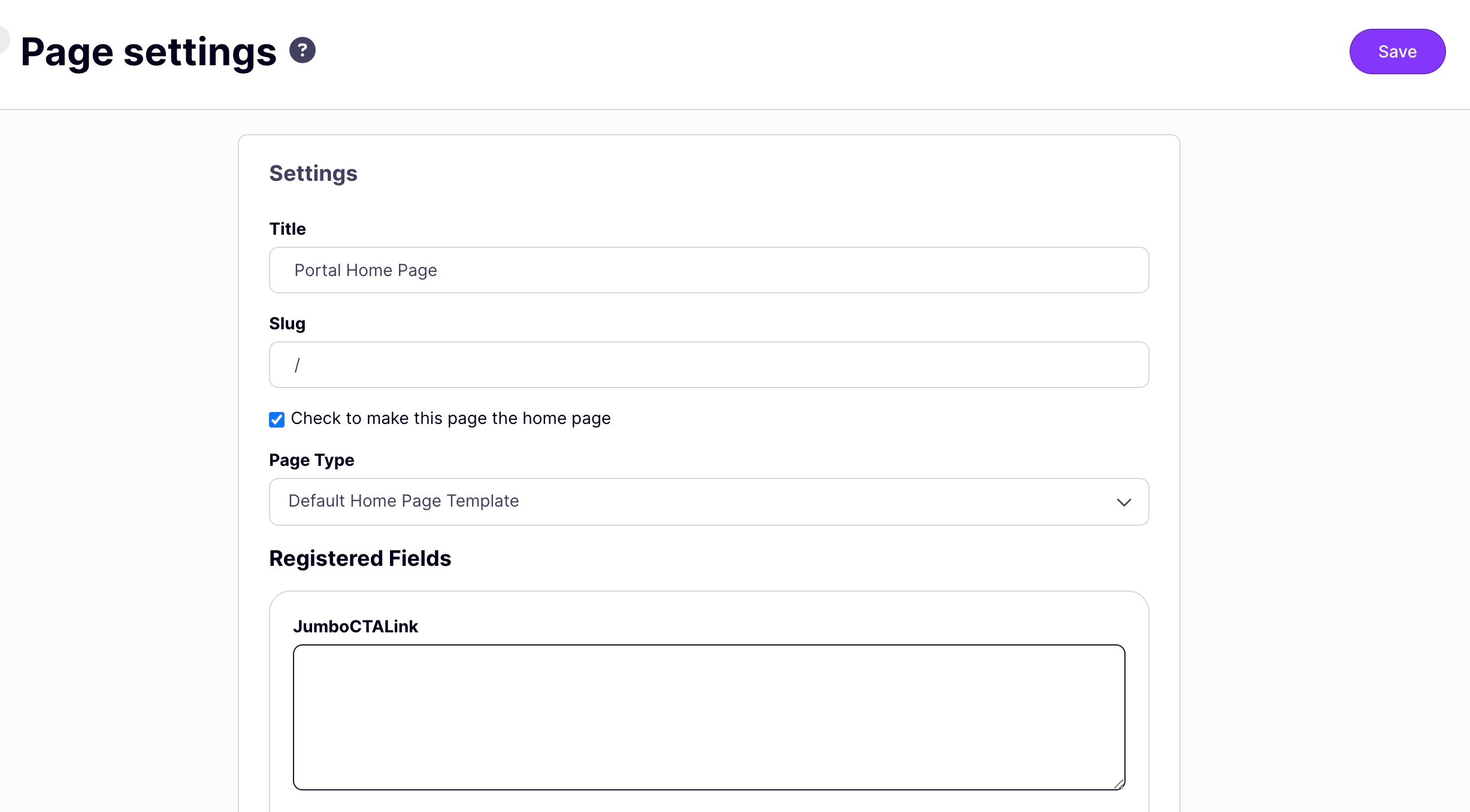
3. In the Settings, give your page a name and slug. Below we've called it Home
4. Select **Check to make this page the Home page**
5. Select **Default Home page template** from the Page type drop-down list
6. You can leave the Registered Fields sections for now
7. Click **Save**.
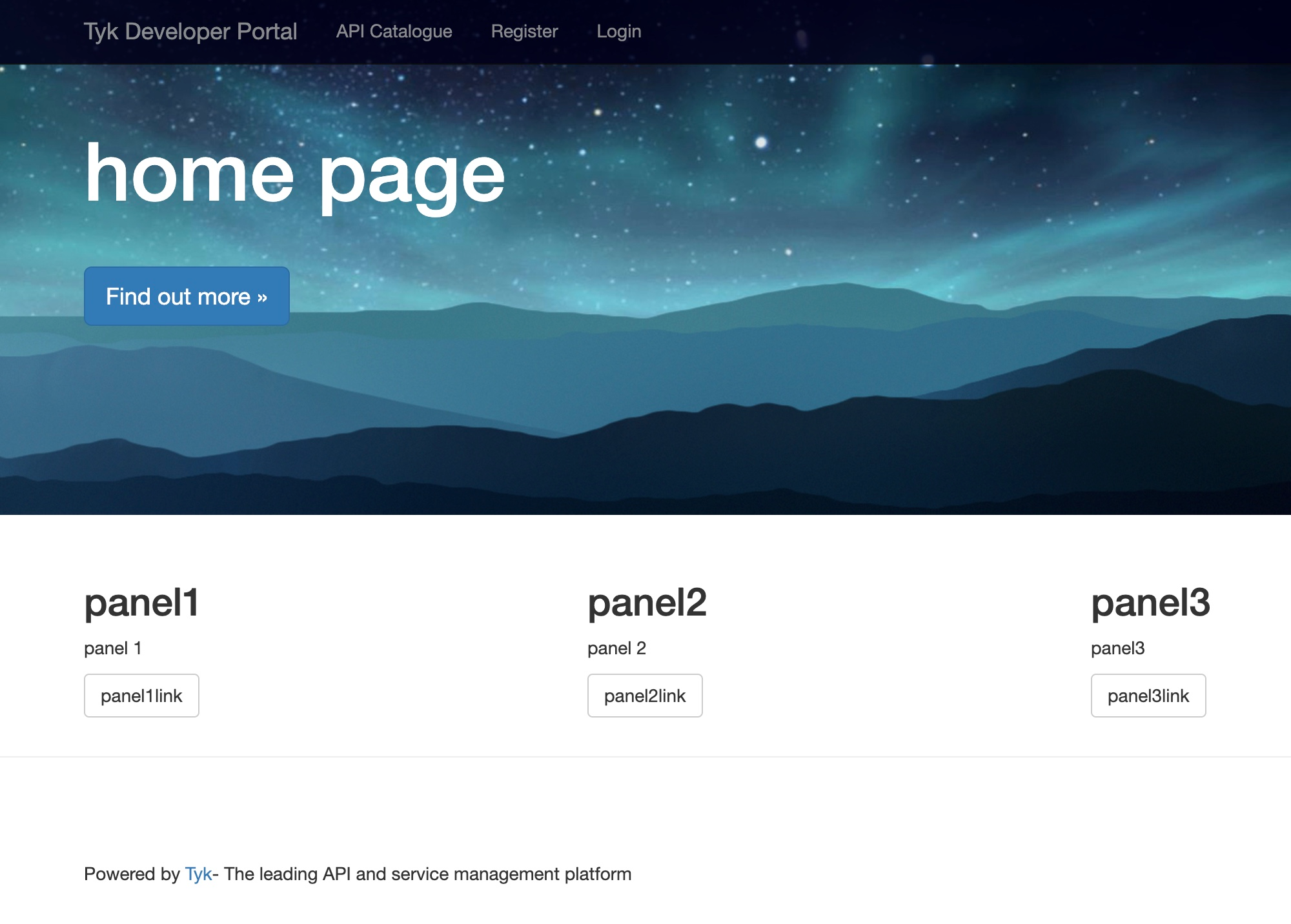
You should now be able to access your Portal from **Open Your Portal** from the **Your Developer Portal** menu.
#### Further Portal Configuration
Our Developer Portal is completely customizable. See [Portal Customization](/5.9/tyk-developer-portal/customise) for more details.
 3. In the Settings, give your page a name and slug. Below we've called it Home
4. Select **Check to make this page the Home page**
5. Select **Default Home page template** from the Page type drop-down list
6. You can leave the Registered Fields sections for now
3. In the Settings, give your page a name and slug. Below we've called it Home
4. Select **Check to make this page the Home page**
5. Select **Default Home page template** from the Page type drop-down list
6. You can leave the Registered Fields sections for now
 7. Click **Save**.
You should now be able to access your Portal from **Open Your Portal** from the **Your Developer Portal** menu.
7. Click **Save**.
You should now be able to access your Portal from **Open Your Portal** from the **Your Developer Portal** menu.
 #### Further Portal Configuration
Our Developer Portal is completely customizable. See [Portal Customization](/5.9/tyk-developer-portal/customise) for more details.
#### Further Portal Configuration
Our Developer Portal is completely customizable. See [Portal Customization](/5.9/tyk-developer-portal/customise) for more details.