> ## Documentation Index
> Fetch the complete documentation index at: https://tyk.io/docs/llms.txt
> Use this file to discover all available pages before exploring further.
# How monitoring works in Tyk Cloud
> Learn how Tyk Cloud monitors throughput and storage metrics for your deployments.
### Tyk Cloud Monitor Metrics
This section explains the various metrics that are monitored by Tyk Cloud.
#### Tyk Cloud Throughput
Tyk Cloud counts the total request/response sizes for traffic transferred through a deployment. Throughput metrics are displayed for the current day. These are calculated as the difference between the throughput usage at the current time and the throughput at last midnight.
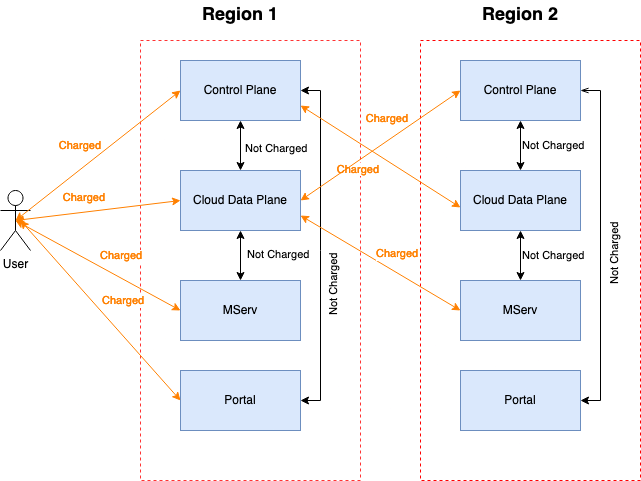
External traffic is subject to billing, while internal traffic is exempt. The monitoring service aggregates traffic between different services:
 **Billed traffic**
* Traffic between user → Control Plane
* Traffic between user → Cloud Data Plane
* Traffic between user → Enterprise Developer Portal
* Traffic between user → Mserv (plugin upload)
* Traffic between Control Plane → Cloud Data Plane cross region
* Traffic between Cloud Data Plane → Mserv cross region
* Traffic between Control Plane → Portal cross region
**Unbilled traffic**
* Hybrid traffic is currently not counted
* Traffic between Control Plane → Cloud Data Plane in the same region
* Traffic between Cloud Data Plane → Mserv in the same region
* Traffic between Control Plane → Portal in the same region
#### Tyk Cloud Storage
When a client makes a request to a Tyk Gateway deployment, the details of the request and response are captured and [stored in Redis](/5.9/api-management/dashboard-configuration#traffic-analytics). Tyk Pump processes the records from Redis and forwards them to MongoDB. Finally, Tyk Cloud reads that data from MongoDB and displays its size(bytes) in the *Storage* section of *Monitoring*.
### Track Usage
##### How to check metrics
Login to Tyk Cloud and click on *Monitoring* within the *Operations* menu. Enable *Throughput* to display throughput metrics.
**Billed traffic**
* Traffic between user → Control Plane
* Traffic between user → Cloud Data Plane
* Traffic between user → Enterprise Developer Portal
* Traffic between user → Mserv (plugin upload)
* Traffic between Control Plane → Cloud Data Plane cross region
* Traffic between Cloud Data Plane → Mserv cross region
* Traffic between Control Plane → Portal cross region
**Unbilled traffic**
* Hybrid traffic is currently not counted
* Traffic between Control Plane → Cloud Data Plane in the same region
* Traffic between Cloud Data Plane → Mserv in the same region
* Traffic between Control Plane → Portal in the same region
#### Tyk Cloud Storage
When a client makes a request to a Tyk Gateway deployment, the details of the request and response are captured and [stored in Redis](/5.9/api-management/dashboard-configuration#traffic-analytics). Tyk Pump processes the records from Redis and forwards them to MongoDB. Finally, Tyk Cloud reads that data from MongoDB and displays its size(bytes) in the *Storage* section of *Monitoring*.
### Track Usage
##### How to check metrics
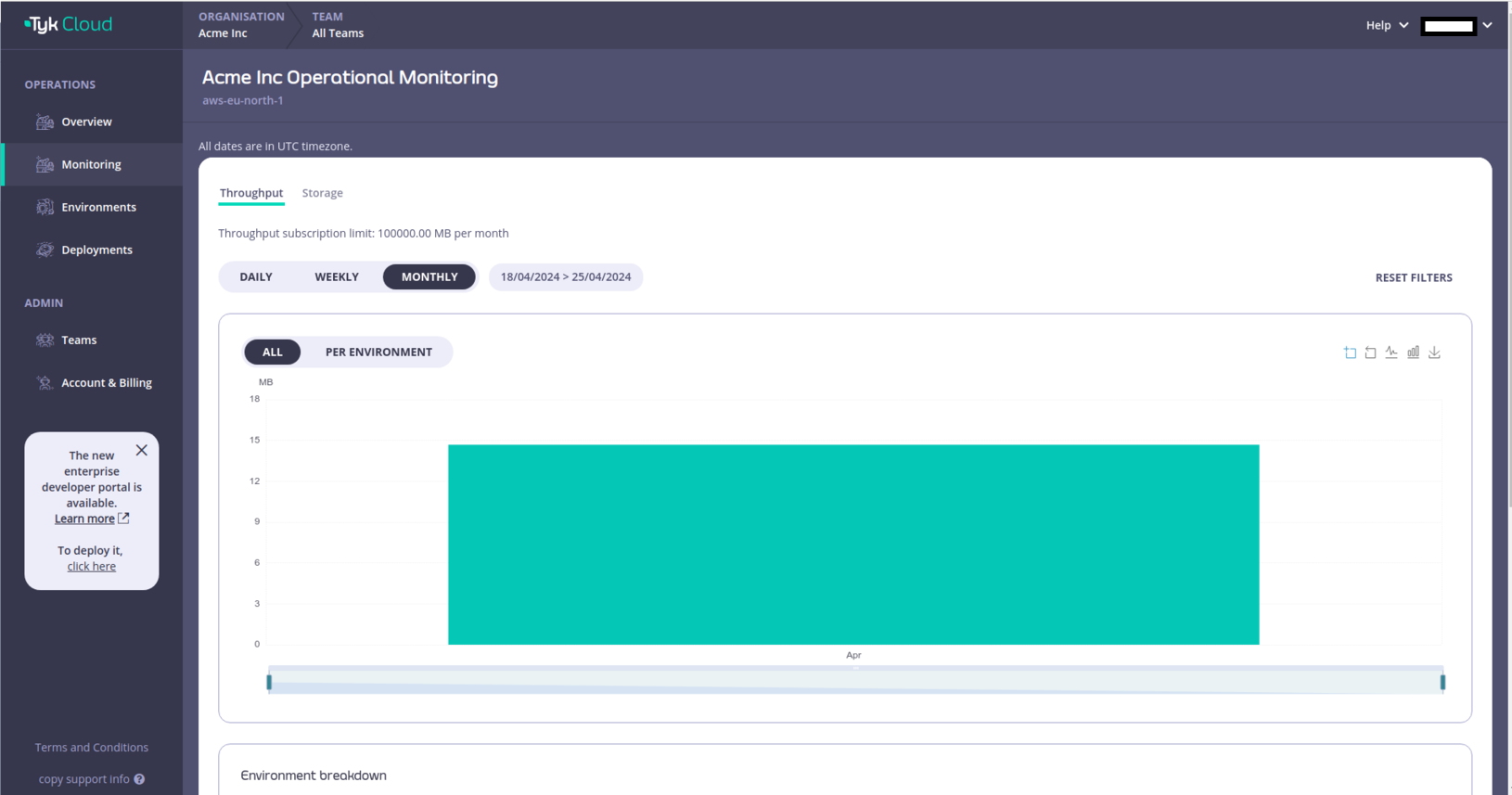
Login to Tyk Cloud and click on *Monitoring* within the *Operations* menu. Enable *Throughput* to display throughput metrics.
 Enable *Storage* to display storage metrics.
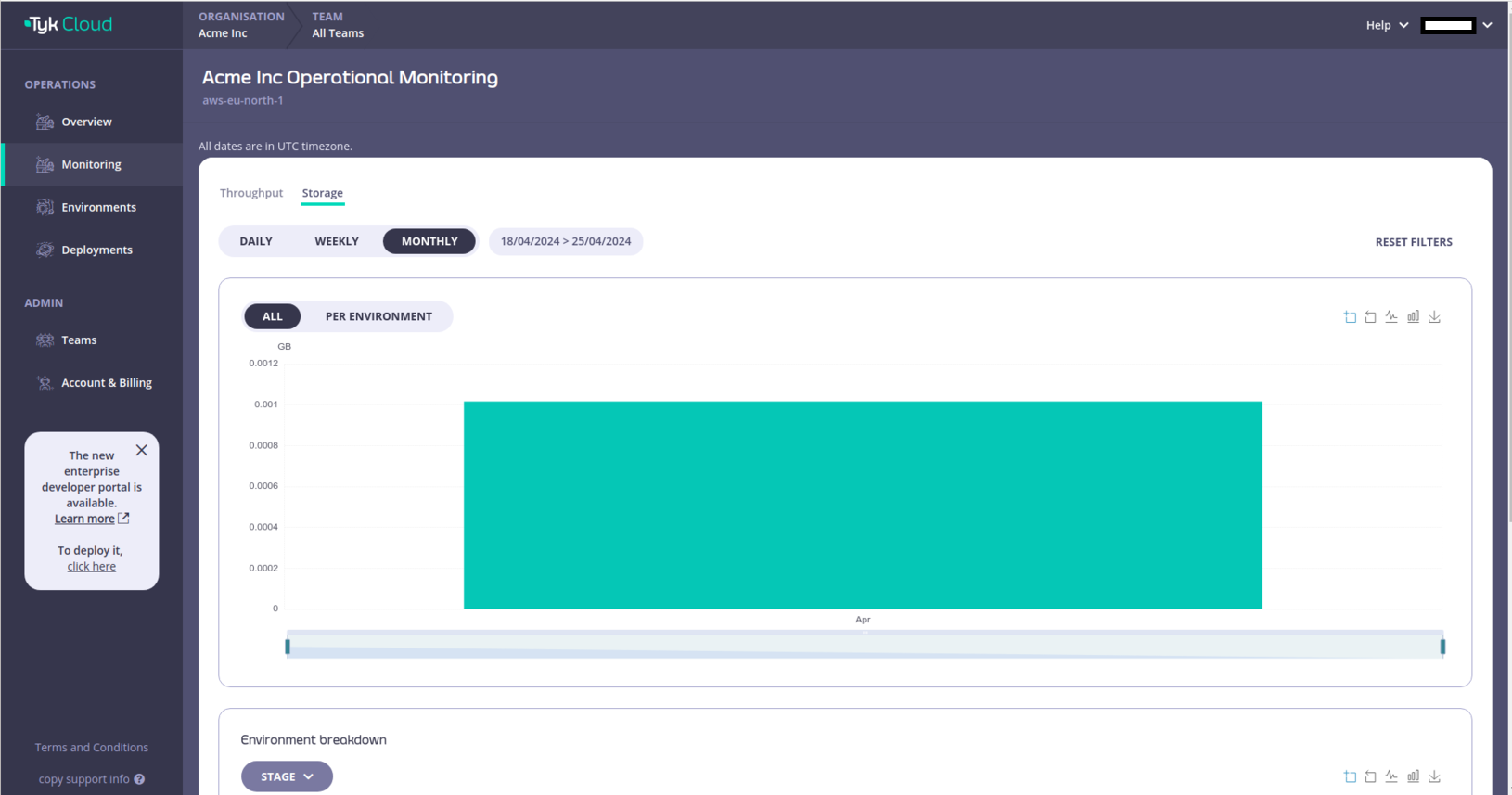 You can also optionally filter for metrics by date.
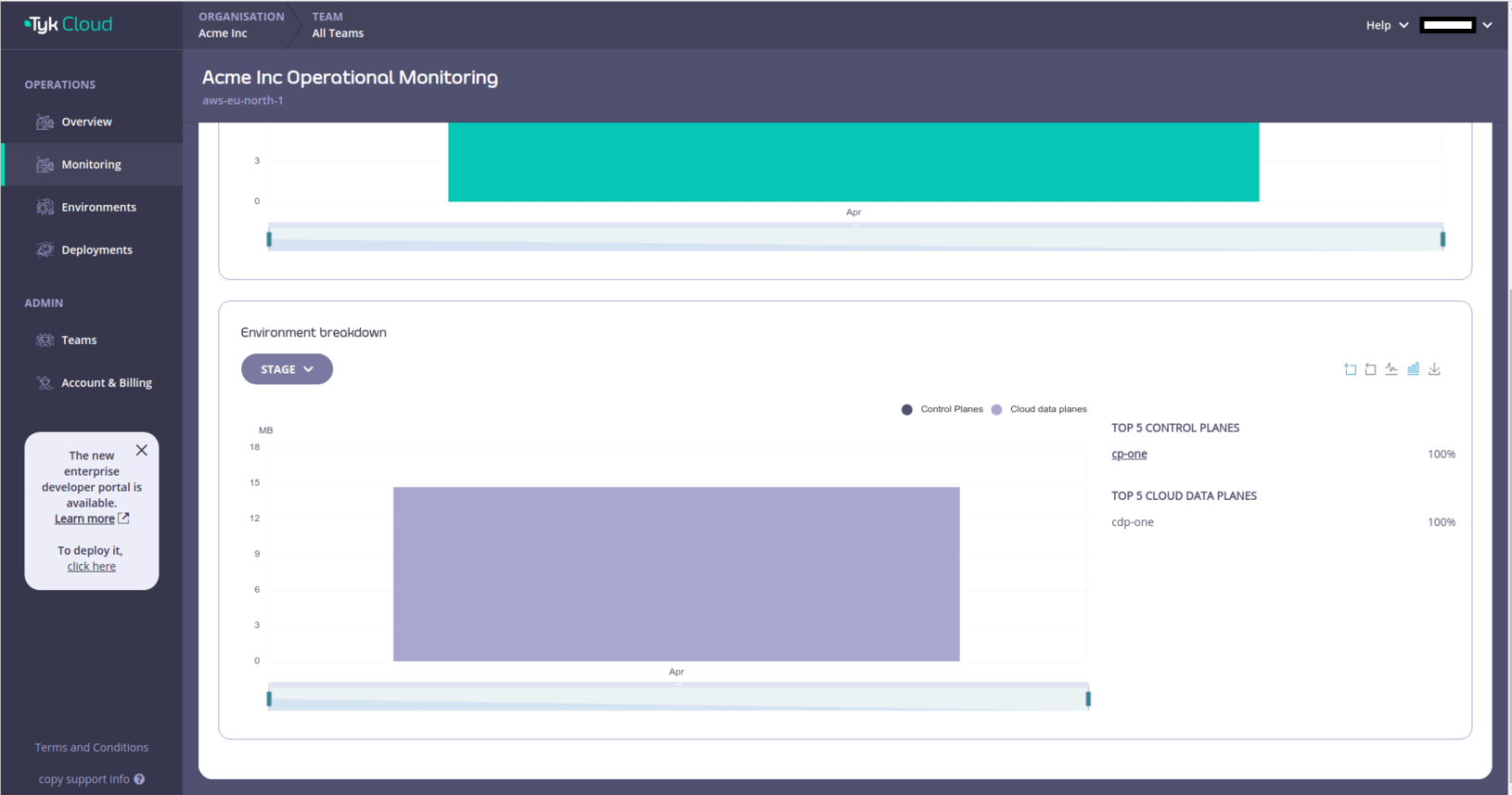
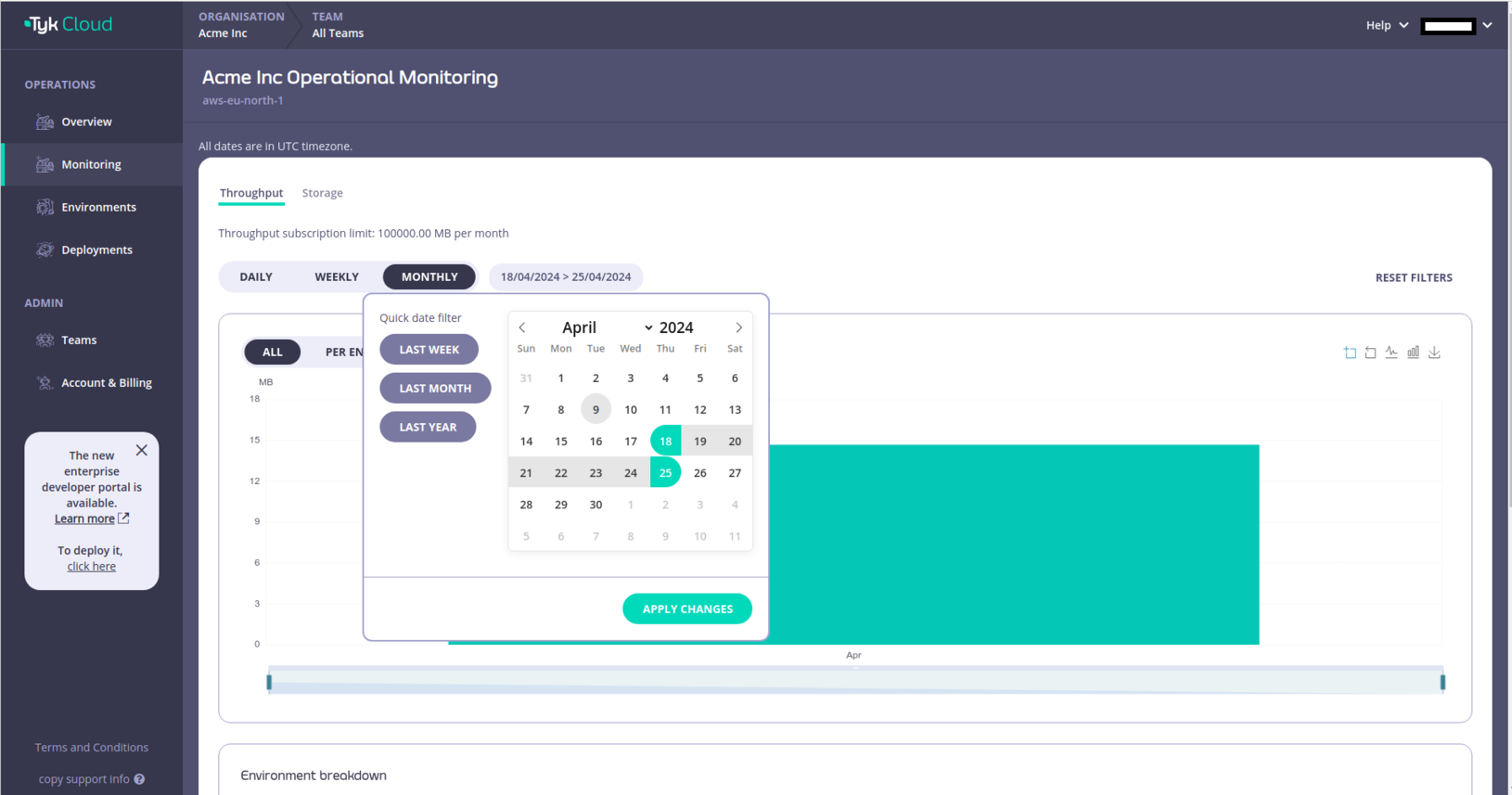 Here you can see the metrics broken down per environment and a list of the top 5 control and cloud data planes.