> ## Documentation Index
> Fetch the complete documentation index at: https://tyk.io/docs/llms.txt
> Use this file to discover all available pages before exploring further.
# Natural-language interaction with Tyk Dashboard (API to MCP)
> Talk to Tyk Dashboard like a person using AI tools
## Overview
Use `tyk-dashboard-mcp` to expose your **Tyk Dashboard API** to AI assistants like Claude, Cursor, or VS Code extensions — enabling natural-language interaction with your Tyk Dashboard.
This tool is a preconfigured fork of [api-to-mcp GitHub repository](https://github.com/TykTechnologies/api-to-mcp), designed specifically for the *Tyk Dashboard* API. It comes bundled with a predefined OpenAPI spec and overlays, so you don’t need to configure much manually.
Explore the core functionality in the [API to MCP guide](/5.9/ai-management/mcps/api-to-mcp).
## Use Cases
Once connected, you, with your AI assistants, can perform helpful actions on your Tyk Dashboard using natural language. For example:
* **Explore your API landscape** - List APIs, describe endpoints in plain English, review policies
* **Query Dashboard settings for audits or support tasks** - List users and keys
* **Automate admin tasks** - Create or update API definitions (e.g., OAS-based APIs) through AI-driven flows, reducing manual clicks (please note that we haven't documented this just yet)
* **Power AI developer tools** - Use this as a backend for developer assistants like Claude, Cursor, or VS Code extensions to guide devs while on boarding and using Tyk Dashboard on daily basis. Ideal for internal use cases like AI-driven dashboards, documentation bots, or dev portals powered by LLMs.
* **Build internal chatbots** - Create internal tools that let team members ask questions like "What APIs are active?" or "What's the global rate limit defined API X?"
## Setup Instructions
**Step 1.** Use the following MCP server config for Claude Desktop, Cursor, Cline or any other MCP-compatible tool:
```json theme={null}
{
"mcpServers": {
"tyk-dashboard-api": {
"command": "npx",
"args": [
"-y",
"@tyk-technologies/tyk-dashboard-mcp",
"--target",
"https://your-dashboard-domain.com",
"--headers",
"Authorization: $TYK_API_KEY"
],
"enabled": true
}
}
}
```
Refer to your assistant’s docs for where to place this config — e.g.
* `claude_desktop_config.json` for [Claude configuration](https://modelcontextprotocol.io/quickstart/user#2-add-the-filesystem-mcp-server)
* `.cursor-config.json` for [Cursor configuration](https://docs.cursor.com/context/model-context-protocol#configuring-mcp-servers)
* `cline_mcp_settings.json` for [Cline configuration](https://docs.roocode.com/features/mcp/using-mcp-in-roo#configuring-mcp-servers) (as a VS Code extension).
**Step 2.**
Once connected, ask your AI assistant to perform an operation (e.g., "List all apis" or "Create a new user").
## Examples
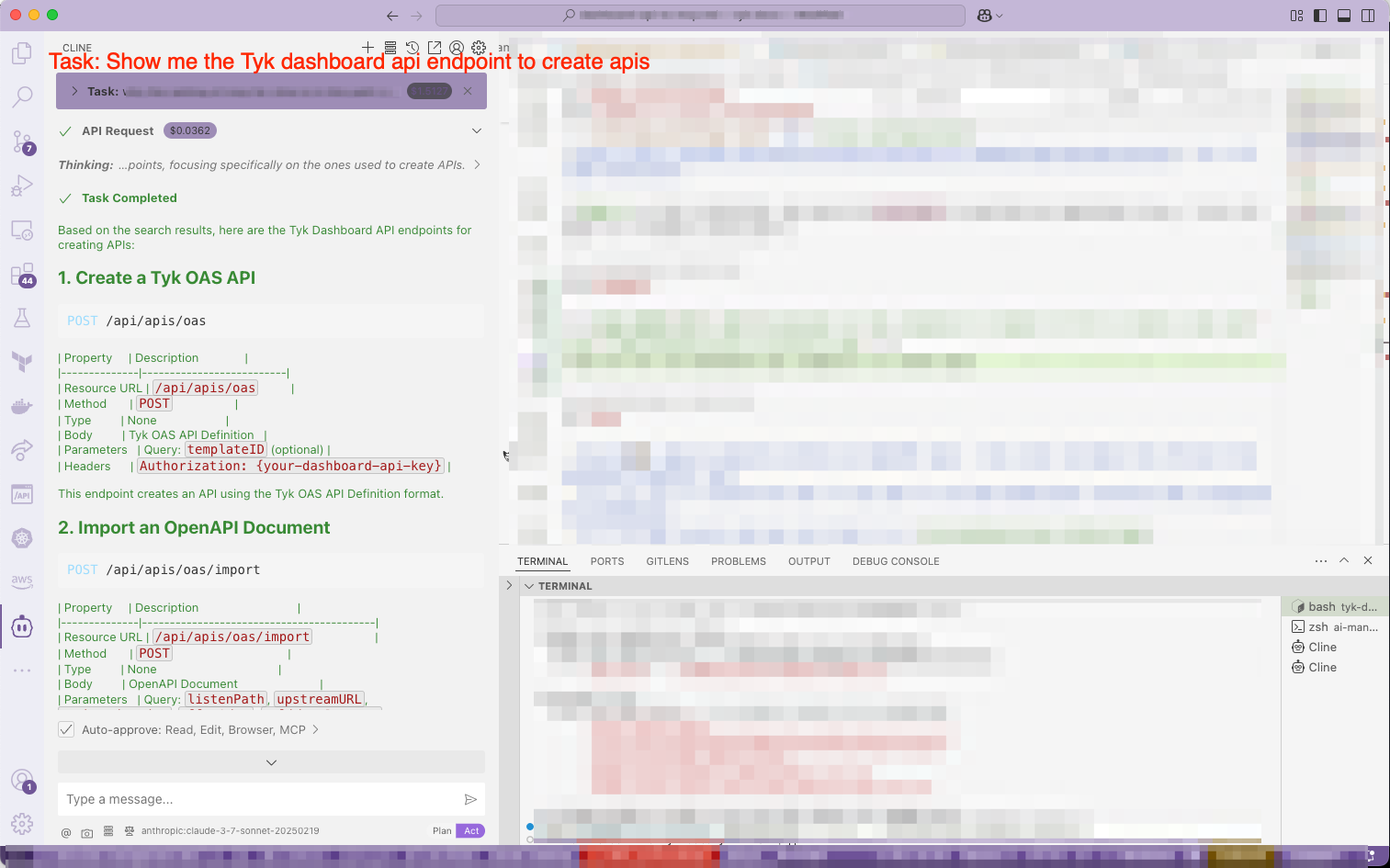
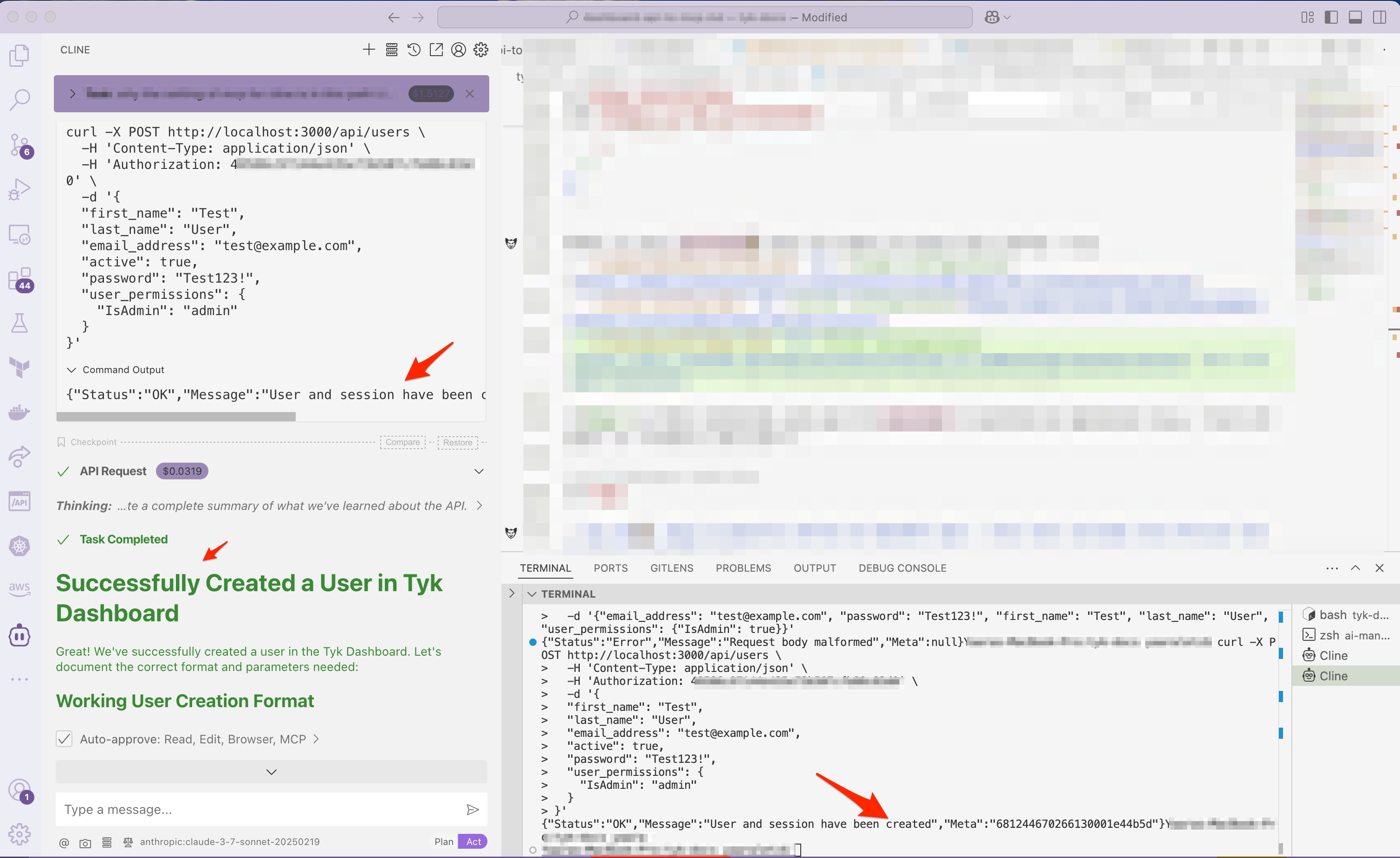
Here you can see the response of asking the *Cline* in VS Code:
1. Task: *Show me the Tyk dashboard api endpoint to create apis*
2. Task: *Please create a new user in tyk dashboard*
 ## Tips
* You don’t need to manually define an OpenAPI spec — this tool includes the official Tyk Dashboard OpenAPI spec.
* You can fork or extend the tool if you want to include additional internal APIs alongside the dashboard.
* It's an open source and you can find it in [tyk-dashboard-mcp GitHub repository](https://github.com/TykTechnologies/tyk-dashboard-mcp)
## FAQs
**How is this different from `api-to-mcp`?**
`tyk-dashboard-mcp` is a customised version which is preconfigured for the Tyk Dashboard API. No need to specify your own spec.
**Does this expose all dashboard functionality?**
Only the operations defined in the OpenAPI spec. You can customize the access list to show/hide more. In the following MCP server config the `--whitelist` to only allow access to getAPIs operation and to only allow to create Tyk OAS definitions:
```json theme={null}
{
"mcpServers": {
"tyk-dashboard-api": {
"command": "npx",
"args": [
"-y",
"@tyk-technologies/tyk-dashboard-mcp",
"--target",
"https://your-dashboard-domain.com",
"--headers",
"Authorization: $TYK_API_KEY",
"--whitelist",
"getApis*,POST:/api/apis/oas",
],
"enabled": true
}
}
}
```
## Tips
* You don’t need to manually define an OpenAPI spec — this tool includes the official Tyk Dashboard OpenAPI spec.
* You can fork or extend the tool if you want to include additional internal APIs alongside the dashboard.
* It's an open source and you can find it in [tyk-dashboard-mcp GitHub repository](https://github.com/TykTechnologies/tyk-dashboard-mcp)
## FAQs
**How is this different from `api-to-mcp`?**
`tyk-dashboard-mcp` is a customised version which is preconfigured for the Tyk Dashboard API. No need to specify your own spec.
**Does this expose all dashboard functionality?**
Only the operations defined in the OpenAPI spec. You can customize the access list to show/hide more. In the following MCP server config the `--whitelist` to only allow access to getAPIs operation and to only allow to create Tyk OAS definitions:
```json theme={null}
{
"mcpServers": {
"tyk-dashboard-api": {
"command": "npx",
"args": [
"-y",
"@tyk-technologies/tyk-dashboard-mcp",
"--target",
"https://your-dashboard-domain.com",
"--headers",
"Authorization: $TYK_API_KEY",
"--whitelist",
"getApis*,POST:/api/apis/oas",
],
"enabled": true
}
}
}
```