> ## Documentation Index
> Fetch the complete documentation index at: https://tyk.io/docs/llms.txt
> Use this file to discover all available pages before exploring further.
# Managing Organizations in Tyk Cloud
> Learn how to manage organizations in Tyk Cloud, including organization, teams, deployments, and environments.
## Overview
Your Organization is your "container" for all your Environments, Control Planes and Cloud Data Planes. When you setup your Organization when [creating your account](/5.12/getting-started/create-account), you assign it to a Home Region where all your data is stored. You cannot change this home region after creating your organization.
## Organization Overview Screen
If you are an Organization Admin, when you log in you will see the Overview screen for the Organization you are connected to. If you are a team admin or team member you will see the Team Overview Screen. The Organization Overview screen displays the following info:
* Quick Stats
* All Teams
* All Deployments
* All Environments
## Quick Stats
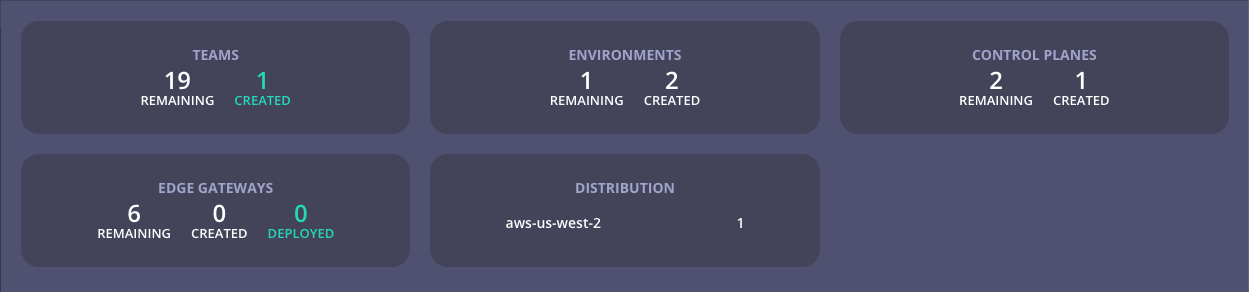 This section gives you an "at a glance" overview of your organization. This section is designed to show what your plan entitles your organization to and how much of your entitlement is currently used in relation to Teams, Control Planes, Cloud Data Plane Deployments and the distribution of those deployments across the available entitlement regions.
## Teams
This section gives you an "at a glance" overview of your organization. This section is designed to show what your plan entitles your organization to and how much of your entitlement is currently used in relation to Teams, Control Planes, Cloud Data Plane Deployments and the distribution of those deployments across the available entitlement regions.
## Teams
 This section shows the number of teams created within the organization, the number of environments the team is assigned to, and the Control Plane and Deployed Cloud Data Planes within those environments.
## Deployments
The default view for this section is Group by Control Plane and shows all deployments across all teams.
This section shows the number of teams created within the organization, the number of environments the team is assigned to, and the Control Plane and Deployed Cloud Data Planes within those environments.
## Deployments
The default view for this section is Group by Control Plane and shows all deployments across all teams.
 ## Environments
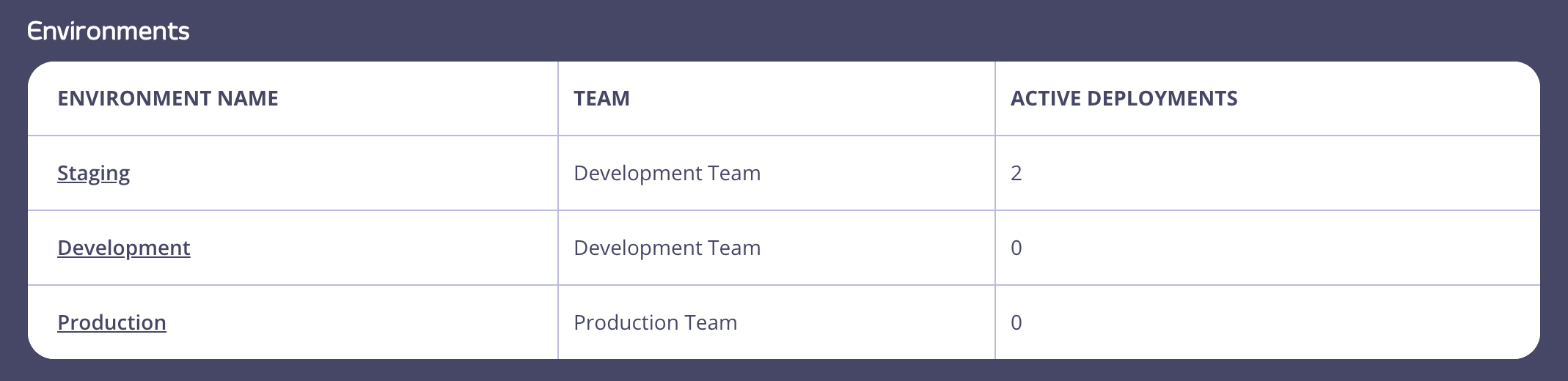
The Environments section shows the environments created within your organization, the team they belong to and active deployments within each environment.
## Environments
The Environments section shows the environments created within your organization, the team they belong to and active deployments within each environment.