> ## Documentation Index
> Fetch the complete documentation index at: https://tyk.io/docs/llms.txt
> Use this file to discover all available pages before exploring further.
# Natural-language interaction with Tyk Docs (MCP)
> Talk to Tyk documentation like a person using AI tools. Use Docs MCP to enable AI assistants to search and retrieve information from Tyk documentation.
## Overview
*Tyk Docs MCP* is a tool [MCP server](https://modelcontextprotocol.io/introduction) exposing the Tyk documentation to connected AI assistants. It enables the users of AI assistants "talk to" Tyk's documentation. Instead of searching manually, users can ask natural-language questions — and get answers backed by Tyk official docs. The tool makes AI-assisted support, troubleshooting, and documentation exploration fast and reliable.
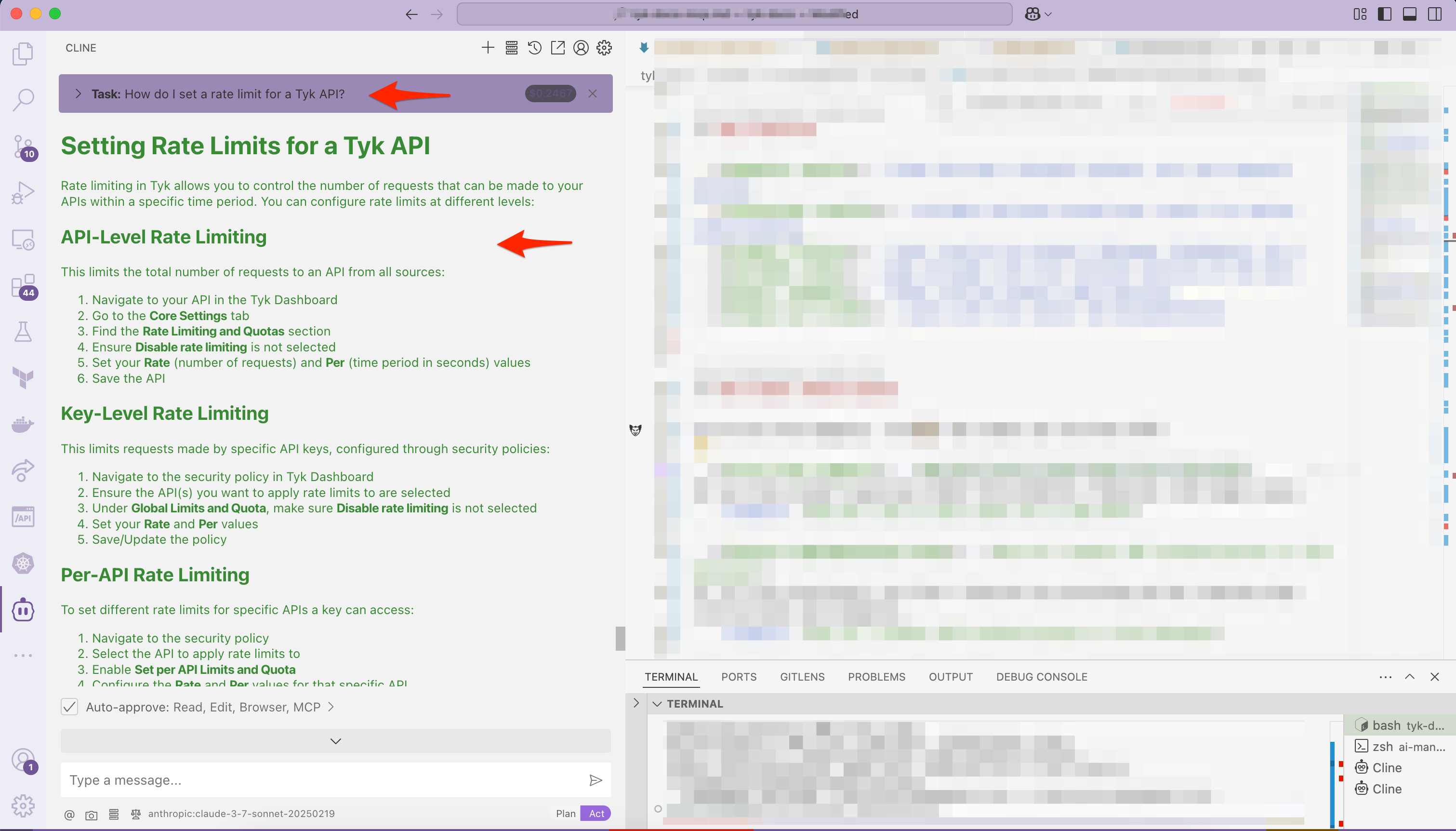
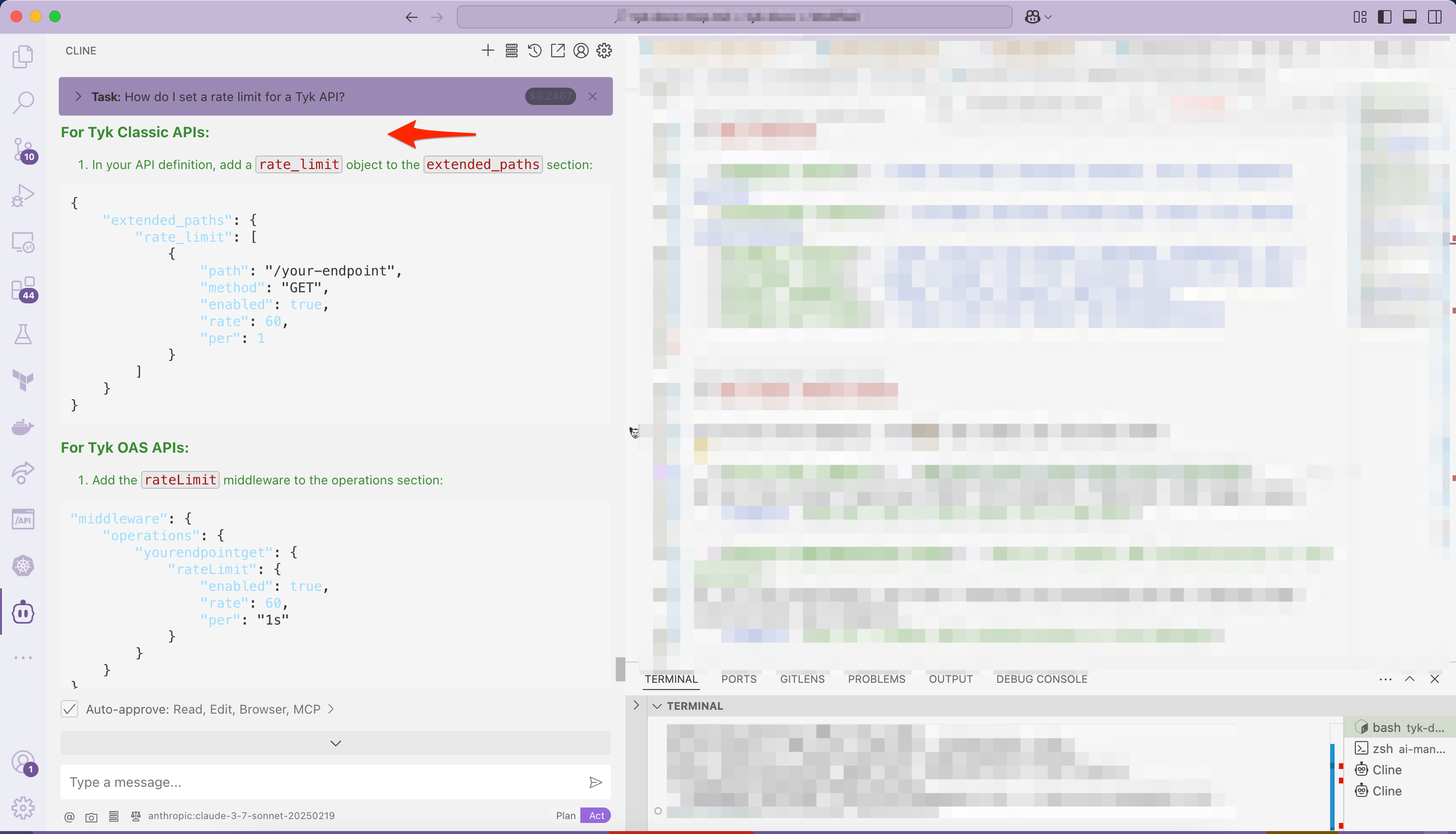
Here you can see the AI assistant chooses to use Tyk Docs MCP (*Cline* in VS Code) while answering the query *How do I set a rate limit for a Tyk API?*:
 ## Key Features
* **Semantic search** — finds the most relevant content, not just keyword matches
* **Contextual results** — includes sections around your result for better understanding
* **Product filters** — limit results by product (Gateway, Dashboard, etc.)
* **Includes links** — jump straight into the relevant section of the docs
* **Answer snippets** — shows concise answers when possible
* **Always up to date** — syncs with the latest Tyk documentation
## Use Cases
Let AI do the digging — here’s how teams use Tyk Docs MCP:
* **First-line support** - *How do I set a rate limit for a Tyk API?*
## Key Features
* **Semantic search** — finds the most relevant content, not just keyword matches
* **Contextual results** — includes sections around your result for better understanding
* **Product filters** — limit results by product (Gateway, Dashboard, etc.)
* **Includes links** — jump straight into the relevant section of the docs
* **Answer snippets** — shows concise answers when possible
* **Always up to date** — syncs with the latest Tyk documentation
## Use Cases
Let AI do the digging — here’s how teams use Tyk Docs MCP:
* **First-line support** - *How do I set a rate limit for a Tyk API?*
AI can help answer questions about Tyk products, features, and usage cases.
* **Feature implementation help** - *How do I enable JWT authentication in Tyk Gateway?*
AI can help developers use Tyk's features by providing ad hoc step-by-step instructions and examples.
* **Troubleshooting guidance** - *I'm seeing 'Auth field missing' error. What does that mean?*
AI can help identify issues and provide guidance on how to resolve them.
* **Fast API reference** - *What fields are in the /apis response?*
AI can help developers quickly find the information they need to implement Tyk's features.
* **Discover what’s possible** - *What analytics tools does Tyk include?*
AI can help developers discover new ways to use Tyk's features and capabilities.
## Quick Start
To get started quickly, the primary way to use it is by configuring your AI assistant to run it directly as an MCP tool.
### Requirements
* [Node.js v18+](https://nodejs.org/en/download) installed
* Internet access to reach Tyk documentation index
* MCP-compatible AI assistant that supports connecting to external MCP-compatible tool servers (e.g. Claude, Cursor, Vercel AI SDK, Cline extension in VS Code etc.),
### Configure your AI Assistant
To connect the tool with MCP-compatible assistants, you need to register it as an MCP server. Most AI assistance share similar MCP server definition. This is the definition for *docs-mcp*:
```json theme={null}
{
"mcpServers": {
"tyk-docs-search": {
"command": "npx",
"args": [
"-y",
"@tyk-technologies/docs-mcp@latest"
],
"enabled": true
}
}
}
```
**Step 1.**
To enable the tool, paste the above configuration into your AI assistant’s MCP config file
* **Claude Desktop**: For MacOS, you need to update `~/Library/Application Support/Claude/claude_desktop_config.json`. See the [Claude Desktop setup instructions](https://github.com/TykTechnologies/api-to-mcp?tab=readme-ov-file#setting-up-in-claude-desktop) for Windows OS and more customization options.
* **Cursor**: See the [Cursor setup guide](https://github.com/TykTechnologies/api-to-mcp#cursor) for instruction on setting it with Cursor.
**Step 2.**
Once connected, ask the AI to perform an operation as suggested in the [use cases above](/5.12/#use-cases)
## How It Works under the hood
Tyk Docs MCP tool is built on top of the [@buger/probe-docs-mcp project](https://github.com/buger/docs-mcp). This package comes with Tyk's documentation already bundled, offering a plug-and-play experience for users who want to integrate Tyk documentation into their AI assistants.