> ## Documentation Index
> Fetch the complete documentation index at: https://tyk.io/docs/llms.txt
> Use this file to discover all available pages before exploring further.
# Create an App in Tyk AI Studio
> How to create and manage your applications in Tyk AI Studio as an AI Developer.
As an AI Developer, you can create and manage applications (Apps) to interact with the AI services offered through Tyk AI Studio. An App bundles the resources you need (like specific LLMs, Tools, or Data Sources) and provides you with credentials to make authenticated API requests.
## Prerequisites
Before creating an App, ensure that an LLM provider is already configured and activated in the proxy. If not, a Studio Administrator must first [create and enable an LLM provider](/5.12/ai-management/ai-studio/llm-management#how-to-create-a-llm-provider).
## Creating an App
To create a new App, follow these steps:
1. Go to the **AI Portal** tab, navigate to the **Apps** section in the side navigation.
2. Click the **+ ADD APP** button.
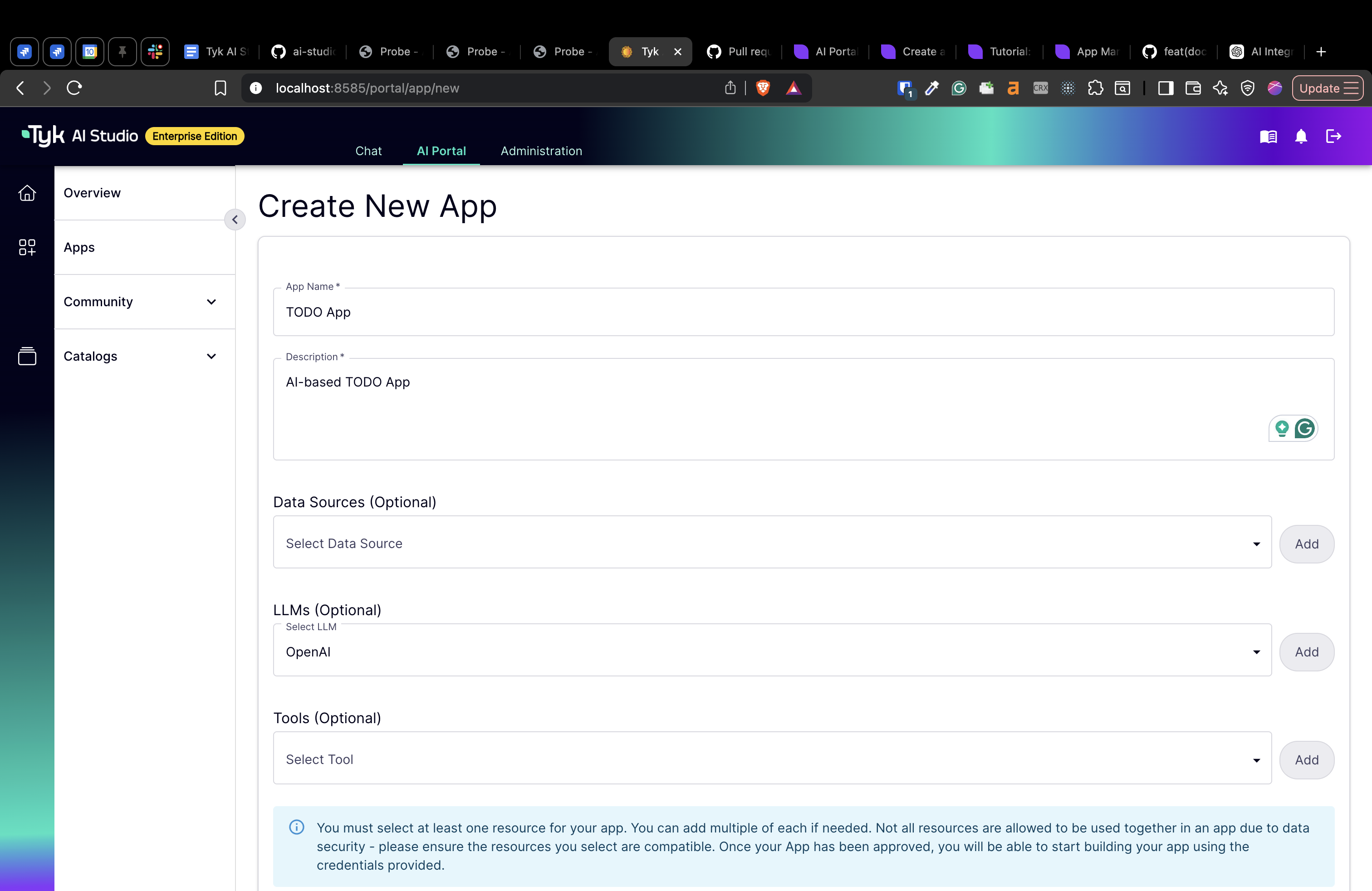
3. Fill in the required details for your App:
* **Name:** A descriptive name for your application.
* **Description:** A brief summary of what your application does.
* **LLMs:** Select the Large Language Models you want and click the **add** button to include them in your App configuration.
* **Data Sources:** If your application needs to use Retrieval-Augmented Generation (RAG), select the required Data Sources.
* **Tools:** Select any Tools (external APIs) your application needs to use.
4. Click **Create App**.
 Your App will be created, and you will be taken to the App Details view.
**App Approval:** After you create an App, its credentials are not yet active. A Studio Administrator needs to review and approve your App before you can use it.
For more information on the approval process, see the [Admin App Management documentation](/5.12/ai-management/ai-studio/admin-apps).
## Getting Your Credentials
Once your App has been approved by an administrator, you can retrieve the credentials needed to make API requests.
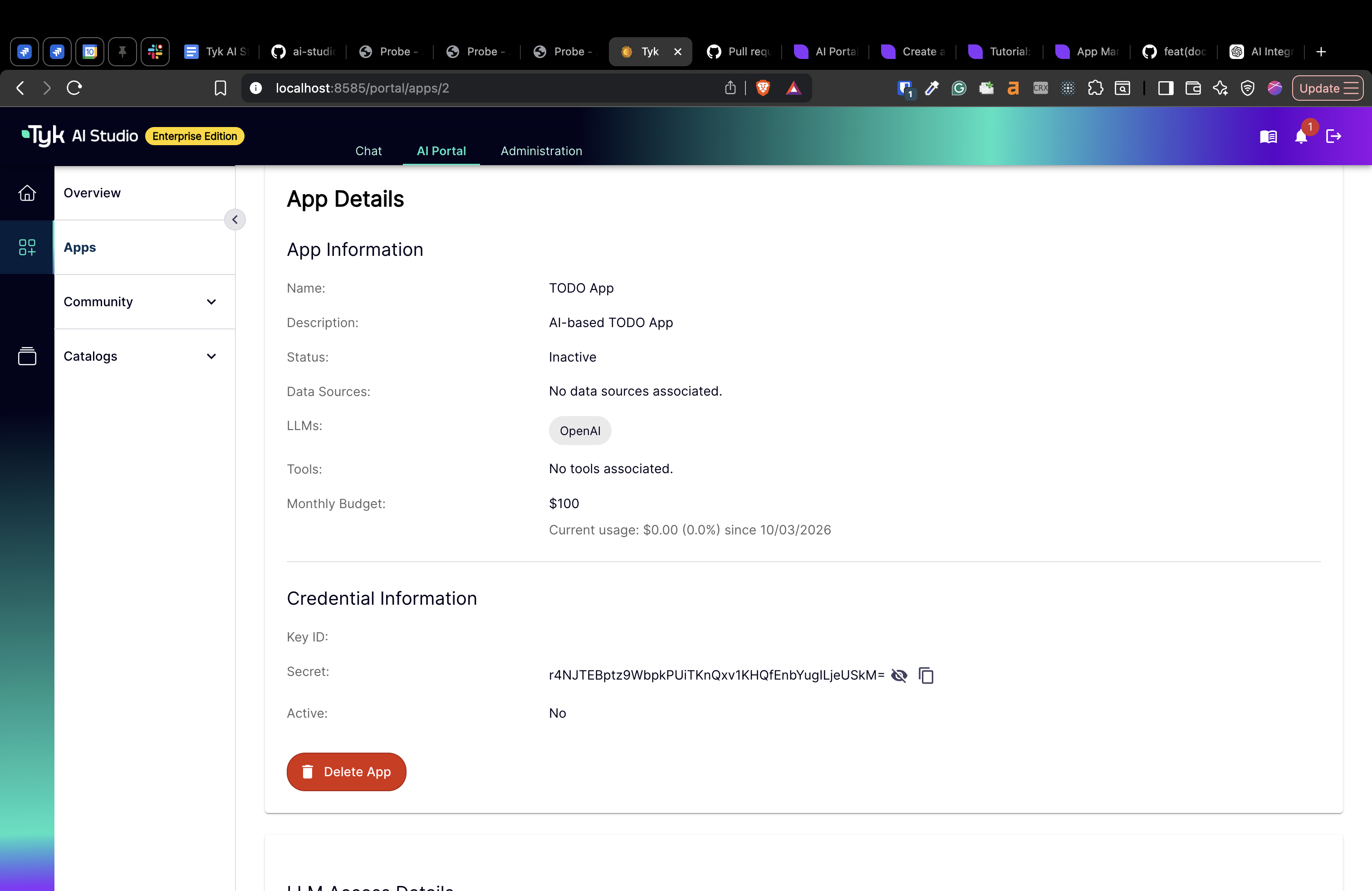
From the App Details view, you will find your **Credential Information**:
* **Key ID:** This is the public identifier for your credentials.
* **Secret:** This is your secret API key. Treat it like a password and do not expose it in client-side code.
Your App will be created, and you will be taken to the App Details view.
**App Approval:** After you create an App, its credentials are not yet active. A Studio Administrator needs to review and approve your App before you can use it.
For more information on the approval process, see the [Admin App Management documentation](/5.12/ai-management/ai-studio/admin-apps).
## Getting Your Credentials
Once your App has been approved by an administrator, you can retrieve the credentials needed to make API requests.
From the App Details view, you will find your **Credential Information**:
* **Key ID:** This is the public identifier for your credentials.
* **Secret:** This is your secret API key. Treat it like a password and do not expose it in client-side code.
 You will use this Secret to authenticate your requests to the Tyk AI Gateway.
## Getting LLM Access Details
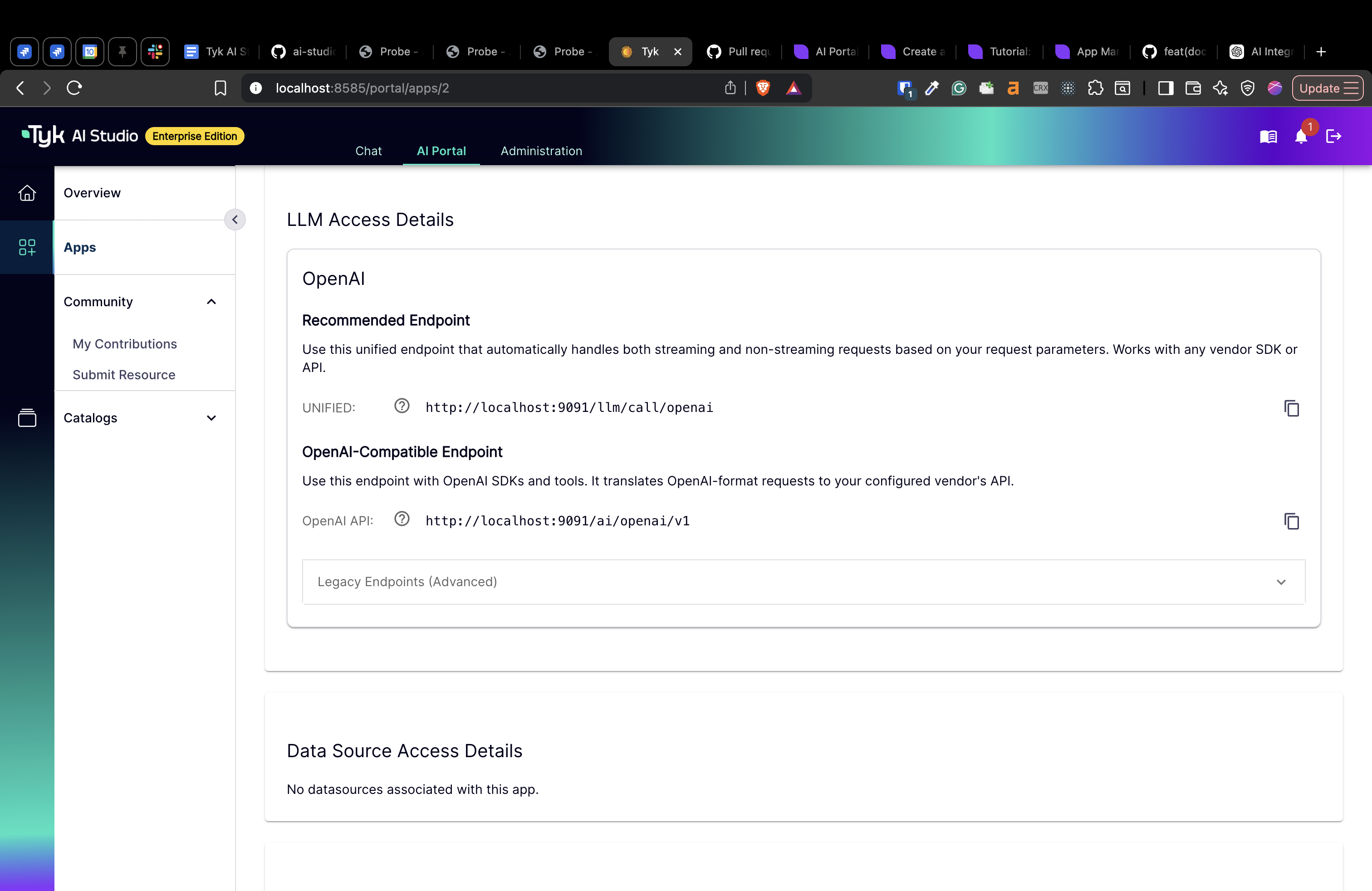
In addition to your credentials, you can also find the **LLM Access Details** in the **App Details** view.
You will use this Secret to authenticate your requests to the Tyk AI Gateway.
## Getting LLM Access Details
In addition to your credentials, you can also find the **LLM Access Details** in the **App Details** view.
 ## Monitoring Your App
The App Details view also allows you to monitor the usage and performance of your application.
* **Token Usage and Cost:** A graph shows you how many tokens your App is consuming and the associated costs, which can be filtered by date.
* **App Interaction:** You can see number of interactions over time, which can help you understand usage patterns.
## Next Steps
Now that you know how to create an App and get your credentials, you're ready to start building!
Follow our tutorial to learn how to use your App's API key in a simple command-line application:
* **[Tutorial: Create an AI CLI App](/5.12/ai-management/ai-studio/ai-cli-app)**
## Monitoring Your App
The App Details view also allows you to monitor the usage and performance of your application.
* **Token Usage and Cost:** A graph shows you how many tokens your App is consuming and the associated costs, which can be filtered by date.
* **App Interaction:** You can see number of interactions over time, which can help you understand usage patterns.
## Next Steps
Now that you know how to create an App and get your credentials, you're ready to start building!
Follow our tutorial to learn how to use your App's API key in a simple command-line application:
* **[Tutorial: Create an AI CLI App](/5.12/ai-management/ai-studio/ai-cli-app)**